How to Make an Instagram Carousel People Save (2026)
How to make an Instagram carousel people save: plan one promise, give each slide one job, build a matching set with AI, and check crops and text before posting.
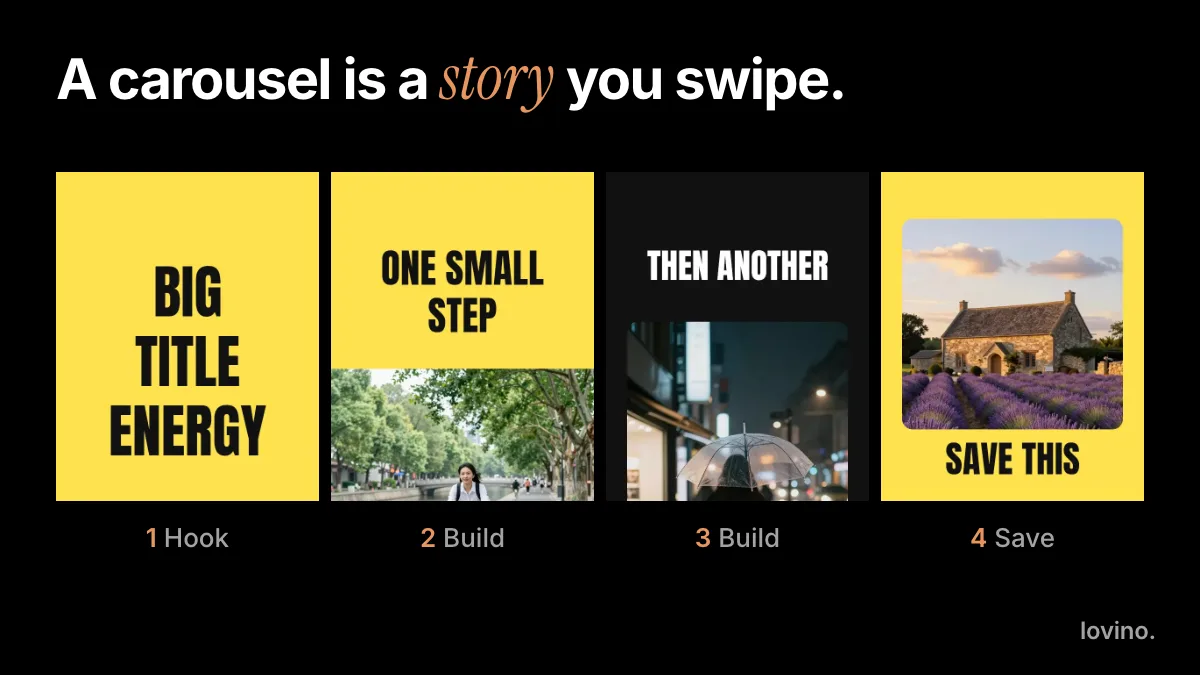
How to make an Instagram carousel that people save: decide on one promise, give every slide a single job (hook, build, payoff), keep every slide the same size and style, then check the words and crops before you post. Most carousels that get skipped fail on structure, not design. Fix the structure and a plain set of slides works.
A carousel is one post with several slides that people swipe through. Instagram allows up to 20 photos and videos in a single post, according to the Instagram Help Center. Most good carousels use far fewer. This guide covers the plan, a step-by-step AI workflow on the web, and the checks that stop a set from looking like five unrelated pictures.
What makes people save a carousel?
People save what they will need again: a checklist, a recipe, a set of steps, a comparison, a before and after they want to copy. Instagram does not publish a formula for saves, so read the list below as craft, not a guarantee.
- A promise on slide 1. The reader knows what they get by swiping.
- One idea per slide. A slide that needs two readings gets skipped.
- A reason to come back. Steps, a list, a template, a reference.
- One ask at the end. Save it, share it or follow. Pick one.
How do you plan an Instagram carousel?
Write the outline before you open any tool. One line per slide is enough, and it is the step most people skip.
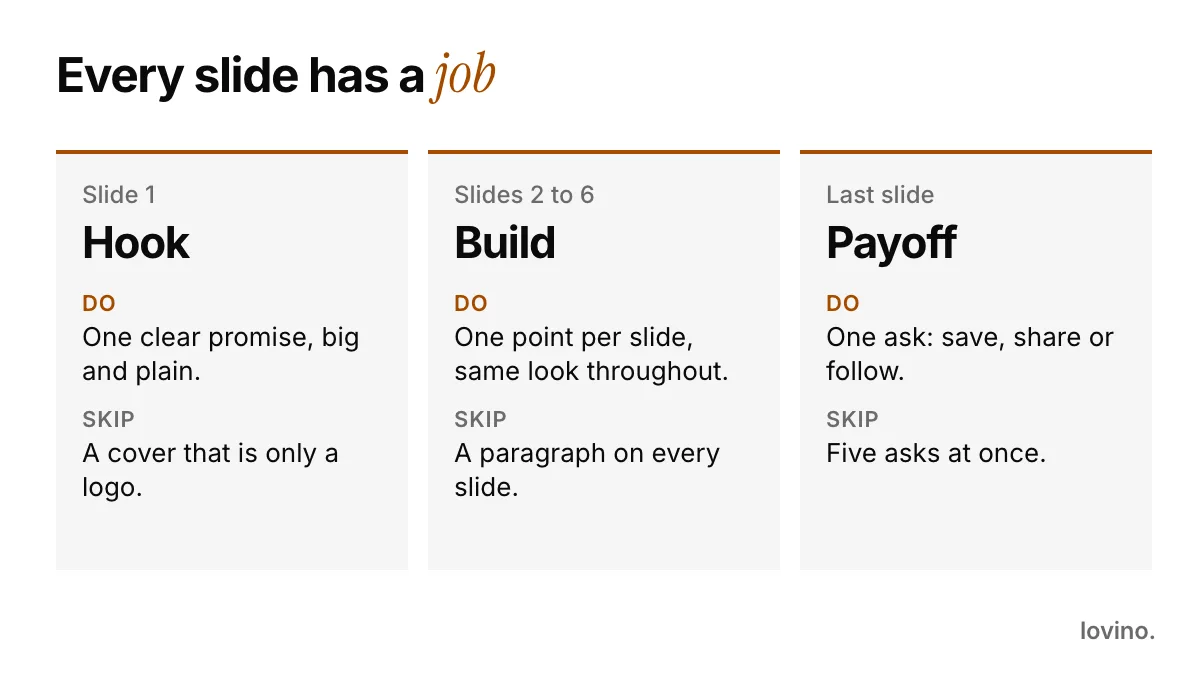
Here is a plan for an imaginary plant shop:
| Slide | Job | Example |
|---|---|---|
| 1 | Hook: one clear promise | "Stop watering on a schedule" |
| 2 to 4 | Build: one tip per slide | "Check the soil first", "Water until it drains", "Empty the saucer" |
| 5 | Payoff: one ask | "Save this for Sunday" |
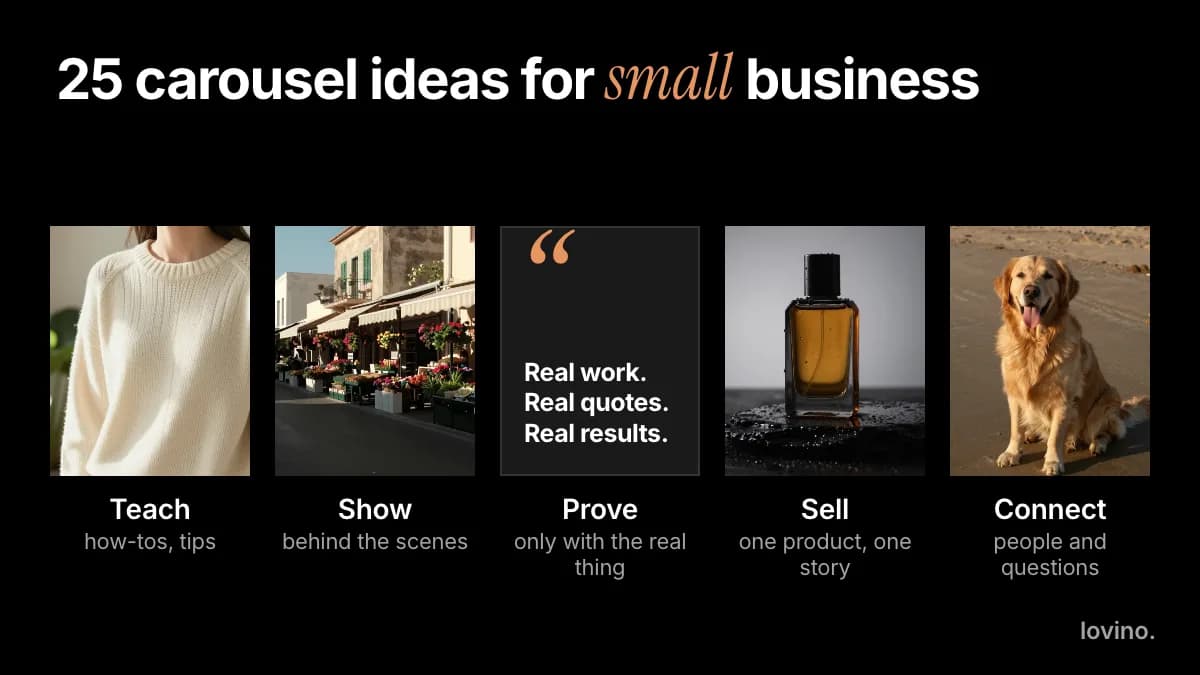
Short is fine. Lovino's Carousel Set skill suggests three to five slides, because a small set is easier to keep consistent. Add a slide only when the idea needs it. Need a starting idea for your own business? Borrow one from 25 carousel post ideas for small businesses.
How do you write a hook that makes people swipe?
Slide 1 has one job: make slide 2 worth opening. Four patterns cover most hooks.
| Pattern | What it does | Example for the plant shop |
|---|---|---|
| The promise | Says what the reader gets | "How to water a monstera without killing it" |
| The mistake | Names a thing to stop doing | "Stop watering on a schedule" |
| The list | Signals a set of quick answers | "Four checks before you repot" |
| The contrast | Shows two ways, one better | "Same plant, two watering habits" |
Keep the words short enough to read at a glance and set them in the largest type on the slide. If the hook needs a second sentence, that sentence belongs on slide 2.
How to make an Instagram carousel with AI on the web, step by step
Lovino gives you two routes in the browser. Iris, the creative agent, has a Carousel Set skill built to make a set look like one piece. Studio lets you generate each slide yourself. Both need an account, because signup is required to generate.
Step 1: Brief Iris with the whole story
Open Iris, choose the Carousel Set skill in the prompt bar, and give it the topic, the slide count, the ratio and the style in one message:
Make a 5-slide Instagram carousel in 4:5 about how to water a monstera.
Slide 1: hook, "Stop watering on a schedule". Slides 2 to 4: one tip each.
Slide 5: "Save this for Sunday".
Same warm, bright, minimal style on every slide.
Leave empty space at the top of each slide for text.
The skill works in square (1:1) or portrait (4:5). It plans one image per slide and repeats the same style, palette and lighting wording in every prompt, which is what holds a set together.
Step 2: Read the approval card
Iris shows what it will make before it makes it: the tool, the settings and the credit price. Check the slide count and the ratio, then approve. Free accounts get watermarked outputs and paid plans remove the watermark, so look at pricing before you plan a client post.
Step 3: Fix one slide, not the set
When a single slide drifts, leave the rest alone. Ask Iris to redo only that slide and repeat the same style sentence so it matches. Or open the slide in Magic Edit and describe the change in plain words, such as "keep the scene, make the leaves greener". Magic Edit uses paid credits.
The Studio route: same sentence, every time
In Studio, pick Image, set the ratio to 4:5 and paste the same style sentence at the end of every prompt. Change only the subject. To keep a recurring object or person, start from a reference picture; how to use image-to-image AI explains how.

The AI-made image above shows what a hook picture needs: one subject, and calm empty space beside it where a headline can sit.
Where should the words on the slides come from?
You have two options. The right one depends on how exact the words must be.
- Let the model draw them. GPT Image 2 is built to render text, and Lovino offers it in 1:1, 3:2 and 2:3. Put the exact words in quotes in your prompt. For 4:5 slides, make a 2:3 image and crop it, keeping the words in the middle. See GPT Image 2.
- Set them yourself. For brand fonts, long lines or exact spelling, generate the picture without text and add the type in any design tool.
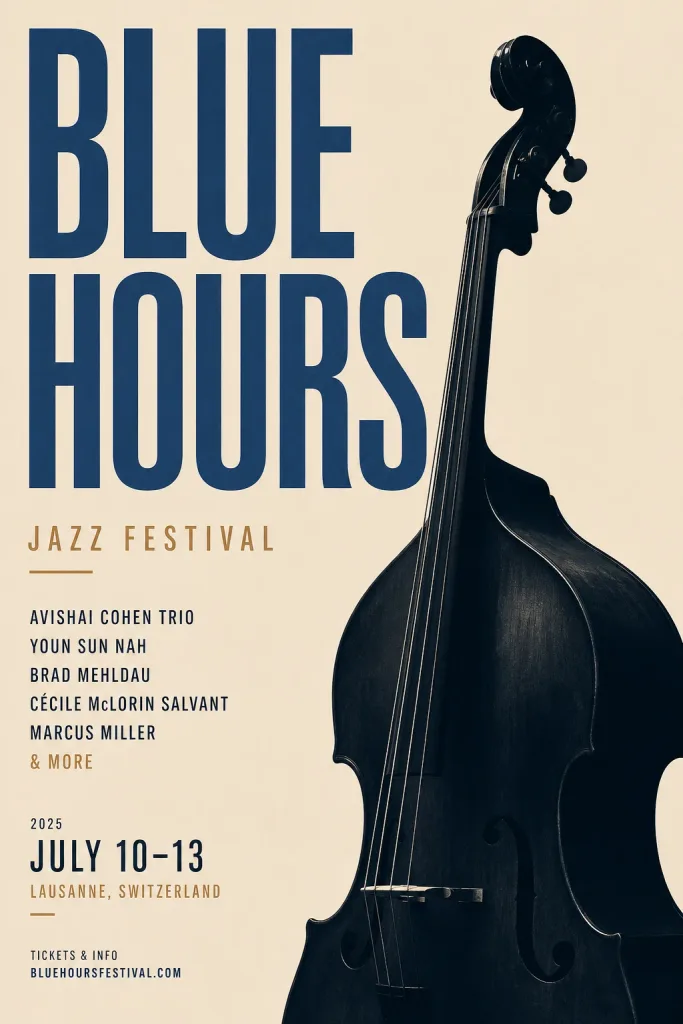
Either way, read every letter and number before you post. AI lettering still slips. The AI poster generator page shows what works for text-heavy designs.
How do you check a carousel before you post it?
Swipe through the whole set once as a stranger would. Does each slide earn the next one?

Then run this list:
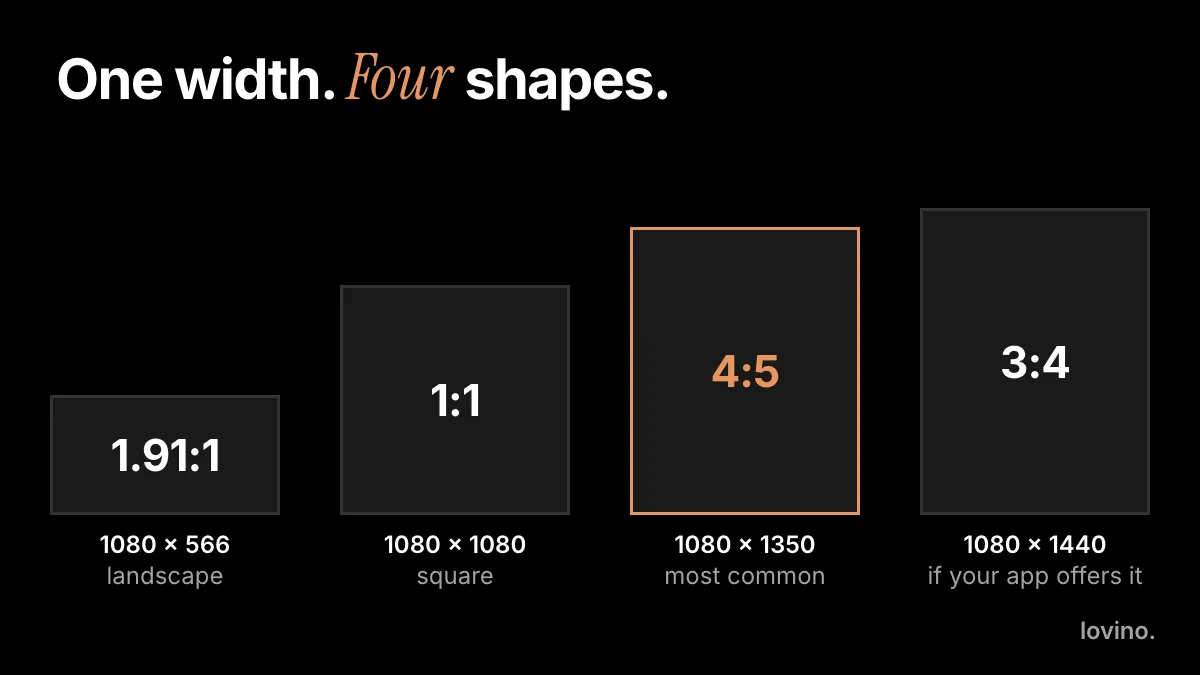
- Every slide has the same ratio. 4:5 at 1080 × 1350 pixels is the usual choice; the Instagram carousel size guide has the full table.
- Text sits inside a safe margin, away from the edges.
- Slide 1 makes sense on its own. The Instagram Help Center says your feed shows the first photo or video from the post, and so does your profile.
- Each slide carries one idea, and the order reads like a story.
- The last slide has one ask.
- AI-made images are labelled where the platform or your market expects it. AI content disclosure on social media explains the basics.
What are the common mistakes, and what should you never fake?
- Mixed styles. Copy the same style sentence into every prompt instead of rewording it each time.
- A wall of text. If a slide needs a paragraph, split it into two slides.
- Invented proof. AI can style and present your work. It cannot supply results. Never make up customer quotes, reviews, numbers or before and after outcomes. If a slide says "results", they must be real.
- Uploads you have no right to use. Images you upload are processed by third-party AI providers. Upload only photos you may use, and get a customer's agreement before you feature them.
- Too many slides for one idea. If slide 7 repeats slide 3, cut it.
Your Lovino outputs can be used commercially, on free accounts too. A free output carries a watermark, which paid plans remove.
Make your first carousel
Pick one promise, write one line per slide, and brief Iris or Studio in a single message. Want slides that swipe like one wide picture? Read how to make a seamless panorama carousel. Posting on LinkedIn instead? The same story plan works as a PDF; see the LinkedIn carousel guide. When you are ready, open the AI image generator or start a brief in Iris.
Questions, answered.
How many slides should an Instagram carousel have?
Instagram allows up to 20 photos and videos in one post, but the right number is however many the idea needs. Lovino's Carousel Set skill suggests three to five slides for a consistent set. Add more only when each extra slide carries a new point.
What size should Instagram carousel slides be?
Make every slide the same size. 1080 × 1350 pixels (4:5) is the common choice because it takes up the most feed space. 1080 × 1080 (1:1) also works. Check the crop preview in your own composer before you post.
Can I make an Instagram carousel for free with AI?
You need to sign up first. Free accounts can generate images with free daily credits, and free outputs carry a watermark that paid plans remove. Each Iris step shows its credit price before you approve it, and the pricing page lists what every plan includes.
Can I use AI-made carousel slides for my business?
Yes. Everything you make in Lovino can be used commercially, including on free accounts. Free outputs are watermarked. Do not present AI-made images as real customer results, and label AI imagery where the platform or your market expects it.
How do I keep every slide in the same style?
Write one style sentence covering look, colors and lighting, then paste it unchanged into every slide prompt. The Carousel Set skill in Iris does this for you and varies only the subject and composition from slide to slide.