

AI Ad Generator
Lovino's AI ad generator makes static and video ads from one product photo. Pick an ad recipe, and Lovino keeps your product, builds a new scene around it and writes the headline and button text. Ad copy is free. Each ad scene costs 3 paid credits, and a video costs 10 to 68.
Ad copy is free · scenes 3 paid credits · video 10 to 68 credits, shown before you generate
What is AI Ad Generator?
Ad Studio starts with a single product photo. You choose an ad recipe, Lovino cuts out your product and builds a new scene behind it, and an AI-written headline, subhead and button go on top. Pick a square, vertical or wide format, apply your brand kit, and download the ad as a PNG. Most recipes can also turn the same product into a short vertical video.
How to use AI Ad Generator
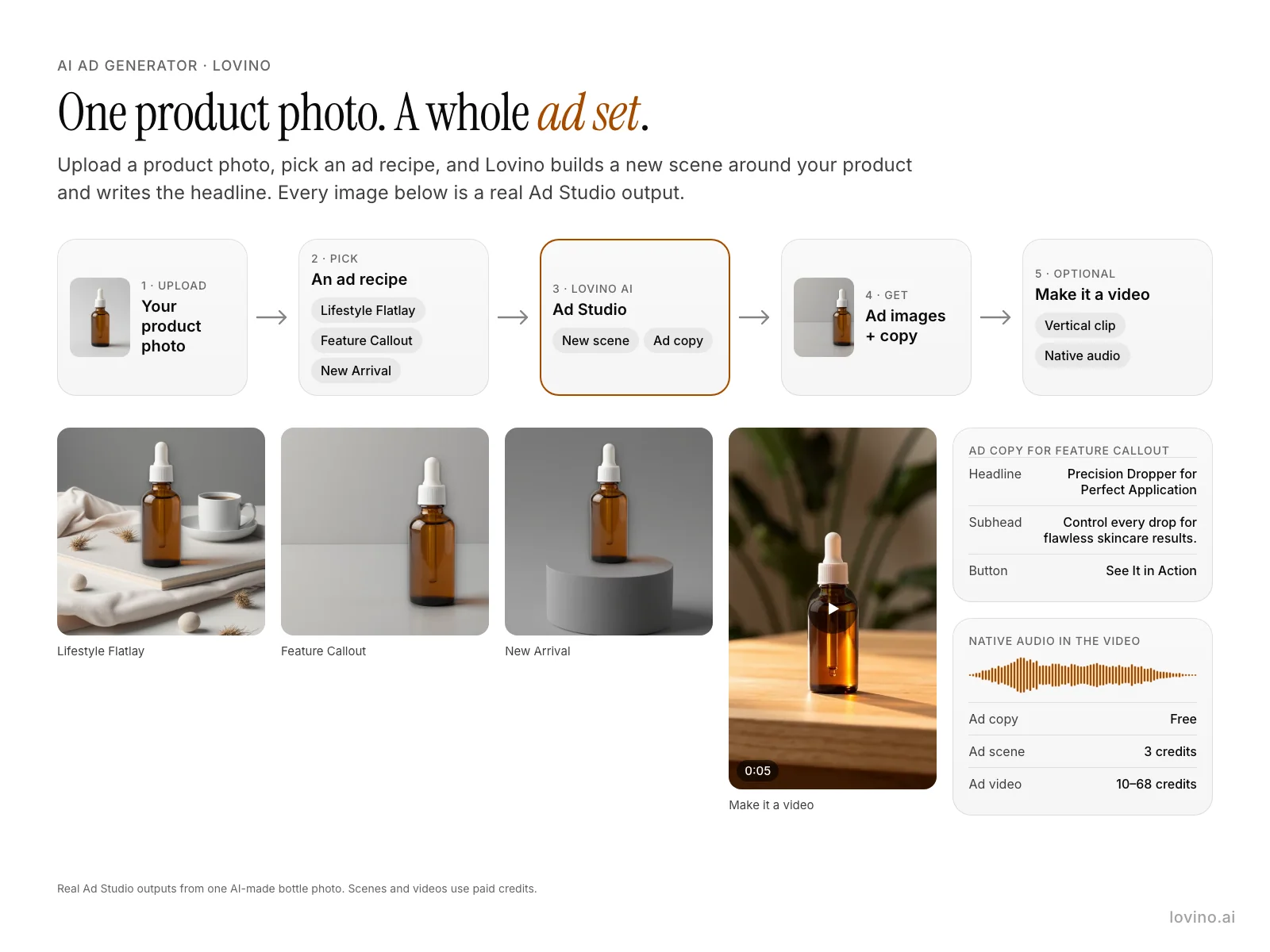
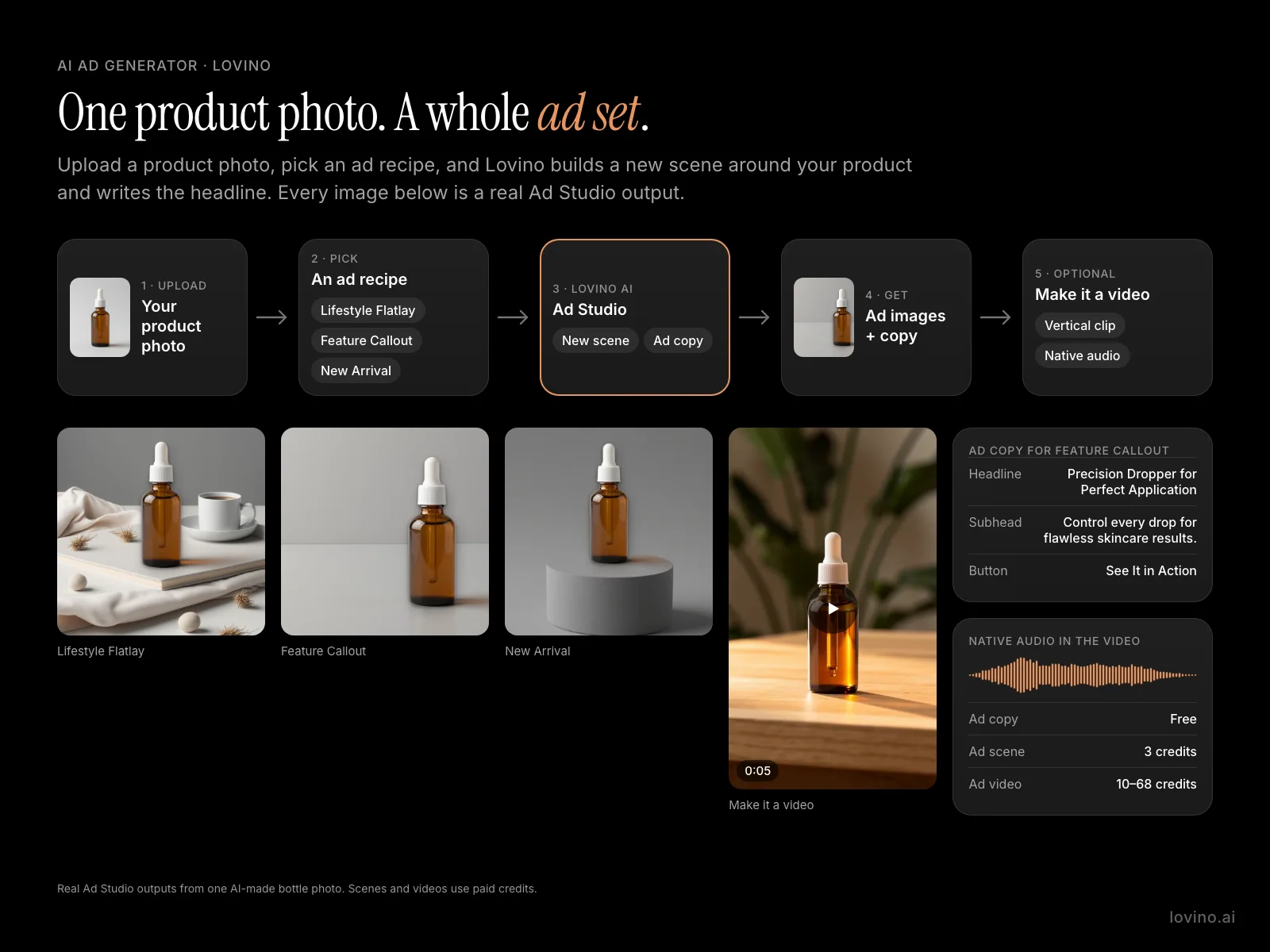
- 01
Upload your product photo
Add one sharp photo with the whole product in frame. Lovino separates the product from its background.
- 02
Pick an ad recipe
Choose a recipe such as Lifestyle Flatlay, Feature Callout or New Arrival. Each one sets the copy angle, the scene and the layout.
- 03
Let Ad Studio build the ad
Your product stays as photographed. Ad Studio builds a new scene around it and writes the headline, subhead and button text.
- 04
Get the ad images and copy
Edit the text if you want, then download the ad as a PNG in a square, vertical or wide format.
- 05
Optional: make it a video
Turn the same product into a short vertical clip with sound. Video needs a paid plan, and the credit cost is shown first.
Real ads from one product photo
Every picture here is a real Lovino output. The bottle is an AI-made test photo with no brand or label. The first three images are Ad Studio scenes made from that one photo. The clips show the video step and a creator-style product clip.
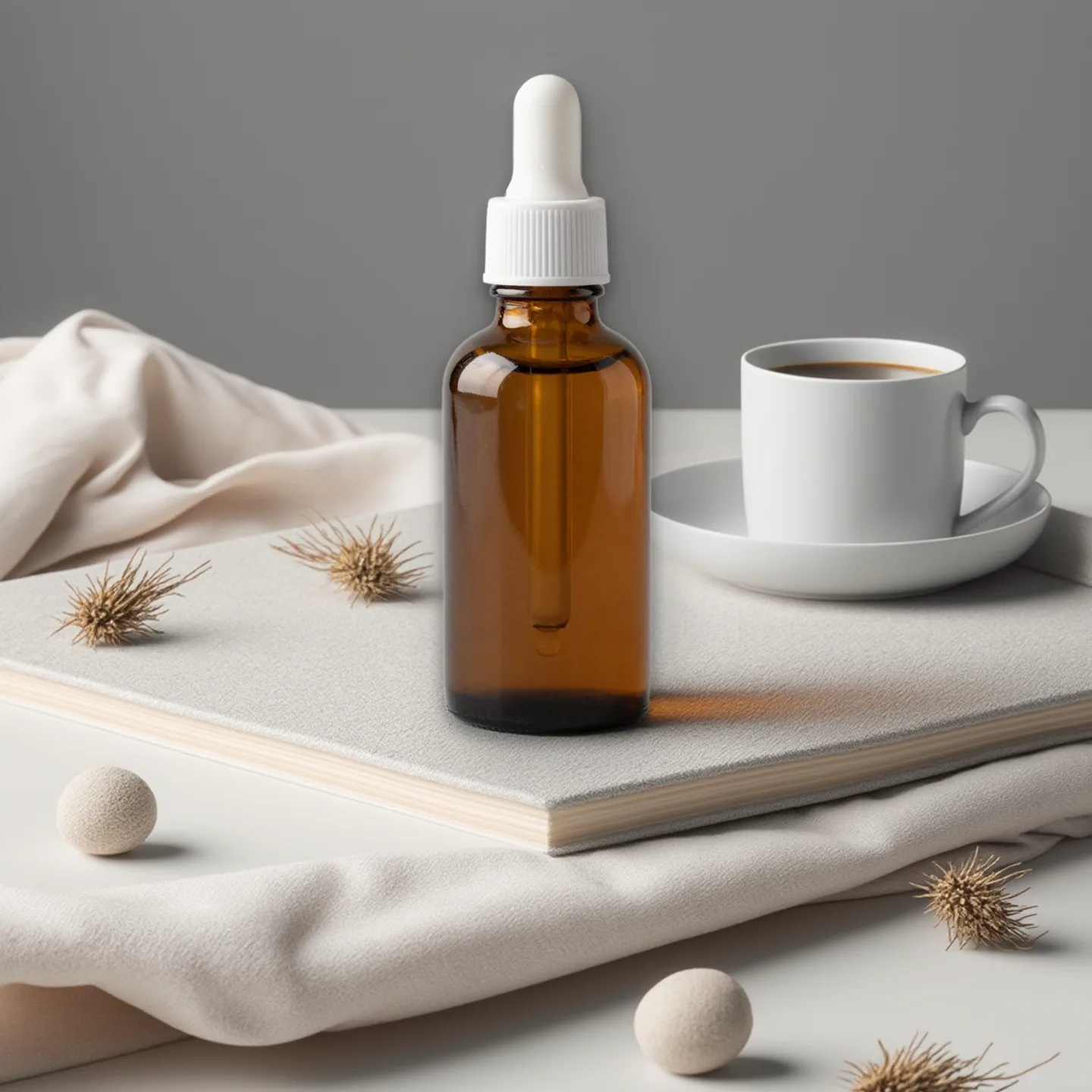 Ad Studio scene
3 paid credits
Ad Studio "Lifestyle flatlay" scene: the bottle pixels stay, the scene around them is new.
styled flatlay surface in natural wood or linen texture, soft props like dried flowers or a coffee cup arranged around generous negative space, bright airy natural light, flatlay photography Lighting, colour temperature and shadow direction consistent with the object already in frame. Plain unmarked surfaces, smooth blank backdrop. The scene is empty apart from the object already present.
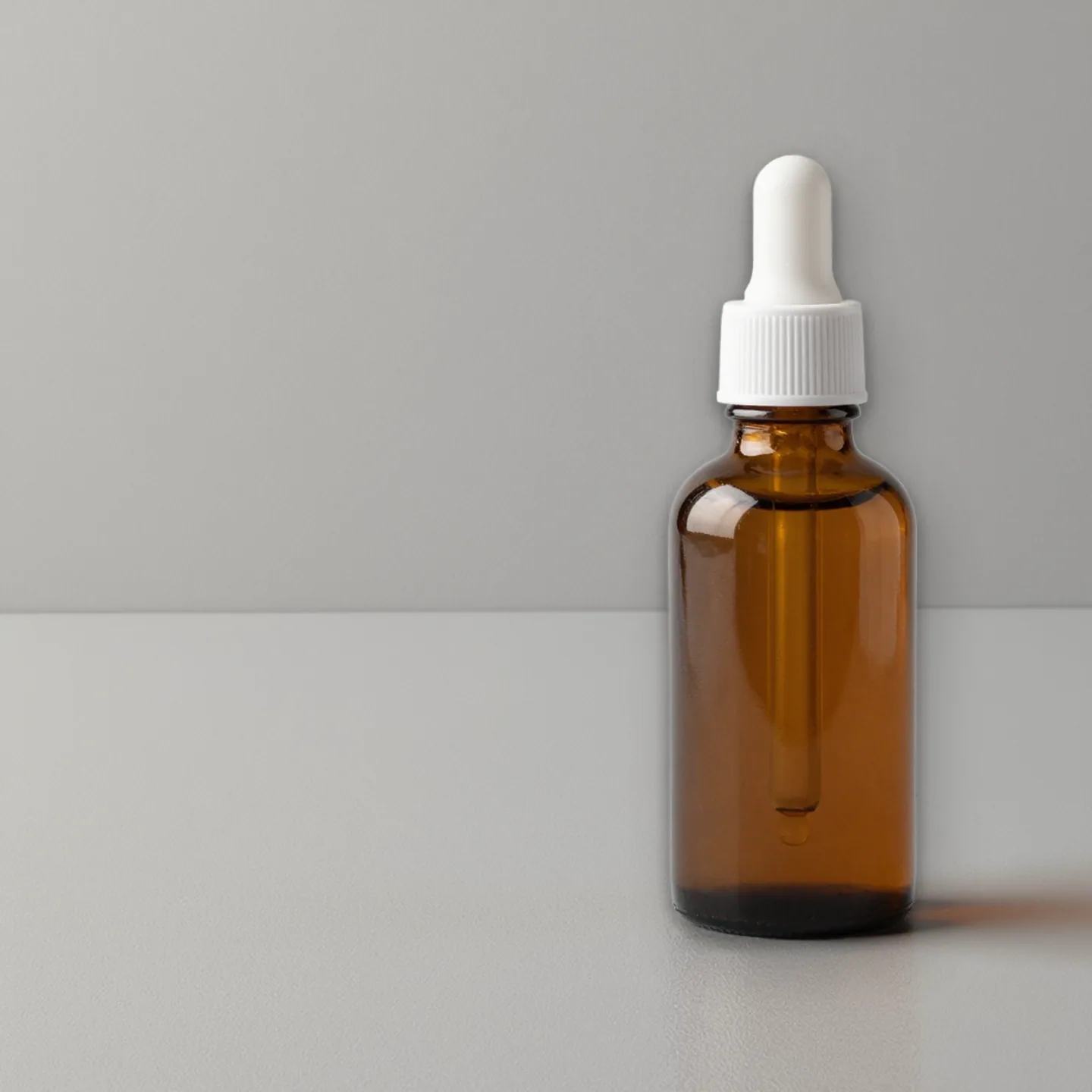 Ad Studio scene
3 paid credits
Ad Studio "Feature callout" scene, made from the same bottle photo.
clean well-lit studio background with sharp focus on product texture and form, subtle negative space suggesting a spec-sheet feel, precise commercial product photography Lighting, colour temperature and shadow direction consistent with the object already in frame. Plain unmarked surfaces, smooth blank backdrop. The scene is empty apart from the object already present.
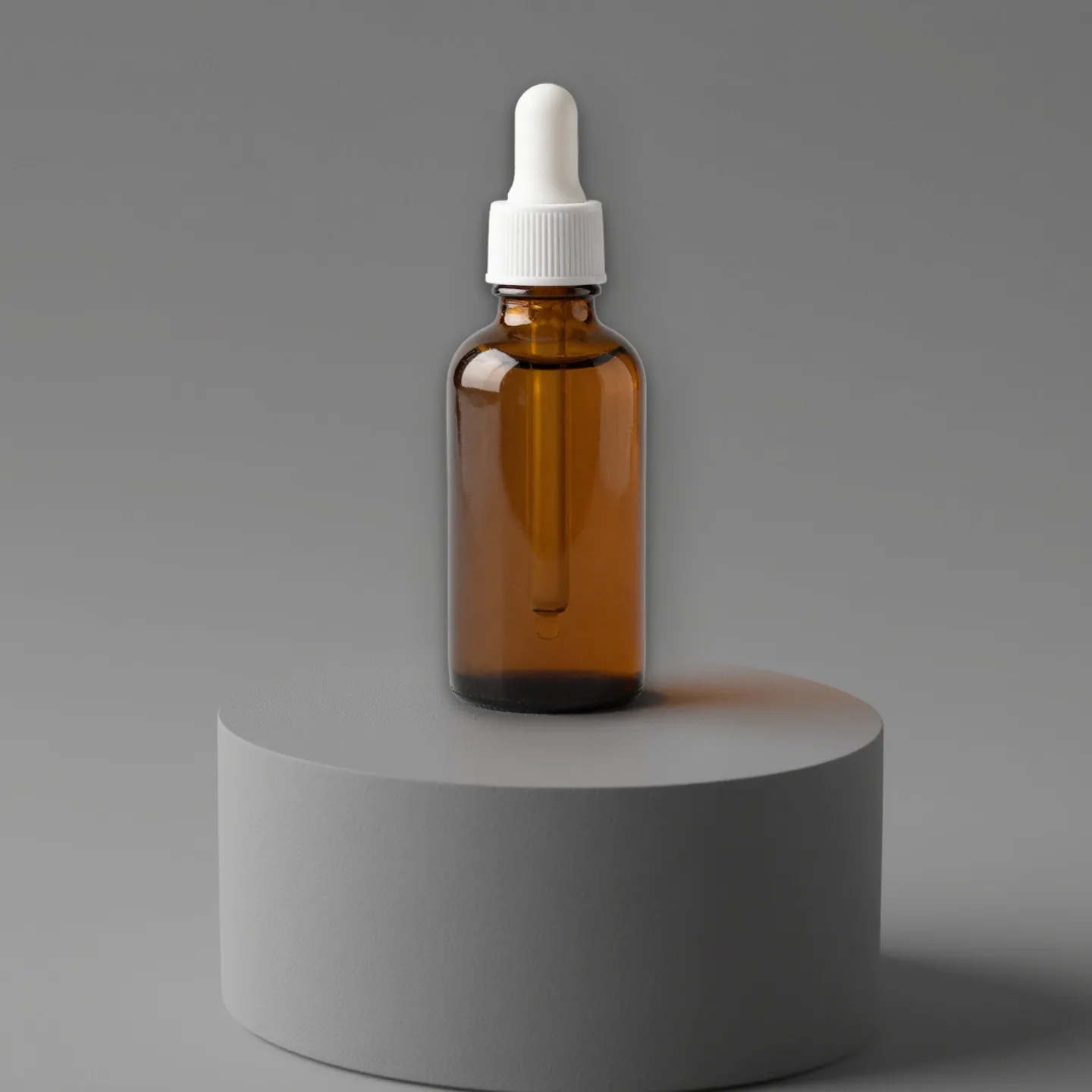 Ad Studio scene
3 paid credits
Ad Studio "New arrival" scene, made from the same bottle photo.
crisp minimal studio backdrop with a subtle spotlight on the product, clean negative space, fresh-launch commercial photography with a modern feel Lighting, colour temperature and shadow direction consistent with the object already in frame. Plain unmarked surfaces, smooth blank backdrop. The scene is empty apart from the object already present.
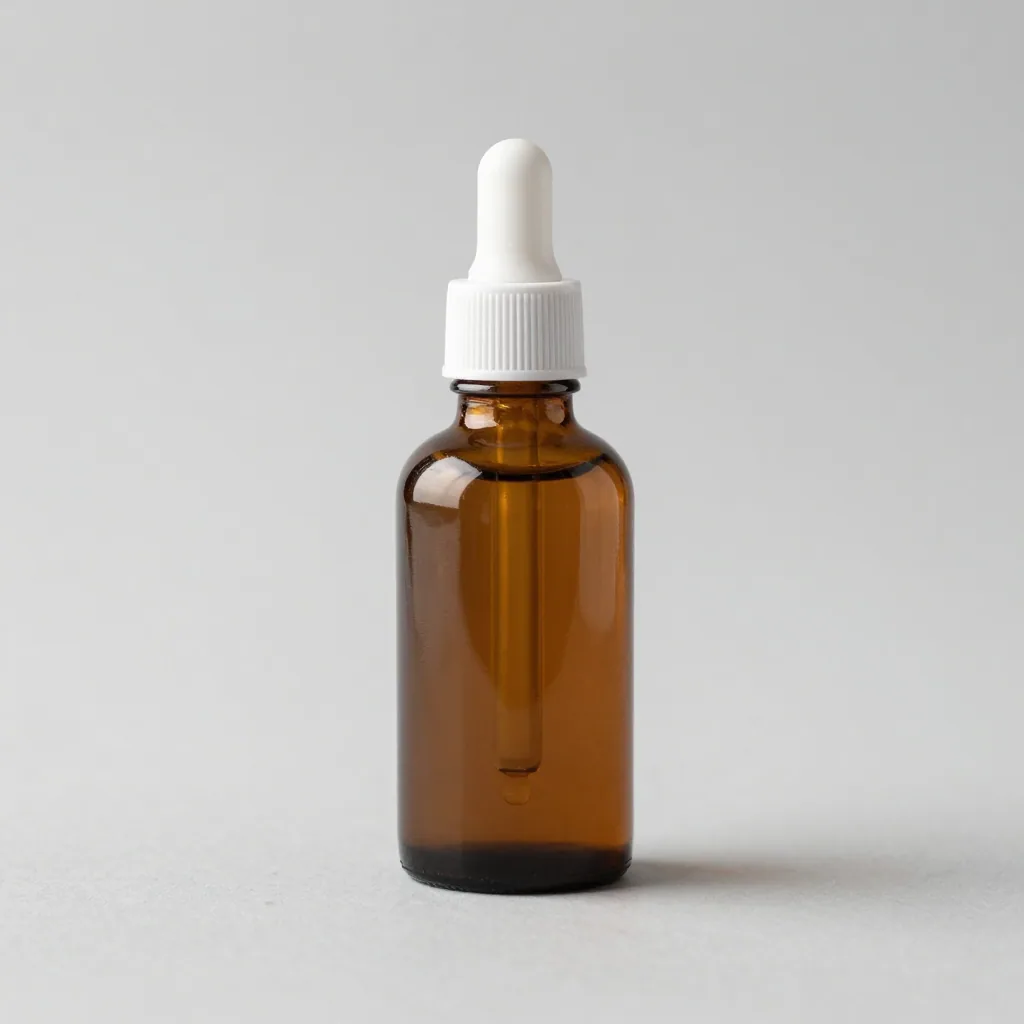 Z-Image Turbo
1 credit
The one product photo Ad Studio starts from. AI-made test photo, no brand or label.
Studio photo of a plain unbranded amber glass serum bottle with a white dropper on a light grey sweep, no text, no logos
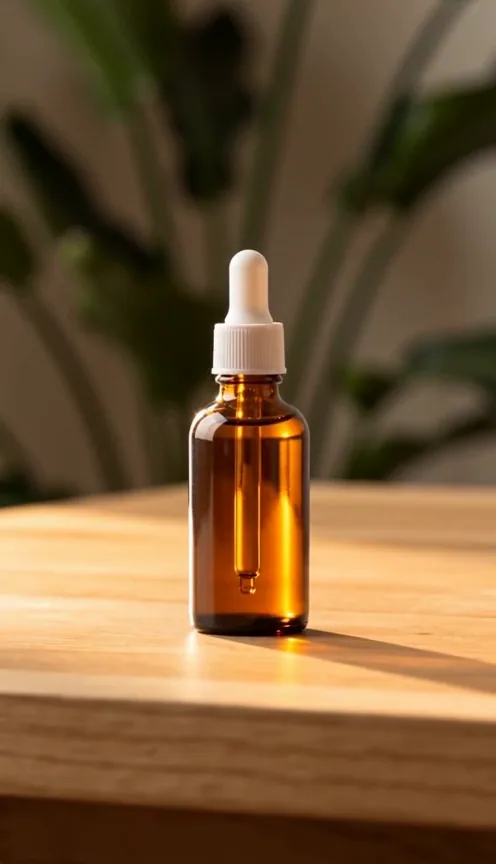 Seedance 2.0
10 credits
"Make it a video" turns the same bottle into a vertical clip. Shown muted; the original has native audio.
Product placed naturally on aspirational surface — wooden table, marble counter, or styled shelf with minimal props. Camera slowly reveals product in context, gentle pull-back from close-up to medium establishing shot. Start: tight macro on product detail. Slow dolly-out to reveal full environment. Warm natural light, golden hour tones, soft depth-of-field on background, lifestyle editorial feel, 35mm. Calm ambient soundtrack, environment sounds (birds, cafe, gentle breeze). sharp clarity, natural colors, stable picture, no blur, no ghosting, no flickering
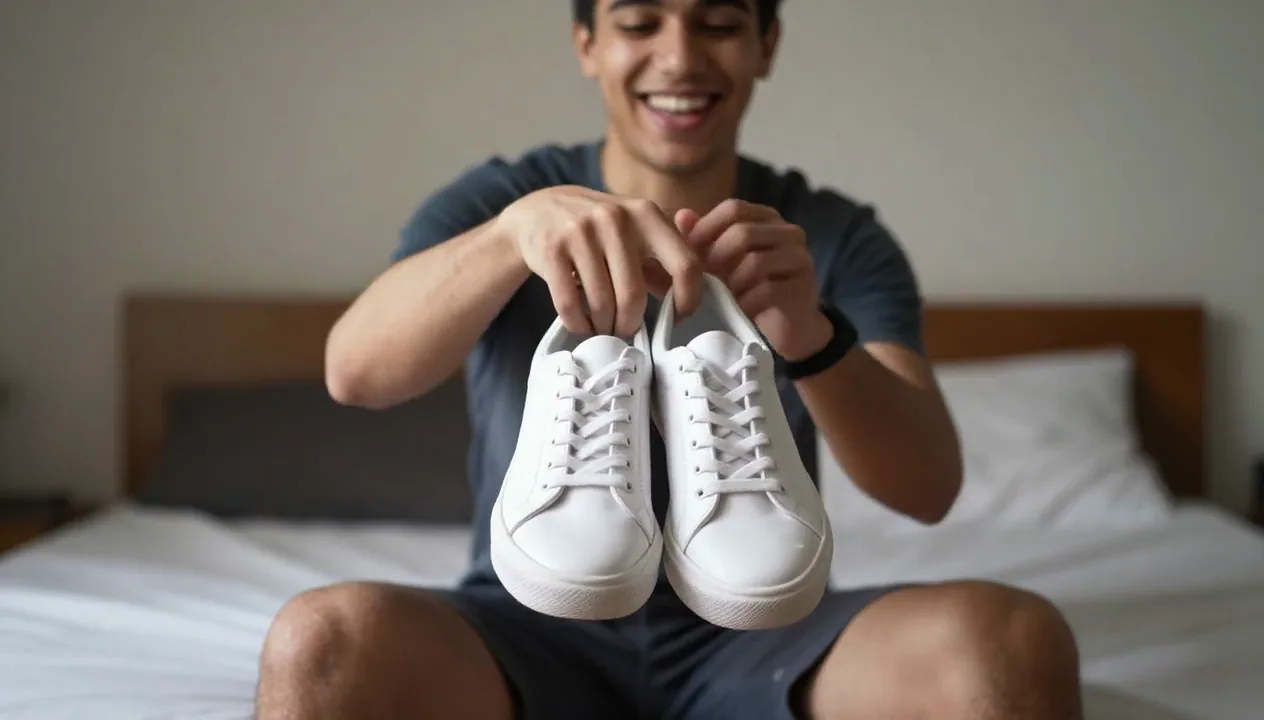 Wan 2.2 Fast
Creator-style product clip, AI-generated and shown muted. An AI-made still animated with Wan 2.2 Fast, not an Ad Studio output.
he turns the sneakers to show the side, grins at the camera
An AI ad maker for small brands
A small brand rarely has a studio, a designer and a copywriter on call. Ad Studio covers the three jobs that block most first ads: a scene that suits the product, a headline that fits the scene, and a layout that leaves room for both.
You still make the decisions. You choose the recipe, read the copy, and decide what to run. Lovino does the first draft.
A product ad generator for a whole ad set
One photo can go through several recipes. The examples above are Lifestyle Flatlay, Feature Callout and New Arrival, all from the same bottle. Each scene costs 3 paid credits, so a set of 4 scenes costs 12.
Running several angles on one product gives you something to compare before you spend on media. Lovino does not run the ads or report on them.
- Image recipes include Lifestyle Flatlay, Feature Callout, New Arrival, Sale Hero, Before and After, Seasonal Promo and Bundle Deal.
- Video recipes include Unboxing Reveal, Founder Story, Social Proof, A Day In The Life and Step-by-Step Routine.
Facebook ad generator sizes: square, vertical and wide
Each ad can be square, vertical or wide, so the same product can fit a feed post, a story or a wide banner. Your brand kit adds its logo, fonts and colours to the layout.
Download the ad as a PNG and upload it in Meta Ads Manager or whichever ad platform you use. Lovino does not publish ads for you.
AI ad copy that matches the picture
Every recipe has a copy angle. Sale Hero leads with the offer. Feature Callout names one feature and its benefit. Lifestyle Flatlay keeps the tone soft and editorial. The headline, subhead and button text are written for your product and your brand tone, and you can edit all three.
Writing copy costs no credits. Read it before you run it, and check every claim, price and offer yourself.
What Lovino does and does not do
| Lovino does | Lovino does not | |
|---|---|---|
| Your product | Keeps your product pixels and builds the scene around them | Redraw or restyle the product itself |
| Ad copy | Writes a headline, subhead and button text, free, and lets you edit them | Check your claims, prices or ad policies |
| Scenes | Builds a new scene for 3 paid credits | Run scenes on the free daily credits |
| Video | Turns an ad into a vertical clip with sound, on a paid plan | Make long videos or edit a timeline |
| Publishing | Gives you a PNG or a video file to download | Post to Meta, TikTok or Google for you |
What each part costs
| Part | Credits | Who can use it |
|---|---|---|
| Ad copy | Free | Any Lovino account |
| Ad scene | 3 | Paid credits only |
| Ad video | 10 to 68, by length and resolution | Needs a paid plan |
The credit cost is shown before you generate.
What it can't do
- Scenes and videos are not free. The free daily credits do not cover an ad scene, and video needs a paid plan.
- Scenes are AI-made, so props and surfaces change from run to run. Making a new scene costs another 3 credits.
- The copy is a draft. Check every claim, price and offer before you run an ad.
- Lovino does not publish ads, track results or connect to ad accounts.
- Ad Studio is part of the Business workspace in the app, not a separate site.
Pricing
Start free. Scale anytime.
One credit system across Studio, Flow and every tool. Cancel anytime.
| Plan | Per month | Credits |
|---|---|---|
| Free | $0 | 3 credits per day |
| Plus | $7.99 | 50 credits per month |
| Pro | $19.99 | 200 credits per month |
| Max | $44.99 | 500 credits per month |
Questions, answered.
Is the AI ad generator free?
Partly. Writing ad copy is free. An ad scene costs 3 paid credits, so the 3 free daily credits do not cover it, and an ad video needs a paid plan and costs 10 to 68 credits. Credits come from a paid plan or a credit pack. Plans start at $7.99 a month, and a starter pack is $2.99 for 15 credits.
What do I need to make an ad?
One sharp photo of your product with the whole product in frame. Ad Studio separates the product from its background, so a clean photo gives the cleanest result.
Does the AI change my product?
No. Ad Studio keeps your product pixels and builds the scene around them. Only the background and props are new.
Can it write the ad copy?
Yes. Each recipe writes a headline, subhead and button text for your product, using your brand tone if you have set up a brand kit. You can edit all three. Check any claim or price before you run the ad.
What ad sizes can I make?
Square, vertical and wide. Pick the shape that matches where the ad will run, then download it as a PNG.
How much does an AI video ad cost?
10 to 68 credits, depending on length and resolution. The shortest, a 5-second clip at 480p, costs 10. It needs a paid plan, and the price is shown before you generate.
Which ad recipes can I use?
Image recipes include Lifestyle Flatlay, Feature Callout, New Arrival, Sale Hero, Before and After, Seasonal Promo and Bundle Deal. Video recipes include Unboxing Reveal, Founder Story, Social Proof and Step-by-Step Routine.
Can I post the ads straight to Facebook or Instagram?
No. Lovino does not publish ads. Download the PNG or the video and upload it in Meta Ads Manager or the platform you use.
More AI tools
Built for
Related guides
- How to Make UGC-Style Product Ads with AI (Step by Step)UGC ads win because they look real, not polished. Here's how to make authentic, shot-on-phone product ads with the Iris UGC skill, step by step.
- Iris Skills: Expert Modes for UGC Ads, Reels & Social PostsSkills turn Iris into a specialist for the job at hand — UGC ads, reels, social posts, logos and more. Here's what each expert mode does and when to use it.
- Seedance 2.0 vs Arcads, Creatify & HeyGen: AI UGC Ad GeneratorSeedance 2.0 generates UGC video ads with native synchronized audio from your product image. Compare vs Arcads, Creatify and HeyGen for TikTok and Meta ads.
Try a template


Ready to try AI Ad Generator?
Ad copy is free · scenes 3 paid credits · video 10 to 68 credits, shown before you generate. No purchase is made until you confirm a generation.