

AI Video Generator
Turn text or images into cinematic videos
Video uses paid credits · from 2 credits per clip, shown before you generate
- Seedance 2.5

- Wan 2.2 5B Fast
- Seedance 2.0 Fast

AI video generator
Text or a photo in, a 4 to 15 second clip out.
Generate short AI video clips from a text prompt or a still photo. Pick a model, clip length and resolution, and see the credit cost before you spend it. Video needs paid credits; the free daily credits cover image tools only.
Examples
Real clips from 6 models, each with its prompt.
Each clip was rendered in Lovino by the model named under it. The caption says when a clip starts from a still image; the others start from text only.
 MiniMax H3
5 s · 2K · from a still image · 17 credits
Image to video: a still image of white sneakers beside a coffee cup becomes a slow push-in with rising steam.
Slow cinematic push-in on a white sneaker on a cafe table, soft morning light, steam rising from a coffee cup
 Seedance 2.5
Text to video · from 13 credits
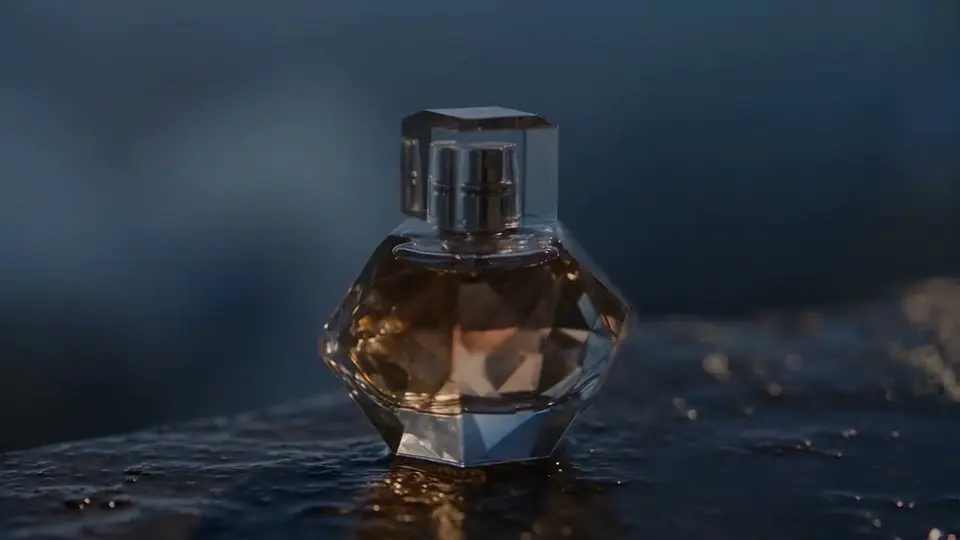
Text to video: a slow dolly past a perfume bottle on wet stone at blue hour.
Cinematic slow dolly shot of a glass perfume bottle on wet black stone at blue hour, soft rim light, drifting mist, shallow depth of field, photorealistic product film
 Seedance 2.0 Fast
Text to video · from 9 credits
Text to video: a dolly move through a candlelit hall, with fire and swaying banners.
Cinematic dolly through a candlelit medieval feast hall, banners swaying, fire crackling, cinematic warm-neutral color grade, soft directional key light, 35mm lens, shallow depth of field, natural skin tones, subtle film grain
 Veo 3.1 Fast
Text to video · from 10 credits
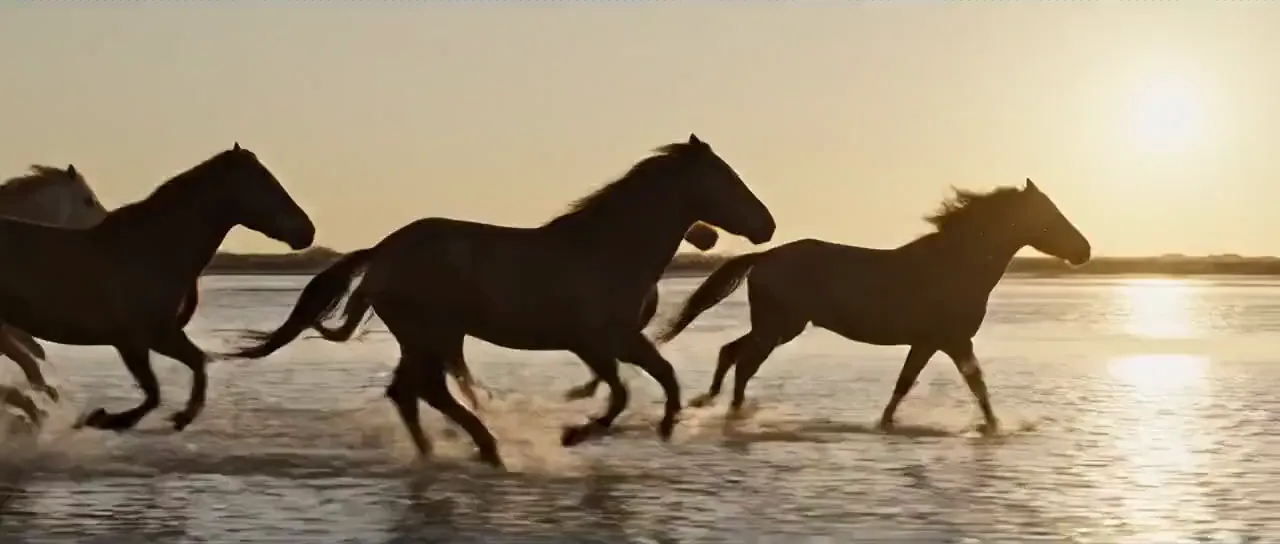
Text to video: horses at a gallop through shallow water, backlit spray.
Wild horses galloping through shallow tidal flats at sunset, water spray backlit, cinematic warm-neutral color grade, soft directional key light, 35mm lens, shallow depth of field, natural skin tones, subtle film grain
 Seedance 2.5
Text to video · from 13 credits
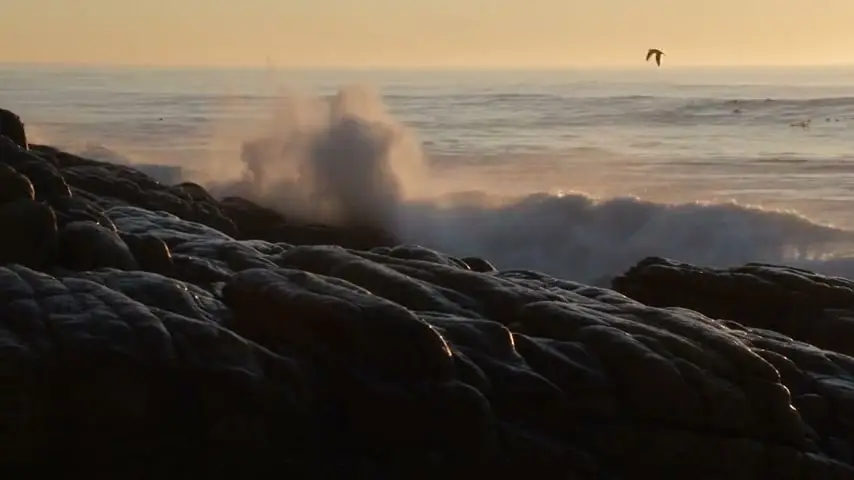
Text to video with sound: waves on a rocky shore and gulls overhead. Shown muted.
Waves rolling onto a rocky shore at golden hour, seagulls gliding overhead, spray catching the light, documentary handheld feel, natural ocean sound
 Seedance 2.0
From a still image · from 10 credits
Image to video: one product photo of a serum bottle becomes a slow dolly-out.
Product placed naturally on aspirational surface — wooden table, marble counter, or styled shelf with minimal props. Camera slowly reveals product in context, gentle pull-back from close-up to medium establishing shot. Start: tight macro on product detail. Slow dolly-out to reveal full environment. Warm natural light, golden hour tones, soft depth-of-field on background, lifestyle editorial feel, 35mm. Calm ambient soundtrack, environment sounds (birds, cafe, gentle breeze). sharp clarity, natural colors, stable picture, no blur, no ghosting, no flickering
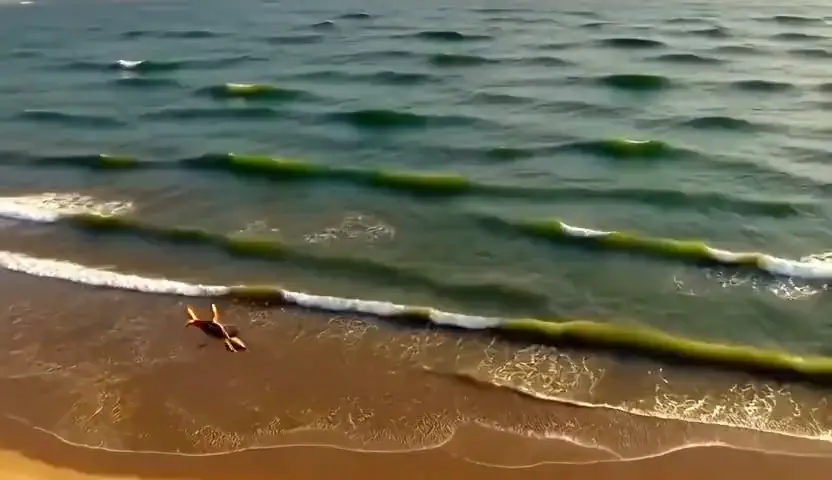 Wan 2.2 5B Fast
Text to video · 2 credits
Text to video on the cheapest model: a slow aerial push over a turquoise cove.
Slow aerial push over a turquoise cove at golden hour, gentle waves wrapping a sandbar, cinematic warm-neutral color grade, soft directional key light, 35mm lens, shallow depth of field, natural skin tones, subtle film grain
How to use AI Video Generator
Write the shot, pick a model, download the MP4.
01
Write the shot
Describe the subject, the camera move and the light in a sentence or two, or upload a photo and say what should move.
02
Pick a model, length and resolution
Clips run from 4 to 15 seconds depending on the model. The credit cost updates as you change model, length and resolution.
03
Generate and download
Video takes minutes rather than seconds, and longer on the higher-quality models. Download the MP4, or run the prompt again with a tweak.
Models
Seedance, Hailuo and Veo, each priced before you generate.
- Seedance 2.0
From 10 credits
See Seedance 2.0  Hailuo 2.3
From 7 credits
See Hailuo 2.3- Seedance 2.5
From 13 credits
See Seedance 2.5 - Veo 3.1 Fast
From 10 credits
See Veo 3.1 Fast
Which model should you pick?
No model is best at everything. Test the idea cheaply, then re-run the same prompt on a stronger model once you like the shot.
| When you need | Reach for |
|---|---|
| Testing an idea |
Cheapest test: a 5 or 8 second clip. |
| Everyday clips |
These three sit in the middle on price. |
| Longer shots |
Both go up to 15 seconds. |
| Sound |
P Video includes it, MiniMax H3 outputs synced audio, and Veo 3.1 Fast and Seedance models offer it as an option. |
What the AI video generator does
Lovino turns a written prompt or a still photo into a short video clip. You work in Studio's video mode, pick a video model (50 image and video models in total), and download an MP4. Images and videos draw from one credit balance.
Text to video starts from words alone and suits establishing shots, mood clips and b-roll. Image to video starts from your own photo, which keeps your subject and framing and adds motion; the image to video page covers that route in detail.
Writing a prompt that works
Describe one shot per clip. Name the subject, what it does, how the camera moves and what the light is like, in one or two sentences. A prompt such as slow aerial push over a turquoise cove at golden hour gives the model less to guess than a paragraph of scenes.
For image to video, say what should move and leave the rest alone. The photo already fixes the subject and framing, so spend the prompt on motion, camera and atmosphere.
What it costs
Video runs on paid credits, from 2 a clip.
Video always uses paid credits. Your 3 free daily credits work on image tools, not on video. Credits come from a plan (from $7.99 a month), and anyone can buy a credit pack, with or without a plan. A clip's exact price shows before you generate and varies with model, length and resolution.
Video models at a glance
Credits are per clip, from the lowest to the highest price each model offers.
| Model | Clip length | Credits per clip | Needs a paid plan |
|---|---|---|---|
| Wan 2.2 5B Fast | 5 / 8 s | 2 | No, paid credits |
| P Video | 5 / 10 s | 2–8 | No, paid credits |
| Hailuo 2.3 | 6 / 10 s | 7–14 | No, paid credits |
| Grok Imagine Video | 5 / 10 s | 7–13 | No, paid credits |
| Seedance 2.0 Fast | 5 / 10 / 15 s | 9–57 | No, paid credits |
| Seedance 2.0 | 5 / 10 / 15 s | 10–68 | Yes |
| Veo 3.1 Fast | 4 / 6 / 8 s | 10–20 | Yes |
| MiniMax H3 | 5 / 10 / 15 s | 10–33 | Yes |
Models marked Yes need an active paid plan on top of credits. On the models marked No, 1080p needs a Pro or Max plan.
More questions
Is this the same as the LensGo AI video generator?
It is the product that ran at lensgo.ai as LensGo until it was renamed Lovino in August 2026. It is not the earlier LensGo style-transfer video app (2023 to 2025), which we did not make.
What it can't do
- Clips are 4 to 15 seconds. A longer scene means several clips joined in an editor.
- Text, logos and small print inside the frame often warp from one frame to the next. Add real text afterwards in an editor.
- Faces, hands and fast action can drift. Some generations will not be usable, and a clip you dislike is not refunded. Failed generations are.
- Video is not free. There is no free video allowance today, so plan credits before you start a project.
- It generates new clips. It does not trim, cut or re-edit footage you already have.
Pricing
Start free. Scale anytime.
One credit system across Studio, Flow and every tool. Cancel anytime.
| Plan | Per month | Credits |
|---|---|---|
| Free | $0 | 3 credits per day |
| Plus | $7.99 | 50 credits per month |
| Pro | $19.99 | 200 credits per month |
| Max | $44.99 | 500 credits per month |
Questions, answered.
How much does an AI video cost on Lovino?
It depends on the model, clip length and resolution. The cheapest clips start at 2 credits, and the longest Seedance 2.0 clip costs 68. The price is shown before you generate, so you never find out afterwards.
Is there a free AI video generator?
No. Video uses paid credits, and the 3 free daily credits only cover image tools. To make video you need credits from a paid plan or a credit pack; plans start at $7.99 a month. At 2 credits per clip on the cheapest model, a starter pack ($2.99 for 15 credits) covers up to 7 short clips.
How long can an AI video be?
Between 4 and 15 seconds per generation, depending on the model. Seedance and MiniMax H3 reach 15 seconds; Veo 3.1 Fast tops out at 8. For longer content, generate several clips and join them.
Can I turn a photo into a video?
Yes. Upload a photo as the starting frame, then describe the motion you want. The image to video page covers how it works, what it costs and what to expect.
What resolution and file format do I get?
Clips download as MP4. Resolution depends on the model, from 480p up to 1080p, with 2K on MiniMax H3. On the models that do not need a paid plan, 1080p requires a Pro or Max plan.
How long does a video take to generate?
Minutes rather than seconds, and longer on the higher-quality models. Finished clips are saved to your Library.
Can it make videos with sound?
Some models can. P Video includes sound, MiniMax H3 produces synced audio, and Veo 3.1 Fast and Seedance offer sound as an option that adds to the price.
Can I use the videos commercially?
Yes. Videos you generate on Lovino are yours to use, including in ads and client work. Check the rules of any platform you post them on.
More AI tools
Built for
Related guides
- Best Free AI Video Generators (2026): What Free Really MeansLooking for the best free AI video generators in 2026? Here is what free means in practice, what Lovino does and does not give away, and the cheapest routes.
- AI Video Generator: Create Videos From Photos & TextGenerate stunning AI videos from photos or text prompts. Create cinematic travel videos, product demos, and social media content in seconds.
- Hailuo AI Review (2026): Is It Good for Short Video?Hailuo AI review for 2026: what Hailuo 02, 2.3 and MiniMax H3 do well, where they fall short, and which one to run on Lovino for short video clips.
Try a template

Ready to try AI Video Generator?
Video uses paid credits · from 2 credits per clip, shown before you generate. No purchase is made until you confirm a generation.