

AI Style Transfer
Lovino's AI style transfer repaints a photo in the style of a reference image, one of 12 presets or a style you describe, while the subject and layout stay. Use it for watercolour, oil, anime or pop art versions of your own photos. It costs 3 credits and uses paid credits only.
3 credits per image · paid credits only, not covered by the free daily credits
What is AI Style Transfer?
Style transfer repaints a photo in another visual style and keeps what the photo shows. Add your photo, then borrow the look of a style image, pick one of 12 presets, or describe a style in words. Lovino runs it on Nano Banana 2 Lite. It costs 3 credits per image and uses paid credits only.
How to use AI Style Transfer
- 01
Upload your photo
Choose the photo whose subject and layout you want to keep: a portrait, a street, a pet or an object.
- 02
Add a style
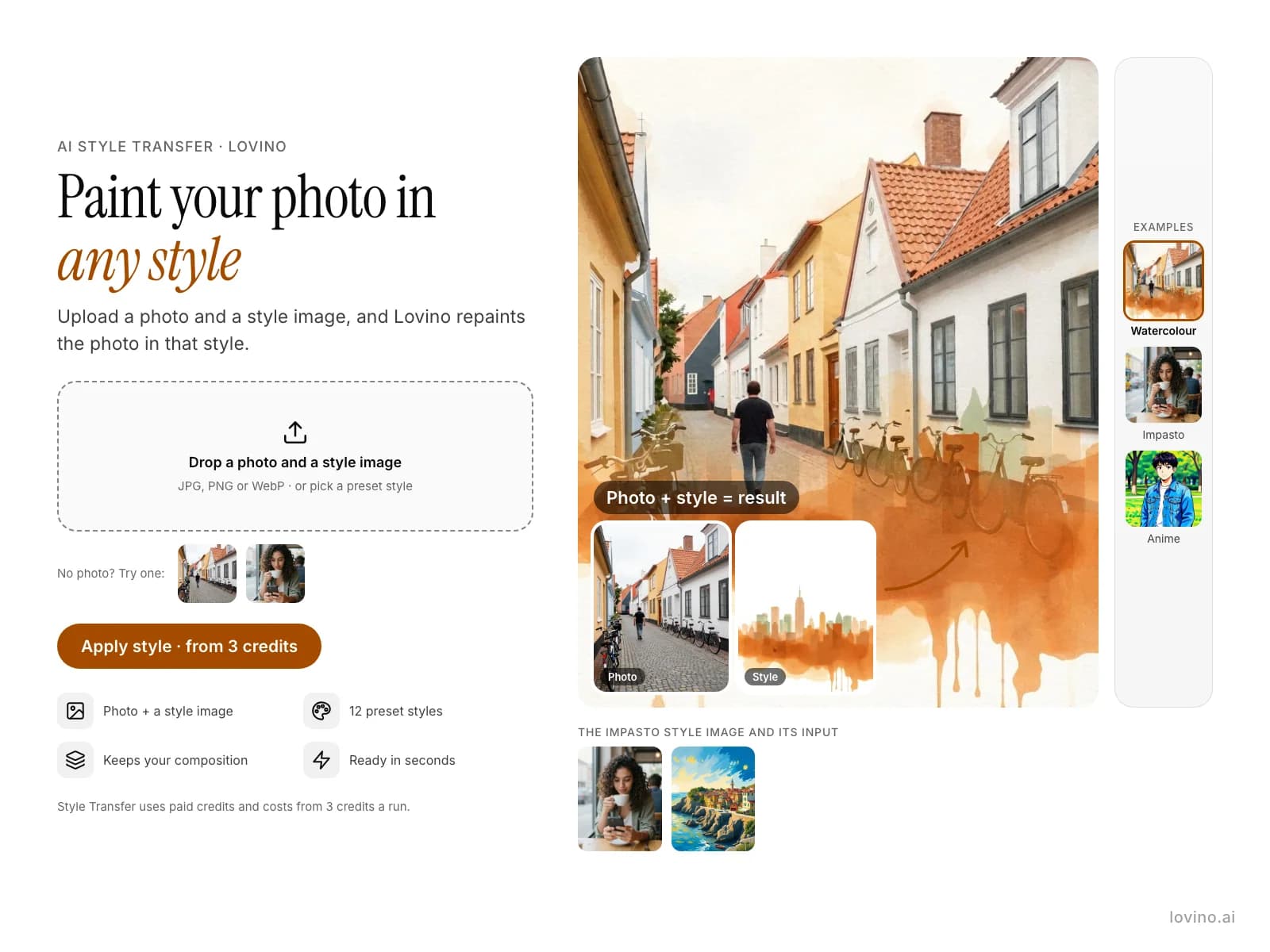
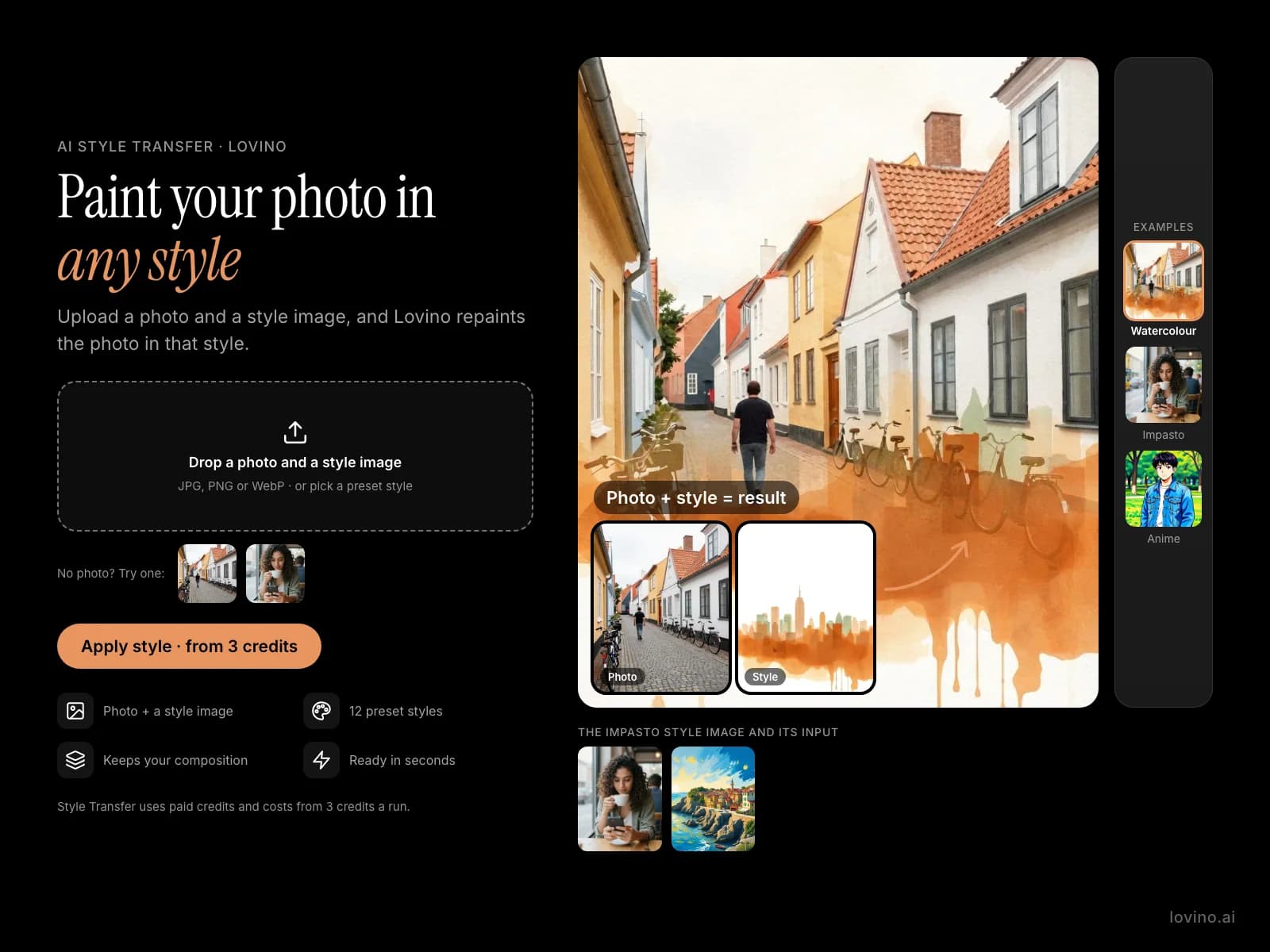
Upload a style image to borrow its look, as in the diagram. You can also pick one of the 12 presets or type a style in your own words.
- 03
Generate and compare
Run it, then try another style on the same photo. Download the version you like.
Real photos repainted in a style
The photos and style images are AI-made test pictures. The watercolour and impasto results came from the real Style Transfer engine, and the style image used sits beside each. The anime portrait was made in Studio with FLUX Kontext Fast, not with Style Transfer.
 Nano Banana 2 Lite
3 credits
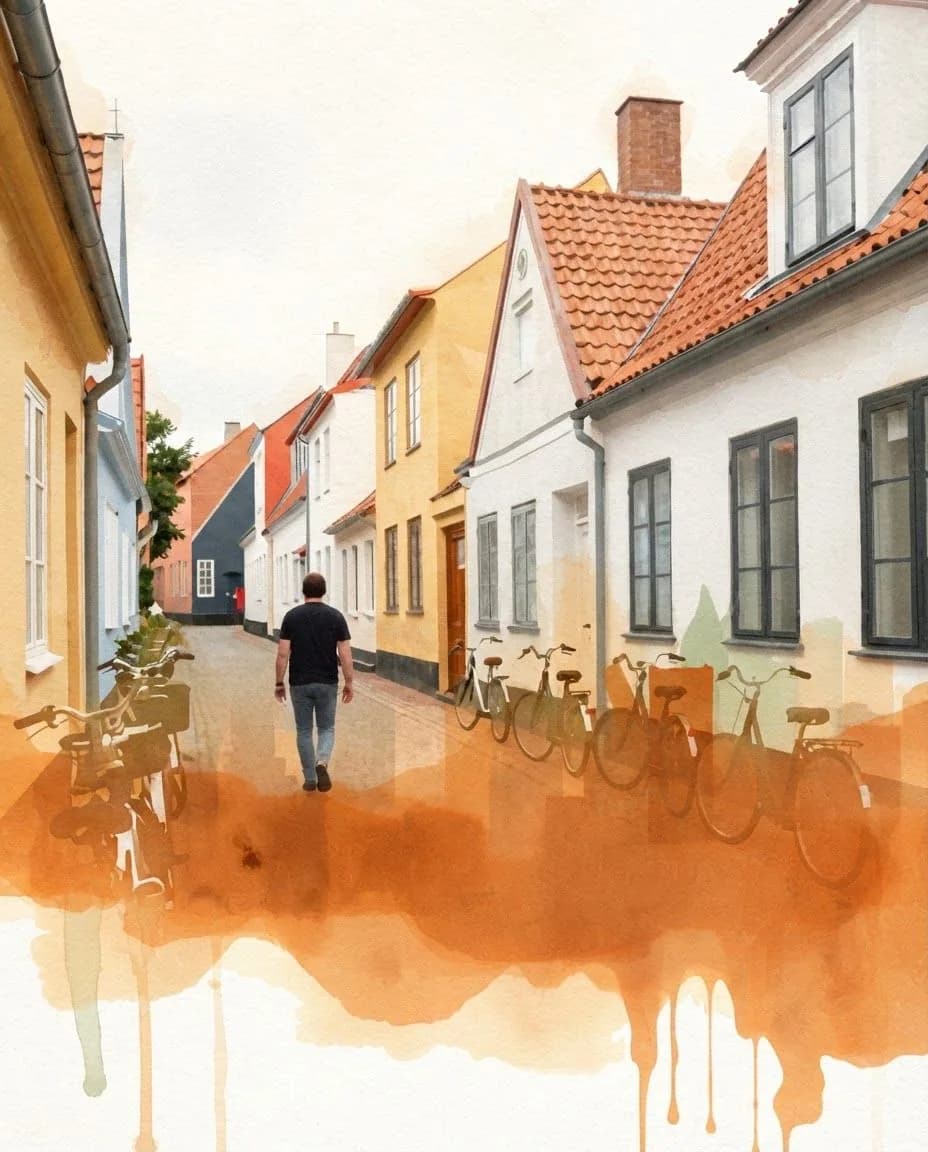
Style Transfer: the street photo painted in the watercolour reference style.
Redraw the first image in the visual style of the second image. Keep the same person, face, pose and composition. Do not add any text, letters, logos or signage.
 Z-Image Turbo
The input photo: an AI-made test photo.
Candid photo of a narrow cobblestone street with bicycles leaning on colourful house fronts, a man walking away from the camera, overcast daylight
 FLUX Schnell
The style image used for the watercolour result.
A city skyline as a loose watercolor wash, bleeding pigments, paper texture, warm-neutral palette, soft diffused lighting, cohesive minimal background, premium editorial composition
 Nano Banana 2 Lite
3 credits
Style Transfer: the cafe photo in the impasto reference style.
Redraw the first image in the visual style of the second image. Keep the same person, face, pose and composition. Do not add any text, letters, logos or signage.
 Z-Image Turbo
The input photo: an AI-made test photo.
Candid smartphone photo of a young woman with curly hair sitting at a cafe window table holding a coffee cup, natural daylight
 FLUX Schnell
The style image used for the impasto result.
A coastal village rendered in swirling post-impressionist brushstrokes, thick impasto, vivid blues and yellows, warm-neutral palette, soft diffused lighting, cohesive minimal background, premium editorial composition
 FLUX Kontext Fast
An anime-style restyle of the denim portrait, made in Studio with FLUX Kontext Fast.
Redraw this photo in this style, keeping the same scene, subject and composition: high-quality anime art, vibrant saturated colors, clean bold ink line art, expressive character design with dynamic poses, modern shonen production quality, cel-shaded with dramatic lighting
 Z-Image Turbo
The input: an AI-made test photo.
Portrait photo of a young man in a denim jacket standing in a park, soft daylight
Photo to painting AI: keep the scene, change the brush
A portrait stays a portrait and a street stays a street. The colour, brushwork and texture change. In the examples, a cobblestone street became a loose watercolour, and a cafe portrait became thick impasto oil paint.
Lovino runs it on Nano Banana 2 Lite, an image model that follows written instructions. The tool asks it to redraw your photo in the style of your style image, and to keep the same person, face, pose and composition.
Style image, preset or your own words
A style image lets you borrow the palette and brushwork of a specific picture. The 12 presets are Watercolor, Oil Painting, Pencil Sketch, Anime, Pop Art, Pixel Art, Impressionist, Cyberpunk, Art Nouveau, Minimalist, Surrealist, Comic Book. A text description covers looks the presets do not, such as a faded 1970s poster.
What it costs
Each restyle costs 3 credits, and Style Transfer only accepts paid credits. The 3 free daily credits do not cover it. Credits come from a plan (from $7.99 a month). Anyone can buy a credit pack, with or without a plan. A starter pack is $2.99 for 15 credits. For a quick cartoon or anime look on free credits, the AI Cartoon & Ghibli Filter costs 2 credits.
Free ways to try an art style first
Style Transfer itself is paid. If you want to see an art style on your own photo before you spend paid credits, the Cartoon Filter has six looks (Ghibli, Disney/Pixar, Anime, Cartoon, Watercolor and Comic Book) at 2 credits a run. The 3 free daily credits cover one run a day, with a watermark.
Getting a faithful result
A few habits make the output closer to what you pictured.
- Start from a sharp photo with a clear subject. Busy scenes give the model more to reinterpret.
- Choose a style image with a strong, simple look. One style at a time works better than a mix.
- Be specific about material in a text description, such as oil paint with visible brushstrokes, not just painterly.
- Expect faces to shift slightly. If likeness matters, compare a few runs.
Three ways to set the style
| Method | What you provide | Best for | Credits |
|---|---|---|---|
| Style image | A picture whose style you like | Matching a specific palette or brushwork | 3 |
| Preset | One of 12 named styles | A recognisable look, fast | 3 |
| Text description | A style in your own words | Looks the presets do not cover | 3 |
What Lovino does and does not do here
| Lovino does | Lovino does not | |
|---|---|---|
| Photos | Repaints a photo and keeps its subject and layout | Restyle video on this page |
| Style | Takes a style image, a preset or your words | Change only one part of a photo |
| Cost | Charges 3 credits per image | Run on the free daily credits |
| Faces | Asks the model to keep the same person | Guarantee a likeness |
More questions
Can I restyle a video?
Not on this page. Video restyling is a separate mode for clips up to 8.7 seconds. It is video, so it uses paid credits and has its own price. See the AI video style transfer page.
How is this different from the AI Cartoon Filter?
The Cartoon Filter offers six fixed cartoon and anime looks for 2 credits and works on free daily credits. Style Transfer gives you more control: a style image, a preset or your own words.
Can I use styled images commercially?
Images you create are yours to use. For styles inspired by copyrighted properties, check commercial rights first.
What it can't do
- It is not free. Style Transfer needs paid credits, and the free daily credits do not cover it.
- It restyles the whole picture. To change one object or one area, use Magic Edit instead.
- Faces and fine detail can change, so a restyle is not a guaranteed likeness.
- Results vary from run to run. Plan on trying a style more than once.
- It works on photos. To restyle a video, use the AI video style transfer page.
Pricing
Start free. Scale anytime.
One credit system across Studio, Flow and every tool. Cancel anytime.
| Plan | Per month | Credits |
|---|---|---|
| Free | $0 | 3 credits per day |
| Plus | $7.99 | 50 credits per month |
| Pro | $19.99 | 200 credits per month |
| Max | $44.99 | 500 credits per month |
Questions, answered.
What is AI style transfer?
It repaints a photo in the visual style of another picture, a preset or a written description, while the subject and layout stay. A portrait stays a portrait and a street stays a street; the colour, brushwork and texture change.
Is AI style transfer free?
No. Style Transfer costs 3 credits per image and only accepts paid credits, so the 3 free daily credits do not cover it. For a cheaper look on free credits, the AI Cartoon & Ghibli Filter costs 2 credits.
Is there a free way to try style transfer?
Style Transfer needs paid credits, so there is no free run. The closest free option is the Cartoon Filter: six fixed looks, 2 credits a run, and the 3 free daily credits cover one run a day with a watermark. Use it to find a look, then come back here for more control.
What art styles are available?
The presets are Watercolor, Oil Painting, Pencil Sketch, Anime, Pop Art, Pixel Art, Impressionist, Cyberpunk, Art Nouveau, Minimalist, Surrealist, Comic Book. You can also describe any other style in words or upload a style image.
Can I do anime style transfer?
Yes. Pick the Anime preset, upload an anime image as the style image, or describe the look in words. It costs 3 credits and needs paid credits. For a quick anime look on the free daily credits, Photo to Anime AI costs 2 credits.
How do I use my own style image?
Upload your photo, then upload the style image whose look you want to borrow. The tool borrows its palette and brushwork for your photo. You can also pick a style image from your own library.
Does it work with selfies and portraits?
Yes, and portraits are a popular use. Faces may shift slightly, so compare a few runs and keep the one closest to the person.
What model does it use?
Nano Banana 2 Lite, an image editing model that follows written instructions. That is why plain-language style descriptions work.
More AI tools
- AI Cartoon & Ghibli FilterTransform photos into Ghibli, anime, cartoon & art styles
- Photo to Anime AITurn a photo of yourself into an anime character
- Photo to Watercolor AIPaint any photo as a loose watercolor
- Photo to Oil Painting AIRepaint a photo as a thick, textured oil painting
- Photo to Sketch AITurn a photo into a pencil drawing
- AI Video Style TransferRestyle a short clip as anime, 3D or another look
Related guides
- How AI Style Transfer Works: Art Styles, Steps and TipsTransform any photo into an oil painting, watercolor, pencil sketch, or any artistic style using AI. Complete guide with tips and examples.
- Image-to-Image vs Text-to-Image AI: When to Use Each ApproachUnderstand the difference between image-to-image and text-to-image AI generation — when each excels, how to use them together, and practical workflow examples.
- Ghibli-Style AI Prompts and 6 More Art Styles to CopyCopy-paste prompts for Ghibli-style scenes plus Pixar, anime, pop art, oil painting, ukiyo-e and watercolor, with real before-and-after results.
Try a template
Ready to try AI Style Transfer?
3 credits per image · paid credits only, not covered by the free daily credits. No purchase is made until you confirm a generation.