


GPT Image 2: photorealistic images with readable text.
OpenAI's flagship image model — best-in-class text rendering and instruction-following edits.
- GPT Image 2 · low quality · 3 credits
From 3 credits per image. GPT Image 2 is free to use at low quality; medium and high quality require a paid plan (Plus, Pro or Max).
- aspect ratios
- 3
- credits at low quality
- 3
- credits at medium quality
- 5
- credits at high quality
- 7
What GPT Image 2 does well
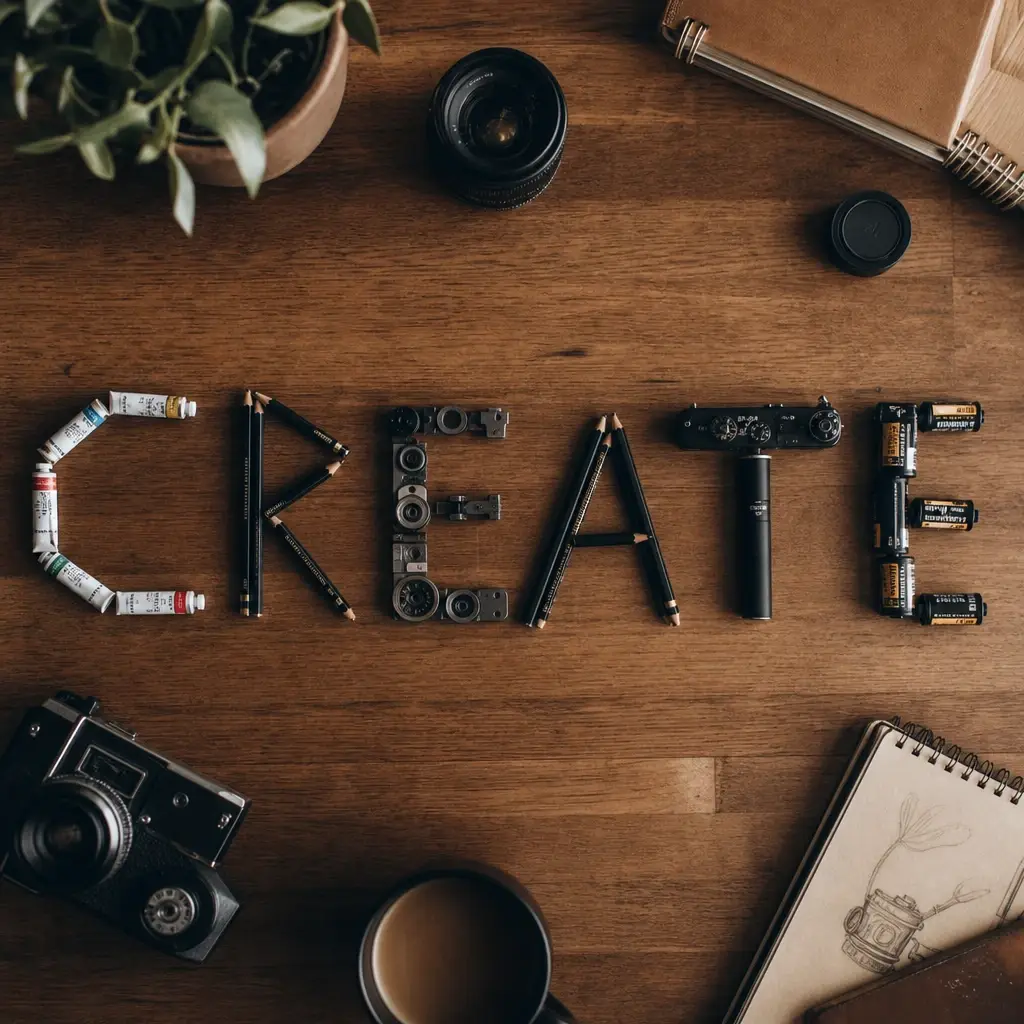
Text
Signs and labels that actually read.
Ask for words in the picture and they come out spelled the way you wrote them.
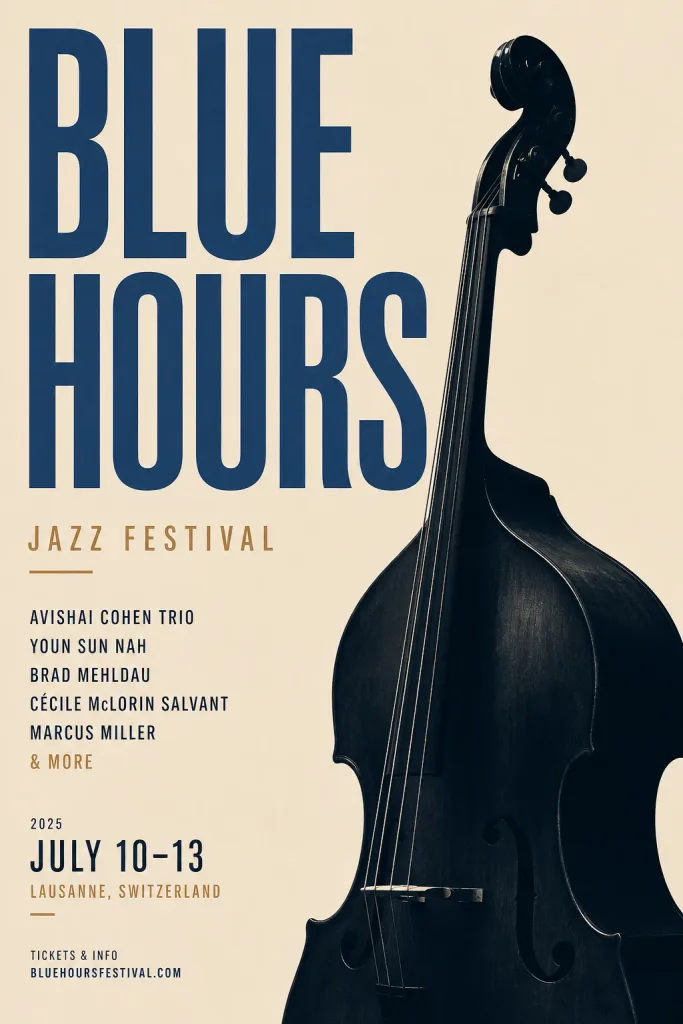
Layout
Posters with real typography.
Titles, bold type and a clear layout in one pass.
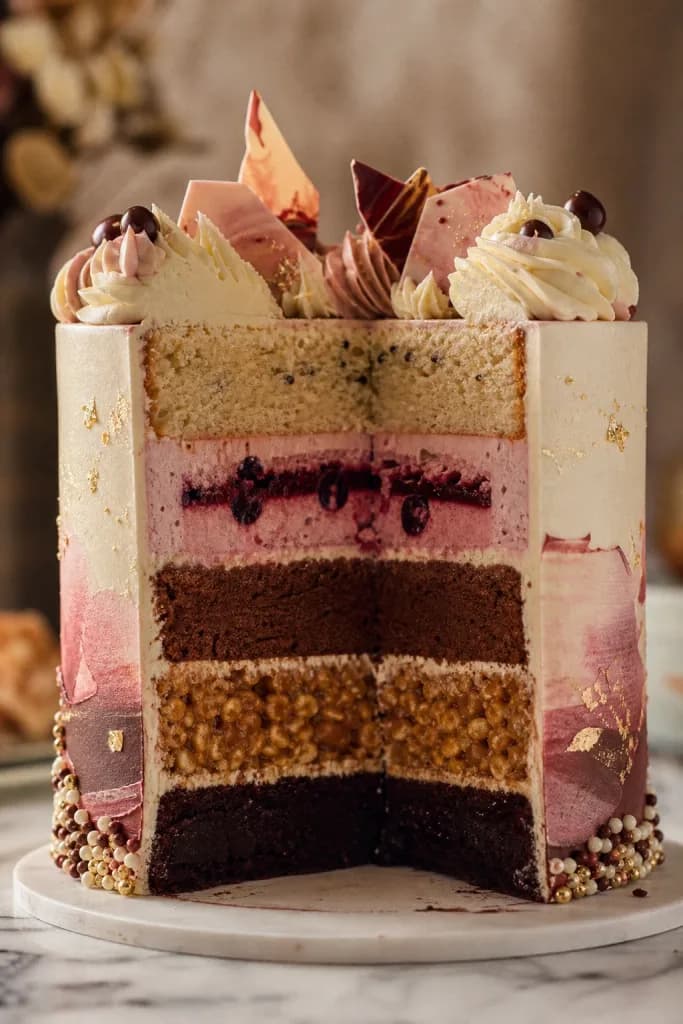
Detail
Follows a long, precise brief.
Layers, materials and arrangement stay as described.
Pricing
Pricing for GPT Image 2
Plus
$7.99 /month
50 credits a month
Up to 10 GPT Image 2 images (medium quality)
- No watermark on downloads
Pro
$19.99 /month
200 credits a month
Up to 40 GPT Image 2 images (medium quality)
- No watermark on downloads
- All 50+ AI models
- Studio + Flow access
Max
$44.99 /month
500 credits a month
Up to 100 GPT Image 2 images (medium quality)
- Studio + Flow access
- Priority chat support
What is GPT Image 2
OpenAI's image model, with text that reads
GPT Image 2 is OpenAI's AI image model. Strongest at: Best-in-class text rendering — signs, labels, and UI copy that actually read. In Lovino you use it from the same studio and credit balance as every other model, with no separate OpenAI account. GPT Image 2 costs 3 credits per image at low quality, 5 at medium, and 7 at high. GPT Image 2 is free to use at low quality; medium and high quality require a paid plan (Plus, Pro or Max).
Describe it, pick a quality, then download
01
Open the studio
Sign in and pick GPT Image 2 from the model picker. No separate OpenAI account or subscription is needed.
02
Describe your image
Type a prompt (or start from a reference image where supported), then choose your aspect ratio.
03
Generate and download
Credits are deducted per generation (from 3), and the result lands in your library. Download it or iterate.
Readable text and precise edits
- Best-in-class text rendering — signs, labels, and UI copy that actually read.
- Instruction-following edits from one or more reference images.
- Photorealistic output across low, medium, and high quality tiers.
- Transparent backgrounds for product shots and cutouts.
Full GPT Image 2 specs
Cost, speed and formats, copied from our model registry.
| Spec | Details |
|---|---|
| Cost | GPT Image 2 costs 3 credits per image at low quality, 5 at medium, and 7 at high. |
| Typical generation time | ~12s per image |
| Aspect ratios | 1:1, 3:2, 2:3 |
| Quality tiers | low, medium, high |
| Access | GPT Image 2 is free to use at low quality; medium and high quality require a paid plan (Plus, Pro or Max). |
Questions, answered.
How many credits does GPT Image 2 cost?
GPT Image 2 costs 3 credits per image at low quality, 5 at medium, and 7 at high. Paid plans start at $7.99/month for 50 credits.
Do I need a paid plan to use GPT Image 2?
GPT Image 2 is free to use at low quality; medium and high quality require a paid plan (Plus, Pro or Max).
Can I use GPT Image 2 images commercially?
Yes. Everything you generate on Lovino is yours to use commercially. Paid plans remove the watermark for professional use.
What image sizes does GPT Image 2 support?
GPT Image 2 supports 3 aspect ratios (1:1, 3:2, 2:3), with quality options of low, medium, high.
How long does GPT Image 2 take to generate?
A typical image takes about 12 seconds to generate.
Can GPT Image 2 generate transparent backgrounds?
Yes. Set the background to transparent and the image is delivered as a PNG — useful for product cutouts and overlays.
Other models
Tools that use GPT Image 2
Related guides
- GPT Image 2 vs Flux: GPT Image 2 for Text, Flux for SpeedFlux vs GPT Image 2: pick GPT Image 2 for readable text and precise edits, Flux for fast, low-cost drafts. Speed, quality, editing and cost compared.
- GPT Image 2 Prompts: Copy-Paste Templates for Text in ImagesCopy-paste GPT Image 2 prompts for signs, posters, flat-lays and product shots, with the real prompt behind four examples and what each quality tier costs.
- GPT Image 2 vs DALL·E 3: Which OpenAI Image Model Should You Use?GPT Image 2 replaces DALL·E 3 as OpenAI's flagship image model. We compare text rendering, editing, pricing, and availability to help you pick the right one.
Generate with GPT Image 2
GPT Image 2 costs 3 credits per image at low quality, 5 at medium, and 7 at high. GPT Image 2 is free to use at low quality; medium and high quality require a paid plan (Plus, Pro or Max).