LinkedIn Carousel Guide (2026): Format, Size and Structure
A LinkedIn carousel is a document post: upload a PDF and people swipe through it. Learn the file limits, the best size, page structure and what not to fake.
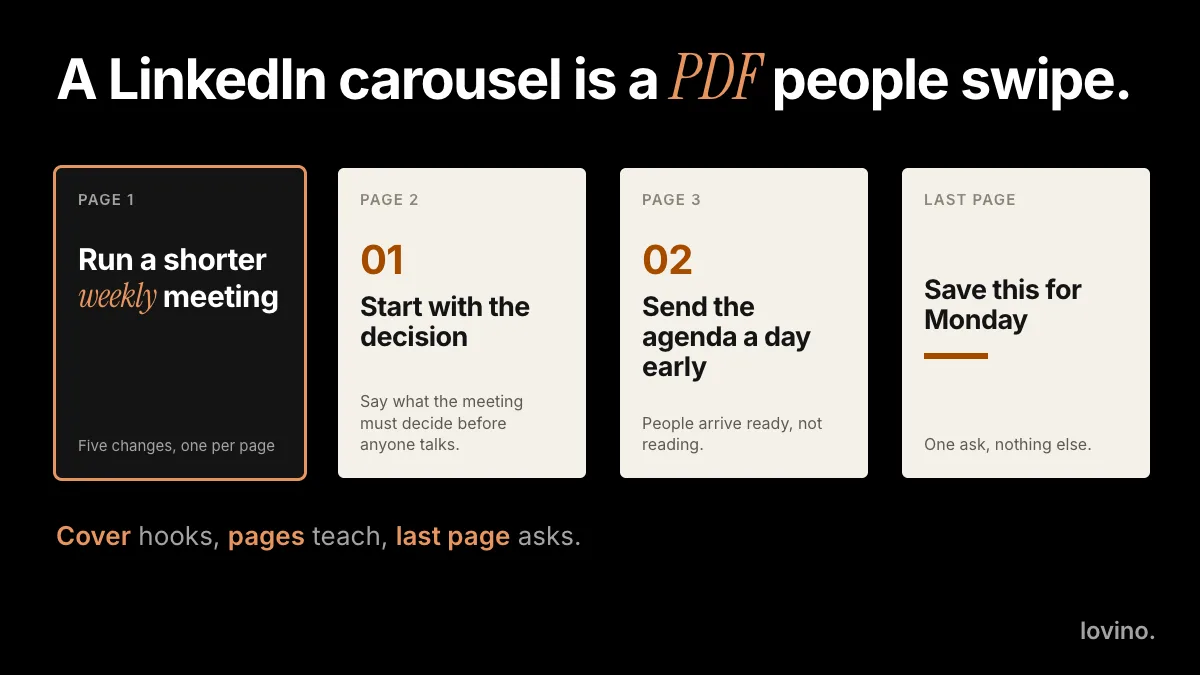
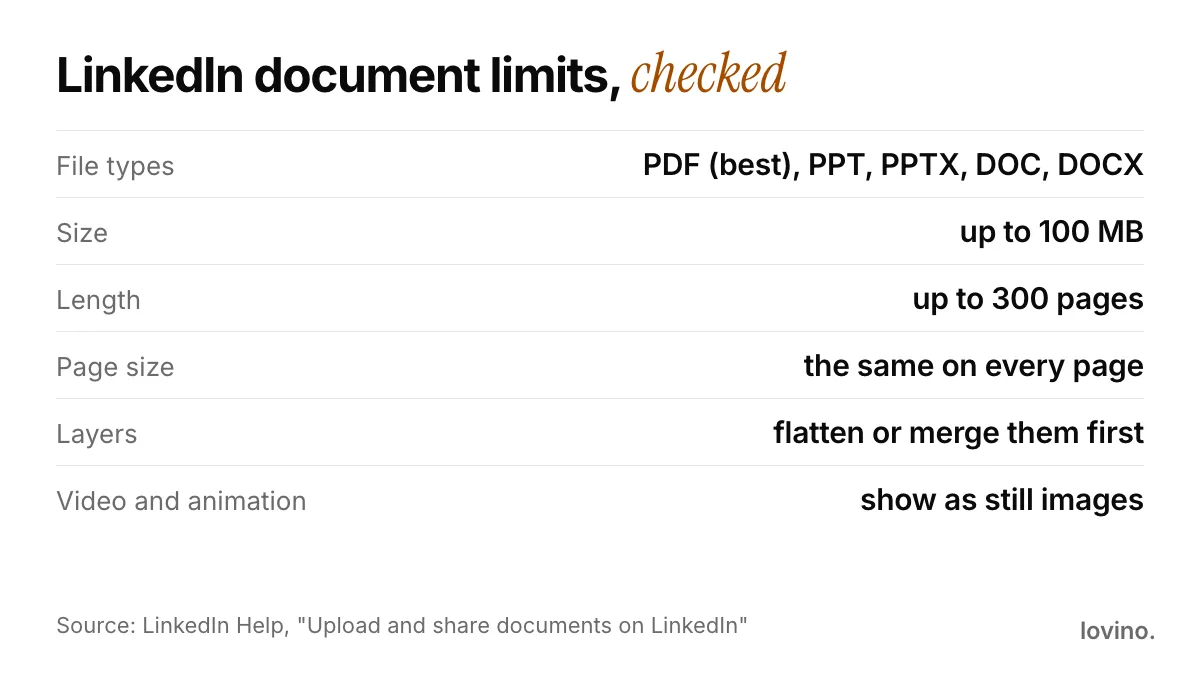
A LinkedIn carousel is a document post: you upload a PDF, and people swipe through its pages right in the feed. LinkedIn accepts PDF, PPT, PPTX, DOC and DOCX files up to 100 MB and 300 pages, and it recommends PDF. There is no required page size, so pick portrait or square, keep the type big, and give every page one job.
The limits below come from LinkedIn's own help pages, read in October 2026. LinkedIn changes its product often, so confirm in the app before you publish anything important.
What is a LinkedIn carousel?
"Carousel" is what people call it; LinkedIn calls it a document post. You attach one file, and the feed shows the first page with controls to move through the rest.
Three rules from LinkedIn's help page shape how you work:
- You can edit the caption, not the file. After posting you can edit the description or remove the post, but you cannot change the document itself.
- People can download it. Members who can see the post can download your document as a PDF. Treat it as a public handout.
- You add a title. The upload steps ask for a title that tells people what the document is about.
What are the LinkedIn carousel specs?
| Item | What LinkedIn says |
|---|---|
| File types | PDF, PPT, PPTX, DOC, DOCX. LinkedIn advises converting to PDF whenever possible. |
| File size | Up to 100 MB |
| Length | Up to 300 pages |
| Page size | A PDF with pages of different sizes must be fit to the same size. |
| Layers | A PDF with multiple layers must be flattened or merged. |
| Video and animation | Shown as static images. |
| Links | Make sure the PDF has secure hyperlinks. |
Sources: Upload and share documents on LinkedIn and Media file types supported on LinkedIn.
What size should a LinkedIn carousel be?
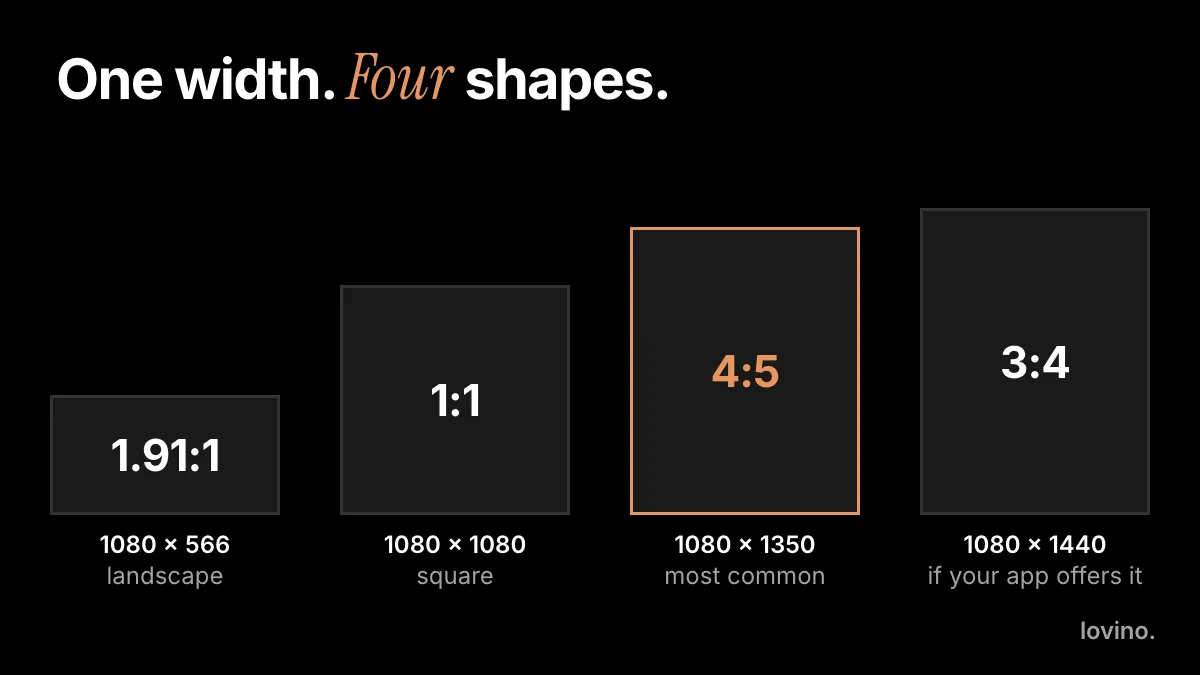
LinkedIn's help page does not name a page size. It only asks for the same size on every page. The choice is yours, and the shape decides how much of a phone screen you fill.
| Shape | Pixels | Good for |
|---|---|---|
| Portrait 4:5 | 1080 × 1350 | Phone viewing. Fills the most screen. |
| Square 1:1 | 1080 × 1080 | A safe middle ground. |
| Landscape 16:9 | 1920 × 1080 | Slide-deck style on desktop. Small on a phone. |
These are common working sizes, not LinkedIn rules. Pick one shape and use it on every page. If you want the pixel logic and safe margins for 4:5, the Instagram carousel size guide explains them, and they apply here too. Keep text large enough to read on a phone without zooming.
How do you structure a LinkedIn carousel?
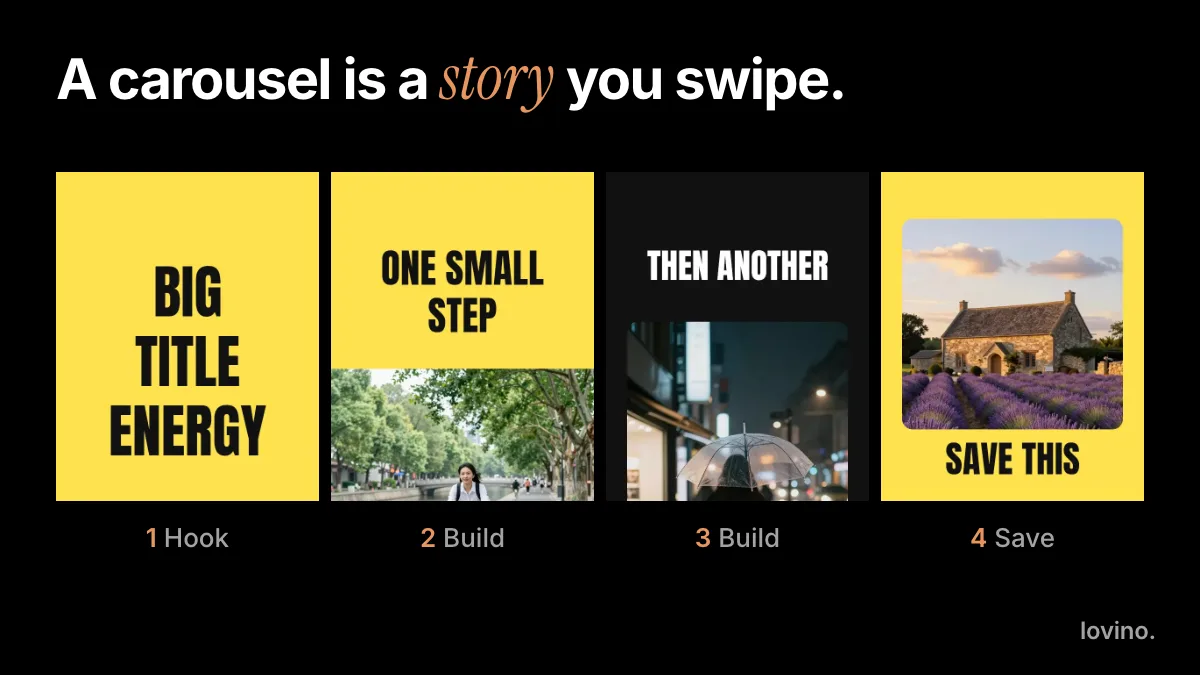
Treat the document as a short story told in pages, with one job per page.

| Page | Job | Tip |
|---|---|---|
| Cover | Hook | One promise in big type. |
| Page 2 | Context | Why this matters, in one line. |
| Pages 3 to 5 | Points | One idea per page. |
| Page 6 | Proof | A real example or a real, sourced number. |
| Last page | Ask | One next step: comment, follow or visit a link. |
The 300-page limit is a ceiling, not a target. Use as many pages as the idea needs; a shorter document is easier to finish.
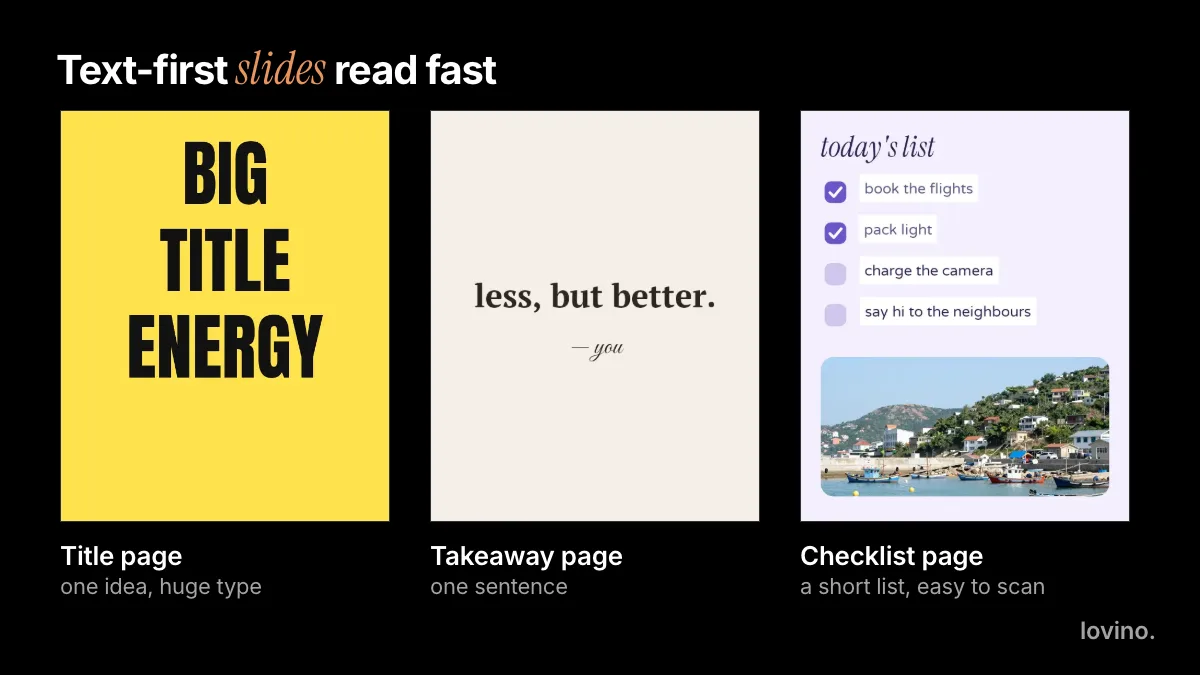
Text-led pages tend to suit LinkedIn better than photo-led ones: large type, a short line and plenty of space read quickly in a feed.
How is a LinkedIn carousel different from an Instagram one?
| Instagram carousel | LinkedIn carousel | |
|---|---|---|
| What you upload | Separate photos and videos, up to 20 | One document, up to 300 pages |
| File | Images and clips | A PDF (or PPT, PPTX, DOC, DOCX) |
| Order | The order you choose when you upload | The page order inside the file |
| After posting | You can reorder or remove slides and edit the caption | You can edit the description, not the file |
| Saving | People can save the post | People can download the PDF |
The story plan is the same: a hook, one idea per page, one ask. The difference is the file. On Instagram you cut each slide to 1080 × 1350 pixels. On LinkedIn you hand over one document, so the pages must match and the layers must be flattened.
How do you write the title and caption?
LinkedIn asks for a title when you upload, and that title tells people what the document is about, so name the topic plainly. Then the caption. Lead with one line that gives a reason to open the document, add a sentence about what is inside, and save the ask for the last page. The help page notes that hashtags and @ mentions in the description are optional. Do not paste the cover text into the caption; give people something the cover does not.
How do you make a LinkedIn carousel with AI?
Lovino makes the page visuals; you assemble them into a PDF. Signup is required to generate, free outputs carry a watermark, and paid plans remove it. Check pricing before you build a client deck.
- Outline first. Write one line per page in a plain document.
- Make the visuals. For a matching set, brief Iris with the Carousel Set skill in square or 4:5. For text-led pages, the AI infographic generator lays out a title and steps in GPT Image 2.
- Get the words right. Short headlines can be drawn by the model if you quote them. For anything long or exact, add the type in a slide or design tool. Proofread every letter and number.
- Assemble one PDF. Lovino gives you images. Combine them in any slides or design tool, keep every page the same size, flatten layers and export a single PDF.
- Upload. On desktop, choose Start a post, then More, then Add a document, pick the file, add a title, press Done, write your caption and post.
- Check the preview. Look at the cover first, then swipe through. Test any links.
A starting brief for step 2:
Make a 7-page set of visuals in 4:5 for a LinkedIn document about how to run
a better weekly team meeting. Calm blue-grey background, one flat accent color,
the same style on every page. Leave the top third of every page empty for text.
If you post often, the AI LinkedIn content strategy shows how documents fit into a wider plan, and LinkedIn photo prompts covers the profile and post images.
What should you never fake in a LinkedIn carousel?
LinkedIn is where people judge your work, so a made-up fact costs more there than almost anywhere.
- Numbers and charts. Do not invent stats, benchmarks or growth figures. Every number needs a real source, printed on the page.
- Clients and quotes. Use client logos and testimonials only with permission, and never write a quote yourself.
- Case studies. A case study must describe real work. AI can design the page. It cannot supply the result.
- Private details. Because anyone who sees the post can download the PDF, leave out anything confidential.
- AI labels. Where your market or employer expects disclosure of AI-made imagery, follow it. See AI content disclosure on social media.
Images you upload to Lovino are processed by third-party AI providers, so upload only material you may share. What you make in Lovino can be used commercially, including on free accounts.
Plan your first document
Write one line per page, make one matching set of visuals, and export a single PDF with every page the same size. Then post it with a clear title. Start in Iris or the AI image generator. If you also post on Instagram, how to make an Instagram carousel covers the same story plan for slides.
Questions, answered.
Is a LinkedIn carousel a PDF?
Yes, in practice. LinkedIn calls it a document post. You upload one file, and LinkedIn accepts PDF, PPT, PPTX, DOC and DOCX. LinkedIn advises converting files to PDF whenever possible for the highest quality upload.
What are the LinkedIn carousel limits?
According to LinkedIn Help, a document can be up to 100 MB and 300 pages. PDFs with pages of different sizes must be fit to the same size, and PDFs with multiple layers must be flattened or merged.
What size should LinkedIn carousel pages be?
LinkedIn does not name a required page size. Use one shape on every page. Portrait 4:5 (1080 × 1350) fills the most phone screen, square (1080 × 1080) is a safe middle ground, and landscape 16:9 suits desktop slide decks.
Can I edit a LinkedIn carousel after posting?
You can edit the description or remove the post, but you cannot change the document itself. Check every page and link before you publish.
Do animations work in a LinkedIn carousel?
No. LinkedIn says videos and other animations in documents are not supported and display as static images. Design every page so it reads well as a still.