

AI Product Photography
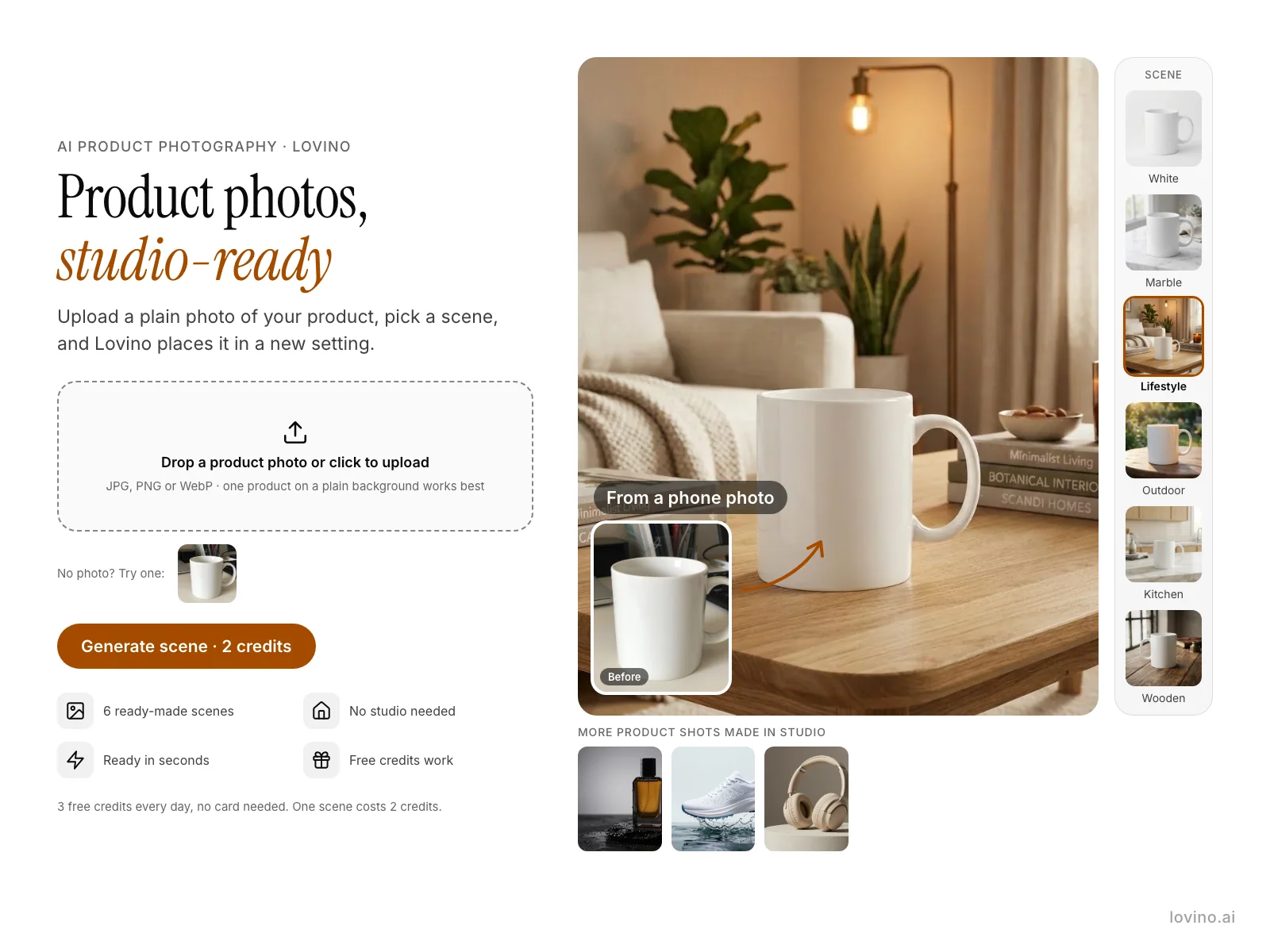
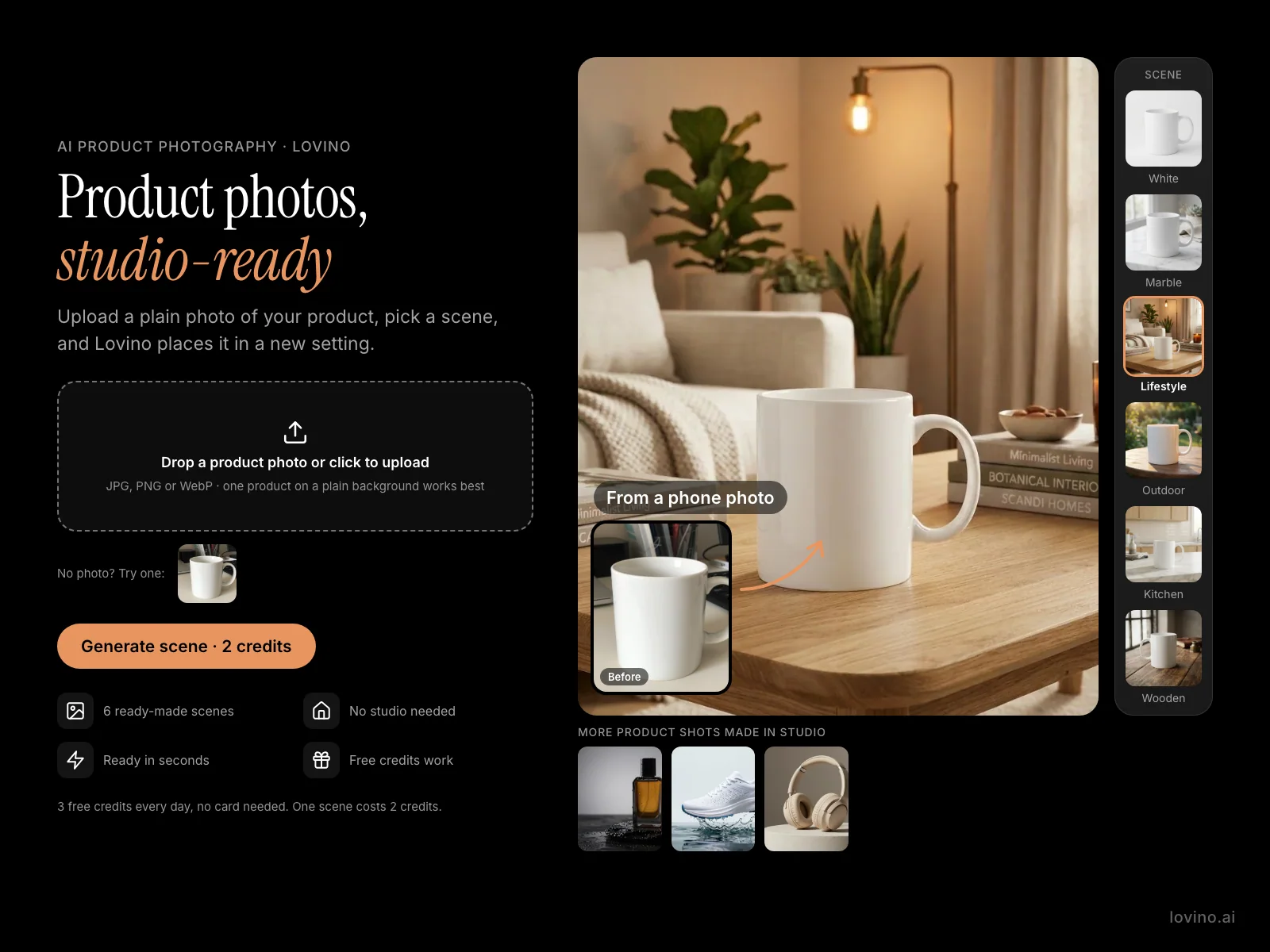
Lovino's AI product photography puts your product in a new scene from one plain photo. Pick white, marble, lifestyle, outdoor, kitchen or wooden. Sellers and small brands use it for listings and ads. A photo costs 2 credits, and the 3 free daily credits cover 1 a day.
2 credits per generation
What is AI Product Photography?
Upload a photo of your product, choose one of six scenes, and the Product Photo tool redraws everything around it as a commercial-style shot. You do not cut the product out first. The tool asks the image model to keep the product's shape, colours and printed text, and you can add a short note about light or props.
How to use AI Product Photography
- 01
Upload a plain product photo
JPG, PNG or WebP up to 10 MB. One product on a plain background works best.
- 02
Pick a scene
Choose white, marble, lifestyle, outdoor, kitchen or wooden. You can add a short note, such as soft morning light.
- 03
Generate the scene
Lovino places the product in the scene you picked. One photo costs 2 credits.
- 04
Check it and download
Compare the result with your real product, then download it for your listing, store or ad.
Product photos made with Lovino
The mug is an AI-made test photo of an unbranded product, so no real brand appears here. The six scene shots came from the Product Photo tool. The last three product shots were made in Studio from text, not from a photo. Examples are shown without the watermark that free-plan results carry.
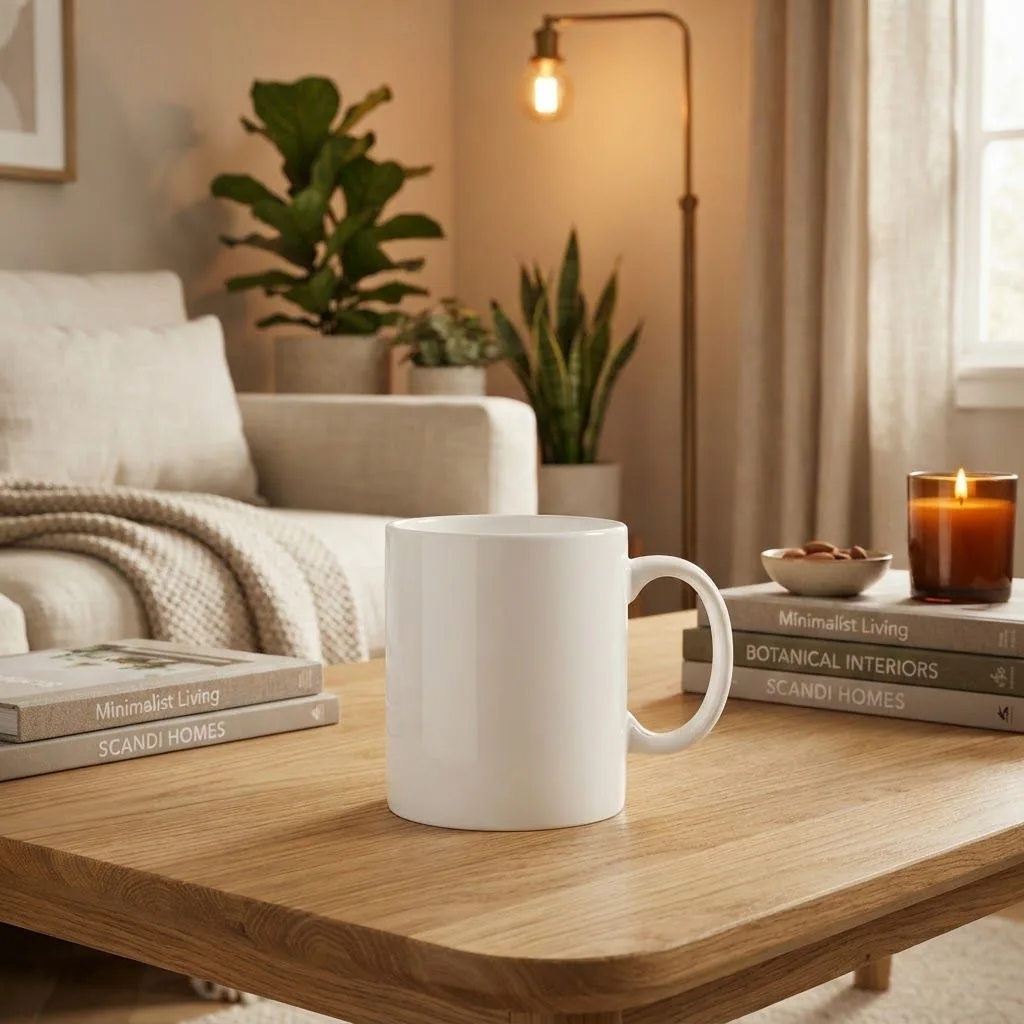 Nano Banana 2 Lite
2 credits
Product Photo tool, Lifestyle scene.
Place this exact product in a modern, cozy lifestyle interior with warm ambient lighting, as a high-quality commercial product photo. Keep the product's shape, colours, proportions and any text already printed on it exactly as they are. Do not add any other text, letters, logos or signage.
 Z-Image Turbo
The before: an everyday phone-style photo of an unbranded mug. This test photo is AI-made.
Phone photo of a plain unbranded ceramic coffee mug on a cluttered desk, natural light, no text, no logos
 Nano Banana 2 Lite
2 credits
Product Photo tool, White scene.
Place this exact product in a clean white studio background with soft, even lighting, as a high-quality commercial product photo. Keep the product's shape, colours, proportions and any text already printed on it exactly as they are. Do not add any other text, letters, logos or signage.
 Nano Banana 2 Lite
2 credits
Product Photo tool, Marble scene.
Place this exact product in a white marble surface with soft natural window light, as a high-quality commercial product photo. Keep the product's shape, colours, proportions and any text already printed on it exactly as they are. Do not add any other text, letters, logos or signage.
 Nano Banana 2 Lite
2 credits
Product Photo tool, Outdoor scene.
Place this exact product in an outdoor setting with natural greenery and golden hour sunlight, as a high-quality commercial product photo. Keep the product's shape, colours, proportions and any text already printed on it exactly as they are. Do not add any other text, letters, logos or signage.
 Nano Banana 2 Lite
2 credits
Product Photo tool, Kitchen scene.
Place this exact product in a modern kitchen countertop with clean styling and bright natural light, as a high-quality commercial product photo. Keep the product's shape, colours, proportions and any text already printed on it exactly as they are. Do not add any other text, letters, logos or signage.
 Nano Banana 2 Lite
2 credits
Product Photo tool, Wooden scene.
Place this exact product in a rustic wooden table with warm, vintage tones, as a high-quality commercial product photo. Keep the product's shape, colours, proportions and any text already printed on it exactly as they are. Do not add any other text, letters, logos or signage.
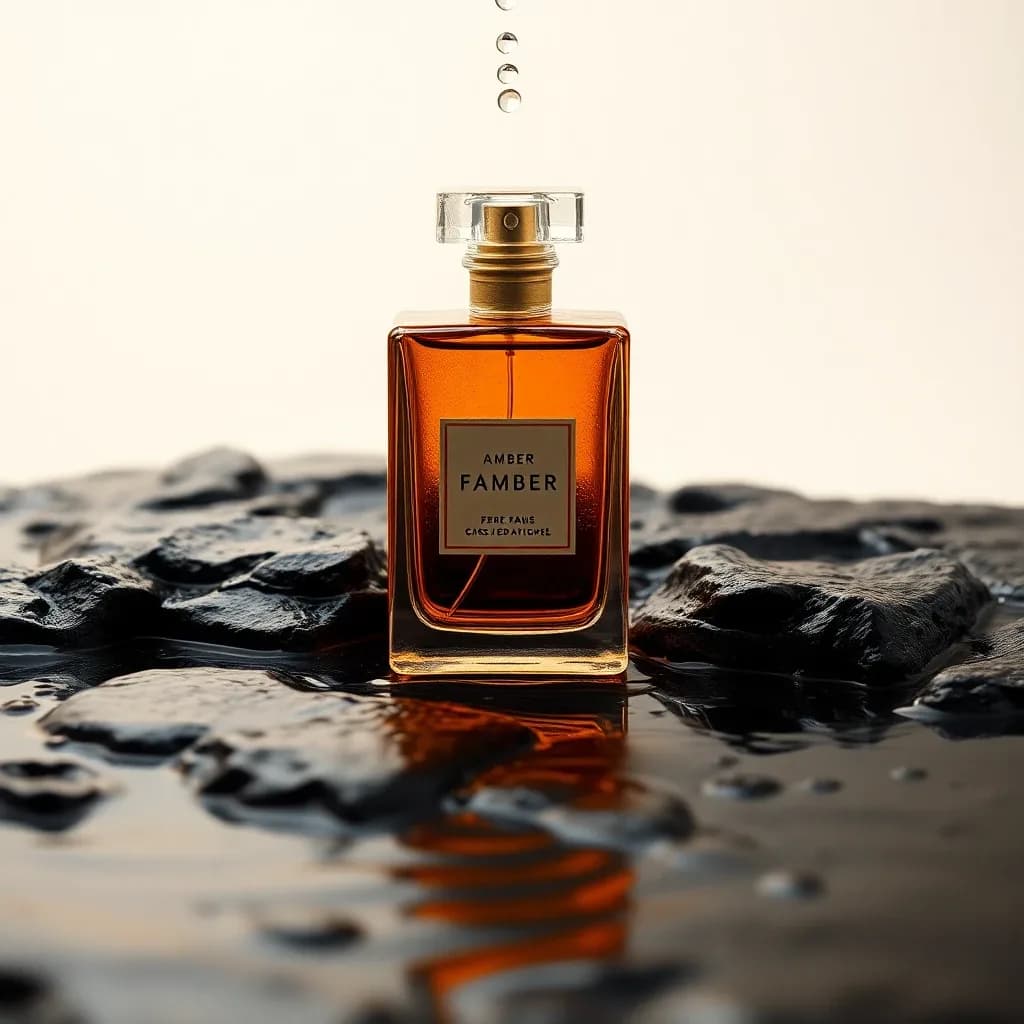
 Z-Image Turbo
1 credit
Made in Studio from a text prompt, not with the Product Photo tool. A concept shot, not a photo of a real product.
No visible text, letters, words, numbers, logos or signage anywhere in the image. Studio product photo of an unbranded amber perfume bottle on wet black stone with water droplets, dramatic side light, 100mm lens, main subject in the upper two-thirds of the frame, calm darker lower third left clear for text
 Z-Image Turbo
1 credit
Made in Studio from a text prompt, not with the Product Photo tool. A concept shot, not a photo of a real product.
Studio product photo of a plain white running shoe with no logo floating above a splash of water, clean pale background, high-speed flash, main subject in the upper two-thirds of the frame, calm darker lower third left clear for text
 Z-Image Turbo
1 credit
Made in Studio from a text prompt, not with the Product Photo tool. A concept shot, not a photo of a real product.
Studio product photo of plain sand-coloured headphones with no logo on a plaster plinth, soft editorial light, 85mm lens, main subject in the upper two-thirds of the frame, calm darker lower third left clear for text
AI product photo generator for listings and ads
You give the tool one photo of your product. It replaces everything around the product with the scene you pick, so a phone picture on a cluttered desk can become a clean shot for a store page, a social post or an ad. You do not need to remove the background first.
The scenes are made by Nano Banana 2 Lite, and each photo costs 2 credits.
Product photo background: six scenes
Each scene has a fixed look. Pick the one that fits where the photo will be used.
- White: a clean white studio with soft, even light.
- Marble: a white marble surface with natural window light.
- Lifestyle: a cozy modern interior with warm light.
- Outdoor: natural greenery and golden hour sun.
- Kitchen: a modern countertop with bright, clean styling.
- Wooden: a rustic wooden table with warm, vintage tones.
- Optional note: up to 500 characters, for example soft morning light or a small plant beside it.
Concept product shots from text
If you have no product photo yet, Studio can draw a product shot from a text prompt. The perfume, shoe and headphones above came that way, with Z-Image Turbo at 1 credit each. They show a look you could aim for. They are not photos of a real product, so use the Product Photo tool when the picture has to be your actual item.
What Lovino does and does not do
| Lovino does | Lovino does not |
|---|---|
| Place your product in one of six scenes, with an optional short note | Invent a scene outside the six. The note can add light or props, not a new scene type |
| Ask the model to keep the product's shape, colours and printed text | Promise a pixel-exact product. An image model redraws the picture, so check small print and logos |
| Replace the background in one step | Give you a transparent PNG. Use Background Remover for that (1 credit) |
| Run on the 3 free daily credits (1 photo a day, watermarked) | Remove the watermark on free-plan results. Paid-plan results have none |
| Take JPG, PNG or WebP files up to 10 MB | Process a batch. It is one photo and one scene per run |
What it can't do
- The picture is redrawn, so fine detail on the product can shift. Small print, logos and texture are the first things to check against the real item.
- There are six scenes. A short note can steer light or props, but it will not turn the Wooden scene into a new setting.
- Each run is one photo in one scene and costs 2 credits. Free credits cover 1 run a day.
- Free-plan results carry a watermark.
- Marketplaces set their own rules for main images, and many ask for a plain white background. Check the rules for your store before you upload.
Pricing
Start free. Scale anytime.
One credit system across Studio, Flow and every tool. Cancel anytime.
| Plan | Per month | Credits |
|---|---|---|
| Free | $0 | 3 credits per day |
| Plus | $7.99 | 50 credits per month |
| Pro | $19.99 | 200 credits per month |
| Max | $44.99 | 500 credits per month |
Questions, answered.
Is AI product photography free?
Partly. One photo costs 2 credits and you get 3 free credits a day, so the free tier covers 1 photo a day, with a watermark. Paid plans start at $7.99 a month, and results made on a paid plan have no watermark.
Which scenes can I choose?
Six: white studio, marble, lifestyle, outdoor, kitchen and wooden. You can add a note of up to 500 characters for light or props.
Do I need to remove the background first?
No. The tool replaces the background as part of the same step. If you want a transparent PNG instead, Background Remover costs 1 credit.
What kind of product photo works best?
A sharp, well-lit photo of one product on a plain background. JPG, PNG or WebP, up to 10 MB.
Will the product look exactly like mine?
It should look close. The instruction asks the model to keep the product's shape, colours, proportions and printed text. But the picture is redrawn by AI, so check logos and small print before you publish.
Can I use the photos in listings and ads?
Results made on a paid plan have no watermark and can be used commercially. Free-plan results carry a watermark. Marketplaces have their own image rules, so check yours.
Which AI model makes the scenes?
Nano Banana 2 Lite. The same engine runs all six scenes.
Can I make a product shot without a photo?
Yes, in Studio. Describe the product and the setting, and an image model such as Z-Image Turbo draws it for 1 credit. That is a concept image, not a photo of your real product.
More AI tools
Built for
Related guides
- AI Product Photography: Professional Shots Without a StudioCreate professional product photos for e-commerce without a studio or photographer. AI product photography guide for Shopify, Amazon, and Etsy sellers.
- AI Product Photos for Candle Brands: Scenes, Not Fake FlamesAI product photos for candle brands can place your real jar in cosy seasonal scenes. See the workflow, and which claims a photo must never make for you.
- AI Product Photos for Etsy Sellers: Style It, Never Fake ItAI product photos for Etsy sellers: turn one plain phone shot into white-background and lifestyle listing photos, and learn what must stay true to the item.
Try a template
Ready to try AI Product Photography?
2 credits per generation. No purchase is made until you confirm a generation.