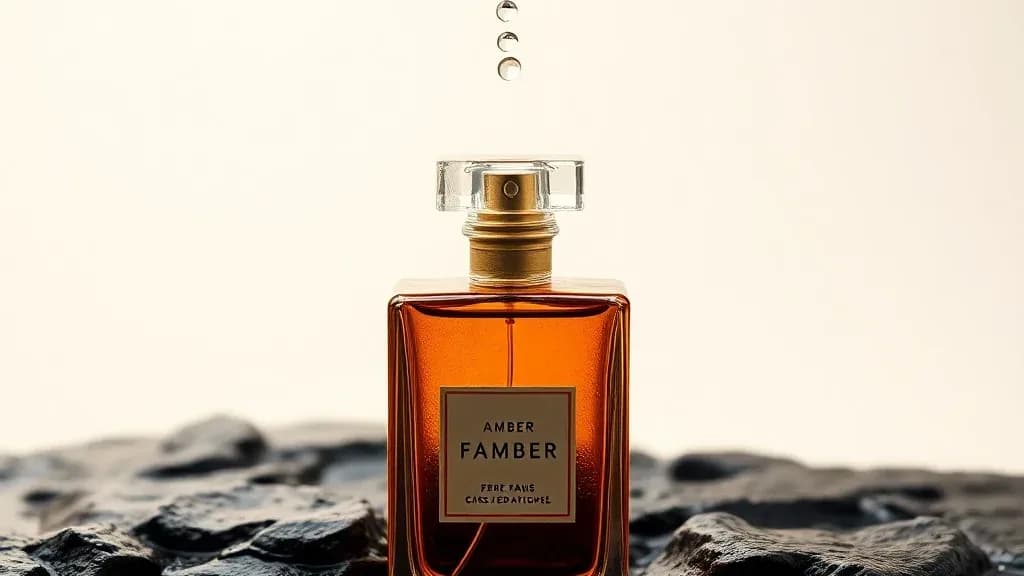
AI Photos for Hair Salons: What to Make, What Never to Fake
AI photos for hair salons and barbers are great for banners, promo posters and style previews, and wrong for the one thing clients judge: the finished cut.
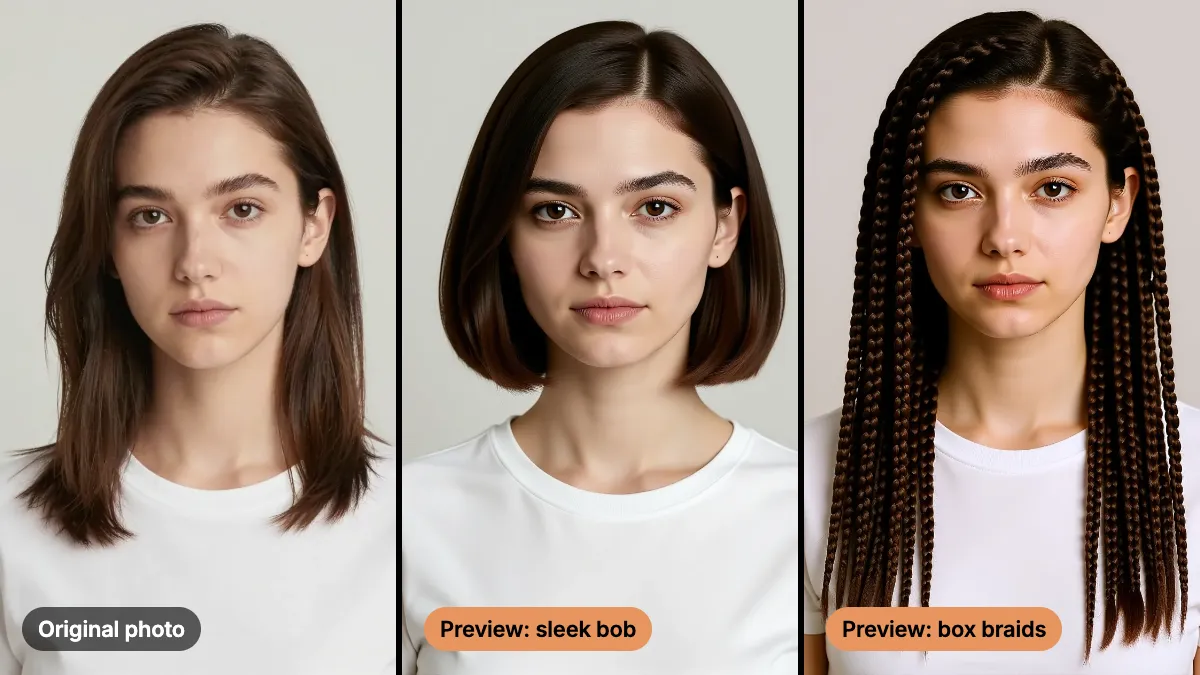
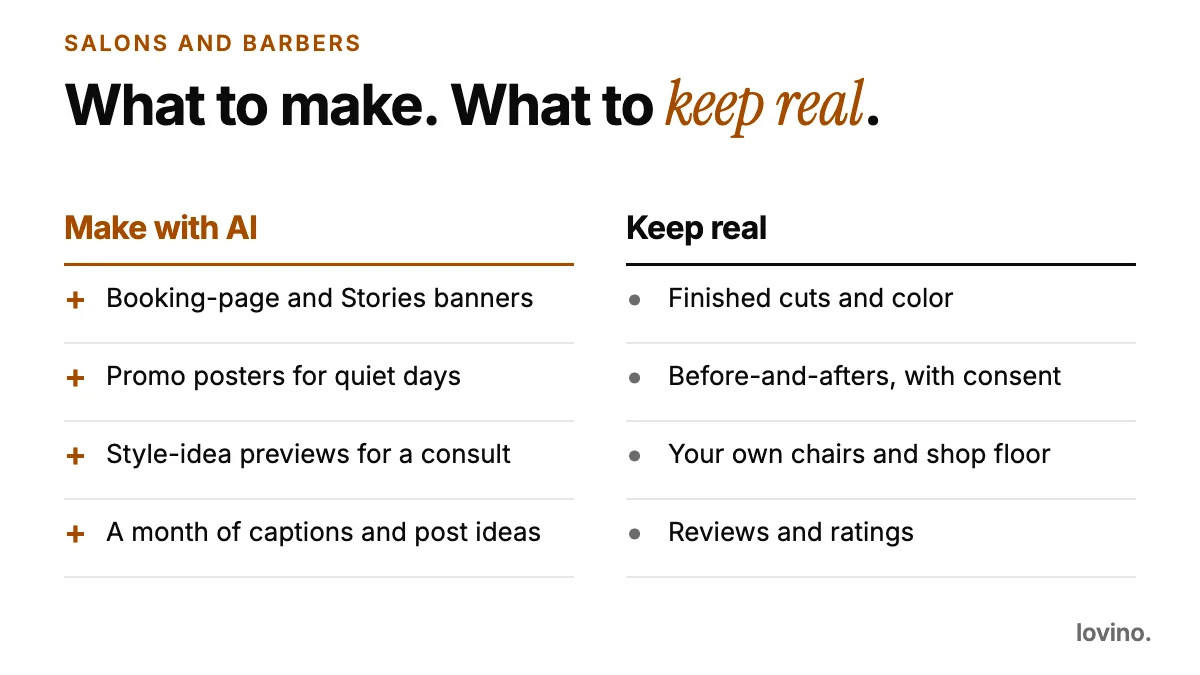
AI photos for hair salons and barbers are useful for everything around the chair: booking banners, promo posters, caption ideas and style previews for a consultation. They are the wrong tool for the one thing your clients judge you on, which is the finished cut. Make the first set with AI. Keep the second set real.
Every stylist has met the client who arrives with a photo and a hope. A preview can start that conversation well. It cannot finish it, and it must never stand in for your work.
What can AI photos for hair salons and barbers cover?
Think of it as two shelves. The first holds things that sell the experience. The second holds proof.
| Content | Make it with AI? | Why |
|---|---|---|
| Booking-page and Stories banners | Yes | It is design, not evidence |
| Promo posters for slow days | Yes | The offer is real, the artwork is just artwork |
| Style-idea previews for a consult | Yes, labeled | It is a conversation starter, not a result |
| Captions, hashtags, a month of post ideas | Yes | Words, not pictures of your work |
| Finished cuts and color | No | This is your proof, shot in your chair |
| Client before-and-afters | No | Real, with the client's consent |
| Reviews and ratings | No | They have to come from real clients |
How do you preview a hairstyle with AI before the cut?
The AI Hairstyle Changer takes a portrait and a style you name, then changes the hair while the face, clothes and background stay put. It runs on FLUX Kontext Fast and is built for quick side-by-side comparisons.

That test portrait is AI-made, not a real person. The workflow is the same on a real client portrait, with their permission.
- Take a clear portrait. Head and shoulders, hair visible, plain background, even light.
- Name one style. Give the cut, the length and the texture. One style per run keeps the comparison fair.
- Tell it what must not change. This is the sentence people skip, and it matters most.
- Run it again for the next style. Same photo, new style, then compare side by side.
- Talk it through. Use the result as a starting point for the consultation, not as a promise.

Change her hairstyle to a sleek chin-length bob. Keep her face, expression, clothing and the background exactly the same.
The examples on the tool page cover a bob, soft curls and box braids. A fade or a beard trim may work, but there is no published example, so test it on a portrait you own before you offer it to clients. A color-only change is the same story: you can ask for it and tell the model to keep the cut, then check the result against the original.
Two honest limits. The preview is an AI picture of a style. Length, thickness and texture are the model's guess, not a prediction of how a client's real hair will fall. And the face usually stays, but small details can shift, so compare with the original before you show it.
What should a salon never fake with AI?
Clients book you because of what comes out of your chair. A few lines are worth drawing hard.
- Never present AI output as a cut you did. A preview shown as your work is a false claim, however nice it looks.
- Never touch up a real result so it looks better than it was. Thicker hair, smoother color or a cleaner fade that is not really there is the same thing, only subtler.
- Never build a before-and-after from AI. If the "before" is AI or the "after" is AI, it is not a before-and-after.
- Never invent reviews or testimonials. The US Federal Trade Commission has a final rule on fake reviews and testimonials that includes AI-generated ones. Check the rules in your own country.
- Never use an AI person as "your team". Clients will meet the real one. For your Google listing, the Business Profile guidelines (as of October 2026) ask for photos with "no significant alterations or excessive use of filters", which they sum up as "the image should represent reality".
Concept previews are fine when labeled. A caption such as "AI preview of a style idea, not a finished cut" costs you nothing and keeps the trust.
How do you make promo posters and booking banners with AI?
Use a model that can render text, and keep the text short. The AI Poster Generator is built for this, with GPT Image 2 and Ideogram as text-friendly options. Ideogram needs a paid plan.
A calm barbershop promo poster, warm wood and black leather, a single chair by a window, headline "Walk-ins welcome". Leave the lower third empty for opening hours.
Then do three things by hand:
- Proofread every letter. AI can misspell or drop words, especially in small print.
- Add the hours, address and prices yourself. Do not trust generated numbers.
- Check the result at phone size. If the headline is not readable at arm's length, shorten it.
One flat image comes out. There are no editable layers, so a changed word means a new run.
Can AI plan a month of salon content?
It can help, as long as the plan is built on real work. A simple rhythm keeps the feed honest:
| Week | Real content | AI-made content |
|---|---|---|
| 1 | A finished cut, with consent | A booking banner |
| 2 | A short clip of a technique | A caption series |
| 3 | A team intro, real faces | A promo poster for a quiet day |
| 4 | A client review, quoted with permission | A style-idea preview, labeled |
Most of the pictures are real. The AI work is design and writing, which is where the time goes.
What mistakes make AI salon content backfire?
- Previews that ignore real hair. A glossy straight bob on a client with tight curls sets an expectation you cannot meet. Pick reference styles that suit the hair in front of you.
- Skin and hair smoothing on real results. Over-polished "after" photos make your honest ones look bad by comparison.
- Unlabeled previews. If the caption does not say preview, people assume it is your work.
- Long poster copy. A phone feed rewards five words. Put the details in the caption.
- Using someone else's face. Edit only portraits you own or have permission to use.
What should you tell a client before you upload their portrait?
- Ask first, and say where the photo goes. Uploads are processed by third-party AI providers. Requests are moderated, and edits that break the content rules are blocked.
- You need an account to generate. Free daily credits cover some tools and others need paid credits. See pricing.
- Free results carry a watermark, paid ones do not. Every user, free included, can use what they make commercially.
Try one preview, then take it to the chair
Make a preview from a portrait you own, compare two styles, and see how it feels as a consultation aid. When it helps, keep using it. When it starts to look like marketing for work you did not do, stop. Personal trainers walk the same line between packaging and proof, and AI content for personal trainers shows how they handle it. Start with the AI Hairstyle Changer.
Questions, answered.
Can I use AI hairstyle previews as before-and-after photos?
No. A preview is an AI picture of a style idea, not a result you delivered. Use it for consultations and label it as a preview. Real before-and-afters come from your chair, with the client's consent.
Will the AI preview match how my client's hair will actually look?
Not reliably. It shows the idea of a style. Length, thickness and texture are the model's guess, so treat the preview as a conversation starter and talk through what suits their hair.
Can I upload a client's photo?
Only with their permission. Photos you upload are processed by third-party AI providers, so tell the client that before you upload. Keep it to portraits you have the right to edit.
Do I have to pay to use AI photos for my salon marketing?
You need an account to generate. Free daily credits cover some tools, and free results carry a watermark. Paid plans remove the watermark. All users, free included, can use what they make commercially.