AI Content for Event Planners: Concepts, Invites, Real Recaps
AI content for event planners works before and after the day: concept visuals, invitations and menu ideas up front, real photos for the recap. Here is how.
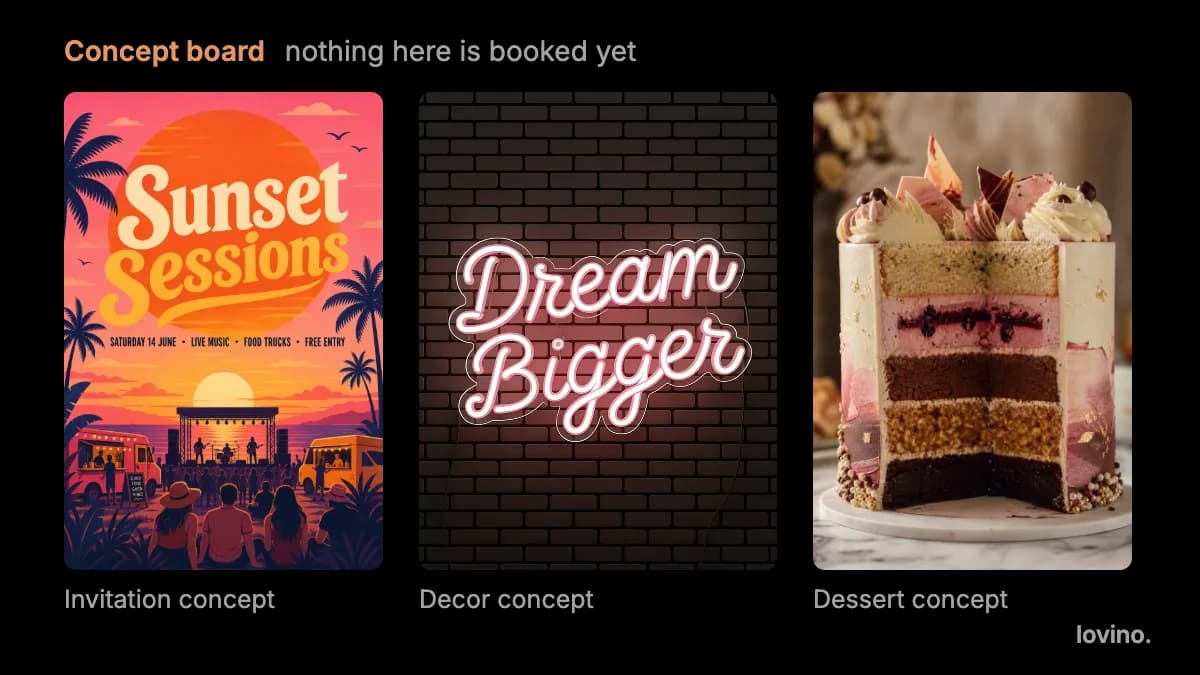
AI content for event planners works best before and after the event, not during it. Use AI for concept visuals, invitations and menu ideas while you pitch and plan. Use real photos for the recap. One rule runs through all of it: label anything that is a concept, and never show a client or a guest something that does not exist as if it were booked.
Here is the workflow, the prompts, and the lines you should not cross.
Where does AI content for event planners fit?
Events have a natural order. AI helps with two of the five steps and only tidies a third.

| Stage | Who leads | What AI can do |
|---|---|---|
| Brief | You | Nothing. Goals, guests and budget are yours |
| Concept | AI and you | Mood and look options for the client |
| Invite | AI and you | Poster and copy drafts |
| The day | Real | Nothing. Real rooms, real people |
| Recap | Real | Tidy real photos, lay out the story |
The pattern is simple: AI proposes, you decide, and the event itself is real.
How do you make concept visuals for a client pitch?
A client pitch is a picture problem. People cannot see a colour palette or a table plan from a list. A concept board makes the idea visible in minutes.
- Write the brief in one sentence. Event type, mood, palette and setting. For example: an outdoor dinner in a garden at dusk, warm and informal.
- Generate three directions. Use the AI image generator and keep each prompt to one idea.
- Add empty space and no words. Ask for no text in the image. You will set the words yourself.
- Label every image as a concept. Then show them together as a board.
A prompt you can adapt:
Outdoor evening dinner in a garden, one long wooden table with linen runners, candles in glass holders, string lights overhead, warm dusk light, wide shot. No text, letters, logos or signage.
Change one thing at a time between directions, such as palette, setting or time of day. That makes the client's reaction easy to read.
Can AI make event invitations and posters?
Yes, with one big caution. The AI poster generator draws a poster from a prompt that includes the exact words you want on it. Type each line inside quotes and say where it goes. Here is the prompt behind the poster below:
A bold summer music festival poster in a flat illustration style with a big orange sun, palm trees and warm pink and orange colours. Large headline text reading "Sunset Sessions", below it the line "Saturday 14 June · Live music · Food trucks · Free entry". Clean layout, readable lettering, no logos.
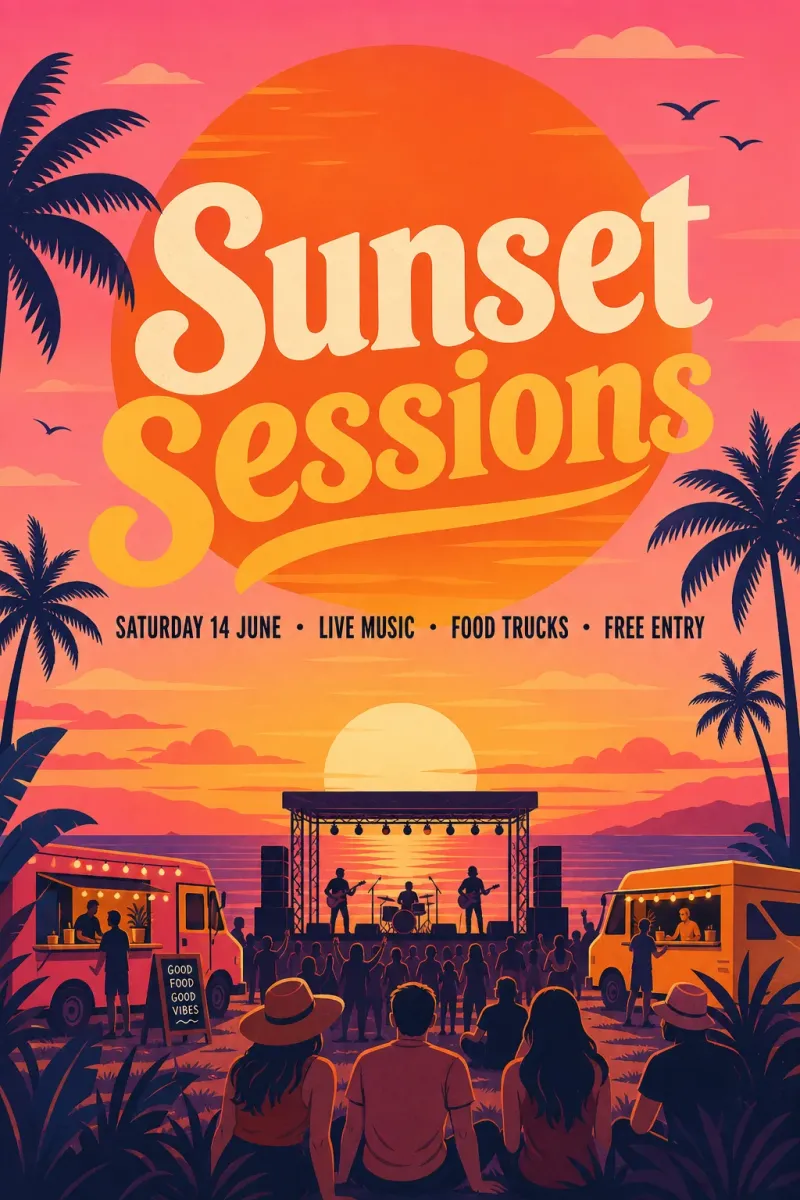
That event is made up, so nothing on the poster is real. For your own events, keep the text short, because a headline and two or three short lines come out better than a paragraph. AI can misspell or drop words, so read every letter, then check the date, the venue and the time against your contract.
You get one flat image. There are no layers and no editable text boxes, so to fix one word you re-run the prompt. For a guest-facing schedule, the AI infographic generator can lay out a title and a few steps as a vertical card. It does not check facts, so proofread it too.
What about menus, signs and decor?
Concept visuals can include menus, signs and tablescapes. They are useful for the mood, and risky for the details.
Two cautions:
- Menus. AI text is reliable for a short headline and unreliable for a full menu. The small lines tend to come out as convincing nonsense, as the chalkboard in our guide for restaurants shows. Set the real menu in your layout tool from the caterer's final list.
- Decor. The neon sign on the concept board at the top of this page is a picture, not a sign on order. Show decor concepts as ideas, and price real items separately.
If you work with florists or designers on a project, they face the same issue. See AI photos for florists for stems and seasons, and AI visuals for interior designers for labelling room concepts.
What should you never fake in event content?
This is where trust is won or lost. Your recap posts and your portfolio are evidence of what you can deliver.
- Crowds. Never generate a crowd to make a past event look busier. A full-looking room is a claim about your event.
- The venue. Show the real venue, not a better-looking one. Clients will visit.
- Guests and faces. Do not invent guests, and do not edit real guests without their consent.
- Testimonials and sponsors. Never make up a quote, a client name or a sponsor logo.
- Capacity and numbers. Do not imply a headcount or a layout the venue cannot hold.
- Concept as delivered. Do not put a concept image in a portfolio as if you produced it.
How should you label event concepts?
Put the label on the image, not only in the caption. A caption gets cropped and a screenshot loses it.
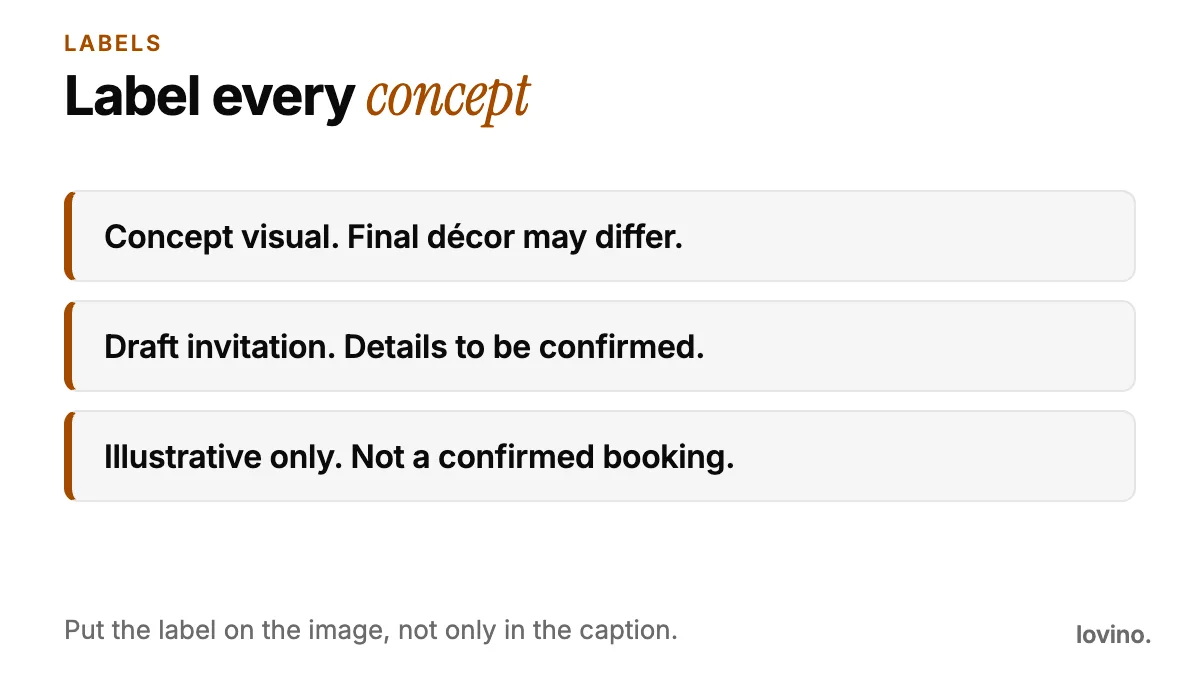
You can use the same lines in a deck or on a social post. For wider guidance on telling an audience what is AI-made, read AI content disclosure on social media.
How do you make recap content from a real event?
The recap is real, so the work is selection and polish, not invention.
- Choose the honest best. Pick photos that show the real room, the real food and the real mood.
- Tidy, do not alter. Remove a stray cable or a bin with Magic Eraser. Enlarge a good shot with the image upscaler.
- Get consent. Ask before you post identifiable guests.
- Keep motion for scenery. Image to video can add a slow push-in on a table setting or a venue shot. Do not animate guests' faces, because that is invented motion of real people. Video uses paid credits.
- Write the story. Say what happened, who helped and what the client asked for. Specifics beat adjectives.
For a calendar of posts across the season, how to batch AI content creation shows a workable routine, and AI marketing visuals for small business covers the wider picture.
What are the limits and privacy basics?
- You need an account to generate. Free results carry a watermark, and paid plans remove it. See pricing.
- Everything you generate can be used commercially, free plan included.
- Photos you upload are processed by third-party AI providers that run the models. Do not upload guest lists, contracts or photos of people who have not agreed.
- Results vary from run to run, so expect to generate an image more than once.
Build one concept board this week
Take your next enquiry and write the brief in one sentence. Generate three directions, label each as a concept, and add one draft invitation for the strongest. Check every word on the invitation against the contract. Then keep your recap real, because that is the proof you will use for the next client. When you are ready, open the AI poster generator and draft the first invitation. The AI event flyer maker guide covers legible text and print sizes.
Questions, answered.
How can event planners use AI?
Use AI before and after the event. Generate concept visuals and invitation drafts while you pitch and plan, then keep the recap real. The day itself, the venue and the guests should always be real.
Can AI design event invitations with the right text?
Yes, if you type the exact words in quotes and keep them short. AI can misspell or drop words, so proofread every letter and check dates, times and venue against your contract before you send anything.
How should I label AI concept images for clients?
Put the label on the image, for example 'Concept visual. Final decor may differ.' or 'Illustrative only. Not a confirmed booking.' A label in a caption alone can be cropped away.
Is it okay to use AI crowd images for event promotion?
No. A generated crowd makes a claim about attendance or atmosphere that was never true. Use real photos of real events, with permission from the people in them.
Can I use the images commercially?
Yes. Everyone who generates on Lovino, including free users, can use the results commercially. Free results carry a watermark, and paid plans remove it.