AI Visuals for Interior Designers: Label Concepts as Concepts
AI visuals for interior designers can show a client two or three style options from one room photo. See the workflow, and label every image as a concept.

AI visuals for interior designers are a fast way to show a client a direction. You can try a mood, a palette, or a furnished version of the room they already have. They are concepts, not specifications. Label them that way and AI becomes a sharp tool for the first conversation, not a promise you cannot keep.
This guide is for designers who present to clients: the workflow, the prompts, and the labels that keep everyone on the same page. If you just want to restyle your own room, the AI interior design tool page is the shorter route.
What can AI visuals for interior designers do?
Early in a project, clients struggle to picture a direction from words. AI can close that gap before you spend hours on a formal render.
| Job | Tool | Best for |
|---|---|---|
| Furnish an empty or dated room in a named style | AI interior design | Showing two or three style options on the client's real room |
| Change one thing in a room | Studio with FLUX Kontext Fast | "What if there were a plant and a warm lamp here?" |
| Draft pencil concepts | Photo to sketch | A softer, clearly unfinished look |
| Tidy a site photo | Magic Eraser | Removing clutter from a before photo |
| Moodboards and palette images | AI image generator | Setting a feeling before choosing products |
None of these replace measured drawings or real product sourcing. They sit in front of them.
How do you make style options from a room photo?
You start from a real photo, so the shape of the space is the client's own. The model redraws the picture with new furniture and decor, and you ask it to leave the room itself alone.
- Photograph the room straight on, in daylight. Show the whole room, with the window and floor visible.
- Open Studio with FLUX Kontext Fast. The Try button on the AI interior design page opens it with that model selected.
- Name the style and the key pieces. Add a line that protects the architecture.
- Generate two or three styles. Run each prompt on the same photo so the comparison is fair.
- Pick favourites, label them, and share.
Two prompts you can copy, as used on Lovino's own AI interior design page:
Furnish and style this room in Japandi style: light oak furniture, a low linen sofa, soft neutral tones and minimal decor. Keep the room layout, walls, window and floor exactly the same.
Furnish and style this room in mid-century modern style: a walnut sideboard, a tan leather armchair, warm tones and a round rug. Keep the room layout, walls, window and floor exactly the same.

The room above is an AI-made test photo, not a real home. In both results the window, walls and floor stayed put while the furniture changed. That is the behaviour to aim for. The keep line is a request, not a guarantee, so always compare the result with the original.
What makes a good prompt for room style options?
A good style prompt has four parts. Write them in the same order every time, so the options stay easy to compare.
| Part | Example | Why it matters |
|---|---|---|
| Style name | Japandi, mid-century, coastal | Sets the overall direction |
| Key pieces | A low linen sofa, a walnut sideboard | Stops the model inventing clutter |
| Palette and mood | Soft neutral tones, warm wood | Keeps options comparable |
| What stays | Layout, walls, window and floor | Protects the real architecture |
Skip long lists of adjectives. Short, concrete pieces work better than a paragraph of mood words.
How many options should you show a client?
Two or three. Run each style on the same photo and change only the style, so the client compares directions, not random differences. Ten options feel like homework, and too much choice stalls a decision. Show the strongest few and say what each one is for.
How do you change just one thing?
Sometimes the client likes the room and wants a single change. Ask for exactly that, and say what stays.
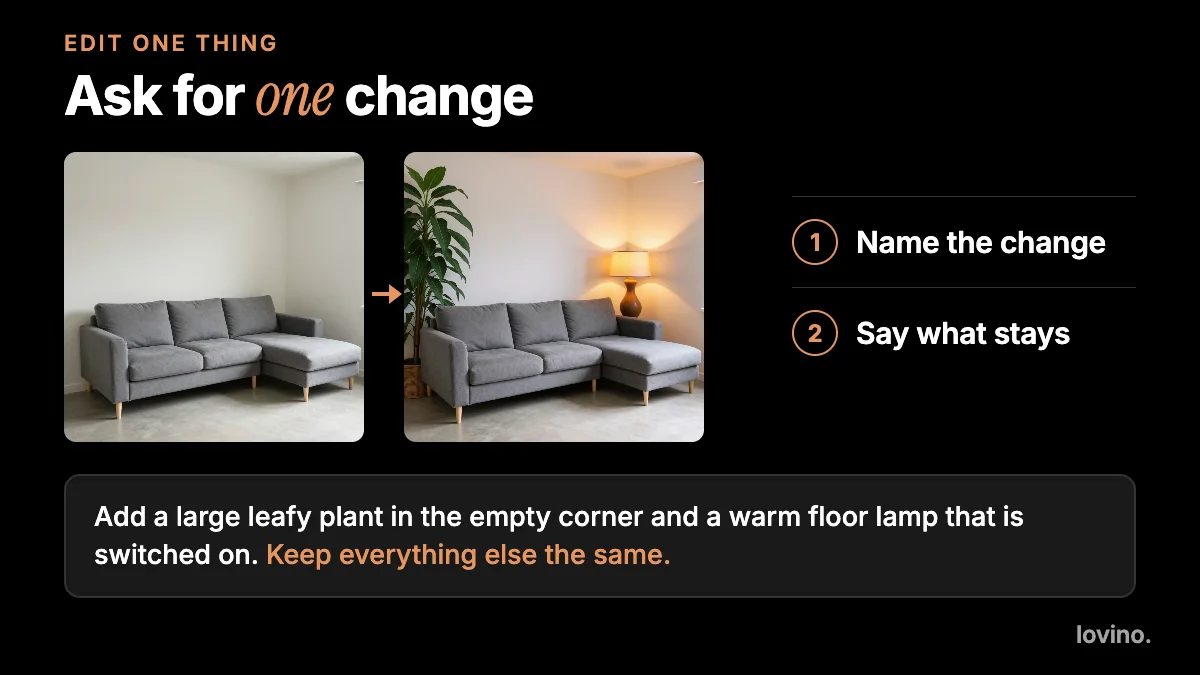
Add a large leafy plant in the empty corner and a warm floor lamp that is switched on. Keep everything else the same.
The prompt has two jobs. The first sentence names the change. The second protects the rest. If you want to see more of the technique, how to use image-to-image AI goes deeper.
Why should you label concepts as concepts?
An AI picture looks finished. That is its strength and its risk. A client who sees a lovely sofa in a lovely room will assume that sofa exists, fits and arrives by the date you mention.
Here is what the picture does not know.
| What the image shows | What it does not know |
|---|---|
| Furniture | The pieces are invented. They may not exist, or not fit |
| Proportions | The scene is redrawn, not drawn to scale |
| Colour | Screens and models shift colour. Use real samples |
| Light | It looks plausible but is not measured |
| Layout | The photo's structure is kept, but it is not a floor plan |
| Budget | Nothing in the picture is priced |
So label each image on the image, not only in the email. Short wording works: "Concept render. Furniture is illustrative. Not to scale." Then follow it with a real specification when the client chooses a direction.
If you also do virtual staging for property listings, rules vary by region, so mark staged images clearly. Our guide to AI real estate photography covers that side, and AI content disclosure covers how to say it in public.
Where does AI fit in a design workflow?
Keep the roles clear: you decide, AI proposes.

The photo and the specification are yours. The concept is the only AI step, and the client approves the plan, not the picture. That order protects your reputation.
Can you make concept sketches instead of renders?
Yes, and sometimes a sketch is the better choice. A pencil drawing reads as a draft, so clients do not mistake it for a finished design. Photo to sketch redraws a room photo as a graphite drawing in Studio, keeping the layout.
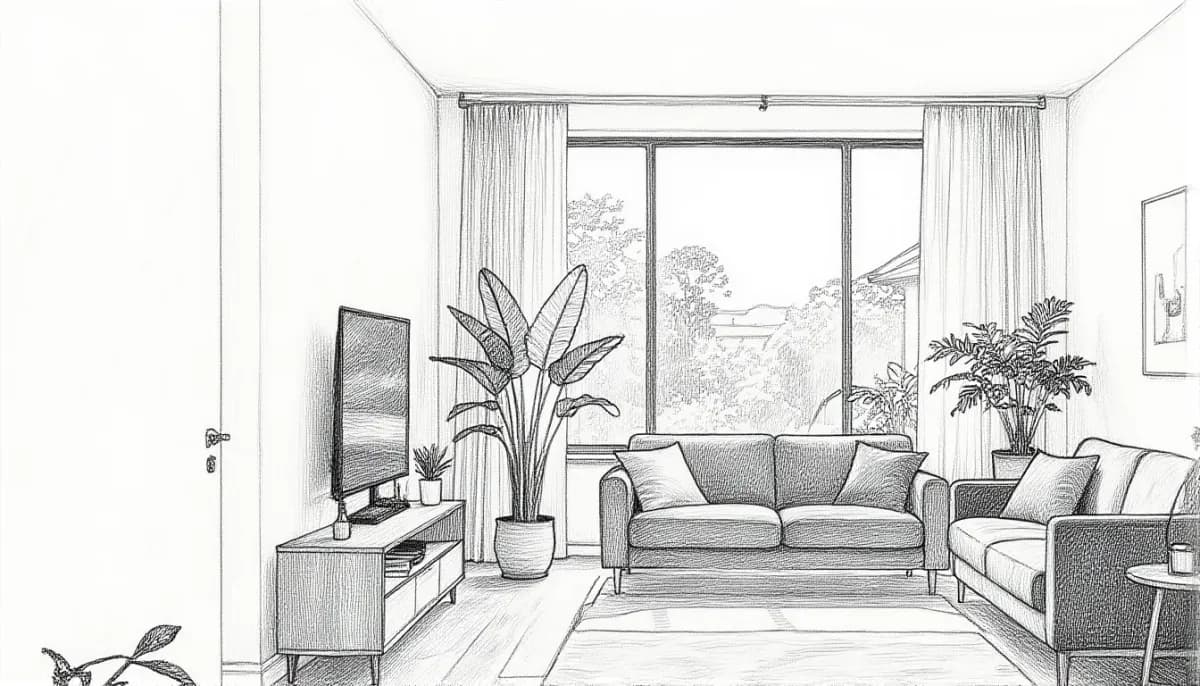
Use a sketch when you want to talk about layout and mood without anyone fixating on a fabric or a finish.
What about client privacy?
- Photos you upload are processed by third-party AI providers that run the models. Ask the client before you upload photos of their home.
- Remove personal items first, such as family photos, documents and visible addresses.
- Only edit photos you have the right to use.
What are the limits?
- You need an account to generate. Free results carry a watermark, and paid plans remove it. See pricing.
- Everything you generate can be used commercially, free plan included.
- The picture is redrawn, so small details can shift between runs. Generate a few options and keep the best.
- It will not produce a measured plan, a product list or a quote.
Start with one room
Take one real room photo from your next consultation and run it through two styles. Label both as concepts, show them side by side, and let the client react. Then move to real specifications for the direction they choose. When you are ready, open AI interior design and upload that first photo.
Questions, answered.
Can AI really redesign a room from a photo?
It can show a furnished, restyled version of a room from one photo. You name a style and ask it to keep the layout, walls, window and floor. The result is a concept picture, not a plan. Furniture is invented and not to scale.
How should interior designers label AI concept images?
Put the label on the image itself. Short wording works, such as 'Concept render. Furniture is illustrative. Not to scale.' Follow it with a real specification once the client picks a direction.
Will AI keep my client's room layout the same?
You can ask it to keep the layout, walls, window and floor, and it often does. But the image is redrawn, so always compare the result with the original photo before you show it.
Is it safe to upload client photos?
Photos you upload are processed by third-party AI providers that run the models. Get the client's permission first, and remove personal items from the shot.
Can I use the images in my portfolio or client decks?
Yes. Everyone who generates on Lovino, including free users, can use the results commercially. Free results carry a watermark and paid plans remove it. Label concepts clearly wherever you show them.