

AI Face Swap
Lovino's AI face swap puts the face from one photo into the scene of another photo. Use it for fun edits and mock-ups with people who have agreed to it. A swap costs 2 credits and works on the 3 free daily credits, so 1 swap a day is free.
2 credits per generation
What is AI Face Swap?
AI face swap takes the face from one photo and puts that person into the scene of another photo. Add a face photo and a scene photo, and Lovino builds a new image with Runway Gen-4 Image Turbo. A swap costs 2 credits and works on the free daily credits. Photos only, and only with permission.
How to use AI Face Swap
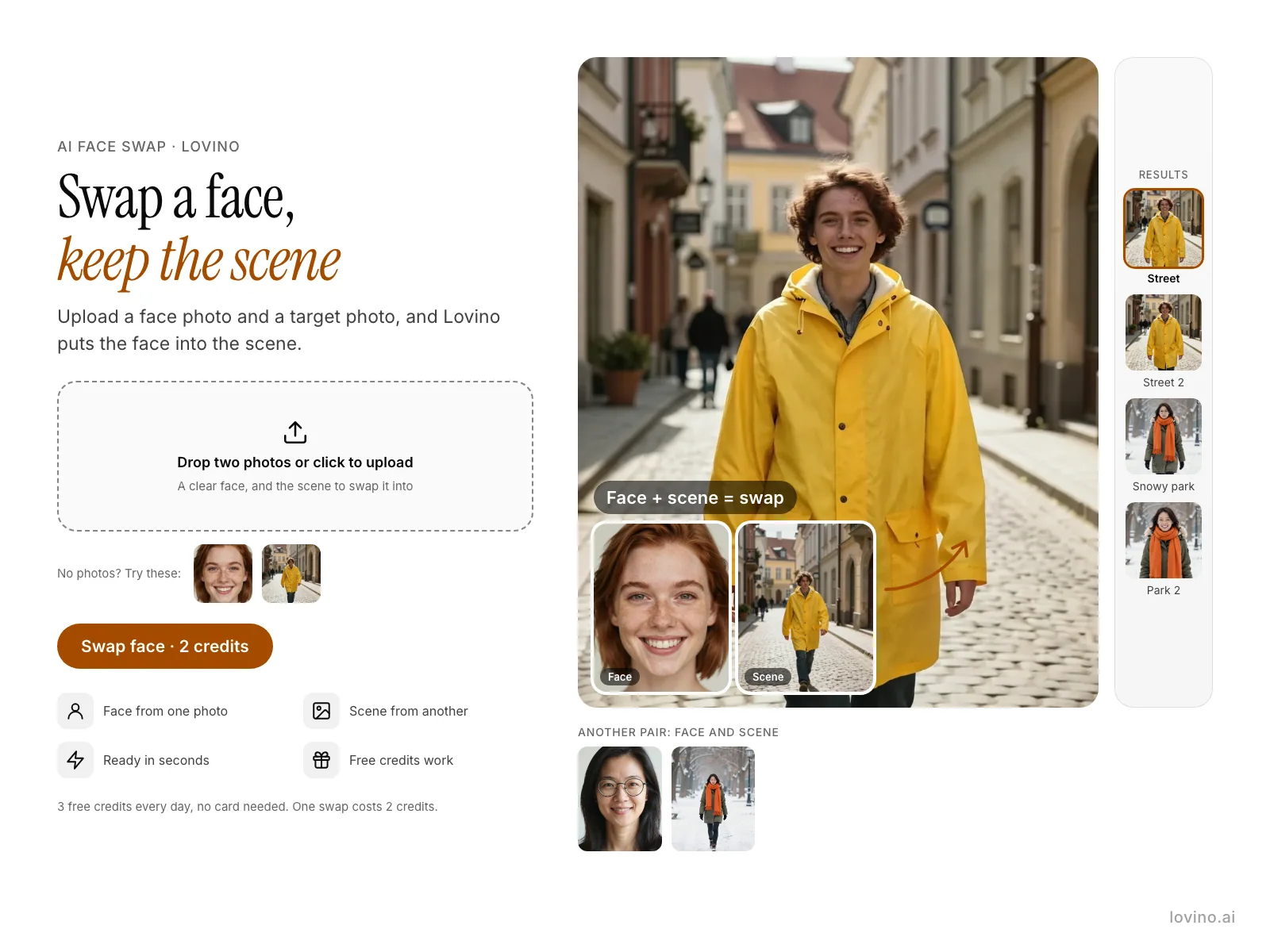
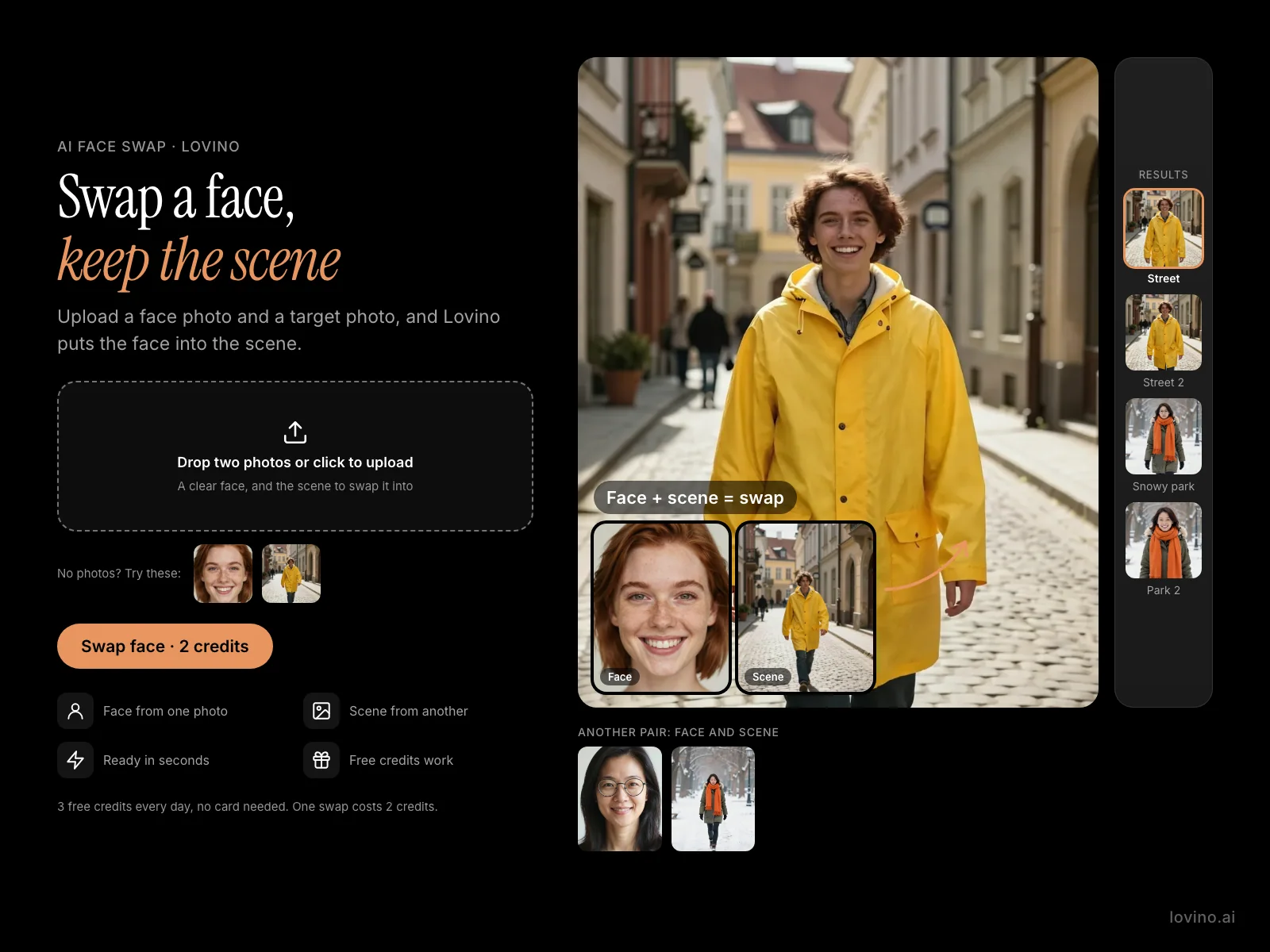
- 01
Add the face photo
Use a clear, front-facing photo of one person in good light. No sunglasses, and the face not covered.
- 02
Add the scene photo
This is the picture you want the person to appear in. A scene with a clearly visible person works best.
- 03
Swap and download
Check the cost (2 credits), add an optional line about lighting or style, and press Swap Face. Download the result when it is ready.
Real face swaps, step by step
Every face and scene below is an AI-made test photo, not a real person. The results come from the real Face Swap tool. Unless you type your own line, the tool sends Runway Gen-4 Image Turbo both photos and the prompt "@personA in @scene, natural lighting, photorealistic". Each pair was run twice.
 Runway Gen-4 Image Turbo
2 credits
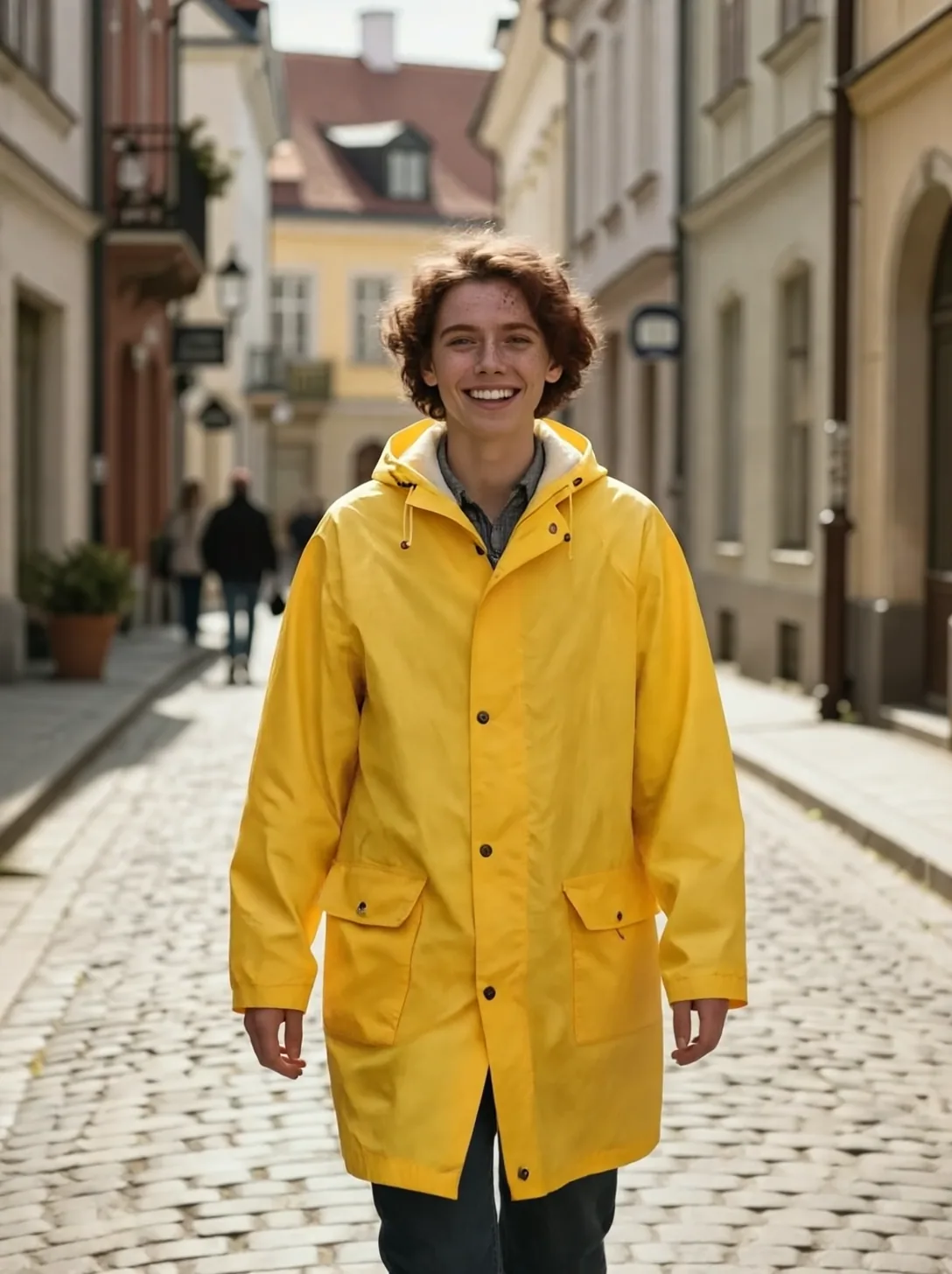
Face Swap result: the source face in the target scene.
@personA in @scene, natural lighting, photorealistic
 Z-Image Turbo
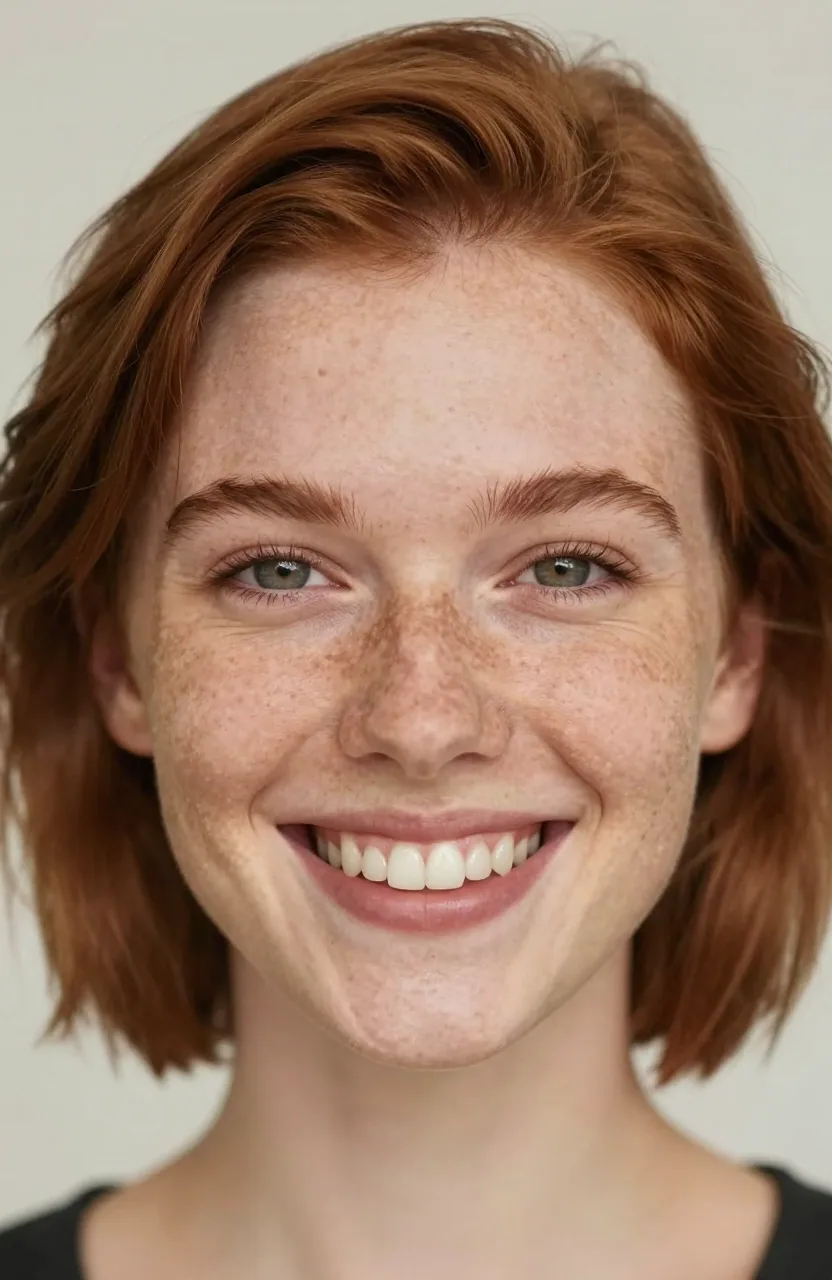
The source face: an AI-made face, not a real person.
Close-up portrait photo of a smiling young woman with short auburn hair and freckles looking at the camera, soft natural light, plain background
 Z-Image Turbo
The target scene: an AI-made photo.
Photo of a person in a bright yellow raincoat walking along a sunny cobblestone street in an old European town, full body seen from the front, cinematic daylight
 Runway Gen-4 Image Turbo
2 credits
Second run of the same swap. Resemblance varies by run.
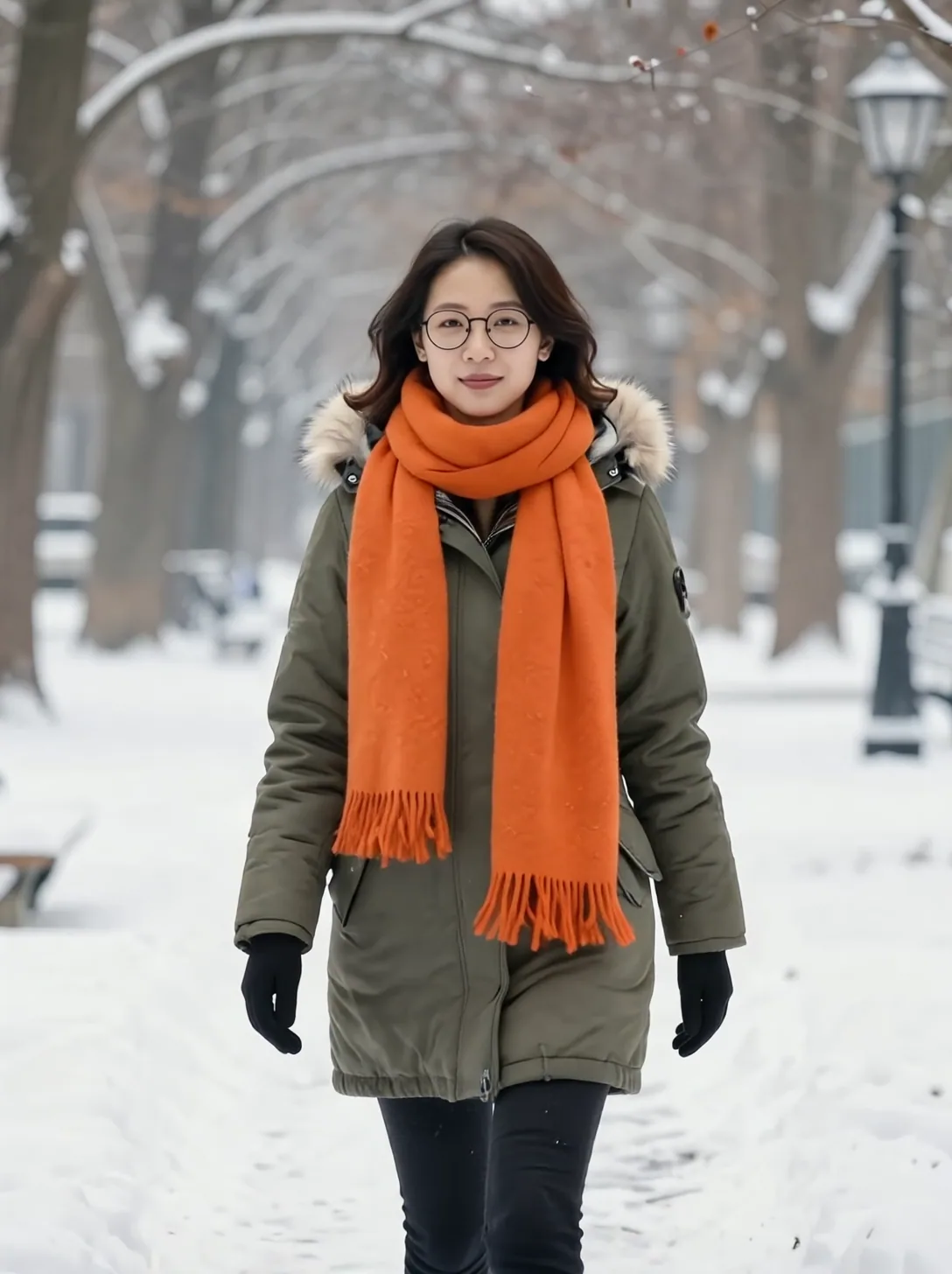 Runway Gen-4 Image Turbo
2 credits
Face Swap result: the second source face in the snowy park.
 Z-Image Turbo
A second source face: AI-made, not a real person.
Close-up portrait photo of a smiling woman in her forties with shoulder-length black hair and round glasses looking at the camera, soft natural light, plain background
 Z-Image Turbo
A second target scene: an AI-made photo.
Photo of a woman in a green parka and an orange scarf walking through a snowy park, full body seen from the front, face clearly visible, soft winter daylight
 Runway Gen-4 Image Turbo
2 credits
Second run of the same swap.
Face swap online: a face into a new scene
You give Lovino two photos: one with the face you want, and one with the scene. The result is a new picture of that person in that scene, in a portrait shape.
It is a rebuild, not a paste. Runway Gen-4 Image Turbo draws the whole image again from both photos, so hair, pose and small details can differ from your scene photo.
Face swap free: what the free credits cover
A swap costs 2 credits. You get 3 free credits a day, which covers 1 swap a day. More swaps need credits from a plan (from $7.99 a month). Anyone can buy a credit pack, with or without a plan. A starter pack is $2.99 for 15 credits.
Getting a good likeness
A few habits make the result closer to the person.
- Use a well-lit, front-facing face photo with nothing covering the face.
- Pick a scene where one person is clearly visible and the picture is sharp.
- Run it twice. Two runs on the same pair give slightly different faces, as the second runs above show.
Consent and safe use
Only swap faces of people who have agreed to it, and never use a swap to mislead or impersonate anyone. Photos and the optional prompt are checked, and explicit content is blocked. Lovino deletes both photos you upload when the swap finishes.
What Lovino does and does not do here
| Lovino does | Lovino does not | |
|---|---|---|
| Photos | Puts the person from a face photo into a scene photo | Swap faces in video: it is photos only |
| Result | Builds a new portrait-shaped image in one run | Keep your scene photo pixel for pixel |
| Likeness | Aims at the face in your photo | Promise the same resemblance on every run |
| Cost | Charges 2 credits and works on free daily credits | Offer unlimited swaps |
| Safety | Checks both photos and the prompt | Allow explicit images |
More questions
Are my photos kept?
No. Lovino deletes both photos you upload when the swap finishes. The finished image is saved to your Library.
Can I swap in someone else's face?
Only with their permission. Never use a swap to mislead or impersonate anyone. Photos and prompts are checked, and explicit content is blocked.
Can I use face-swapped images commercially?
Images you generate are yours to use, but only for people who have agreed to appear. Do not use a swap to mislead or impersonate.
What it can't do
- Resemblance varies by run. Try the same pair more than once and keep the closest.
- The result is a rebuilt image, so hair, clothes, pose and background details can differ from the scene photo.
- The result is always portrait-shaped (3:4), whatever shape your scene photo is.
- It works on photos only. There is no video face swap.
- It takes one face photo and one scene photo per run.
- Only use photos of people who have agreed. Explicit images and prompts are blocked.
Pricing
Start free. Scale anytime.
One credit system across Studio, Flow and every tool. Cancel anytime.
| Plan | Per month | Credits |
|---|---|---|
| Free | $0 | 3 credits per day |
| Plus | $7.99 | 50 credits per month |
| Pro | $19.99 | 200 credits per month |
| Max | $44.99 | 500 credits per month |
Questions, answered.
What is the best free AI face swap online?
Lovino's face swap runs in your browser with no install. Each swap costs 2 credits and the 3 free daily credits cover 1 swap a day. It rebuilds the whole image from both photos, so results vary by run. Try it twice and keep the closest.
Is Lovino an alternative to ArtGo AI face swap?
If you searched for ArtGo's face swap, Lovino's is a different product that does the same kind of job: it puts the person from one photo into the scene of another. It runs in your browser, costs 2 credits a swap and works on the 3 free daily credits, which cover 1 swap a day. It is photos only, and this page does not compare it feature by feature with ArtGo.
Do I need an account to use AI face swap?
Yes. A free Lovino account is required. It tracks your daily credits and saves the finished image to your Library.
Is AI face swap free?
Partly. Each swap costs 2 credits and you get 3 free credits a day, so 1 swap a day is covered. More swaps need credits from a paid plan or a credit pack: plans start at $7.99 a month, and a starter pack is $2.99 for 15 credits.
How does the AI face swap work?
You add a face photo and a scene photo. Lovino sends both to Runway Gen-4 Image Turbo, which draws a new image of the person from the face photo in the scene. It rebuilds the picture instead of pasting a face on it.
How realistic is the face swap?
It depends on the photos and the run. Two runs of the same pair can give slightly different faces, as the examples show. Use a clear, well-lit face photo, and run it again if the likeness is off.
Can I swap faces in a video?
No. Lovino's face swap works on photos only.
What makes a good face photo?
A clear, front-facing photo in good light, with no sunglasses and nothing covering the face. The clearer the face, the closer the likeness tends to be.
More AI tools
Related guides
- How to Swap Faces in Photos: Steps, Tips and ConsentLearn how to swap faces in photos using AI. Step-by-step guide with tips for realistic results, creative use cases, and what to avoid.
- What Will Our Baby Look Like? How AI Baby Blends WorkWhat will our baby look like? How an AI baby generator blends two parent photos into a fun portrait, how to pick photos, and what it cannot predict.
- AI Photo Editing Prompts: Change One Thing, Keep the RestCopy-paste AI photo editing prompts with real before-and-after examples: add an object, change the season or time of day, and keep everything else the same.
Try a template
Ready to try AI Face Swap?
2 credits per generation. No purchase is made until you confirm a generation.