What Will Our Baby Look Like? How AI Baby Blends Work
What will our baby look like? How an AI baby generator blends two parent photos into a fun portrait, how to pick photos, and what it cannot predict.
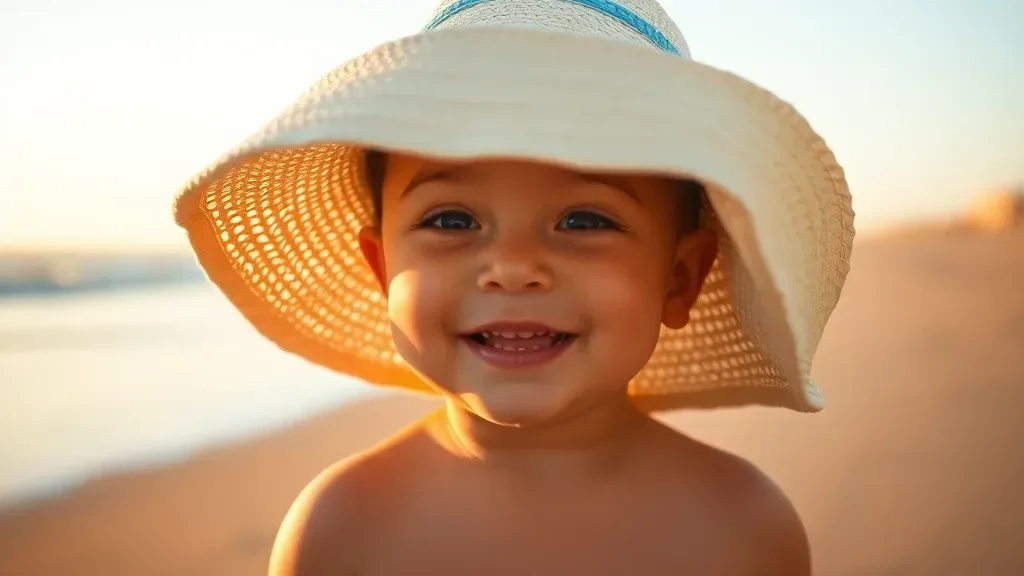
Short answer. What will our baby look like? Nobody can tell from two photos, but an AI baby generator can draw a fun guess: it blends two adults' features into one realistic infant portrait. Lovino's AI baby generator does this from one photo of each parent.
AI Baby GeneratorSee what your baby could look like with AI3 credits per generationOpen the toolIs the baby generator free? Partly. You need a free Lovino account. A portrait costs 3 credits and the 3 free daily credits cover one a day, with a watermark on free results.
This guide covers how the blend works, how to choose photos that give a better result, and what the tool cannot do. It is a keepsake and a conversation starter, not a prediction. For the tool's real examples and answers on cost and privacy, see the AI baby generator page.
How AI Baby Generators Work
AI baby generators use generative image models to create infant portraits that blend the features in the photos you upload. Tools usually work in one of two modes:
Two-parent blend: Upload photos of two adults — typically a couple — and the AI blends their facial features and skin tone into an infant portrait. This is the mode Lovino's tool uses.
Self-to-baby transformation: Some tools take a single adult photo and show how that person might have looked as a baby. Lovino's tool does not offer this mode: it needs two photos.
Dated table, checked against the AI baby generator page on 30 October 2026.
| Mode | What it does | On Lovino |
|---|---|---|
| Two-parent blend | Blends two adults' features into one infant portrait | Yes: one photo of each parent, both required |
| Self-to-baby | Shows one adult as a baby | No |
Neither mode is a genetic prediction. Lovino's tool is made for fun, not as a prediction, but the results are often plausible and fun to compare.
Step-by-Step: Generating Your AI Baby Photo
Step 1: Prepare Your Photos
Gather portrait photos of both individuals that share these qualities:
- Similar photo conditions (both taken in natural light ideally)
- Clear, unobstructed face view
- Similar expressions (both neutral or both smiling works better than mixing)
- High resolution (at least 500x500px per photo)
- Recent photos that reflect current appearance
Step 2: Upload to the AI Tool
Navigate to Lovino's AI Baby Generator. Upload both parents' photos. Both are needed before you can generate.
Step 3: Generate and Download
The AI generates one infant portrait from the blended features of both photos. The free daily credits cover one portrait a day, and free results carry a watermark. Download it for sharing or printing, or run it again for a different blend.
Try AI baby generation on Lovino →
Creative Uses for AI Baby Photos
Pregnancy Announcements
AI baby photos make pregnancy announcements more visually engaging and shareable. Pairing an "AI prediction" baby photo alongside the actual ultrasound scan gives friends and family something to react to and speculate about. These posts invite comments, guesses, and comparisons.
Format idea: A triptych image showing Mom's photo, Dad's photo, and the AI-generated baby in the center. Add text overlay like "Coming [Month]" and watch the shares multiply.
Gender Reveal Alternatives
While traditional gender reveal parties focus on pink or blue, AI baby generators add a new dimension: what will they look like? Generating multiple possible variations — different features emphasized — creates interactive entertainment for gender reveal events or parties.
Social Media Fun
"What would our baby look like?" is a familiar social media format. Even on a private account, it gives friends and family something to react to.
Family Albums and Nostalgia Projects
Transforming old photos of grandparents, great-grandparents, or historical family members into baby portraits creates fascinating family history content. Seeing your grandfather as an infant, imagined by AI, adds an emotional dimension to family albums and genealogy projects.
Greeting Cards and Gifts
AI baby photos can be printed on greeting cards, photo books, and keepsake items for baby shower gifts, new parent presents, and pregnancy celebration cards.
Tips for the Best AI Baby Results
Use matching photo quality: If one parent's photo is much higher quality than the other, the AI will weight its output toward the higher-quality image. Match photo quality for more balanced blending.
Front-facing photos blend better: Profile photos and angled shots don't give the AI the full facial geometry it needs for accurate blending. Use similar angles for both parents.
Natural light produces better skin tone matching: Both photos in natural light will blend better because the color temperature and skin tone rendering are more consistent.
Try multiple source photos: If the first result doesn't feel right, submit different source photos. The AI's output can vary meaningfully with different input photos of the same people.
Consider multiple generations: Generate baby photos for multiple couple combinations within a family — grandparents, parents, the couple — to create a generational comparison project.
Setting Realistic Expectations
AI baby generators are entertainment tools, not genetic prediction services. The U.S. National Human Genome Research Institute explains that a polygenic trait, such as height or skin color, is influenced by two or more genes, and that many such traits are also influenced by the environment. Simple facial blending cannot replicate that. The AI doesn't know:
- Which traits are dominant or recessive in your specific genome
- How environmental factors will influence development
- Epigenetic factors that affect physical development
Real babies almost never look exactly like AI predictions. But that unpredictability is part of the fun — comparing the AI prediction to the actual baby once born is an endearing social media moment that many parents enjoy sharing.
Think of AI baby generators as creative entertainment rather than prediction. The goal is to spark curiosity, create shareable moments, and have fun imagining the future.
Privacy Considerations
When uploading photos of real people to AI generators, consider:
Platform data policies: Read how the platform handles uploaded photos. On Lovino, the two parent photos are one-shot inputs that are deleted when the run finishes. Check any other service's policy before you upload.
Third-party photos: Only upload photos of yourself and people who've consented. A photo of an identifiable person is personal data under GDPR, and uploading others' photos without permission is invasive even when the intent is playful.
Sharing generated images: Baby prediction photos of two real adults are generally fine to share (with their permission). Be more careful about sharing AI-generated images that could be misinterpreted.
Related guides: AI face swap guide and AI pet portrait generator. Or try the AI face swap tool.
Still wondering what your baby could look like? Try the AI baby generator. The free daily credits cover one portrait a day.
Questions, answered.
What will our baby look like?
Nobody can know from two photos. An AI baby generator draws one plausible guess by blending features from both parents. Each run gives a different blend, so treat it as a fun picture, not a forecast.
Is there a free baby generator?
Lovino's AI baby generator has a free daily allowance: a portrait costs 3 credits and the 3 free daily credits cover one a day, with a watermark on free results. You need a free Lovino account. More portraits need credits from a plan or pack.
Do I need to sign up to use the baby generator?
Yes. A free Lovino account is required, because it tracks your daily credits and saves your result.
How accurate are AI baby generators?
AI baby generators are entertainment tools, not genetic prediction services. They blend facial features algorithmically but cannot account for actual genetics, dominant/recessive traits, or the thousands of genetic combinations that determine real appearance. Results are often plausible but rarely match real babies closely.
Can I generate a baby photo from just one parent?
Not with Lovino. The AI baby generator needs two photos, one of each parent. Some other tools offer a single-photo mode that shows an adult as an infant, but that is a different feature.
What photo type works best for AI baby generation?
Front-facing portrait photos with clear facial features, good lighting, and no obstructions work best. For couple mode, try to use photos with similar lighting conditions and angles for more balanced blending.
Are AI baby generator photos safe to share publicly?
Generally yes — sharing fun AI baby predictions is common on social media. Just make sure both people in a couple mode generation have consented to having their photos used and the result shared.