

AI Headshot Generator
Professional-looking portraits from a written brief
Studio portraits from 1 credit · Portrait HD 2 credits (paid credits)
What is AI Headshot Generator?
Generate a professional portrait from a written brief in Lovino Studio, or refine a portrait you already have with Portrait HD. Studio portraits start at 1 credit and work on your free daily credits. Portrait HD costs 2 credits and uses paid credits. Studio invents a new person; it does not copy your face.
Portraits generated from a text brief
These people do not exist. Each portrait was generated in Lovino from the prompt shown, which is the kind of brief Studio takes. They are not headshots of a real person.
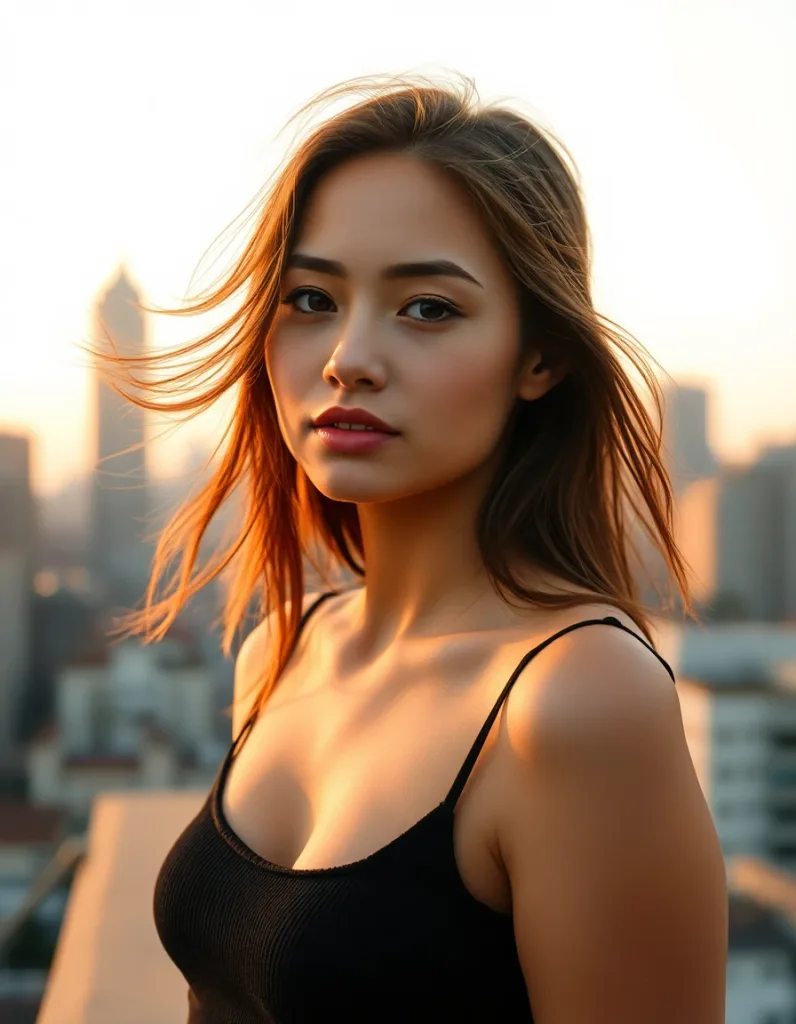 Studio portrait from a text brief
Golden-hour portrait: lighting, lens and background all set in the brief.
Portrait of a young woman on a city rooftop at golden hour, skyline bokeh behind her, wind moving her hair, cinematic warm-neutral color grade, soft directional key light, 35mm lens, shallow depth of field, natural skin tones, subtle film grain
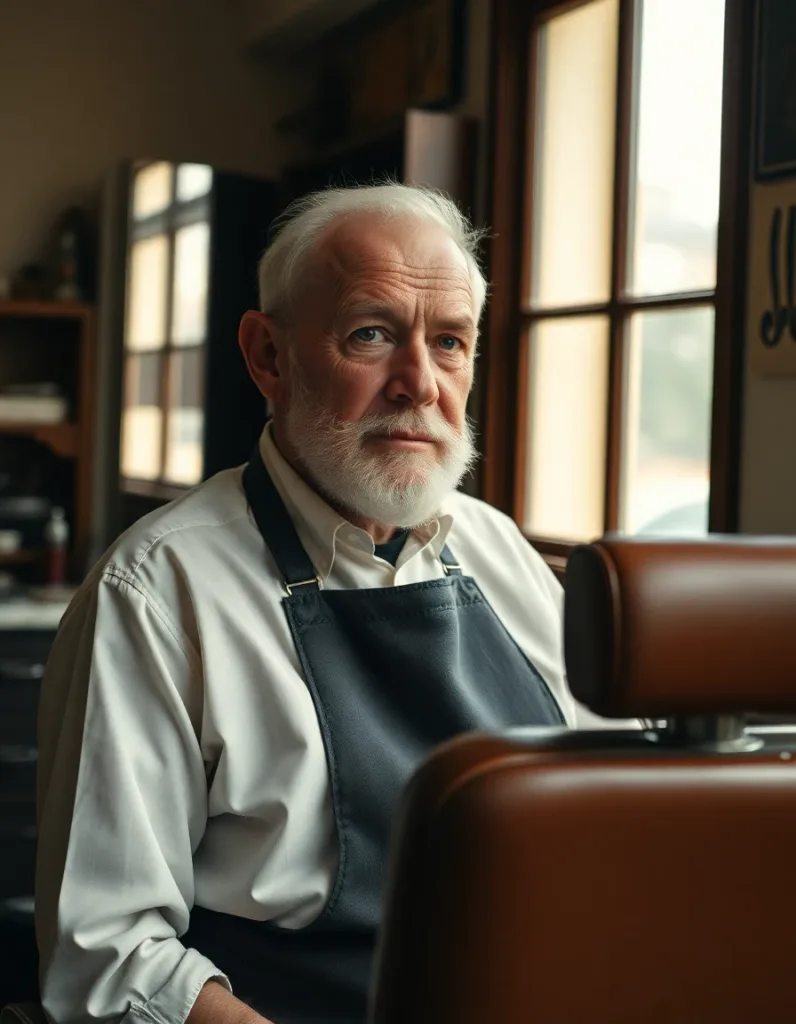 Studio portrait from a text brief
A documentary portrait lit by a window.
Documentary portrait of an elderly barber in his vintage shop, soft window light, worn leather chair, cinematic warm-neutral color grade, soft directional key light, 35mm lens, shallow depth of field, natural skin tones, subtle film grain
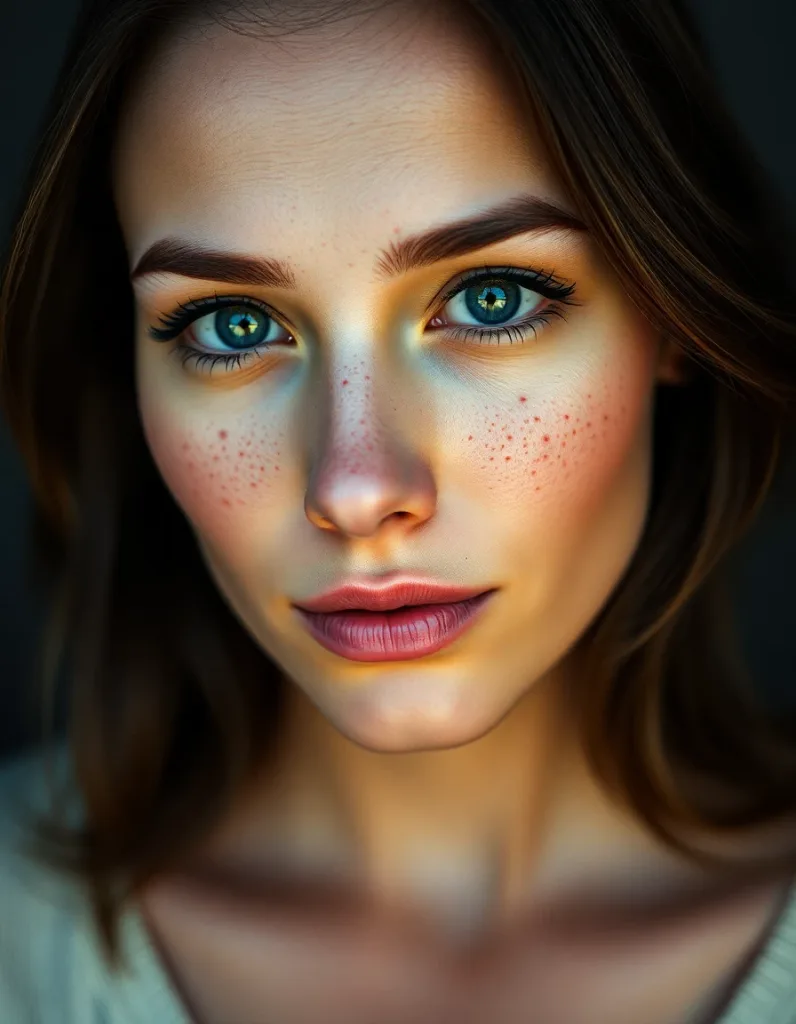 Studio portrait from a text brief
A close-up with sharp catchlights and skin detail.
Crisp high-detail portrait of a woman with freckles, sharp catchlights, studio clarity, cinematic warm-neutral color grade, soft directional key light, 35mm lens, shallow depth of field, natural skin tones, subtle film grain
One portrait, focused refinement
Already have the shot? Use Portrait HD.
Portrait HD is the 2-credit path for refining one existing portrait, and it uses paid credits. Use it when you already have the shot and want it sharper. For new portraits from a brief, generate in Studio.
How to use AI Headshot Generator
01
Describe the shot
Write the look you want: wardrobe, lighting, background and framing. Studio turns the brief into a portrait of a new, fictional person.
02
Pick a model and generate
Choose an image model, generate, and adjust the brief until the framing is right. Change one detail at a time.
03
Refine and download
Send the result to Portrait HD for face refinement or to Background Remover for a clean backdrop, then download.
Two ways to get a headshot look
Lovino has two headshot workflows, and they do different jobs. Studio generates a brand-new portrait from a written brief, so the person in it is fictional. Portrait HD takes a portrait you upload and refines the face and detail, so the person stays you.
The distinction matters. Studio is for cases where you need a plausible professional portrait and any face will do: a mock-up, a placeholder team page, a character. Portrait HD is for improving a real photo of a real person.
Writing a headshot brief
A good brief reads like a photographer's shot list. Give the subject, the wardrobe, the light, the background and the lens, in that order.
For example: professional headshot of a woman in a navy blazer, soft window light, neutral grey backdrop, 85mm portrait lens, shallow depth of field. If the first result is close, keep the brief and change one detail, such as the backdrop or the collar.
- For photorealistic portraits at the lowest price, Z-Image Turbo costs 1 credit per image and runs on free daily credits.
- Ask for a plain background if the portrait will be cut out later.
- Avoid asking for text, badges or logos on clothing; small lettering often comes out wrong.
Choosing between Studio and Portrait HD
Studio images start at 1 credit and your 3 free daily credits cover them. Portrait HD costs 2 credits and only accepts paid credits, which come from a paid plan or a credit pack. Plans start at $7.99 a month.
Using the result
Images you generate are yours to use commercially. But a generated portrait is not a picture of you. Many platforms, including professional networks, expect a profile photo to show the person whose profile it is, so check the rules before you upload one. Where a real photo is required, use your own picture and refine it with Portrait HD.
Studio or Portrait HD
| Goal | Use | Credits | Free daily credits |
|---|---|---|---|
| A new professional portrait of a fictional person | Studio | From 1 | Yes |
| Sharpen and refine a portrait of yourself | Portrait HD | 2 | No, paid credits only |
| Remove the background from a portrait | Background Remover | 1 | Yes |
| Upscale or restore a low-resolution photo | Photo Enhancer | 1 | Yes |
More questions
How does this compare to a real photographer?
A photographer gives you a directed session and a genuine likeness. Lovino lets you retry the look and framing as often as your credits allow, which is a different trade. It suits placeholders, mock-ups and second options more than it replaces a session.
Can I remove the background from the result?
Yes. Background Remover strips the backdrop from any image for 1 credit, which is the usual last step before placing a portrait on a page.
What it can't do
- Studio does not copy your face. A text brief creates a new person, so it will not look like you.
- It does not build a set of headshots of you from a batch of selfies. Portrait HD refines one photo at a time.
- Portrait HD is paid-credits only (2 credits). The free daily credits do not cover it.
- Generated portraits are not real photographs, and some platforms do not accept them as profile photos.
- Hands, jewellery and clothing text can come out wrong. Regenerate before you use one.
Pricing
Start free. Scale anytime.
One credit system across Studio, Flow and every tool. Cancel anytime.
| Plan | Per month | Credits |
|---|---|---|
| Free | $0 | 3 credits per day |
| Plus | $7.99 | 50 credits per month |
| Pro | $19.99 | 200 credits per month |
| Max | $44.99 | 500 credits per month |
Questions, answered.
Is there a free AI headshot generator?
You can generate a Studio portrait from a text brief on your 3 free daily credits, from 1 credit per image, with a watermark. Portrait HD, which refines a photo you upload, costs 2 credits and uses paid credits.
Is there a free trial for AI headshots?
There is no trial pack. The free daily credits renew every day, with no credit card, and they cover Studio portraits but not Portrait HD.
Will the headshot look like me?
Not from a text brief: Studio creates a new, fictional person. To keep your own face, upload your photo to Portrait HD, which refines detail rather than inventing a new face.
How do I improve a headshot photo I already have?
Use Portrait HD. Upload the portrait and it refines the face and fine detail for 2 credits, using paid credits. It is a focused enhancement, so it does not swap in a different person.
Can I use the results on LinkedIn?
You own what you generate, but a generated portrait is not a photo of you, and professional networks generally expect a real profile photo. Check the platform's rules. For a real photo, refine your own picture with Portrait HD.
How much does it cost?
Studio images start at 1 credit, depending on the model. Portrait HD is 2 credits. Background Remover, if you want a clean backdrop, is 1 credit.
Do I need to upload selfies?
Not for Studio: you write a brief. Portrait HD needs one photo of the person you want to refine.
Which model is best for realistic portraits?
Z-Image Turbo is a good low-cost start at 1 credit. Premium models such as FLUX 1.1 Pro and Seedream 4.5 need a paid plan and cost more per image.
More AI tools
Related guides
- Best AI Headshot Generators in 2026: An Honest ComparisonThe best AI headshot generators of 2026 compared honestly: which tools copy your likeness, which build a portrait from a brief, and where Lovino fits.
- AI Headshot Generator: Professional Portraits From a BriefHow to make a professional AI portrait on Lovino from a written brief, refine one you already have with Portrait HD, and when a selfie-trained tool fits better.
- AI Images for LinkedIn Content: A Professional Visual StrategyCreate professional AI-generated images for LinkedIn posts, articles, and personal branding. Drive engagement and build thought leadership with compelling visuals.
Try a template
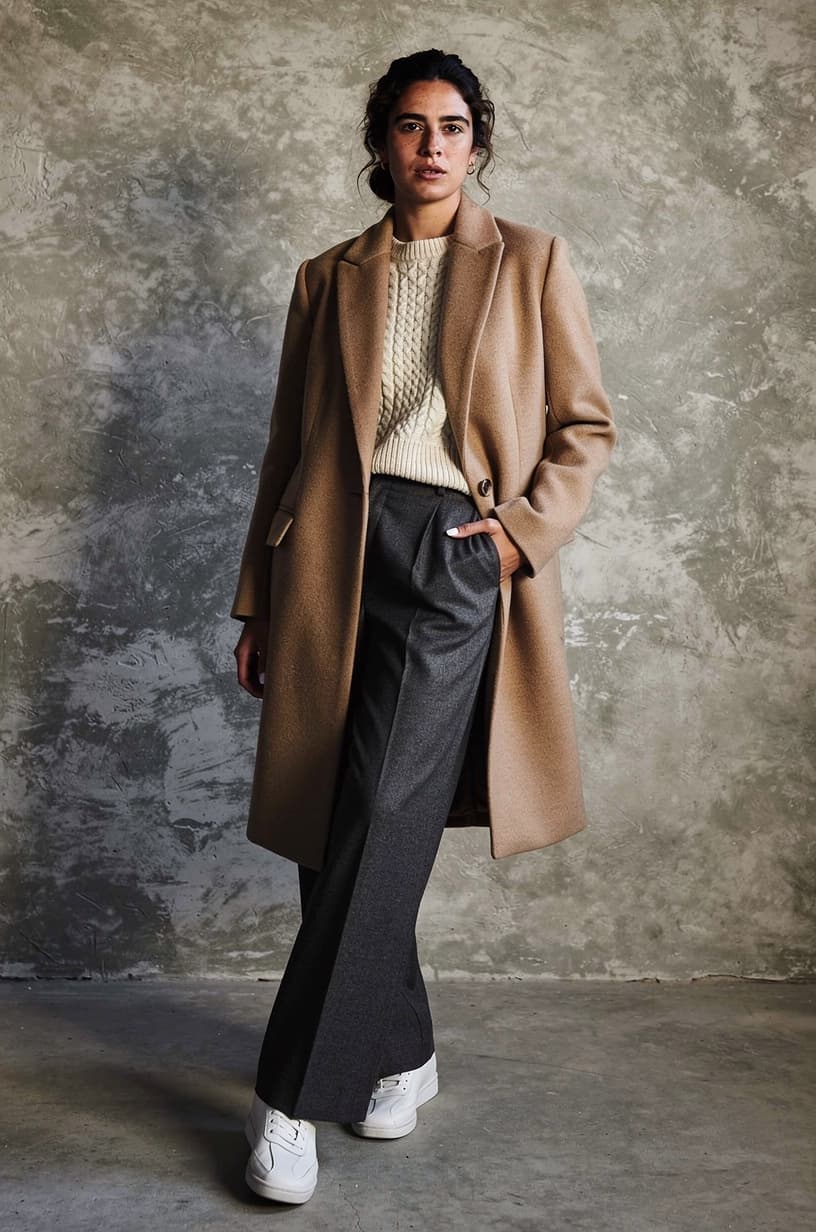

Ready to try AI Headshot Generator?
Studio portraits from 1 credit · Portrait HD 2 credits (paid credits). No purchase is made until you confirm a generation.