AI Photos for Bakeries: Menu Boards, Seasonal Promos, Real Bakes
AI photos for bakeries can draw the menu board, plan seasonal promos and sketch custom cake concepts. The bakes in your case have to be the ones you made.
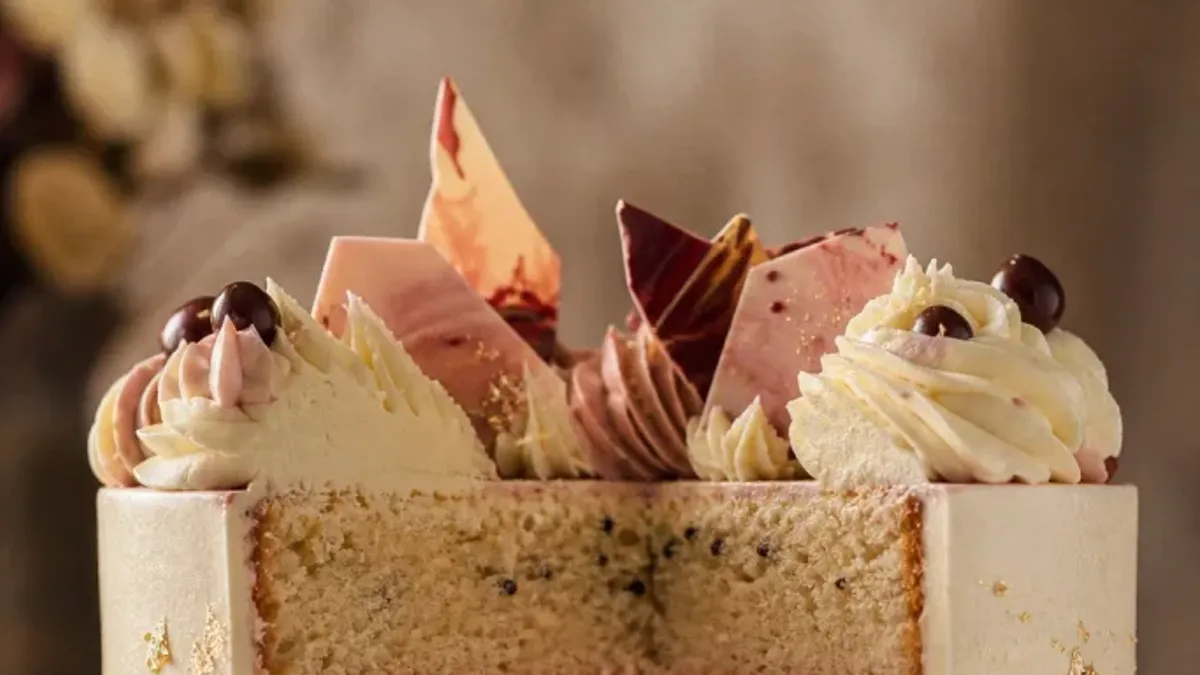
AI photos for bakeries are best at the things around the bake: the menu board, the seasonal promo poster, a background that is less cluttered than your back counter, and a concept sketch for a custom cake. They are not a way to fill the display case. What goes in the case is what you baked this morning.
That is the whole rule. The rest of this guide shows how to use AI for the first list without sliding into the second.
What can AI photos for bakeries do?
Treat the tool as an art department, not an oven.
| Job | Use AI for | Keep real |
|---|---|---|
| Menu board | The board design and headline | Items, prices, allergen notes |
| Seasonal promo | Poster artwork and backdrop | The bake, the dates, the order link |
| Counter and loaf photos | Light fixes, a calmer background | The bake itself |
| Custom cake inquiries | A labeled concept board | Size, flavors, price, pickup date |
| Gift boxes and packaged goods | A new scene around the real box | The contents |
| Captions and post ideas | Drafts | Your voice and the facts |
How do you make a bakery menu board with AI?
Use a model that can render text. GPT Image 2 and Ideogram both aim at that, and the AI Poster Generator puts them in one place. Ideogram needs a paid plan.
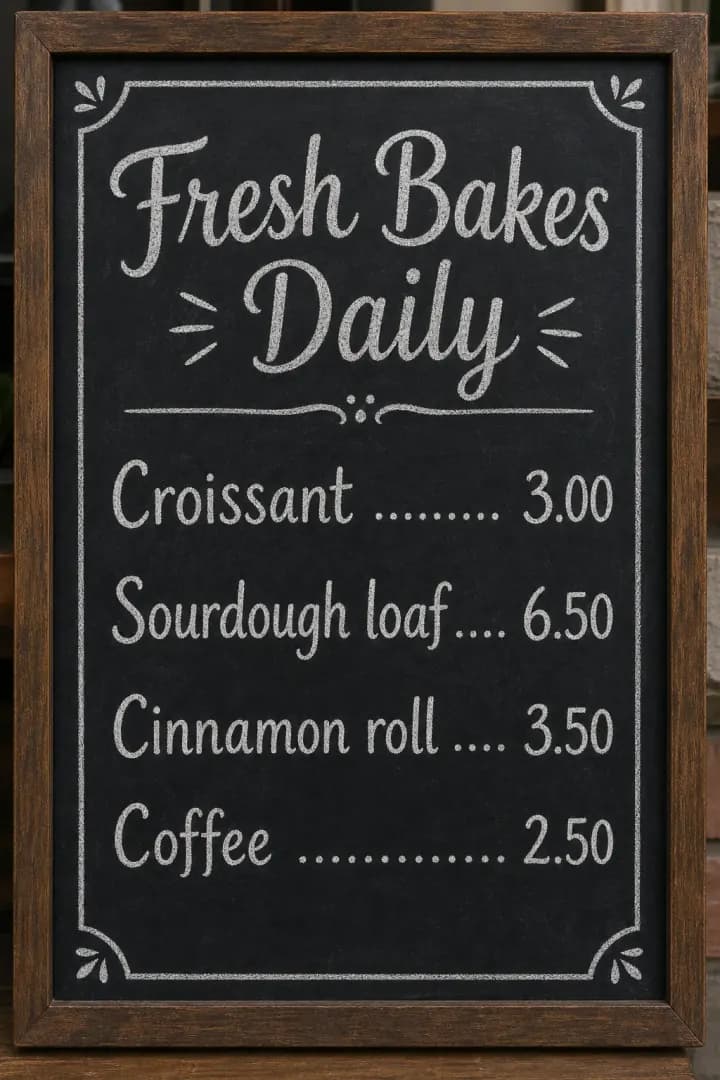
The board above is an AI-made example. The items and prices in it are placeholders, and short, simple lines came out clean in that run. Yours still need a proofread, because AI can misspell or drop words, especially in small print.
- List only what you really bake. If it is not in the case tomorrow, it is not on the board.
- Generate the board and the headline. Describe the style, quote the headline, and leave the lines below it empty.
- Add items, prices and allergen notes by hand. Do this in a design app or with real chalk. Never trust generated prices.
- Read every line aloud. Slowly. Then ask someone else to read it too.
- Print a test at real size. Stand three steps back. Can you read it?
A hand-lettered chalkboard menu board for a neighborhood bakery, dark board in a wooden frame, white chalk lettering, a small wheat border, headline "Fresh Bakes Daily". Leave the area under the headline empty for the item list.
You get one flat image, not editable layers. To change a word you run the prompt again, so keep the quoted text short and fix the details yourself.
How do you plan seasonal bakery promotions with AI?
Pick the real bake first. The poster follows.

Those five moments are examples. Swap in whatever you actually make and whenever your area buys it. Then:
- Choose one bake per moment. One strong item beats a long list.
- Shoot it yourself. Window light, a plain surface, a few crumbs for honesty.
- Clean the frame. Use the Magic Eraser on a stray packet or a price tag. It generates new detail for the gap, so large objects on busy backgrounds can leave a patch. Erase in stages.
- Restyle the setting. For a boxed or packaged product, the AI Product Photography tool places your photo in one of six scenes and tries to keep the product's shape, color and printed text. For a loaf or a tray, use the AI Image Editor and tell it what must not move.
- Make the poster. Headline only. Add the dates and the order link yourself.
A prompt for step four:
Move this loaf to a rustic wooden table with soft morning window light. Keep the loaf, its crust and its scoring exactly the same. Do not add any other food, text or logos.
AI redraws the picture rather than cutting it out, so check the crumb, the score lines and the color of the crust against the real loaf. If anything shifted, run it again or use your original.
Can AI show a custom cake before you bake it?
It can show a mood. It cannot show a promise.
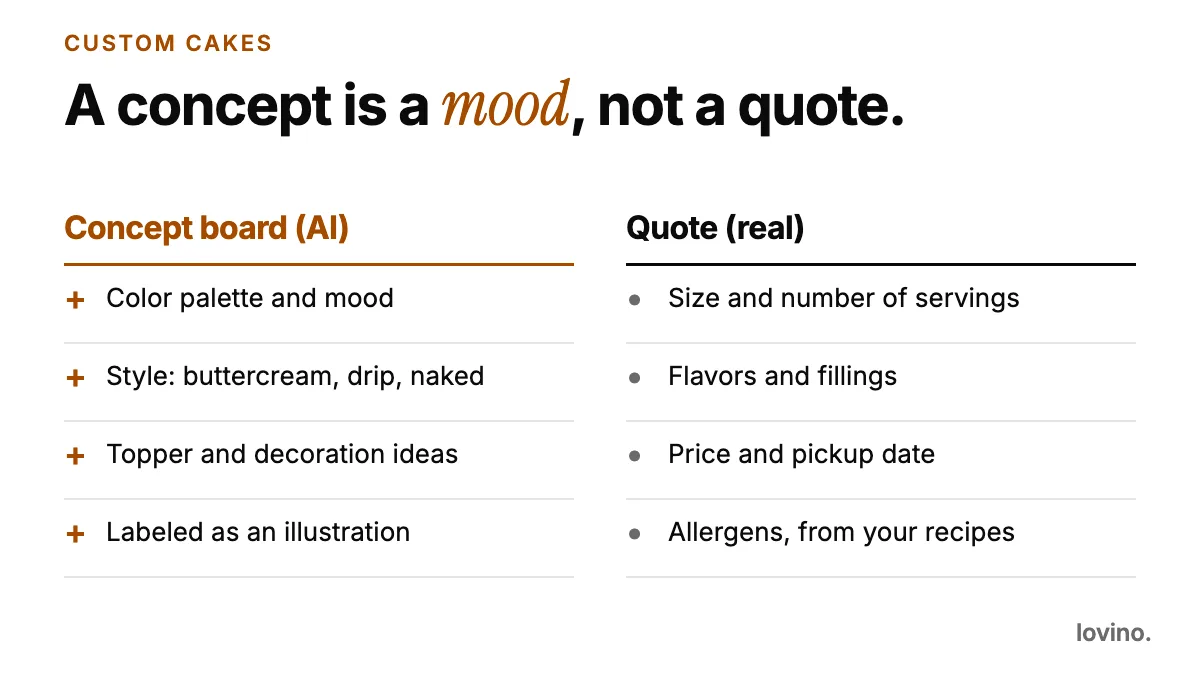
A concept board helps a customer say what they want, and it saves you a long message thread. Draw it from text:
Concept illustration of a two-tier buttercream cake in sage green with dried flowers and a gold topper, on a white cake stand, soft window light.
Then be plain about it. A line such as "Concept illustration for inspiration. The finished cake will vary" belongs on every concept you send. The quote carries the promise: size and servings, flavors and fillings, price, pickup date, and allergens taken from your own recipes.
The cake at the top of this page is an AI concept. It looks wonderful, and it does not exist. If a customer ordered exactly that and collected a different cake, the picture would be the problem.
Which tool fits which bakery job?
| Job | Tool | Note |
|---|---|---|
| Menu board or promo poster | AI Poster Generator | Text-friendly models; proofread every word |
| Boxed or packaged product in a new scene | AI Product Photography | Six fixed scenes; check printed labels |
| Loaf, tray or counter photo | AI Image Editor | Instruction-based; say what must not move |
| Concept sketch for a custom cake | AI Image Generator | Label it as a concept |
What should a bakery never fake with AI?
- A bake you do not make. A concept is not a case photo.
- Size and portions. A bigger-looking loaf or a taller cake is a promise you have to keep.
- Allergen and dietary information. A picture must not imply "gluten-free" or "nut-free". That comes from your recipes and your process. In England, Northern Ireland and Wales, the Food Standards Agency publishes guidance for food businesses on providing allergen information. Check what applies where you sell.
- "Baked fresh" claims. If the photo is AI and the bake is yesterday's, the caption should not say otherwise.
- Reviews and awards. They have to come from real customers and real bodies.
- Your shopfront and your team. As of October 2026, Google's Business Profile guidelines ask for photos with "no significant alterations or excessive use of filters", and sum it up as "the image should represent reality".
For a counter-service cousin of the same idea, see AI photos for restaurants.
What mistakes make AI bakery content backfire?
- Glossy perfection you cannot bake. If your own cakes never look like the picture, customers feel misled at pickup.
- Trusting generated prices. Numbers in AI images are often wrong.
- One concept for every customer. A concept should be built from what this customer asked for.
- A seasonal poster with no real bake behind it. Photograph the product before you promote it.
- Letting a caption overpromise. Skip "fresh daily" unless it is true.
What do bakers need to know before the first run?
- Make an account first. Generating needs one. Free daily credits cover some tools and others need paid credits. See pricing.
- Check the watermark before you print. Free results carry one and paid results do not. Every user, free included, can use what they make commercially.
- Ask before you upload a customer's photo or an order message. Uploads are processed by third-party AI providers.
Start with the menu board
Menu boards are the easiest win: you know the content, the AI draws the frame, and you proofread the rest. Do that, and keep your camera for the bakes. If you make cakes for weddings and parties, AI content for event planners shows how planners label concept boards, the same habit that keeps a custom cake concept honest. When you are ready, open the AI Poster Generator and make your first board.
Questions, answered.
Can I use AI images of cakes I do not bake on my bakery's social accounts?
Only as clearly labeled concept art, not as products you sell. A customer who sees a cake in your feed expects you to be able to make it. Use your real bakes for anything that looks like a menu or a case.
Is it safe to let AI write my bakery menu?
Let AI draw the board and the headline, but type the items, prices and allergen notes yourself. AI can misspell or drop words, and it does not check facts, so proofread every line before you print.
Can I use free AI results for my bakery's promotions?
Yes. All users, including free users, can use what they make commercially. Free results carry a watermark, and paid results do not, so paid is the cleaner choice for a printed menu or a public poster.
Do I need to say a custom cake concept is AI-made?
It is a good habit. Say that the image is a concept illustration and that the finished cake will vary. It sets expectations and protects both you and the customer.