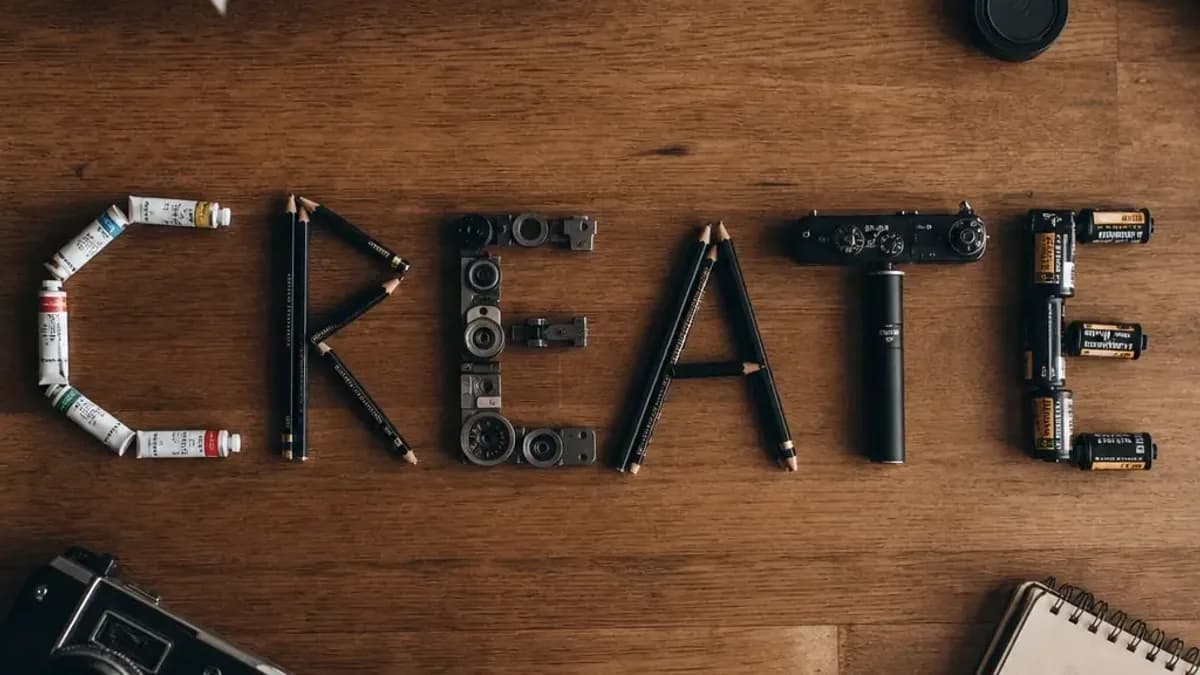
GPT Image 2 is a good place to start when a picture needs readable words: a shop sign, a poster title, a label on a box. Lovino lists it as OpenAI's flagship image model and highlights its text rendering and instruction-following edits. This page gives you templates to paste, the exact prompts behind four real examples (including what went wrong), and what each quality tier costs.
GPT Image 2 prompts at a glance
| Question | Short answer |
|---|---|
| Best for | Signs, posters, packaging, labels and flat-lays where the words must be readable |
| Free plan | Low quality only, 3 credits per image, so one image a day on the 3 free credits. Signup is required and free downloads are watermarked |
| Paid plans | Medium (5 credits) and high (7 credits) quality, from Traveler at $9.99 a month |
| Biggest risk | Extra text you never asked for. Read every letter before you publish |
| Photos with no words | Z-Image Turbo costs 1 credit |
How to write a prompt that renders text
Four habits help with text prompts, and the examples below use most of them.
- Put the exact words in quotes. The examples use 'BLUE HOURS' and 'THE PAPER FOX', in capitals, in single quotes.
- Say what the words are made of. Paint on a window, letters on a poster, objects arranged into a word. The material tells the model how the letters should look.
- Keep it short. A few words are easiest to check. Every long line you add is another chance for a typo.
- Name the format. "Swiss-style poster", "top-down flat-lay" and "cross-section" each set the layout before the model starts guessing.
Four prompts and what they produced
The first example is a storefront. The sign text is right.
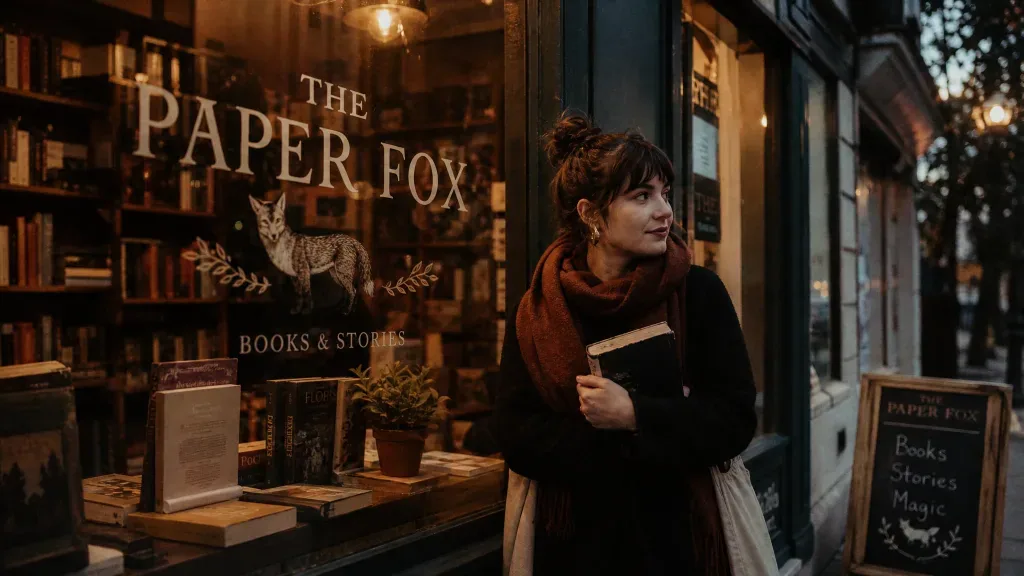
Prompt: Cozy bookshop storefront at dusk with the sign 'THE PAPER FOX' painted on the window, warm light inside, cinematic warm-neutral color grade, soft directional key light, 35mm lens, shallow depth of field, natural skin tones, subtle film grain
Two things to notice. The sign says THE PAPER FOX as asked. The model also added a small "Books & Stories" line under the fox and lettering on the chalkboard, none of which the prompt mentioned.
The poster shows the same habit at a larger scale.
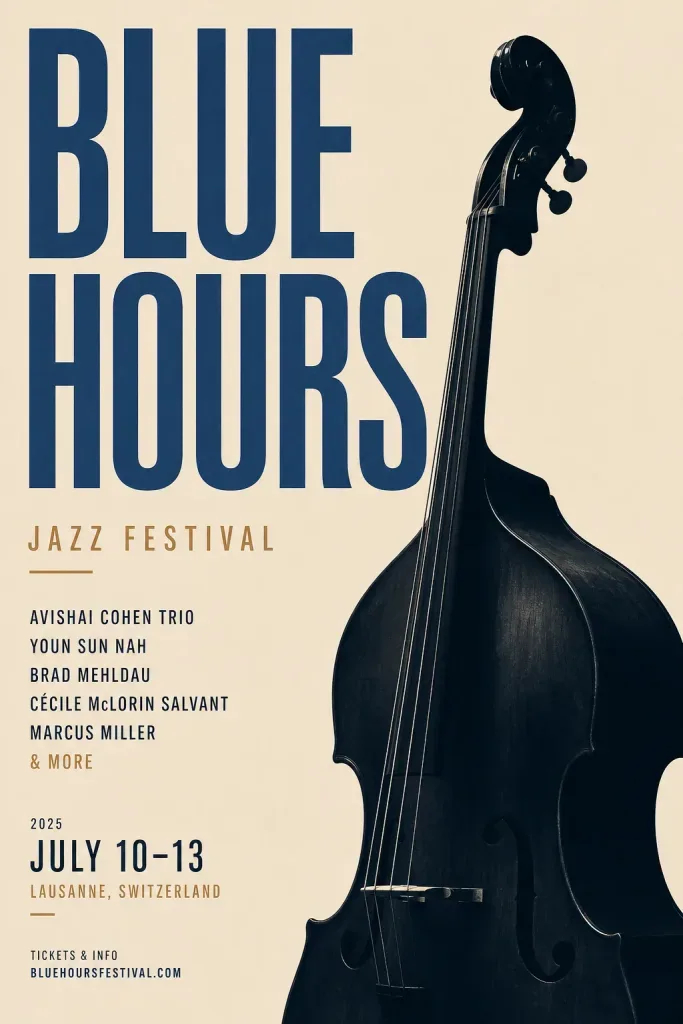
Prompt: Minimal Swiss-style poster for a jazz festival titled 'BLUE HOURS', bold typography and a double bass silhouette, warm-neutral palette, soft diffused lighting, cohesive minimal background, premium editorial composition
The title is correct. The prompt named nothing else, yet the poster carries a line-up of names, a date range, a venue and a web address. The names look like real performers. Treat that small print as placeholder text: either add "no other text" to the prompt or replace it before the poster goes anywhere.
Words do not have to be printed letters. This flat-lay spells CREATE with objects.
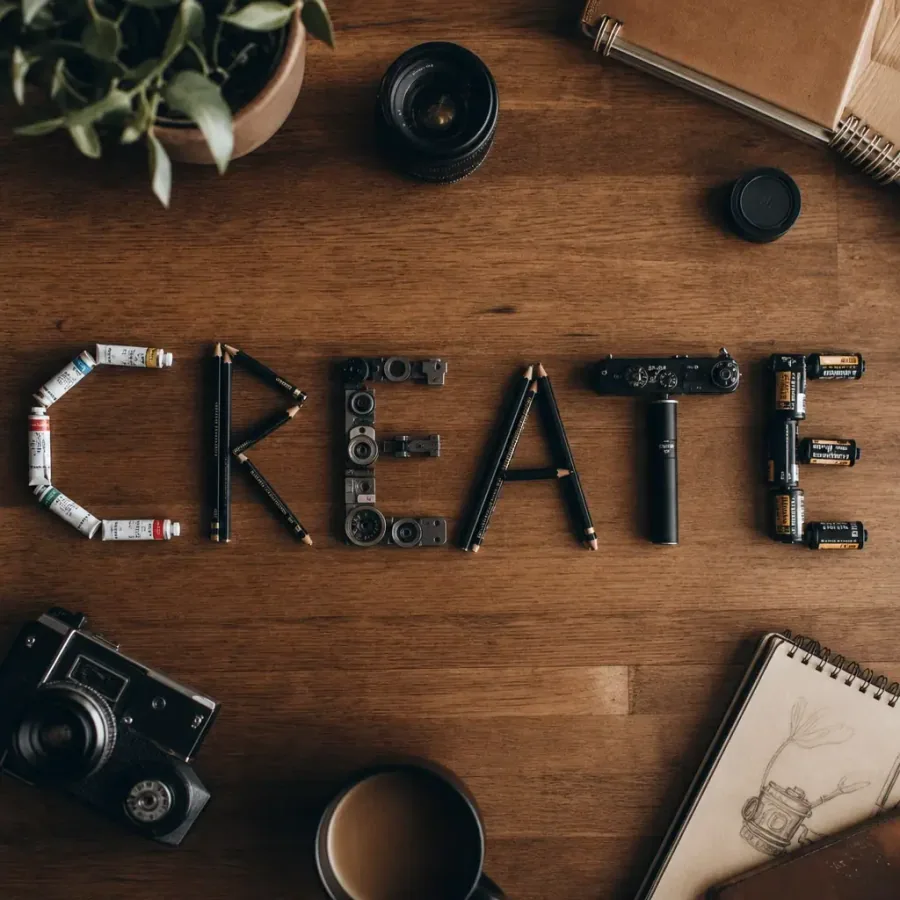
Prompt: A wooden desk flat-lay that spells the word CREATE using arranged pencils, paint tubes and camera parts, top-down, cinematic warm-neutral color grade, soft directional key light, 35mm lens, shallow depth of field, natural skin tones, subtle film grain
Every letter is right, and the objects (pencils, paint tubes, camera parts) are the ones the prompt listed. The last example has no text at all.
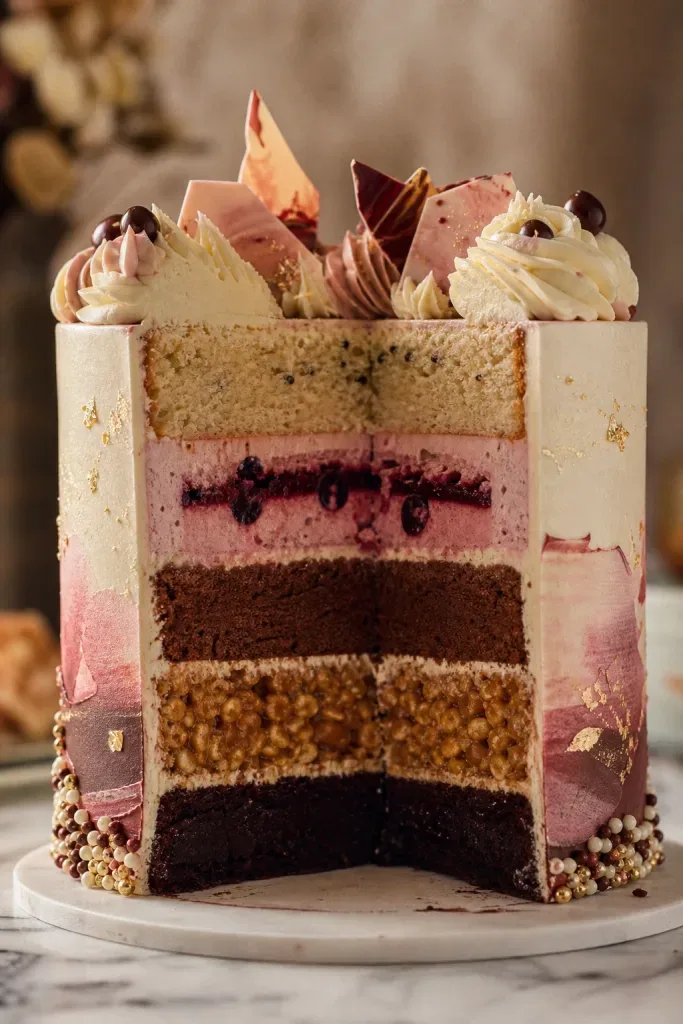
Prompt: Cross-section of an elaborate five-layer celebration cake, each layer a different texture, patisserie studio shot, cinematic warm-neutral color grade, soft directional key light, 35mm lens, shallow depth of field, natural skin tones, subtle film grain
The cutaway shows five clearly different layers. All four prompts end with the same style clause that Lovino's own showcase adds to every image. Keep it if you like the warm cinematic look, or delete it for plain lighting.
Twelve templates to copy
Swap the words in [brackets]. These are patterns, not tested prompts: we have not published results for them, so try each one and check every letter.
Signs and storefronts
- Shop sign: [Shop type] storefront at dusk with the sign '[NAME]' painted on the window, warm light inside. No other text.
- Neon: Neon sign reading '[TEXT]' on a dark brick wall, subtle reflections. No other text.
- Menu board: Chalkboard menu titled '[TITLE]' with hand-drawn borders and no other words.
Posters and covers
- Poster: Minimal [style]-style poster titled '[TITLE]', bold typography and a [subject] silhouette. No other text.
- Book cover: Book cover with the title '[TITLE]' in large serif letters and a [scene] below it. Nothing else written on the cover.
- Album cover: Square album cover, the word '[BAND]' at the top in thin capitals, [scene] below. No other text.
Packaging and labels
- Box: Plain cardboard box on a white table with the label '[PRODUCT NAME]' in black letters, soft studio light.
- Coffee bag: Kraft coffee bag with a simple label reading '[NAME]' and a small [icon] above it.
- Bottle: Amber glass bottle with a cream label that reads '[NAME]', studio light.
Flat-lays, diagrams and product shots
- Word flat-lay: Top-down flat-lay on a wooden desk where [objects] are arranged to spell the word '[WORD]'.
- Cutaway: Cross-section of a [object], each layer a different [texture], studio shot.
- Headline space: [Product] on a [surface], soft light, 85mm lens, calm empty area on the left for a headline.
What each quality tier costs
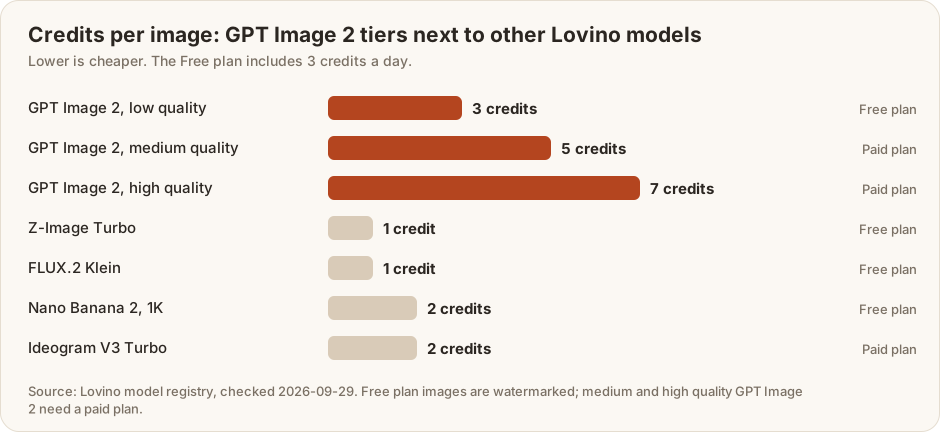
On the free plan you can run GPT Image 2 at low quality and nothing else. That is 3 credits an image against 3 free credits a day. Medium and high need a paid plan. A month of Traveler (50 credits) covers 7 high-quality images if you spend nothing else, and Creator (120 credits) covers 17. A sensible routine is to work out the wording at low quality, then re-run the winning prompt at a higher tier. Whether the higher tier looks better for your prompt is worth checking with your own words rather than assuming.
When to use something else
- Lettering is the whole design. Ideogram V3 Turbo (2 credits, paid plan) is described in Lovino's model list as fast text-in-image generation with strong typography.
- You need an exact photo of your product. Generating from text invents a product. Edit your own photo instead, as in our product photo prompts.
- You only ever use this one model. If you already have direct access to it and never compare models, going direct can be simpler. Lovino's case is one credit balance across many models.
Keep going
Try these prompts in the GPT Image 2 tool, or read the GPT Image 2 model page for the specs. For a broader prompting foundation see the ultimate guide to AI image prompts. If you are choosing between models, GPT Image 2 vs Midjourney and GPT Image 2 vs FLUX compare them side by side. Thumbnails with a title baked in are covered in YouTube thumbnail prompts for AI.