AI Profile Pictures by Platform: LinkedIn, Instagram, Discord
Choose the right crop, expression, background, and visual style for each platform. A platform-specification guide for LinkedIn, Instagram, Discord, and more.

Short answer. Pick the picture for the platform. Use a clear, centred, well-lit face for LinkedIn and company tools, a tight high-contrast crop for Instagram and X, and a stylised avatar for Discord. Check that it still reads when it is shrunk to a small circle.
This guide is about choosing a platform-appropriate result: crop, expression, background, and visual language for LinkedIn, Instagram, Discord, Slack, and other profiles. For the upload-to-export creation workflow, use our separate step-by-step profile picture tutorial.
Your profile picture is your digital handshake. It's the first thing people see on LinkedIn, Instagram, Discord, Slack, Twitter, and dozens of other platforms. The problem is that most people's profile photos are either too casual (phone selfie with bad lighting), too old, or too generic (a distant vacation shot where you're barely visible).
AI tools help in two ways: polishing a photo you already have, and turning a photo into a stylized avatar. On Lovino, Portrait HD and the Photo Enhancer refine your own photo, and the cartoon filter makes avatars. Portraits generated from a written brief show a new person, so they are not a substitute for your own profile photo.
Platform-Specific Profile Pictures
Dated table, checked 15 October 2026. Instagram, Discord, X and Slack help pages block automated checks, so those rows are our advice, not their rules.
| Platform | What to aim for | Basis |
|---|---|---|
| A clear, professional photo. LinkedIn says a good photo increases credibility and that members with a photo get up to 2X more profile views | LinkedIn Help | |
| Google account (Gmail, Meet) | Upload, then rotate and crop. A new picture can take a few days to update across Google products | Google Account Help |
| Instagram, X | A tight crop and high contrast, readable as a small circle | Our advice |
| Discord | A stylised or cartoon avatar that stands out in a member list | Our advice |
| Slack, Teams, company tools | A consistent, clean backdrop across the team | Our advice |
Different platforms call for different energy. A LinkedIn headshot that projects corporate competence would feel stiff on Instagram. A creative Discord avatar would look unprofessional on a company website. AI generators let you create the right picture for each context.
LinkedIn & Professional
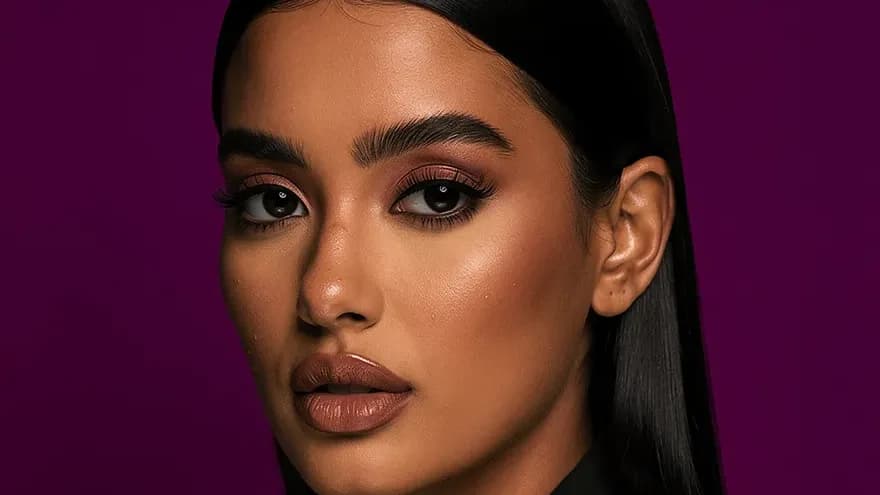
The gold standard: clear face, good lighting, professional attire, neutral or subtle background. The expression should be confident and approachable — a slight natural smile outperforms both a blank stare and an exaggerated grin.
AI polish helps here: refining a casual photo and giving it a clean backdrop gets you closer to a studio look. Start from the AI headshot generator page for the tools that fit.
Key settings: Clean background (gray or white), head-and-shoulders crop, soft studio lighting
Instagram & Social
Instagram profile pictures display as tiny circles, so bold composition and high contrast matter more than fine detail. The best Instagram profile pictures are:
- Close-up: Your face fills most of the frame
- High contrast: Clear separation between you and the background
- Personality-forward: Showing expression, style, or aesthetic that matches your feed
- Consistent with your brand: If your feed is warm and golden, your profile picture should match
Key settings: Tight crop, vibrant colors, background that contrasts with your skin tone
Discord & Gaming
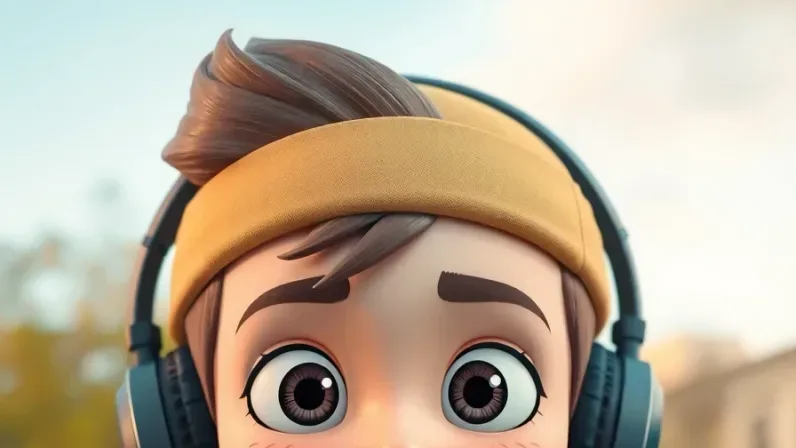
Discord and gaming platforms reward personality and creativity. Anime-style avatars, cartoon versions of yourself, and stylized portraits all perform well. The AI cartoon filter creates distinctive avatars that stand out in server member lists.
Key settings: Anime, cartoon, or artistic styles; bold colors; works well at very small sizes
Twitter/X
Twitter profiles appear alongside every tweet you post, so they need to be recognizable at very small sizes. High contrast between your face and background is essential. Simple compositions with clear focal points work best.
Key settings: High contrast, simple background, clear face at small display sizes
Company & Team Directories
For internal tools (Slack, Teams, company intranets), consistency matters most. If the whole team has professional headshots, your phone selfie sticks out. A clean, consistent backdrop from the Background Remover helps your photo match the team aesthetic without a coordinated photo shoot.
The Profile Picture Checklist
Regardless of platform, every effective profile picture meets these criteria:
Recognizable at small sizes. Profile pictures are typically displayed at 40-150 pixels. If your face isn't clearly visible at thumbnail size, the photo isn't working. Test by viewing your generated image at the smallest size it'll appear on your target platform.
Current and accurate. Your profile picture should look like you do today. If you've changed your hairstyle, grown a beard, or significantly changed your appearance, update your photo. Updating is easy: take a new photo and polish it again.
Well-lit face. The single most important technical factor. Even lighting across your face (no heavy shadows on one side) makes you look approachable and professional. A good starting photo matters most. Enhancement tools can sharpen a photo but cannot fix a badly lit one.
Appropriate for context. A beach selfie says "I'm fun" but not "hire me." A stiff corporate headshot says "I'm professional" but not "I'm interesting." Choose the tone that matches the platform and your goals on it.
Circle-crop friendly. Most platforms display profile pictures as circles. This means the corners of your image are cropped out. Keep your face centered and avoid important elements near the edges.
Creating Your Profile Picture Set
The most efficient approach is preparing a set of profile pictures in one session, one for each platform you use:
- Start with a clear, recent photo of yourself in soft light
- Polish it for LinkedIn and company tools with Portrait HD and a clean neutral backdrop
- Crop tight for Instagram and social platforms and boost the contrast
- Make a cartoon or anime avatar with the cartoon filter for Discord and gaming
- Export each one and update your profiles
That gives you a cohesive set of avatars that all look like the same person (because they are) while each is tuned for its context.
When to Update Your Profile Picture
Profile pictures aren't permanent. Update yours when:
- You've changed your appearance significantly (haircut, beard, glasses)
- The photo is more than 2 years old — people should recognize you when they meet you
- You're changing your professional positioning — new role, new industry, new personal brand
- The photo wasn't good to begin with — bad lighting, low resolution, awkward crop
- You've improved your personal brand and your profile picture no longer matches the quality of your other content
With AI tools, updates take minutes rather than requiring a new photo shoot.
Multiple Identities, One Face
Many people maintain different online presences — professional on LinkedIn, creative on Instagram, anonymous on Reddit, social on Discord. AI tools let you maintain a consistent identity across contexts while adapting your presentation:
- Same face, different style treatments
- Same person, different aesthetic energy
- Recognizable as you, but right for each platform
This is healthier and more authentic than using completely different images (or no image) on different platforms. You're presenting the same person with context-appropriate styling — exactly what you'd do with your wardrobe in the physical world.
Posting on LinkedIn as well as using it for your photo? See AI Images for LinkedIn Content.
Make your profile pictures — polish a photo or turn it into an avatar, with 3 free credits a day.
Questions, answered.
What size should a profile picture be?
Most platforms recommend at least 400x400 pixels. AI-generated profile pictures are typically 1024x1024 or higher, which works for all platforms including those that display at larger sizes.
Should I use the same profile picture everywhere?
Not necessarily. Different platforms call for different tones. A professional headshot for LinkedIn and a creative/casual shot for Instagram, using the same face with different styling, is the ideal approach.
How often should I update my profile picture?
Update when your appearance changes significantly or every 1-2 years. Your profile picture should look like you do today so people recognize you in person.