AI Product Photos for Jewelry Brands: Sparkle Without Faking It
AI product photos for jewelry brands can set a real ring or watch on marble in soft light, but AI redraws the picture. Here is how to keep every stone honest.
AI product photos for jewelry brands can take a real ring, necklace or watch and set it in a new scene: white marble, soft window light, a seasonal backdrop. The catch is that AI redraws the picture instead of copying it, so a stone, an engraving or a prong count can change without warning. Use AI for the scene. Check the piece against the real thing before anything goes live.
What do AI product photos for jewelry brands do well?
AI is good at the world around the piece: the surface, the light, the shape of the frame. It is weaker at the piece itself, because jewelry is small, shiny and full of fine detail that a model can quietly alter.
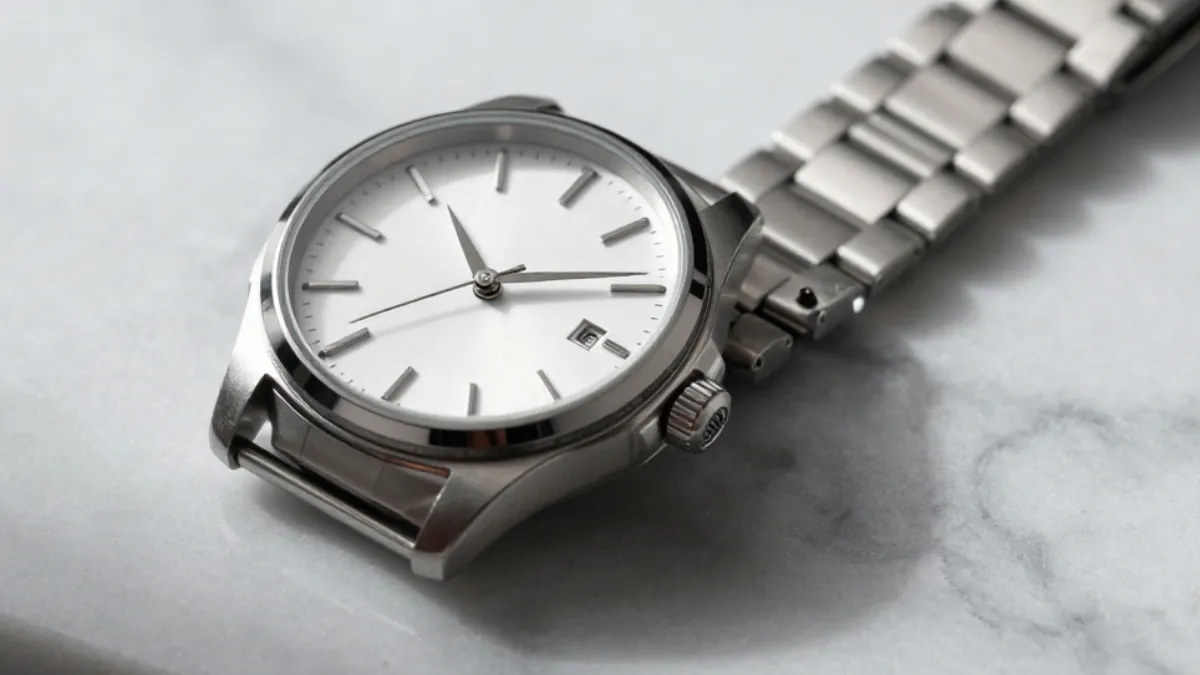
The steel watch at the top shows the look to aim for: white marble, one soft shadow, a clean dial. It is AI-made from a text prompt, so it is a concept shot, not a photo of any real watch.
Now the failure to watch for. The gold watch below is also AI-made, and the model invented the lettering on its dial.
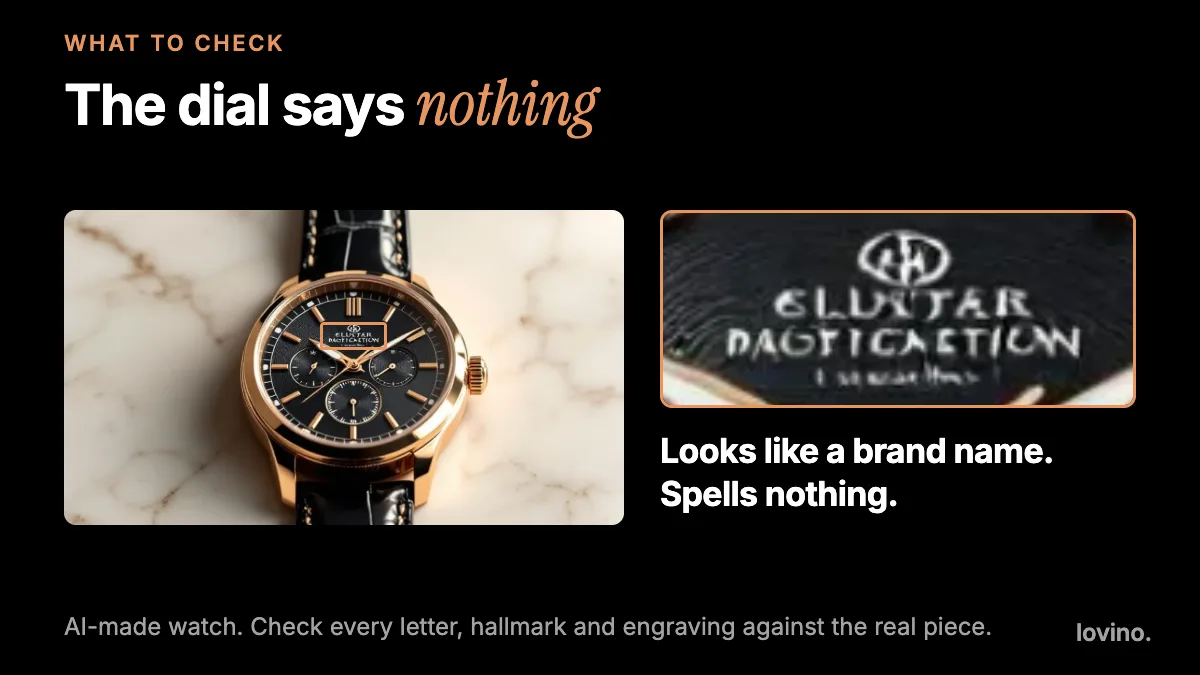
At a glance it reads as a brand name. Up close it is nonsense. Small text, hallmarks, engravings and logos are the first things to check, so compare them with the real item every time.
How do you plan a jewelry shoot for AI?
Plan six frames per piece. AI can restyle the setting around some of them. The macro and the scale shot are proof, so shoot those for real and leave them alone.
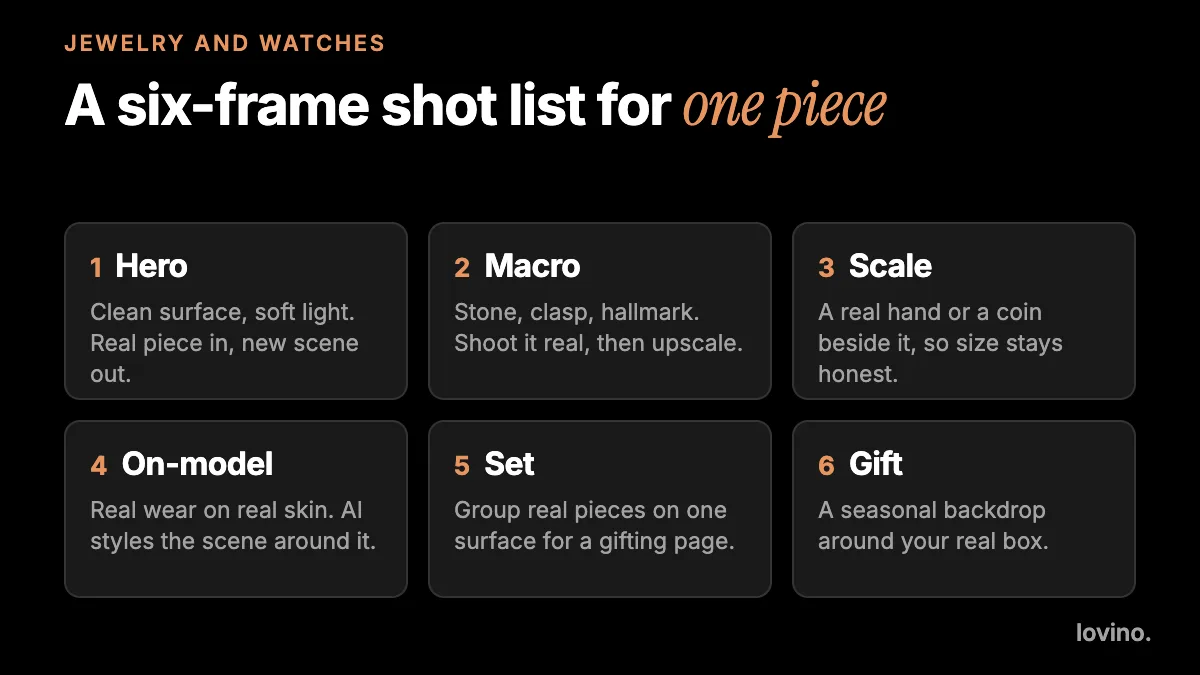
- Hero. One piece on a clean surface. This is the frame AI restyles most easily.
- Macro. Stone, clasp, hallmark. Shoot it real and sharpen it afterwards.
- Scale. A real hand or a coin beside the piece, so nobody has to guess the size.
- On-model. Real wear on real skin.
- Set. Several real pieces together for a gifting page.
- Gift. Your real box on a seasonal backdrop.
Start every one of them from a sharp photo. Window light, a plain surface and a bit of white card for fill give a model something clean to work with. Wipe the piece with a lint-free cloth first: a fingerprint is easier to clean than to erase, and a glare or a smudge in the source will be redrawn, not removed.
How do you put a real piece in a new scene?
The AI Product Photography tool takes one photo and replaces everything around the product with a scene you pick: white studio, marble, lifestyle, outdoor, kitchen or wooden. For jewelry, white and marble are the natural pair. You do not need to cut the piece out first, and a short note can steer light or props.
If you prefer to write your own instruction, use the AI Image Editor:
Place this ring on a white marble slab with soft window light from the left. Keep the ring's metal color, stone color, stone count and shape exactly the same. Do not add any text, engraving or extra jewelry.
The Product Photography tool asks the model to keep the product's shape, color and printed text. That is a request, not a guarantee. Close is not exact, so small print, logos and texture are the first things to check.
How do you get macro detail and sparkle without lying?
Sparkle is light, not an effect. If a stone looks dull, change the angle of the piece against the window until the facets catch. Do not ask a model to add fire the stone does not have.
Here is the line between a fix and a fake:
| Request | Fix or fake? | Why |
|---|---|---|
| Remove dust or a crumb from the surface | Fix | The piece is unchanged. Use the Magic Eraser in small steps, away from the piece |
| Reduce grain in a low-light shot | Fix | Try the Denoise mode in the Photo Enhancer |
| Enlarge a sharp macro for print | Fix, then check | The Image Upscaler uses paid credits. Re-read the hallmark afterwards |
| Warm up the background | Fix | Light is a style choice |
| Add sparkle to a dull stone | Fake | It changes what the buyer is paying for |
| Change stone color or cut | Fake | A different product |
| Make the piece look larger | Fake | Size is a promise |
| Add stones, links or prongs | Fake | Counts are part of the listing |
Magic Eraser generates new detail for the gap it leaves, so keep it away from the piece itself. Use it on the surface around it.
Can you show jewelry on a model with AI?
Carefully. A model's hand, ear or neck is hard to draw convincingly with a specific small piece on it, and scale tends to drift. An AI-generated model wearing "your" ring is not a photo of your ring being worn.
The honest route is a real photo of real wear, then AI for the setting. The AI Background Changer replaces the background and keeps the person, clothes and pose, though small details can shift, so check the hand, the finger and the piece. If you use any fully AI-made model imagery, label it, and keep it away from the product page.
Why do marketplaces and regulators care about the picture?
Because the buyer is paying for the exact item in the main image. As of October 2026, Google's Merchant Center help says the primary image must clearly show the exact item being sold, and lists watermarks and overlays among the things to avoid. That matters here: free Lovino results carry a watermark, and paid results do not. For a store or marketplace listing, use a paid-plan result. Marketplaces set their own image rules, so read yours first.
In the US, pictures fall under the jewelry rules too. The Federal Trade Commission's Jewelry Guides cover claims made through "illustrations, depictions" as well as words, and one note speaks straight to photos: a depiction of a gemstone that portrays it "in greater than its actual size may mislead consumers, unless a disclosure is made about the item's true size" (current text, checked October 2026). That is the scale shot, written as regulation. This is not legal advice, so check the rules in your market.
What checks should you run before you publish?

Hold the picture next to the real piece, in daylight, and tick every line. If one fails, run it again with a tighter instruction, or use the original.
Can you add motion to a jewelry shot?
You can, with tight limits. Video uses paid credits, and there is no free video allowance today.
That clip is a perfume bottle, not jewelry. It shows the kind of motion that suits a product: a slow dolly, soft rim light, a shallow depth of field. With Image to Video AI, animate your finished still and keep engravings and hallmarks out of frame, because video models often warp fine text and detail as they move. A prompt to start from: "Slow push-in on the ring on marble, soft window light, shallow depth of field. Keep the ring unchanged."
What mistakes make AI jewelry photos backfire?
- Over-bright scenes. White marble can wash out pale metals and light stones.
- Mismatched metal tone. Rose gold that drifts toward yellow is easy to miss on a screen. Check it in daylight.
- Impossible reflections. A piece that reflects a window that is not in the scene reads as fake.
- One scene for the whole catalog. A range with identical backdrops looks generated. Mix real shots with restyled ones.
- Hiding scale. If a buyer cannot tell whether a pendant is dainty or statement-sized, expect returns.
What should you know about accounts, watermarks and unreleased designs?
- Generating needs an account. Free daily credits cover some tools and others need paid credits. See pricing.
- Watermarks matter for listings. Free results carry one and paid results do not. Every user, free included, can use what they make commercially.
- Your photo goes to a third-party AI provider. Do not upload an unreleased design you could not share with an outside company.
Shoot the piece, then let AI set the table
Start with one best-seller and the hero frame. Run it, then run the five checks. If it passes in daylight, publish it. If you sell on Etsy, AI product photos for Etsy sellers covers the listing-photo side of the same rule. Try the AI Product Photography tool on one piece today.
Questions, answered.
Can AI make product photos of jewelry I do not own yet?
AI can draw a concept image from a text prompt, such as a watch on marble, but it is not a photo of a real product. Use concept images for mood boards and labeled previews, and shoot the real piece for the product page.
Will AI keep my stones and metal accurate?
It should look close, but AI redraws the picture, so stone color, engraving, hallmarks and counts can change. Hold the result next to the real piece and run the checks before you publish.
Can I use free AI results on my jewelry store?
All users, including free users, can use what they make commercially. Free results carry a watermark, and marketplaces such as Google Merchant Center list watermarks among things to avoid on main images, so use a paid-plan result for a listing.
Is AI good for jewelry macro shots?
Shoot the macro for real. Use AI to reduce grain or enlarge a sharp frame, not to add sparkle or detail the piece does not have.