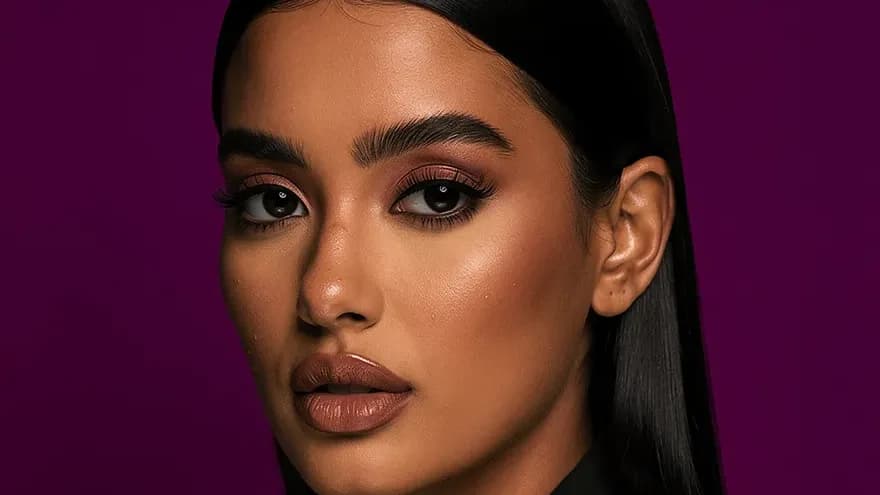
AI Headshots for Teams: What to Know Before You Roll Out
How teams use AI headshots for consistent team photos, what to check first (consent, likeness, privacy), and where Lovino's portrait tools fit.

Corporate headshots seem simple until you coordinate them at scale. For a large team, a traditional shoot means booking a photographer, finding a space, scheduling everyone around their calendars, waiting for edits, and repeating it when new hires join or photos age.
AI headshot services aim to remove most of that coordination. Each person provides their own photos, the service generates portraits in a shared style, and the team page ends up consistent. This guide covers how that works, what to check before you roll it out, and where Lovino's own tools fit.
| Approach | How it works | Good for | Watch out for |
|---|---|---|---|
| Selfie-trained team services | Each person uploads their own photos and the service generates portraits in team styles | Team pages that must look like the real people | Consent, biometric privacy, vendor pricing |
| Lovino portrait tools | Portraits from a written brief, Portrait HD refinement, Background Remover on existing photos | Placeholders, mock-ups, fictional personas, one backdrop for real photos | Not a likeness tool: it does not train on selfies |
| Traditional photography | A photographer and a studio | High-stakes portraits such as leadership and press | Cost and coordination |
The Corporate Headshot Problem
Every company needs professional team photos for:
- Company website — About page, team directory, leadership bios
- LinkedIn — Employees represent the brand on their personal profiles
- Internal tools — Slack, Teams, company directory, org charts
- Press and media — Executive headshots for press releases, conference bios, speaking pages
- Client-facing materials — Proposals, pitch decks, account team introductions
The challenge is consistency. A team page often looks like a patchwork quilt: some photos are professional but five years old, some are phone selfies, and some were taken in different places with different light. That inconsistency undermines the professional image the company is trying to project.
Traditional photography solves consistency but creates logistics. And once the shoot is over, the clock starts ticking. New hires arrive without headshots, people change roles and looks, and the photos slowly go out of date.
How Selfie-Trained Team Headshots Work
Services built for teams tend to follow the same steps:
- Each team member uploads their own photos. The vendor tells you how many and what makes a good set.
- The service builds a model of each person's face.
- Portraits are generated in the styles the team chose, such as corporate, creative, outdoor or minimal.
- Each person picks the portraits they like.
- HR or marketing collects the approved set for company use.
One important note before rolling this out: participation should be voluntary, with each employee uploading their own photos. Obtain written consent for how the source photos and generated headshots will be used, and check applicable biometric-privacy laws (such as the GDPR's biometric data provisions and Illinois' BIPA) before mandating participation.
Ensuring Consistency
The main advantage over traditional photography is controllable consistency. A company can define style settings that every team member's portraits share:
- Same background: Neutral gray, white, or a branded color
- Same lighting style: Soft studio lighting, consistent shadow patterns
- Same framing: A head-and-shoulders crop at consistent proportions
- Same color grading: Matching warmth, contrast, and saturation
Where Lovino Fits
Lovino does not train on employees' selfies, so it is not a team-likeness tool. Its portrait tools help with adjacent jobs:
- Placeholders: brief-based portraits for a draft team page while real photos are being scheduled. Mark them clearly as placeholders.
- Personas and mock-ups: fictional people for sample dashboards, demos and design comps.
- One backdrop for real photos: Background Remover strips the backdrop from any photo for 1 credit, so a mixed set of real photos can share one neutral backdrop.
- Polishing one portrait: Portrait HD refines a single portrait for 2 credits. It works on face and detail only, so nothing about the person's likeness is invented.
Start on the AI headshot generator page, and read our comparison of AI headshot generators for the selfie-trained services.
What to Compare on Cost
We do not quote a cost table here, because vendor pricing changes and depends on team size. Instead:
- Ask each vendor for per-person pricing and what it includes.
- Add up your last shoot: photographer, studio, retouching, and the staff time spent coordinating.
- Compare cost per approved portrait, not cost per generated image.
Beyond direct costs, consider the indirect ones: scheduling, studio booking, waiting for edits, and onboarding new hires without a photo.
Implementation for HR and Marketing Teams
Step 1: Define Your Style Standards
Before rolling out to the team, decide on:
- Background: What color or style? Most companies choose neutral gray or white.
- Dress code guidance: What should people wear in their photos?
- Style selection: Which styles to offer (corporate, creative casual, minimal)
- Crop and format: Standard dimensions for your website and internal tools
Step 2: Create an Internal Brief
Send your team a short brief explaining what photos to provide (following the vendor's guidance), the timeline, and how to access the tool. Make clear that participation is voluntary.
Step 3: Roll Out in Batches
For larger teams, a phased rollout works best:
- Pilot group: validate quality and gather feedback
- Department by department: manageable groups with internal champions
- New hire onboarding: add headshots to the onboarding checklist
Step 4: Review and Select
Have someone in marketing or HR review the final selections for quality and brand consistency before publishing. Most people choose well, but a quick review keeps the set cohesive.
Real-World Use Cases
Scaling startups. When headcount grows fast, keeping headshots current with traditional photography is hard. A repeatable process for new hires keeps the team page up to date.
Distributed and remote teams. People in different cities cannot all visit one studio. Each person can provide photos from where they are and get portraits in the shared style.
Seasonal refreshes. Some companies refresh team photos every year or two. A self-serve process turns that into a short project instead of a full shoot.
Merger integration. Combined teams can create matching portraits to unify a team page.
Quality and Perception
Whether AI headshots are good enough depends on the tool and on one test: does the person in the photo look like themselves? At small sizes such as website thumbnails, profile circles and Slack avatars, good results can look convincing. Check every portrait against the real person before you publish it, and keep a real photograph for high-stakes uses such as press and speaking pages.
Getting Started
- Start with a pilot, for example the leadership team, to check quality and privacy handling.
- Compare side by side with your current team photos.
- Calculate your own return using the cost checklist above.
- Plan the rollout with style standards and an internal brief.
Explore Lovino's portrait tools, or compare the services in Best AI Headshot Generators in 2026.
Questions, answered.
How much do AI headshots cost for a team?
It depends on the vendor and the team size. Ask each vendor for per-person pricing, add up the full cost of your last photo shoot including coordination time, and compare the cost per approved portrait.
Can AI headshots match across a large team?
Yes. Team-focused services apply the same style settings to everyone, such as background, lighting, framing and color grading, so the set looks consistent.
How do new hires get headshots with this approach?
They provide their own photos to the service and generate their portraits on their own schedule. Check your vendor's turnaround time, and make participation voluntary with written consent.
Are AI headshots professional enough for company websites?
At small display sizes, good results can look convincing, but check each portrait against the real person before publishing. Keep a real photograph for high-stakes uses such as press pages and speaking bios.
Does Lovino make team headshots?
Not as a selfie-trained service. Lovino generates portraits from a written brief, refines an existing portrait with Portrait HD, and removes backdrops with Background Remover. It does not train on employees' photos.