Halloween Pet Costumes With AI: Preview Before You Buy
Halloween pet costumes with AI: preview a witch hat, bat wings or a royal robe on your own dog or cat first, then pick a costume your pet will actually wear.
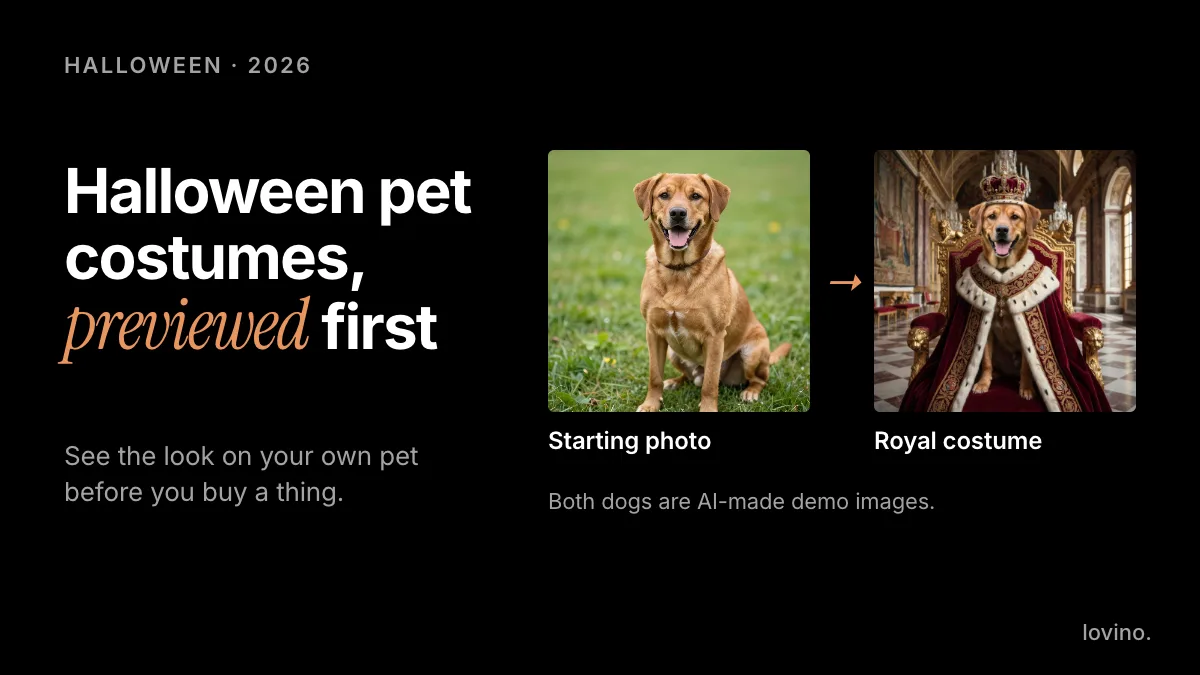
AI lets you see Halloween pet costumes on your own dog or cat before you buy anything. Upload a clear photo, describe the costume, and tell the model to keep your pet's face, fur colour and pose. Then buy only the costume that looks good in the preview and that your pet will actually tolerate wearing. A preview costs you a minute. The wrong costume costs you money and an unhappy pet.
Halloween falls on 31 October every year. Start a week or more ahead, so there is time to preview a few ideas, order one real costume, and take photos that look the way you imagined. Short on time? Preview one look first, then pick a costume you can buy locally. This guide covers which looks to try, the exact wording to use, how to judge comfort, and what to keep honest if you post the results.
What are the best Halloween pet costumes to preview with AI?
Some looks come ready-made in the AI pet portrait tool, which offers six styles: Renaissance, Royalty, Superhero, Astronaut, Cartoon and Pop Art. Others you describe in your own words as a photo edit, either in Studio with FLUX Kontext Fast, which runs on the free daily credits, or in the AI image editor, which uses paid credits.
| Costume idea | How to preview it | Prompt hook | Comfort note for real life |
|---|---|---|---|
| Royal robe and crown | Pet portrait, Royalty style | Ready-made style | Heavy robes are hard to wear, so keep this one digital |
| Superhero cape | Pet portrait, Superhero style | Ready-made style | A light cape is easier than a full suit |
| Astronaut | Pet portrait, Astronaut style | Ready-made style | Helmets cover the face, so keep this one digital |
| Witch hat | Photo edit | "a small pointed witch hat" | Hats slip, and chin straps bother many pets |
| Pumpkin costume | Photo edit | "a soft orange pumpkin costume" | Check the neck and leg openings |
| Bat wings | Photo edit | "small black bat wings on a harness" | Harness fit matters more than the wings |
| Bandana or bow tie | Photo edit | "a small red bandana" | The easiest one to wear for real |
Start with the bottom row if your pet has never worn clothes. The preview will tell you how it looks, and a real bandana will tell you how your pet feels about it.
How do you preview a costume on your own pet?
The method is the same for every costume. Describe the addition, then tell the model what must not change.
- Pick a good photo. Choose a front-facing, well-lit shot with the whole body in view. Avoid blurry action photos.
- Open a photo edit. In Studio, choose FLUX Kontext Fast and add your photo as the reference. Magic Edit, the AI image editor, does the same job on paid credits.

- Write the pattern. The wording is: "Add a [costume] to my dog. Keep the face, fur colour and pose the same."
- Compare the details. Look at markings, ear shape and eye colour next to the original. If the pet looks like a different animal, regenerate.
- Swap one word. Change only the costume and run it again. The photo, and the keep-the-same line, stay put.

Here is a real example. A plain photo of a dog on grass (an AI-made demo image) was edited with FLUX Kontext Fast and one instruction: "Put a small red bandana around the dog's neck. Keep everything else the same." Watch the face, fur and pose as the edit wipes across. They carry over, and only the bandana is new.
Want a finished portrait rather than an edit? Use the pet portrait presets. Dogs, cats and other pets with a clear face work well, and front-facing photos give the best likeness.
Which costume will your pet actually tolerate?
A preview shows how a costume looks. It cannot show how your pet feels. The ASPCA recommends not putting a dog or cat in a costume unless you know they love it, and checking that it does not limit movement, sight or the ability to breathe, bark or meow. Its Halloween safety tips are worth a read before you shop.
Some practical rules:
- Accessories first. A bandana, collar or bow tie is easier than a full-body outfit.
- Try it for a minute, with treats. Take it off if your pet freezes, paws at it, tucks their tail or tries to hide. Those are common signs of stress.
- Keep the photo session short. Take the picture, then take the costume off.
- Skip anything that covers the eyes, ears or mouth. If it can slip, it can scare them.
- Check for loose pieces. The ASPCA flags small, dangling or easily chewed-off parts as a choking risk, so leave off bells, buttons and trims.
- Never leave a costumed pet unattended. Straps and fabric can snag.
If your pet says no, you still get the picture. That is the whole point of the preview.
How do you make Halloween pet photos that look good?
Plan the shot, then let AI help with the finish.
- Light: use soft daylight near a window. Harsh overhead light flattens fur.
- Height: get down to the pet's eye level.
- Ratio: use 4:5 for feed posts and 9:16 for stories.
- Backdrop: a calm autumn setting suits Halloween. The prompts in autumn photo ideas with AI work as backdrops.
- Reveal post: show the plain photo first, then the costume. The before and after is what people stop for.
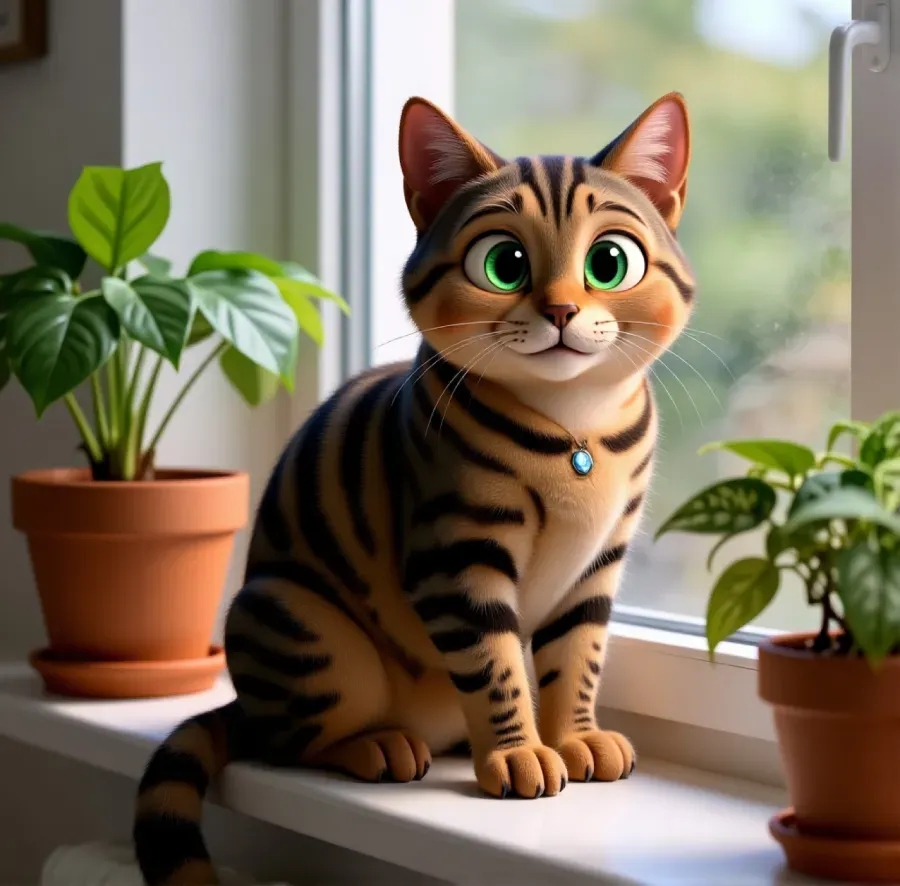
Some cats refuse every costume. A cartoon look gives them a character without a hat. The tabby below is an AI-made 3D cartoon-style portrait, similar to the Cartoon style in the pet portrait tool.
Want it to move? Animate a finished image with image to video. Video always uses paid credits; the free daily credits cannot be spent on it. See pricing.
What should you not fake with AI pet costumes?
Previews are honest when they stay previews.
- Selling a costume you do not stock. If you run a pet shop, show your real costume on a real pet. Use AI for backgrounds, never as a stand-in for the product.
- A different pet. Keep the markings, ears and eye colour true. A preview of a pet that no longer looks like yours is a poor preview.
- A frightened or hurt-looking pet. Do not ask for blood, wounds or distress. It is unkind and it can upset your followers.
- Costumes from big franchises. Characters from films and games are protected. Keep those for personal use, not for ads or merchandise.
- An event your pet did not attend. A generated parade is a backdrop, not a visit.
When you post an edited picture, say so. A short label builds trust, and AI content disclosure on social media explains how. For people costumes, AI Halloween costume preview covers the human side.
Your uploaded photos are processed by third-party AI providers. Only upload pictures you are happy to share that way. You need a free account to generate, free-plan images carry a watermark that paid plans remove, and everything you make, including on the free plan, comes with commercial rights. Styles inspired by copyrighted characters should be checked before you use them commercially.
Preview three, buy one
Pick three ideas, preview each in a few minutes, and choose the one you like most. Then buy the real costume, check the fit, and give your pet a calm test run with treats before Halloween night. The AI pet portrait tool is the quickest way to see a finished look. For a deeper dive into styles, read the AI pet portrait generator guide.
Questions, answered.
Can AI show my dog in a Halloween costume?
Yes. Upload a clear photo to an image editor, describe the costume, and ask it to keep the face, fur colour and pose the same. You can also use pet portrait styles such as Royalty, Superhero and Astronaut for a finished portrait.
How do I keep my pet's face the same in an AI edit?
Start with a sharp, front-facing photo, and add a keep line such as: keep the face, fur colour and pose the same. Compare markings, ears and eyes with the original, and regenerate if anything looks off.
Is it safe to put my pet in a costume?
Only if your pet is comfortable. Animal welfare groups such as the ASPCA advise checking that a costume does not restrict movement, sight or breathing. Start with a bandana or bow tie, keep sessions short, and stop if your pet shows stress.
Can I post AI pet costume pictures on social media?
Yes. Say they are edited or AI-made. Free-plan images carry a watermark that paid plans remove, and all users, including free ones, get commercial rights to what they make.
What kind of pet photo works best?
A clear, well-lit, front-facing photo showing the whole body works best. Avoid blurry action shots, so the model has the markings and face to work from.