AI Ads for Small Business: What to Make, What to Check First
AI ads for a small business, step by step: one product photo becomes ad scenes, copy and a short video. See what Ad Studio makes and what to check first.
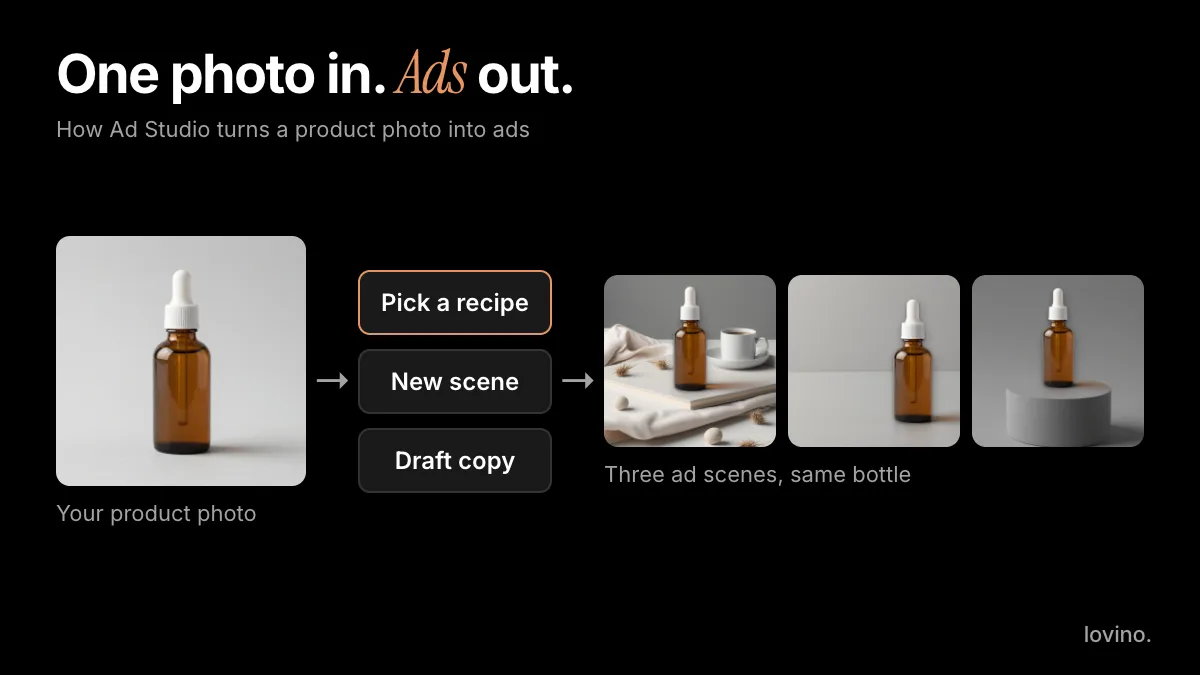
AI ads for a small business start with one product photo. Lovino's Ad Studio keeps your product as you photographed it, builds a new scene around it, drafts the headline and button text, and lets you download a PNG. It does not run your ads, track them or connect to your ad account.
This guide is for the owner who has to run the ads: what Ad Studio makes, the steps for a first ad, and the checks that keep a small business honest. To go straight to the tool, open the AI ad generator.
What can AI do for a small business's ads?
Most first ads stall on three jobs: a scene that suits the product, a headline that fits the scene, and a layout with room for both. A small brand rarely has a studio, a designer and a copywriter on call. Ad Studio drafts all three in one pass, which is where the time saving really is. Lovino's tool page for the AI ad generator lists every recipe and format.
You still make the decisions. You choose the recipe, read the copy, decide what to run and publish it yourself.

What can Ad Studio make?
| Part | What you get | Cost in plain terms |
|---|---|---|
| Ad copy | A headline, subhead and button text for your product, in your brand tone | Costs no credits, and you can edit every line |
| Ad scene | A new scene around your product, laid out as a finished ad in square, vertical or wide, downloaded as a PNG | Uses paid credits |
| Ad video | A short vertical clip with sound, from video recipes such as Unboxing Reveal and Founder Story | Needs a paid plan, and the credit cost is shown before you generate |
| Brand kit | Your logo, fonts and colours applied to the layout | Part of your workspace |
Check pricing for what credits and plans cost today. Ad Studio sits in the Business workspace of the dashboard, and the Business page explains what the Business plans add.
What it does not do. It does not publish to Meta, TikTok or Google. It does not report results. It does not check your claims against ad policies. It does not make long videos or edit a timeline. Download the file and upload it in your ad platform.
How do you make your first ad, step by step?
- Take one good photo. Whole product in frame, sharp, plain background, window light. Ad Studio separates the product from its background, so a clean photo gives the cleanest result. If you have no photo yet, AI product photography can make one from a simple shot.
- Add the product. In the Business workspace, upload your photo or import the product from its page URL.
- Pick a recipe by goal. Use the table below.
- Read and edit the copy. It is a draft. Cut anything you cannot prove.
- Choose the size. Square, vertical or wide. Match it to where the ad will run.
- Download the PNG and upload it in your ad platform.
- Optional: make it a video from the same ad draft.
Every scene in this post started from one AI-made test photo of an unbranded amber bottle on a grey backdrop. That is the whole input. If your own photo has a cluttered background or a cropped product, fix that first. It matters more than which recipe you pick.
Which recipe fits which goal?
| Your goal | Recipe to start with |
|---|---|
| Announce something new | New Arrival |
| Promote a sale | Sale Hero, Seasonal Promo or Bundle Deal |
| Explain one feature | Feature Callout |
| Set a mood | Lifestyle Flatlay |
| Name a problem, then solve it | Problem, Meet Solution |
| Show a change | Before & After (real changes only) |
| Quote a customer | Customer Quote (real quotes only) |
If you want a short clip instead of an image, the video recipes include Unboxing Reveal, Founder Story, Social Proof, Step-by-Step Routine and Three Reasons Why.
Ad Studio's video recipes use the same creator-style formats as Lovino's AI UGC video generator. Here is an AI-made example from that tool: a presenter shows a serum dropper to camera, then uses it.
What should stay real in an AI ad?
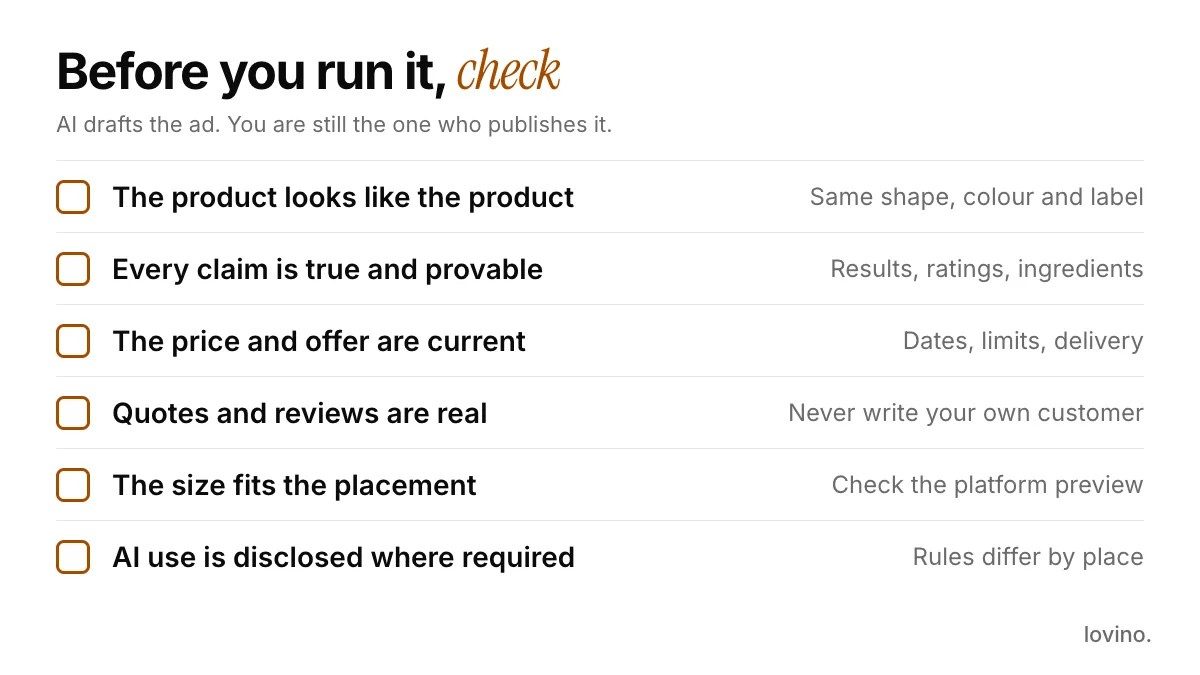
The simplest rule: AI styles and presents, it never fakes. For a small business, that means:
- The product. It must look like the item a customer receives. Ad Studio keeps your product pixels, but check each result for anything that drifted, such as a label or a cap.
- Claims. Ad copy is a draft. Every claim about results, ingredients, materials or speed needs proof you can show.
- Reviews and quotes. The Customer Quote and Social Proof recipes are layouts. Use real words from real customers and numbers you can back up. Never write a customer.
- Before and after. Show a real before and a real after.
- Offers and prices. Type what you actually run, with the actual dates.
- People. An AI-made presenter is fine. Do not present one as a real buyer.
Some places also ask for AI labels on ads. Google's help pages, for one, say that AI regulations in the European Union, India and New York require disclosures on ads that use certain AI-generated or edited assets. Our post on AI content disclosure covers the platform side.
What about your photos and the rights to the ads?
Your product photo is processed by third-party AI providers to build the scene and, if you choose it, the video. Do not upload anything you are not comfortable sharing with them.
You need an account to generate. Everyone who generates on Lovino, including free users, can use the results commercially. Free results carry a watermark and paid plans remove it. Check each ad platform's own policies too, and make sure every claim, price and review in the ad is real.
Which ad sizes should you export?
Ad Studio offers square, vertical and wide. Pick the one that matches the placement, then look at the platform's own ad preview. Where a platform recommends a ratio Ad Studio does not offer, such as 4:5, see how the preview crops your ad before you spend. The video ad specs post lists ratios, lengths and file limits for Meta, TikTok, YouTube and LinkedIn.
How should you test the ads?
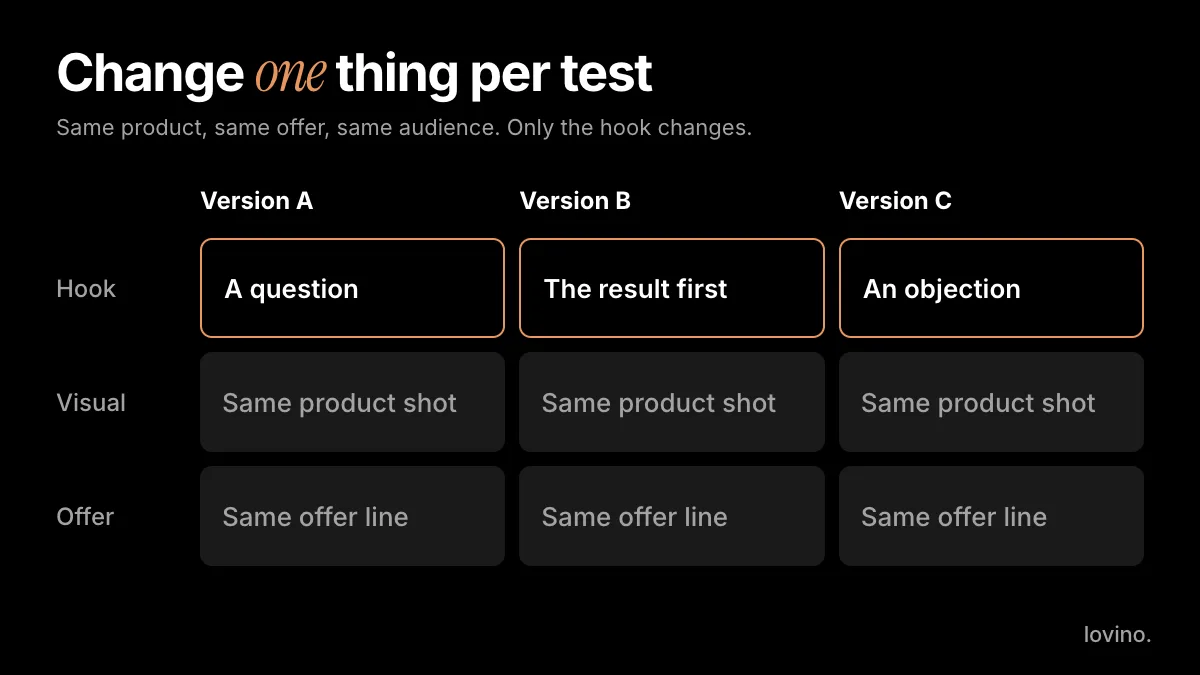
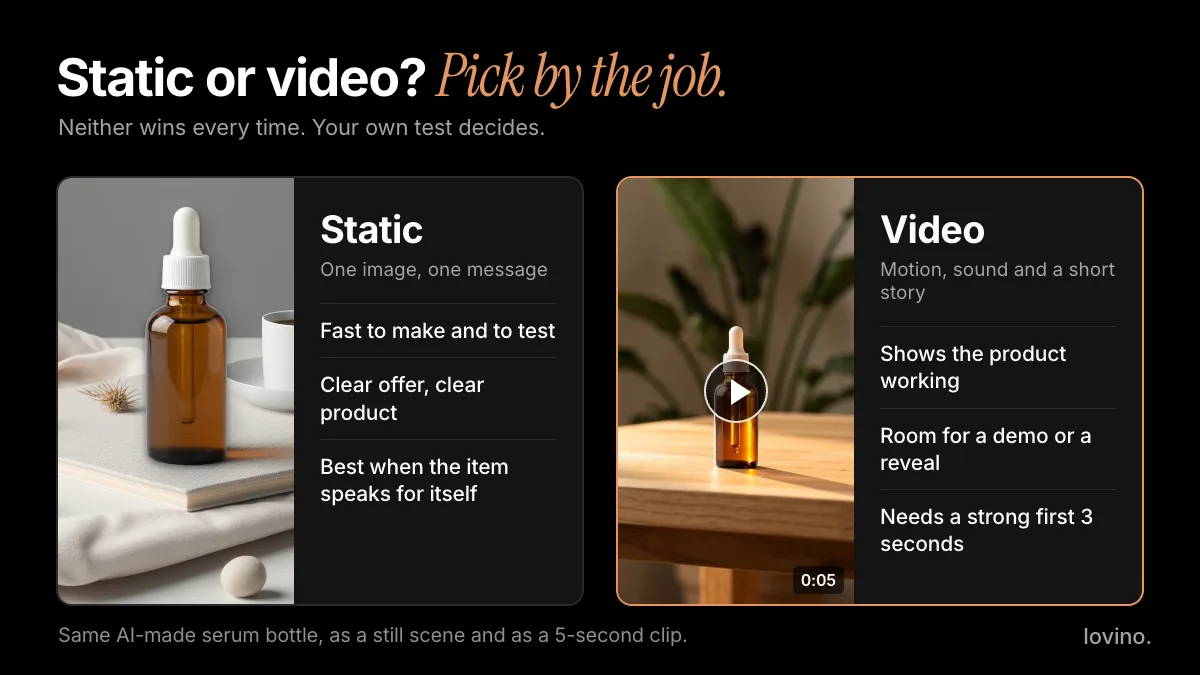
One photo can give you several scenes quickly, which is a good reason to be disciplined. Make two to four scenes with the same offer, launch them with equal budgets and change nothing mid-test. The creative testing method walks through the whole loop. If you are weighing images against clips, read static vs video ads.
Try it with one product
Pick your best-selling item. Take one clean photo. Make three scenes with different recipes, read the copy line by line, and keep the one you would be proud to put your name under.
To start, open the AI ad generator. It writes the copy draft for free, and the scene and video steps show their cost before you spend.
Questions, answered.
Can I make AI ads for free?
Partly. Writing ad copy in Ad Studio costs no credits. An ad scene uses paid credits, so the free daily credits do not cover it, and an ad video needs a paid plan. See the pricing page for current credit and plan details.
Does the AI change my product in the ad?
Ad Studio keeps your product pixels and builds the scene around them, so only the background and props are new. Still check every result for small changes before you run it.
Can Lovino post my ads to Facebook, Instagram or TikTok?
No. Lovino gives you a PNG or a video file to download. You upload it in Meta Ads Manager, TikTok Ads Manager or the platform you use. Lovino also does not track how the ads perform.
Can I use the ads for my business?
Yes. Everyone who generates on Lovino, including free users, can use results commercially. Free results carry a watermark and paid plans remove it. Check the ad platform's own policies, and make sure every claim, price and review in the ad is real.
Are my product photos shared with anyone?
Your photo is processed by third-party AI providers to build the scene and any video you ask for. Avoid uploading anything you would not want a provider to process.