

AI Video Style Transfer
Lovino's AI video style transfer restyles a short clip, up to 8.7 seconds, as anime, a 3D animated film or another look, keeping the original motion. Upload the clip, describe the style, and the new video is usually ready in a minute or two. It costs 8 credits for clips up to 5 seconds, on paid credits.
Video uses paid credits · 8 credits up to 5 s, 12 credits up to 8.7 s
What is AI Video Style Transfer?
AI video style transfer redraws a short video in a new visual style. You upload a clip, describe the look in your own words, and Lovino returns a restyled video that follows the motion of the original. Clips can be up to 8.7 seconds. Auto runs on Grok Imagine Video, and Seedance 2.0 is an option for 5-second clips on a paid plan.
How to use AI Video Style Transfer


- 01
Upload your clip
Add a short mp4, mov or webm clip of up to 8.7 seconds. Longer clips are refused before any credit is spent, so trim them first.
- 02
Pick a style
Describe the look in your own words, such as hand-drawn anime scene or 3D animated film look.
- 03
Lovino restyles the clip
Auto runs on Grok Imagine Video. Seedance 2.0 is the other engine, for 5-second clips on a paid plan.
- 04
Get the same motion in a new look
Download the restyled video and compare it with your original.
- 05
Check the limits
Clips run up to 8.7 seconds and use paid credits. The price is shown before you generate.
Real clips, before and after
The input clips are test videos from our own model checks. Each restyled clip has a matching original, and the captions name the pair. The last two clips are a different workflow: a photo restyled first, then animated.
 Grok Imagine Video
8 credits
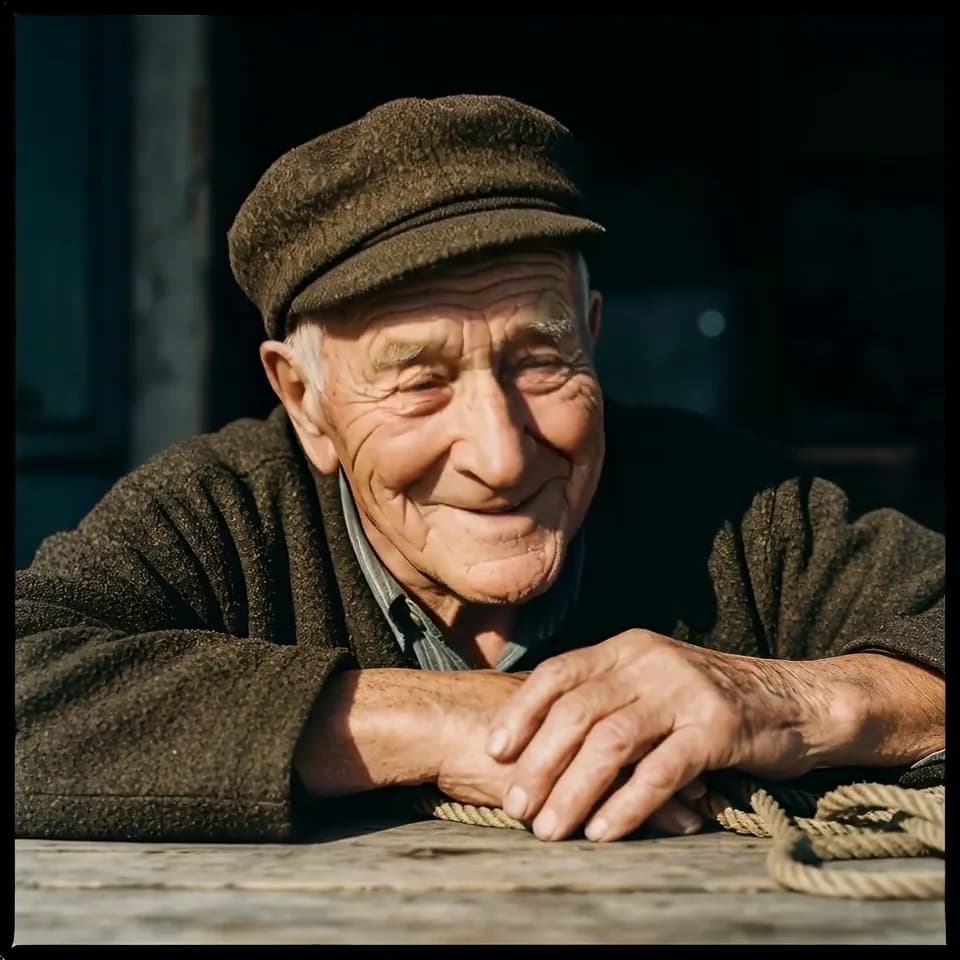
Restyled as hand-drawn anime. Same motion and timing as the original clip of the older man.
Restyle this video in this style: hand-drawn anime scene. Keep the same motion, timing and framing.
 Original clip
The original AI-made test clip of the older man, before the anime restyle.
 Grok Imagine Video
12 credits
Restyled as hand-drawn anime. Trimmed to 8 seconds for the web.
Restyle this video in this style: hand-drawn anime scene. Keep the same motion, timing and framing.
 Original clip
The original AI-made test clip of the man in the navy suit, before the restyle. Trimmed to 8 seconds for the web.
 Grok Imagine Video
8 credits
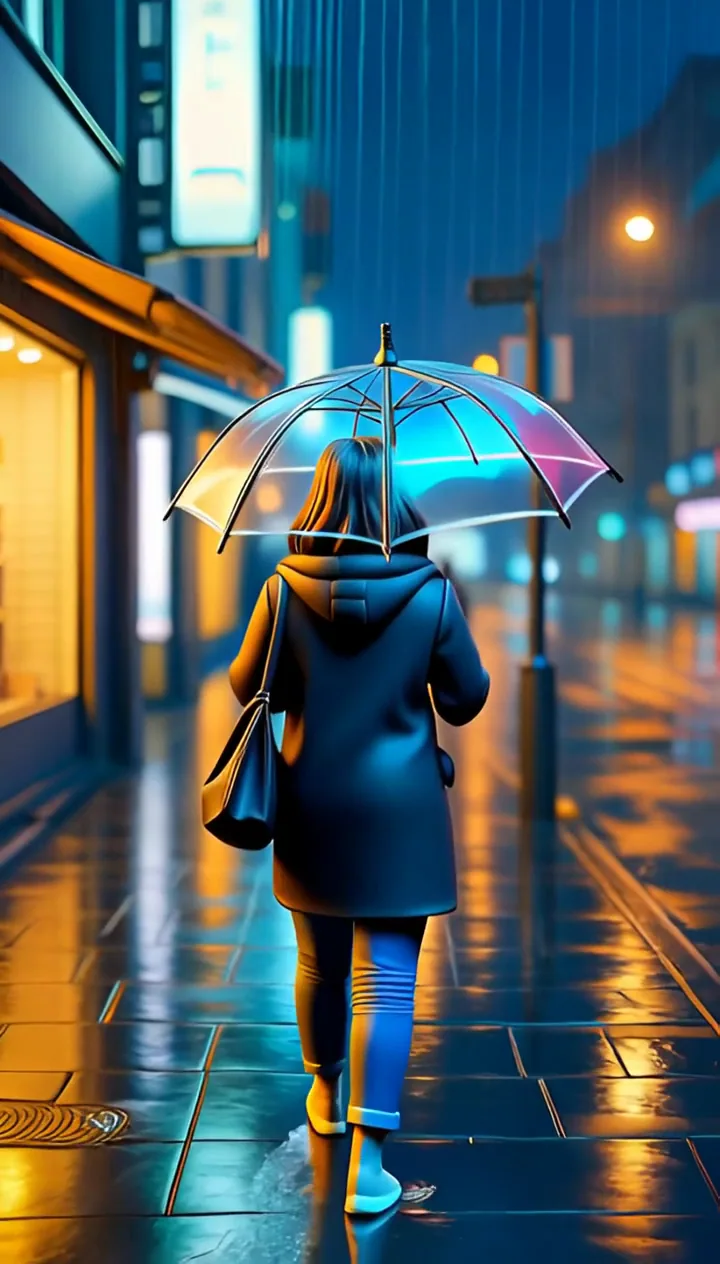
Restyled with "3D animated film look". The result is about 3 seconds long, shorter than the 5-second original.
Restyle this video in this style: 3D animated film look. Keep the same motion, timing and framing.
 Original clip
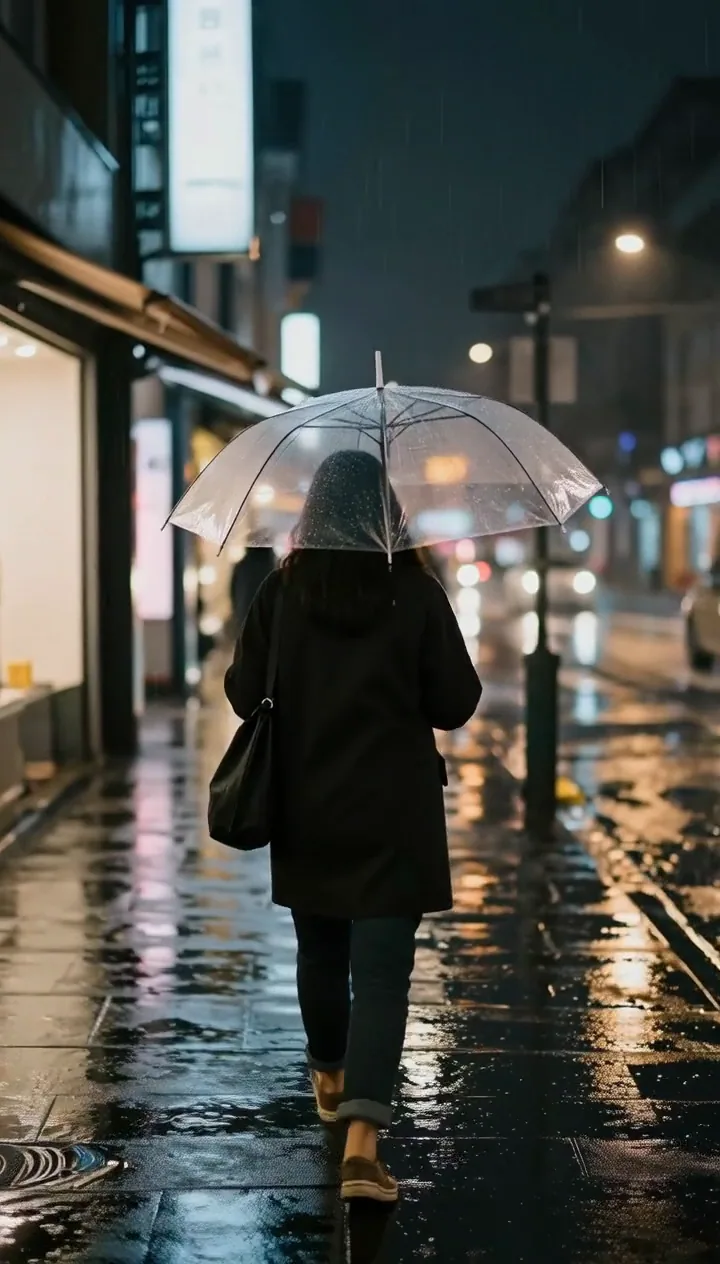
The original 5-second AI-made test clip of the rainy street walk.
 Wan 2.2 Fast
3 credits for the animation step
Different workflow: a photo restyled with FLUX Kontext Fast in Studio, then animated. Not video-to-video.
wind moves her hair and the wheat, she turns her head toward the camera and smiles
 Wan 2.2 Fast
3 credits for the animation step
Different workflow: a photo restyled with FLUX Kontext Fast in Studio, then animated. Not video-to-video.
he flicks a stone and it skips across the water, ripples spreading
Video to anime AI: turn a clip into a hand-drawn scene
Type a style such as hand-drawn anime scene and Lovino asks the model to redraw the clip in that look and keep the same motion, timing and framing. The two anime clips above start from an older man resting his hands on a table and a smiling man in a suit.
Lovino wraps your style words in that instruction, so you only describe the look. The more specific the words, the closer the result tends to be.
Video to 3D animation AI: a film-style look
Ask for a 3D animated film look and the same footage comes back as a rendered, stylised scene. The rainy street walk above is the example, and its neon reflections carried over.
That result came back at about 3 seconds from a 5-second original, so do not plan on frame-exact timing. Check the length of the result before you build an edit around it.
Restyle video AI: what stays and what changes
The motion and framing of your clip are what the model tries to hold on to. The look is what it changes: line work, colour, lighting and surface texture.
Faces and small details can shift, because every part of the picture is redrawn. There is no trim tool in the app, so cut your clip down to size before you upload it.
No clip yet? Restyle a photo, then animate it
If you only have a photo, you can restyle it in Style Transfer from 3 paid credits, then animate it with Image to Video. The last two clips above were restyled in Studio with FLUX Kontext Fast, then animated with Wan 2.2 Fast (3 credits).
That is a different job from restyling a video. The motion is invented by the animation model rather than taken from footage you shot.
Auto or Seedance 2.0
The Engine picker in video mode offers two options.
| Auto (Grok Imagine Video) | Seedance 2.0 | |
|---|---|---|
| Clip length | Up to 8.7 seconds | Up to 5 seconds |
| Credits | 8 up to 5 s, 12 up to 8.7 s | 13 |
| Who can use it | Paid credits | Paid credits and a paid plan |
| File types | mp4, mov, webm | mp4 and mov, at least 2 seconds long |
Seedance 2.0 may refuse clips that show people. A refused clip is refunded automatically.
What Lovino does and does not do
| Lovino does | Lovino does not | |
|---|---|---|
| Motion | Asks the model to keep your motion, timing and framing | Promise frame-exact timing: the result can come back shorter |
| Style | Takes any look you can describe in words | Restyle one object while leaving the rest alone |
| Length | Restyles clips up to 8.7 seconds | Restyle a full-length video |
| Checks | Checks clip length and file type before any credit is spent | Trim your clip for you |
| Cost | Shows the price first and uses paid credits | Run on the free daily credits |
What it can't do
- It is not free. Video style transfer uses paid credits, and the 3 free daily credits do not cover it.
- Clips can be up to 8.7 seconds. There is no trim tool, so cut the clip before you upload it.
- The result can be shorter than the original. The 3D example came back at about 3 seconds from a 5-second clip.
- The whole picture is redrawn, so faces and fine details can change. Run it again if the first result drifts.
- Seedance 2.0 takes 5-second clips only, needs a paid plan, and may refuse clips that show people.
Start free. Scale anytime.
One credit system across Studio, Flow and every tool. Cancel anytime.
| Plan | Per month | Credits |
|---|---|---|
| Free | $0 | 3 credits per day |
| Plus | $7.99 | 50 credits per month |
| Pro | $19.99 | 200 credits per month |
| Max | $44.99 | 500 credits per month |
Questions, answered.
Is AI video style transfer free?
No. Video style transfer uses paid credits: 8 credits for clips up to 5 seconds and 12 for clips up to 8.7 seconds. The 3 free daily credits do not cover it. Credits come from a paid plan or a credit pack. Plans start at $7.99 a month, and a starter pack is $2.99 for 15 credits.
How long can my video be?
Up to 8.7 seconds. Longer clips are refused before any credit is spent. Seedance 2.0 takes clips of up to 5 seconds.
How much does it cost to restyle a video?
8 credits for a clip up to 5 seconds and 12 credits for a clip up to 8.7 seconds on Auto. Seedance 2.0 costs 13 credits for a 5-second clip. The exact price is shown before you generate.
Can I turn a video into anime?
Yes. Describe the look, for example hand-drawn anime scene, and Lovino restyles the clip while it tries to keep your motion and timing. The anime clips on this page are real results.
Does the motion stay the same?
It is meant to. The request asks for the same motion, timing and framing, and the anime examples follow their originals closely. The length can still differ: the 3D example came back at about 3 seconds from a 5-second clip.
How long does it take?
Usually a minute or two on Auto. Busy periods can add queue time.
Can I use my own style?
Yes, in words. Type any look you can describe, such as a 3D animated film look or a watercolour storybook. Results vary, so try a short clip first.
Can I restyle a photo instead of a video?
Yes. Style Transfer restyles photos from 3 paid credits. For a quick anime picture on the free daily credits, use Photo to Anime AI.
More AI tools
Related guides
- AI Style Transfer: Turn Photos Into Paintings and ArtTransform any photo into an oil painting, watercolor, pencil sketch, or any artistic style using AI. Complete guide with tips and examples.
- Image-to-Image vs Text-to-Image AI: When to Use Each ApproachUnderstand the difference between image-to-image and text-to-image AI generation — when each excels, how to use them together, and practical workflow examples.
- How to Turn an Image Into a Video With AI: Step-by-Step 2026Learn how to turn any image into a video with AI. A step-by-step image-to-video guide covering the best models, motion prompts, and common mistakes.
Ready to try AI Video Style Transfer?
Video uses paid credits · 8 credits up to 5 s, 12 credits up to 8.7 s. No purchase is made until you confirm a generation.