

AI Wallpaper Generator
Lovino's AI wallpaper generator makes a phone or desktop wallpaper from a text description. Pick 9:16 for a phone or 16:9 for a desktop, then use the Upscaler for a larger copy. Z-Image Turbo costs 1 credit and works on free daily credits. The Upscaler uses paid credits.
Z-Image Turbo 1 credit · free daily credits work · Upscaler 2 or 4 credits (paid credits)
What is AI Wallpaper Generator?
Describe the picture, pick a tall 9:16 shape for a phone or 16:9 for a desktop, and Lovino makes the wallpaper in Studio. Z-Image Turbo costs 1 credit and the free daily credits cover it. The Upscaler makes a larger copy for 4 credits at 4x, on paid credits.
How to use AI Wallpaper Generator
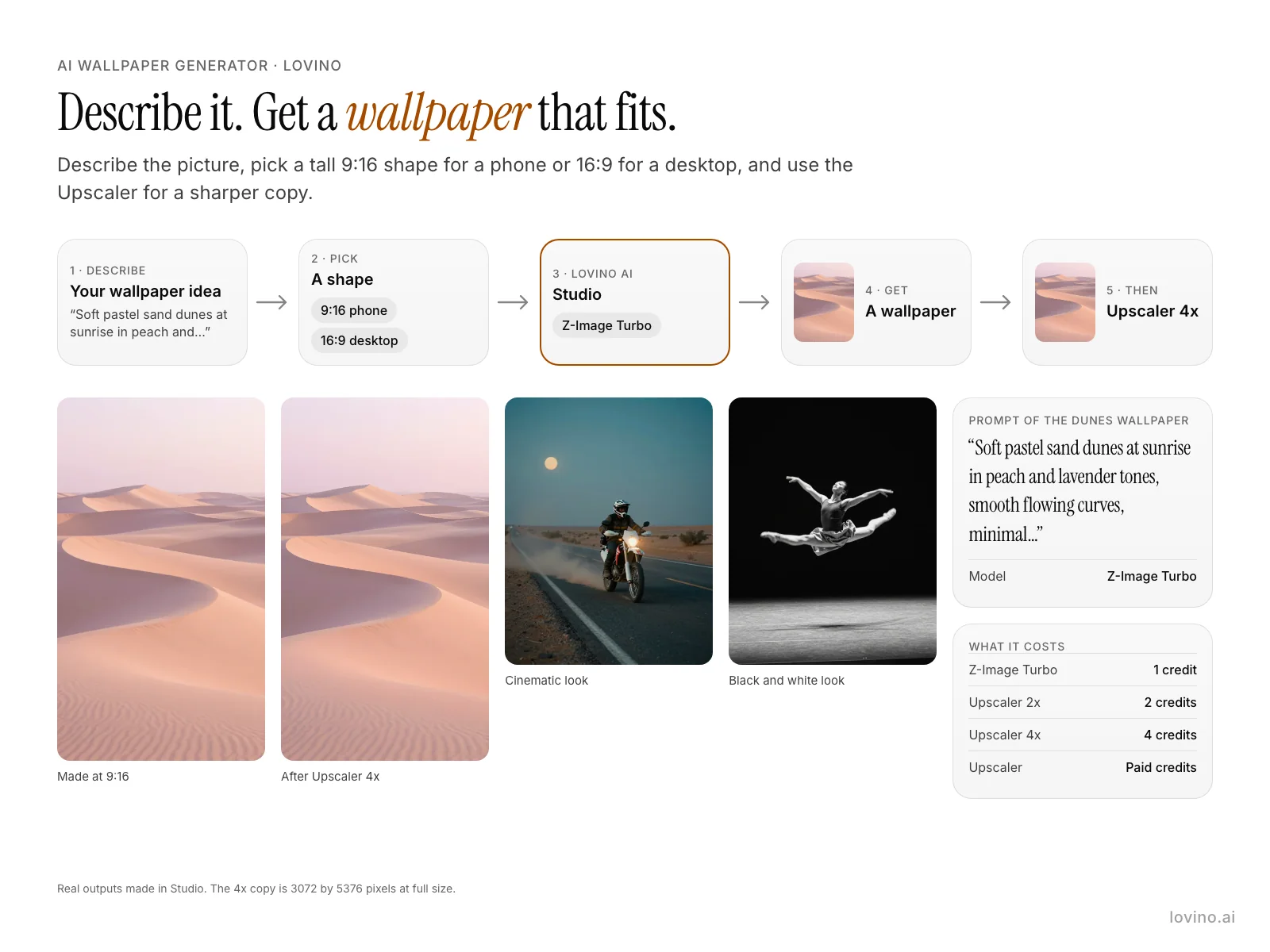
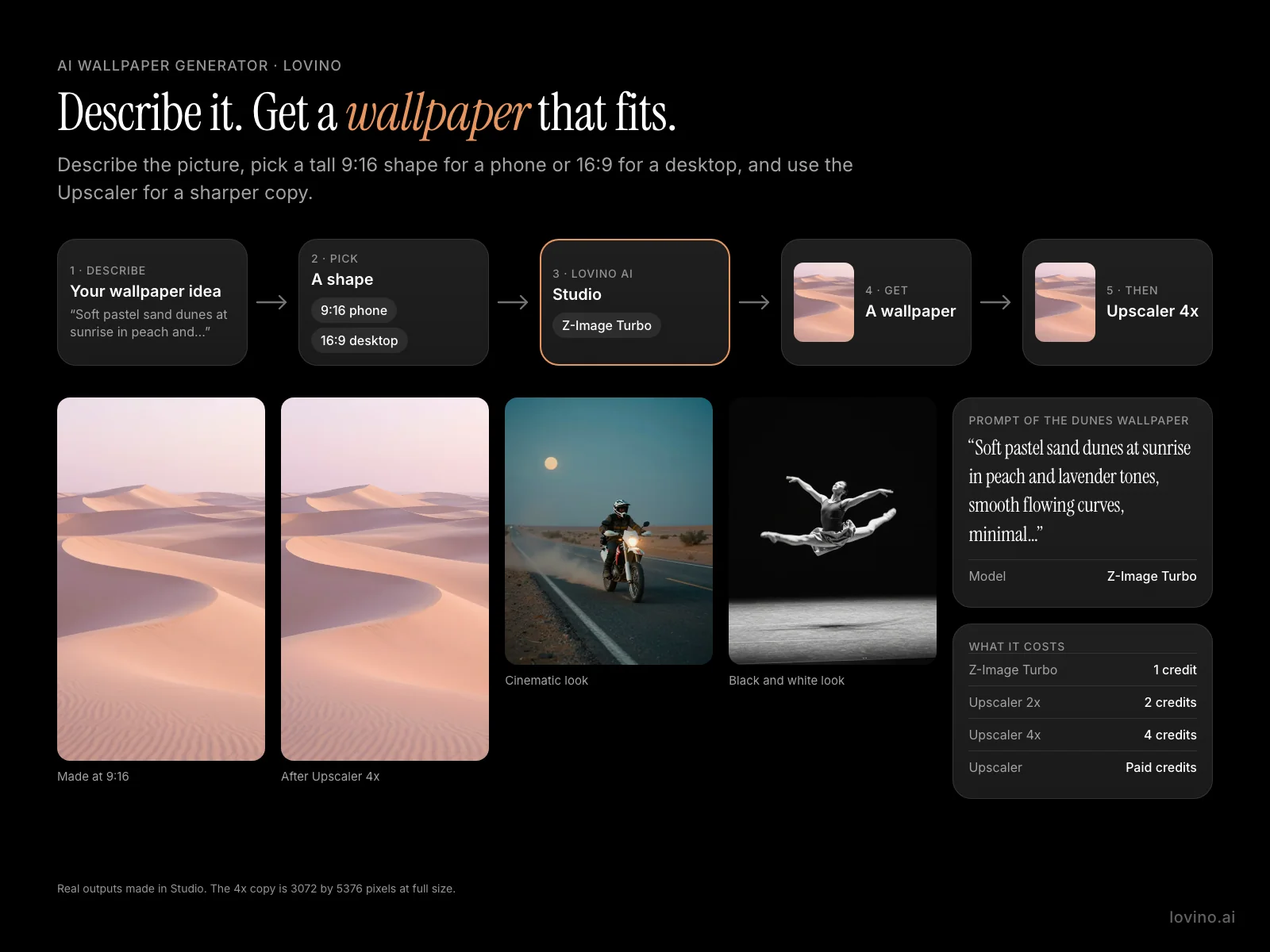
- 01
Describe the wallpaper
Write the scene, the colours and the mood. Words such as minimal composition and calm keep it uncluttered.
- 02
Pick a shape
Choose 9:16 for a phone or 16:9 for a desktop in the ratio menu.
- 03
Generate in Studio with Z-Image Turbo
It costs 1 credit, so the 3 free daily credits cover 3 wallpapers a day.
- 04
Download the wallpaper
Save the picture and set it as your background in your device settings.
- 05
Upscale it for a larger copy
Open the Upscaler and choose 4x. It costs 4 credits and uses paid credits.
Wallpapers made in Studio
The first two pictures are the same wallpaper: the 4x copy first, then the 9:16 original. The web copies shown here are smaller than the real files. The other four show Studio looks and are not wallpaper-shaped. All are AI-made pictures.
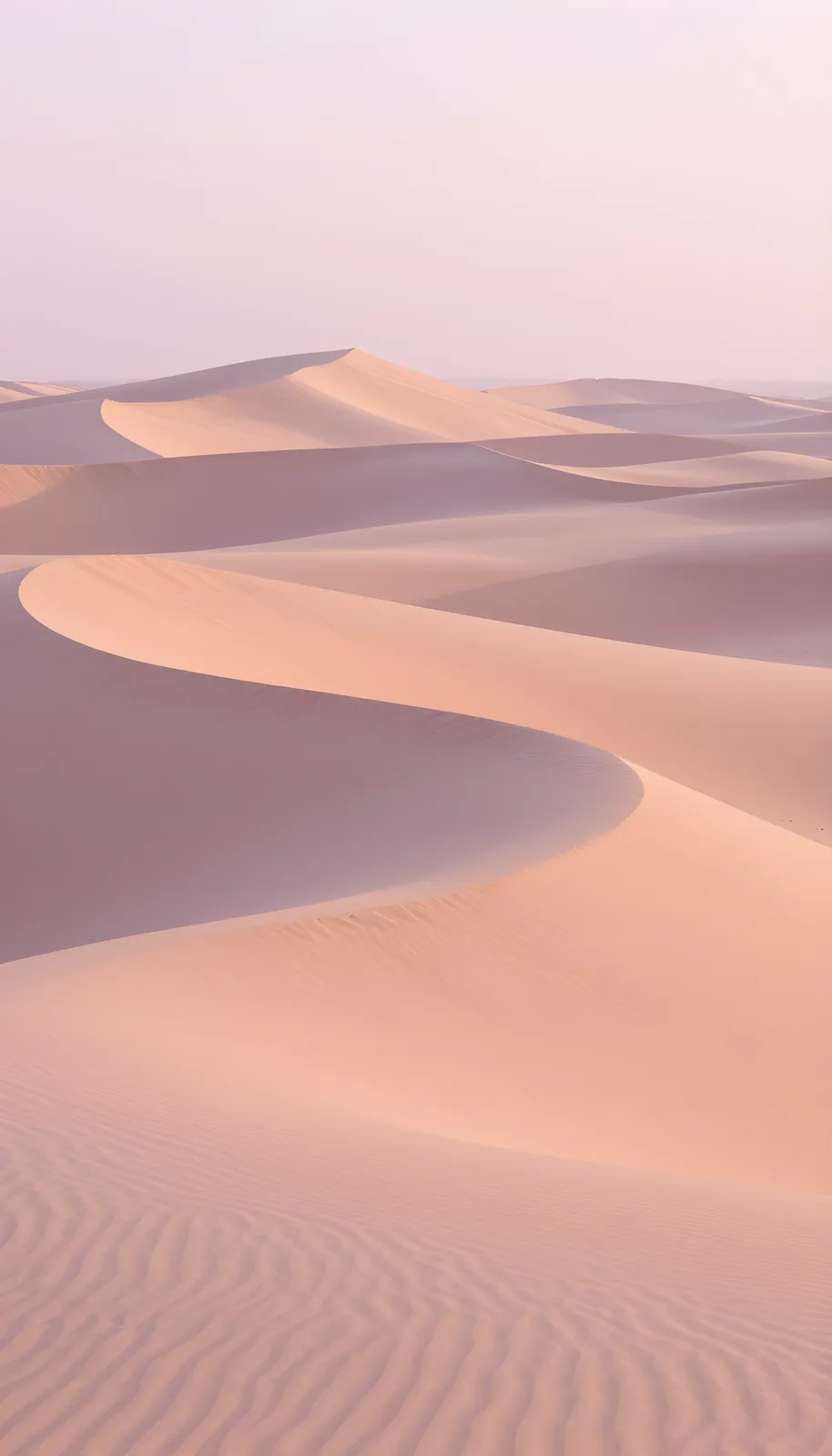 Upscaler (Real-ESRGAN)
4 credits, paid credits
Upscaler 4x. The full-size file is 3072 by 5376 pixels; this web copy is smaller.
No prompt: 4x upscale of the 9:16 dunes wallpaper
 Z-Image Turbo
1 credit
Made in Studio with Z-Image Turbo at 9:16.
Soft pastel sand dunes at sunrise in peach and lavender tones, smooth flowing curves, minimal composition, calm, smartphone wallpaper
 Z-Image Turbo
1 credit
Cinematic look. This one is 896 by 1152 pixels, so set 9:16 or 16:9 for a wallpaper shape.
A motorcyclist parked on an empty desert highway at dusk, dust hanging in the air. cinematic still frame, anamorphic lens with oval bokeh, teal and orange color grading, shallow depth of field, shot on Arri Alexa 35mm, 2.39:1 widescreen letterbox, film-quality lighting
 Z-Image Turbo
1 credit
Cinematic look. This one is 896 by 1152 pixels, so set 9:16 or 16:9 for a wallpaper shape.
A woman gazing out of a train window at passing countryside, her reflection on the glass. cinematic still frame, anamorphic lens with oval bokeh, teal and orange color grading, shallow depth of field, shot on Arri Alexa 35mm, 2.39:1 widescreen letterbox, film-quality lighting
 Z-Image Turbo
1 credit
Upbeat look. This one is 896 by 1152 pixels, so set 9:16 or 16:9 for a wallpaper shape.
A golden retriever leaping high to catch a red frisbee in a wildflower meadow. golden hour photography, warm backlit scene with sun flares at frame edges, long amber shadows, shot on Kodak Portra 400 film, soft natural warmth, skin glowing with warm rim light
 Z-Image Turbo
1 credit
Black and white look. This one is 896 by 1152 pixels, so set 9:16 or 16:9 for a wallpaper shape.
A contemporary dancer frozen mid-leap on an empty stage, arms stretched wide, fabric flowing. high contrast black and white photography, deep crushed blacks and bright blown-out highlights, fine silver halide grain, zone system tonal range, Ilford HP5 / Tri-X 400 film look, dramatic monochrome
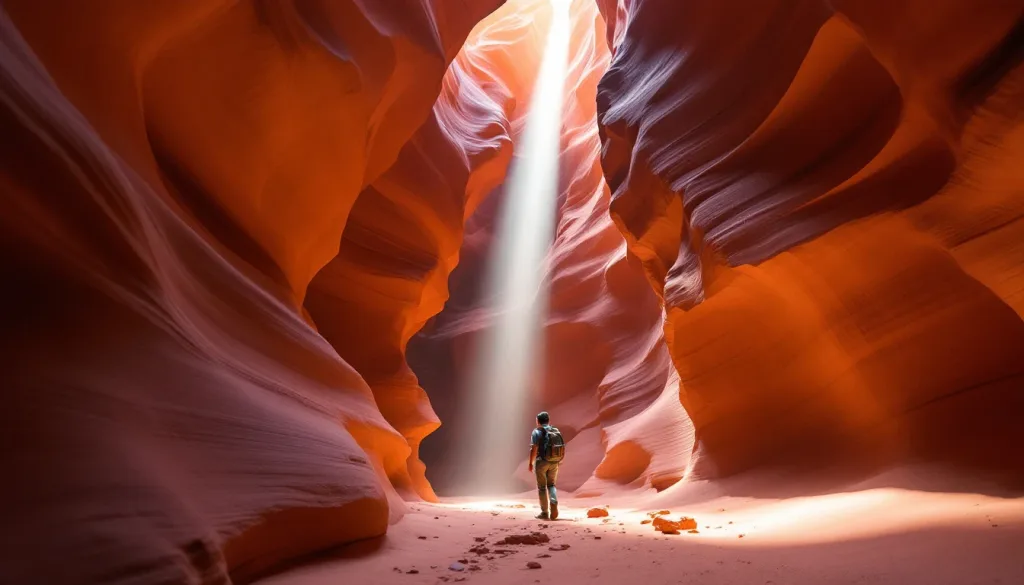
Phone wallpaper AI: pick 9:16
9:16 is a tall shape that suits most phones, though some phones crop the top or sides a little. The 9:16 example here is 768 by 1344 pixels.
Leave calm space for the clock and the app icons. The dunes prompt asks for a minimal composition and a calm mood, and the result has room to breathe.
A desktop wallpaper in 16:9
Pick 16:9 in the ratio menu for a wide picture. Z-Image Turbo supports both shapes at the same price, 1 credit.
4K wallpaper AI: more pixels with the Upscaler
Studio makes the picture; the Upscaler makes a larger copy. Upscaler 4x turns the 768 by 1344 dunes wallpaper into a file of 3072 by 5376 pixels, which is more than the 2160 by 3840 pixels of a 4K portrait screen.
The Upscaler costs 2 credits at 2x and 4 at 4x, and uses paid credits. It works on images up to about 2 megapixels, which covers the Studio sizes shown here.
What the wallpaper generator does and does not do
| Task | Does Lovino do it? | Detail |
|---|---|---|
| Make a wallpaper from a description | Yes | Z-Image Turbo, 1 credit, free daily credits work |
| Make phone (9:16) and desktop (16:9) shapes | Yes | Pick the ratio before you generate |
| Make a larger copy | Yes, paid | Upscaler 4x, 4 credits, paid credits only |
| Output native 4K from Studio | No | The 9:16 example is 768 by 1344 before upscaling |
| Set the wallpaper on your device | No | Download the picture and set it in your device settings |
What it can't do
- Studio does not output native 4K. The 9:16 example is 768 by 1344 pixels, and a larger copy needs the Upscaler.
- The Upscaler uses paid credits. The free daily credits do not cover it.
- Free-plan images carry a watermark, which is a poor fit for a wallpaper. Content made on paid plans is watermark-free.
- Phones differ in shape. A 9:16 picture may be cropped a little on some screens.
- Lovino does not set the wallpaper for you. You download the picture and apply it yourself.
Pricing
Start free. Scale anytime.
One credit system across Studio, Flow and every tool. Cancel anytime.
| Plan | Per month | Credits |
|---|---|---|
| Free | $0 | 3 credits per day |
| Plus | $7.99 | 50 credits per month |
| Pro | $19.99 | 200 credits per month |
| Max | $44.99 | 500 credits per month |
Questions, answered.
Is the AI wallpaper generator free?
Yes for the wallpaper, with a watermark. Z-Image Turbo costs 1 credit, so the 3 free daily credits cover 3 wallpapers a day. The Upscaler is not free: it costs 2 credits at 2x and 4 at 4x, on paid credits.
What size is the wallpaper?
The 9:16 example from Studio is 768 by 1344 pixels. Other models give other sizes. For a larger copy, use the Upscaler.
How do I get a 4K wallpaper?
Make the wallpaper in Studio, then run the Upscaler at 4x for 4 credits on paid credits. The 4x copy of the 9:16 example is 3072 by 5376 pixels.
Which ratio should I pick for my phone?
9:16 is a tall shape that suits most phones. Some phones crop the top or sides a little, so keep the main subject near the middle.
Can I make a desktop wallpaper?
Yes. Pick 16:9 before you generate. Z-Image Turbo costs 1 credit for either shape.
What should I put in the prompt?
The scene, the colours and the mood. The dunes example says soft pastel sand dunes at sunrise in peach and lavender tones, minimal composition, calm, smartphone wallpaper.
Can I use the wallpapers commercially?
Content made on paid plans is watermark-free and yours to use commercially. Free-plan images carry a watermark.
More AI tools
Related guides
- The Ultimate Guide to Writing AI Image PromptsMaster AI prompt engineering with 50+ examples. Learn the formula for writing prompts that produce stunning, consistent results every time.
- AI Image Upscaler: Increase Photo Resolution Without Quality LossHow to upscale images with AI — increase resolution 2x, 4x, or 8x while preserving detail. Perfect for printing, large displays, and professional use.
- On-Brand in One Prompt: AI Carousels, Thumbnails and PostersCarousels, thumbnails and posters each have their own rules. Iris skills handle consistency, readable text and hierarchy so your designs come out on-brand.
Try a template

Ready to try AI Wallpaper Generator?
Z-Image Turbo 1 credit · free daily credits work · Upscaler 2 or 4 credits (paid credits). No purchase is made until you confirm a generation.