How to Make a Reel From Photos With AI (2026 Guide)
Make a Reel from photos with AI: turn each photo into a short clip with image-to-video, cut the clips together, add sound and post. Step-by-step guide.
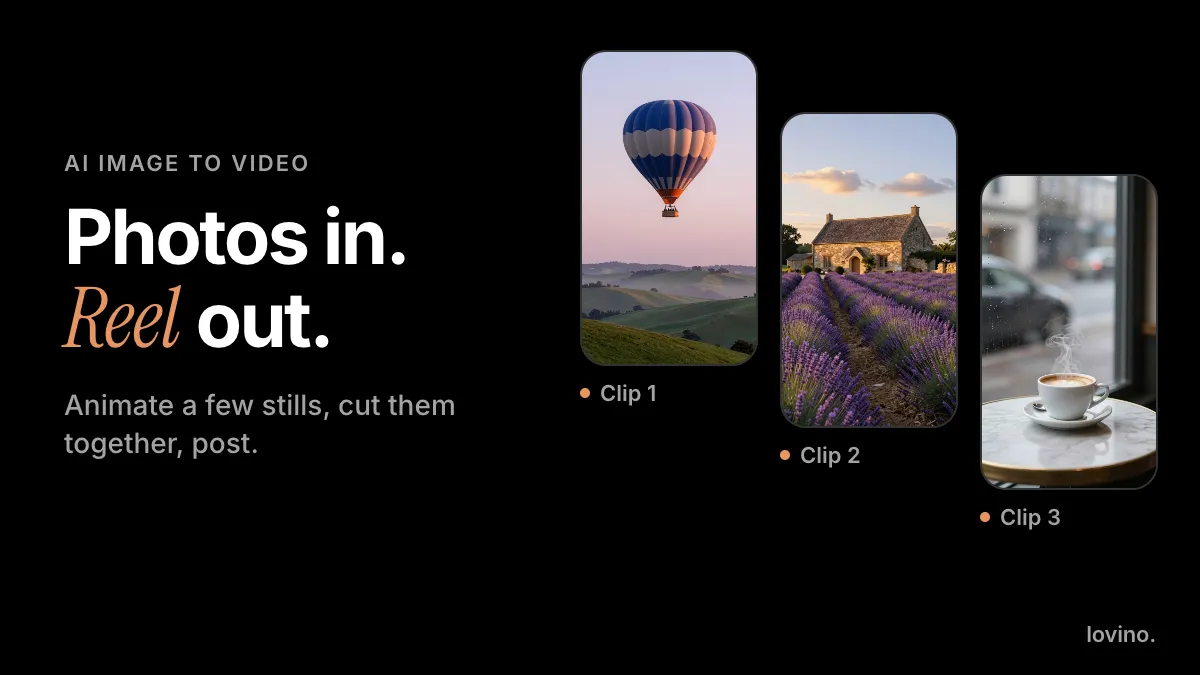
To make a Reel from photos with AI, turn each photo into a short video clip with an image-to-video model, then cut the clips together, add sound and post. On Lovino, animating a photo takes one upload and one sentence describing the motion. The cutting happens in Instagram's editor or any video editor you already use.
A plain slideshow fades from one still picture to the next. A Reel made from animated photos has steam rising, waves rolling and light shifting, so the eye always has something to follow. Three or four photos are enough to start.
One honest note before you start: video on Lovino uses paid credits, and the free daily credits cover image tools only. The cost section below has the details.
What do you need to make a Reel from photos?
Four pieces, and only one of them is new.
| Piece | What it is | Where it happens |
|---|---|---|
| Photos | Sharp, vertical, one clear subject. Yours, or made with an AI image model | Upload them, or generate them with the AI image generator |
| Motion clips | Each photo animated into a short clip | Lovino's image to video tool |
| Edit and sound | Order the clips, trim them, add music or a voice | Instagram's editor or any video editor |
| Posting | Cover, caption, upload |
Signup is required to generate.
Step 1: Which photos animate best?
The clip starts from your photo, so the photo decides most of the result. Look for four things:
- One clear subject. A balloon, a cup, a person from behind, a wave. Crowds and clutter smear.
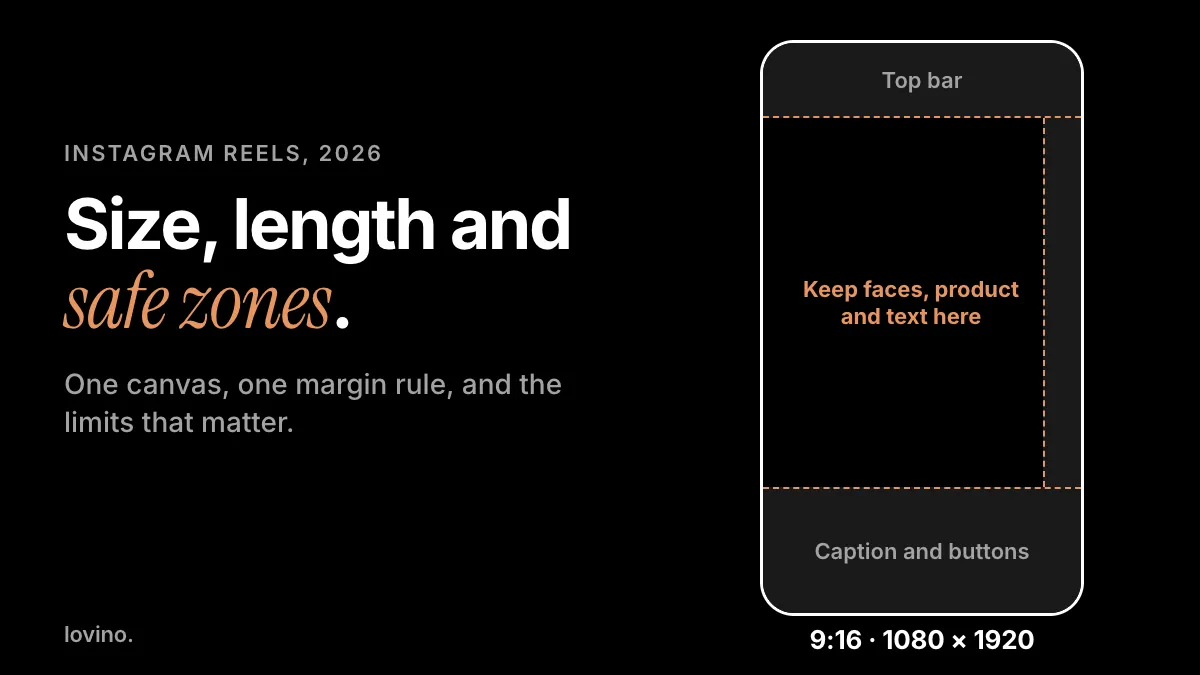
- A vertical frame. Lovino returns a clip that follows the shape of your photo, so a vertical photo gives a vertical clip. That is what a Reel wants. The exact sizes are in our Instagram Reels size guide.
- Something that can move. Water, steam, fabric, hair, clouds, flames, a walking figure.
- Sharp focus. Soft or blurry photos give soft, blurry clips.
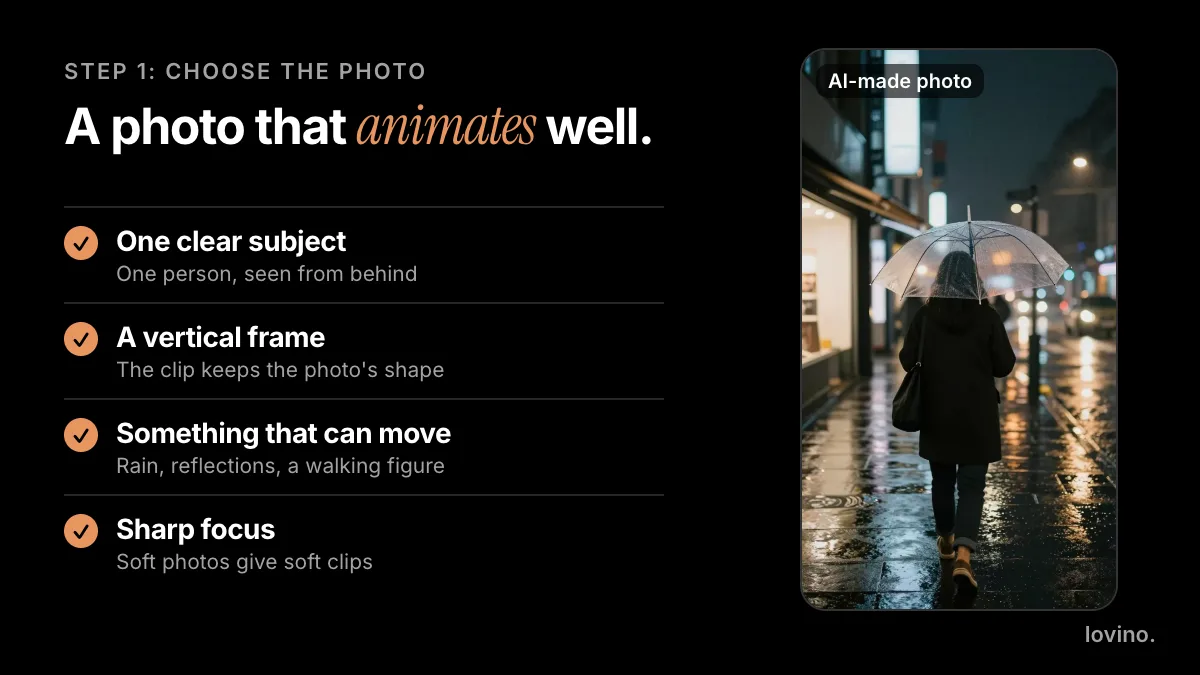
No photo yet? Make it first. Images are cheap to retry and video is not, so settle the picture before you spend anything on motion.
Step 2: How do you turn a photo into a video clip?
- Open the Image to Video AI tool and sign in.
- Upload your photo. It becomes the first frame of the clip.
- Write a motion prompt (more on that below).
- Pick a model. Wan 2.2 Fast is one of the low-cost options and makes a 5-second clip. Other models make longer or higher-quality clips, and clip lengths across the models run from 4 to 15 seconds.
- Generate, watch the whole clip, and adjust the prompt if the motion is off.

Here is the whole idea in one picture: one still, one sentence, one clip.
What should a motion prompt say?
Describe the motion, not the picture; the model can already see the photo. Three parts cover almost everything: what the subject does, what moves around it, and one camera move.
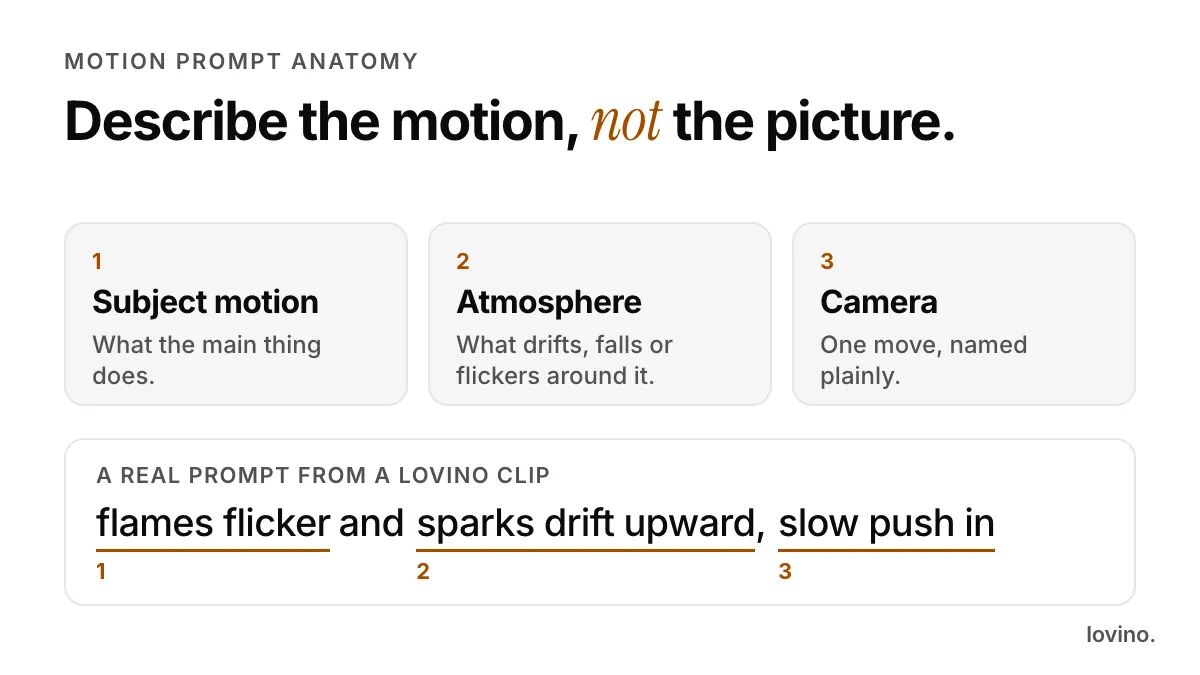
These are the prompts behind real Lovino clips, made from AI-made starting pictures:
flames flicker and sparks drift upward, slow push in
slow aerial push forward over the cove, waves rolling onto the sand
the balloon rises slowly as mist drifts across the hills
A quick guide to what tends to work, by photo type:
| Photo | Motion that usually works | Motion to avoid |
|---|---|---|
| Landscape or sea | Waves, drifting mist, a slow push-in | Fast pans across a busy horizon |
| Portrait | A small head turn, hair in a breeze | Big gestures, fast walking toward the camera |
| Product | Slow push-in, rising steam, a light sweep | A spin and a camera move at once |
| Food or drink | Steam, a pour, a slow push-in | Hands entering the frame |
One camera move per clip looks intentional. Three look like a mistake. For more phrasing, see our guide to AI video prompts and the longer image to video walkthrough.
Here is another real clip from a single still: white sneakers beside a coffee cup, turned into a slow push-in with rising steam.
Step 3: How do you cut the clips into a Reel?
This is where a pile of clips becomes a Reel, and it happens in your editor.
Instagram's own creator page says a reel can be as simple as adding audio to a series of photos or video clips from your camera roll, so the in-app editor is enough. Its reel templates need music and at least three clips, one more reason to aim for three or four.
A plan to start from:
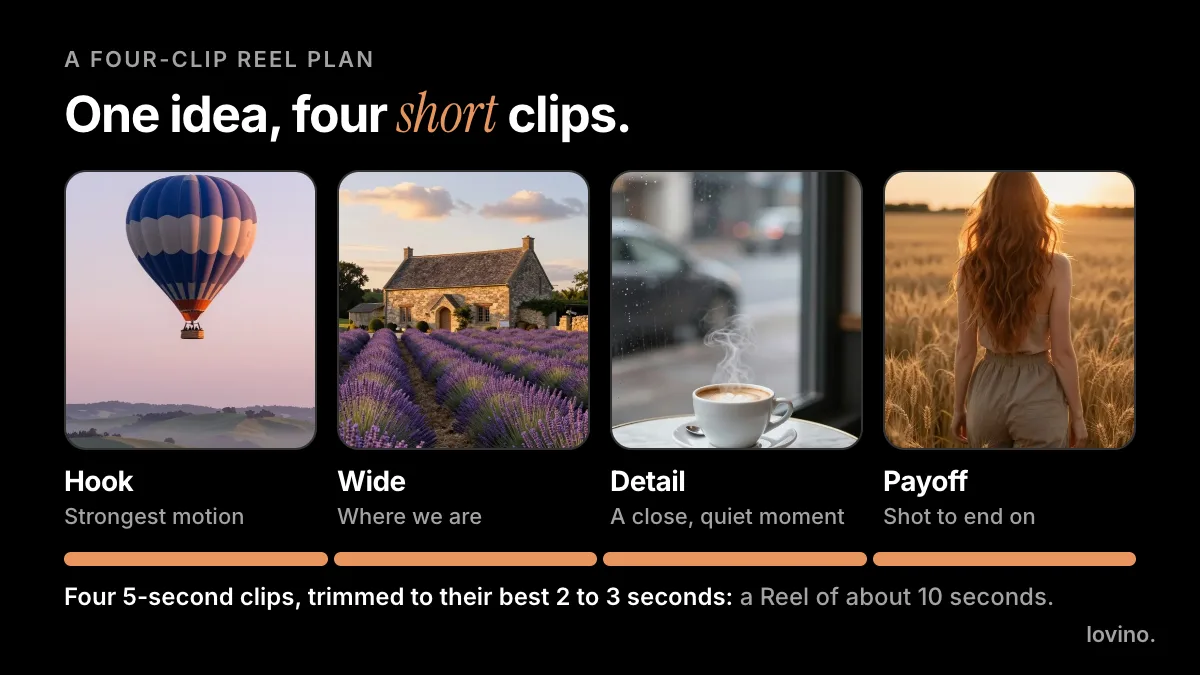
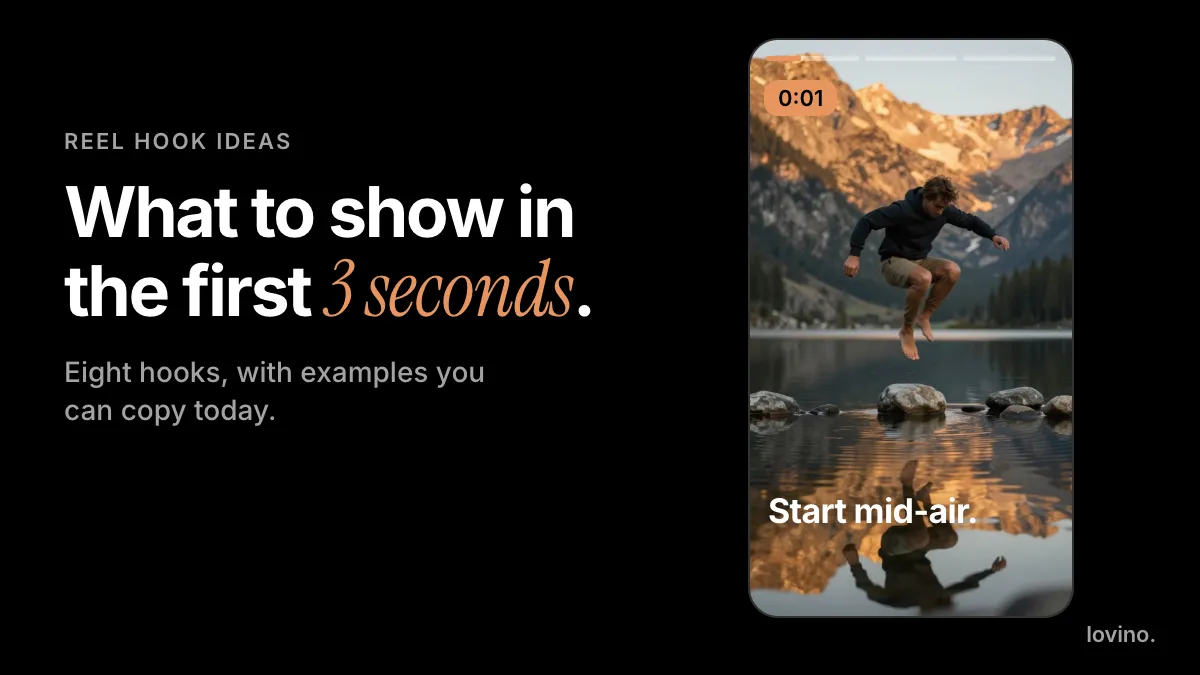
- Open on your strongest motion. The first clip is your hook, and our Reel hook ideas guide has eight ways to build one.
- Use the best two or three seconds of each clip. You rarely need all five seconds. Trim hard.
- Cut on movement. Change clips while something is moving, not while everything is still.
- Keep one look. Photos in the same light and color palette feel like one Reel.
- End on the shot people would frame. Then add a caption and post.
How much does it cost to make a Reel from photos?
The photos can be free: Lovino's free daily credits cover image generation, and free results carry a watermark.
The video step is different. It uses paid credits, from a credit pack or a plan. Each clip shows its price before you generate, and the price changes with the model, length and resolution. Current prices are on the pricing page. Paid results have no watermark, and every result, free or paid, comes with commercial rights.
Test a motion idea on a cheaper model, then run the winning prompt on a stronger one only when the clip matters.
What mistakes ruin a Reel made from photos?
- Re-describing the photo. "A beautiful beach at sunset" tells the model nothing new. Say what moves.
- Stacking motions. Walking, hair, rain, a zoom and a pan in one prompt. Pick one or two.
- Skipping the full watch. Models improvise. In one of our own example clips of a coffee cup by a window, a hand drifted into the frame. It was in neither the photo nor the prompt. Watch every clip to the end before it goes in your Reel.
- Using a horizontal photo. A 16:9 photo in a 9:16 Reel leaves bands or a heavy crop.
- Pushing faces too hard. Faces hold up best with small movements and a steady camera.
What should you never fake?
AI can animate a photo. It cannot make a moment real. Do not animate a photo of a real event and post it as footage of that event, and do not animate a real person without their say-so. If a clip looks like real footage, say in the caption that it is AI-animated. Some platforms have their own labels; our AI disclosure guide covers the basics.
Also know where your photo goes. Uploaded images are processed by the third-party AI providers that run the models, so do not upload anything you would not want a provider to process.
Make your first Reel from photos
Start small. Pick one sharp, vertical photo with a clear subject, upload it to the Image to Video AI tool, and write one sentence of motion. When that clip looks right, do it twice more. Three clips cut together make a Reel. For a looser, feed-style set of photos, see photo dump reel ideas. Making one from a trip? Short travel reels from AI photos covers that, and how to turn an image into a video goes deeper on the animation step.
Questions, answered.
Can I make a Reel from photos for free?
You can make a photo Reel for free with Instagram's own editor, which lets you add audio to a series of photos. Animating the photos with AI is different. Image-to-video uses paid credits, and the free daily credits cover image tools only.
How many photos do I need for a Reel?
Three or four animated photos is a good start. Instagram's reel templates need music and at least three clips. Use the best two or three seconds of each clip so the Reel keeps moving.
What size should my photos be for a Reel?
Use vertical photos. Reels are 9:16, commonly 1080 by 1920 pixels. Lovino returns a clip that follows the shape of your photo, so a vertical photo gives a vertical clip.
Can I use AI-made photos to make a Reel?
Yes. Generate vertical images with an AI image generator, then animate them. Lovino results come with commercial rights for all users, and free results carry a watermark that paid results do not. If the Reel looks like real footage, say in the caption that it is AI-made.