Best Free AI Image Generators in 2026 (Ranked & Compared)
The best free AI image generators in 2026, compared honestly — free tiers, limits, watermarks and signup rules, plus the top pick for every use case.
Short answer. The best free AI image generators in 2026 are Lovino.ai, Google Gemini, Adobe Firefly, Leonardo.ai, Ideogram, and self-hosted Stable Diffusion — each is free to start after a quick signup, but none offer a genuinely unlimited free tier. For most people, Lovino.ai is the best free all-rounder: create a free account and its low-quality image tier (powered by the z-image-turbo model) is genuinely free every day, with no credit card and no OpenAI key required. If you specifically need readable text inside images, GPT Image 2 or Ideogram lead; if you want an artistic, painterly look, Midjourney is the benchmark but is paid-only as of 2026.
We make Lovino, so weigh our ranking with that in mind. Below is a quick comparison, an honest look at what "free" and "unlimited" actually mean in 2026, and a tool-by-tool breakdown so you can pick the right one for your use case.
On Lovino, GPT Image 2 at low quality is the model the free daily credits cover. For how it compares with a paid-plan model, see GPT Image 2 vs Nano Banana Pro.
Best free AI image generators in 2026 at a glance
| Tool | Free tier (as of 2026) | Best for | Main limits |
|---|---|---|---|
| Lovino.ai | Free daily credits after signup; low-quality tier free (incl. GPT Image 2 low quality) | All-round photorealism + 20+ creative tools in one place | Free images are watermarked; medium/high quality and watermark removal need Lovino Pro |
| Google Gemini (Nano Banana) | Image generation in the Gemini app (Google's help names Nano Banana 2) | Fast, conversational images | Usage limits that Google can change; fewer fine-grained controls |
| Adobe Firefly | A limited number of monthly generative credits | Photoshop users; commercially-safe training data | Small free allowance; can look stock-like |
| Leonardo.ai | Daily free token allowance | Higher free volume per day | Quality varies by model; token budget |
| Ideogram | Free tier available | Text inside images (posters, logos) | Smaller feature set |
| Stable Diffusion | Free if self-hosted; free web demos | Maximum control and customization | Needs a capable GPU/setup; demo queues |
| Midjourney | No ongoing free tier (paid, as of 2026) | Artistic, painterly aesthetic | Subscription required — check current pricing |
| ChatGPT (image generation) | Limited free within the ChatGPT free tier | Beginners; plain-English prompts | Tight free usage caps |
Dated table. The Lovino row was checked against Lovino's own plan and model data on 15 October 2026, and the Gemini row against Google's Gemini Apps Help on the same day. The Firefly, Leonardo, Ideogram, Midjourney, ChatGPT and Stable Diffusion rows come from the post's April 2026 review. Their pricing pages block automated checks, so they were not re-checked. Check each provider's own site before you decide.
What "free" and "unlimited" really mean in 2026
One honest caveat first, because it's the question everyone actually searches for: there is no mainstream, hosted AI image generator with a truly unlimited free tier in 2026. Running these models costs real money in GPU time, so every free hosted tool limits you somehow — daily credits, monthly credits, a token budget, watermarks, slower queues, or lower resolution.
The closest thing to "unlimited free" is self-hosted Stable Diffusion: if you own a capable GPU, you can generate as much as you like with no per-image cost. The trade-off is that you're responsible for setup, updates, and hardware.
For everyone else, the practical question isn't "which one is unlimited" (none are) but "which free tier refreshes often enough, at good enough quality, for what I make." That's the lens used below. And yes — every hosted option here, including Lovino.ai, requires a free account before you can generate.
1. Lovino.ai — best free all-rounder
- Free tier: Free daily credits after you create a free account (no credit card, no OpenAI key). The default image model, z-image-turbo, runs on the free tier, and GPT Image 2 is free to try at low quality.
- Best for: Photorealistic images plus a full toolkit — all in the browser.
For most people who just want to make good images without paying, Lovino.ai is the best free starting point in 2026. Sign up and you get free credits each day for its free AI image generator, which defaults to the fast z-image-turbo model at no cost. If you need clean, readable text in an image — posters, thumbnails, packaging mockups — GPT Image 2 is also free to try at low quality, with medium and high quality unlocking on a Lovino Pro plan.
What sets Lovino apart from single-purpose generators is breadth: the same free account also opens creative tools such as Background Remover, Photo Enhancer, AI face swap and cartoon and anime styles (the Upscaler, Portrait HD and Style Transfer use paid credits) — which you can string together in the Studio without switching apps. Lovino carries 50 image and video models in total; some run on the free daily credits and others need a paid plan. AI video needs paid credits.
Honest limits: free images carry a watermark, higher-quality tiers and watermark-free exports require Lovino Pro, and — like every hosted tool here — the free tier is daily credits, not unlimited. For photorealistic portraits, products, and travel scenes it's our top free pick; for purely artistic, painterly work, Midjourney (below) still has an edge. Curious how far free credits stretch? See Free vs. Paid AI Image Credits for what each credit buys.
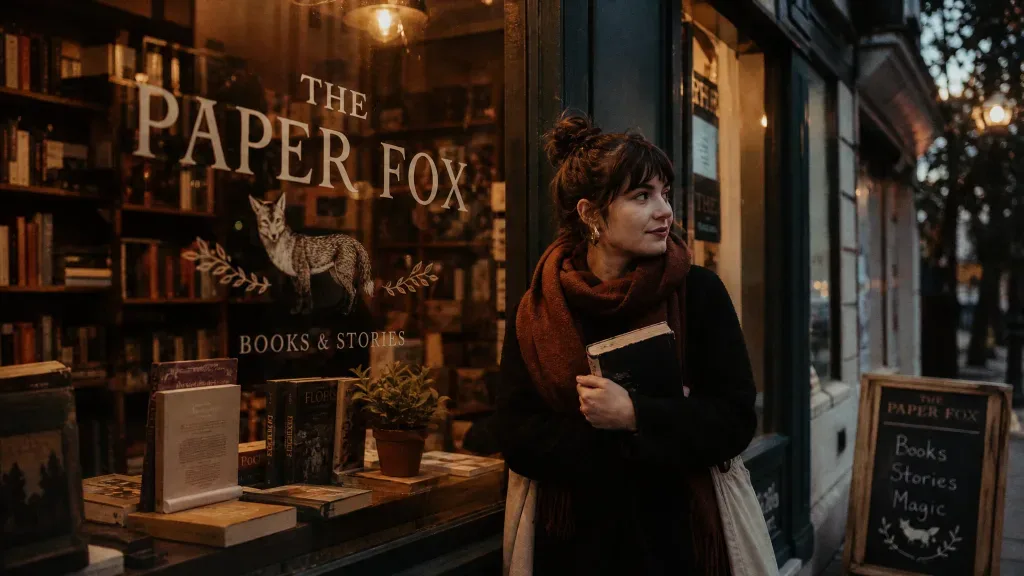
Here is what text rendering looks like in practice. These three were made with GPT Image 2 on Lovino, with the exact prompts shown. The free tier runs GPT Image 2 at low quality, so expect less fine detail than a paid tier gives you.
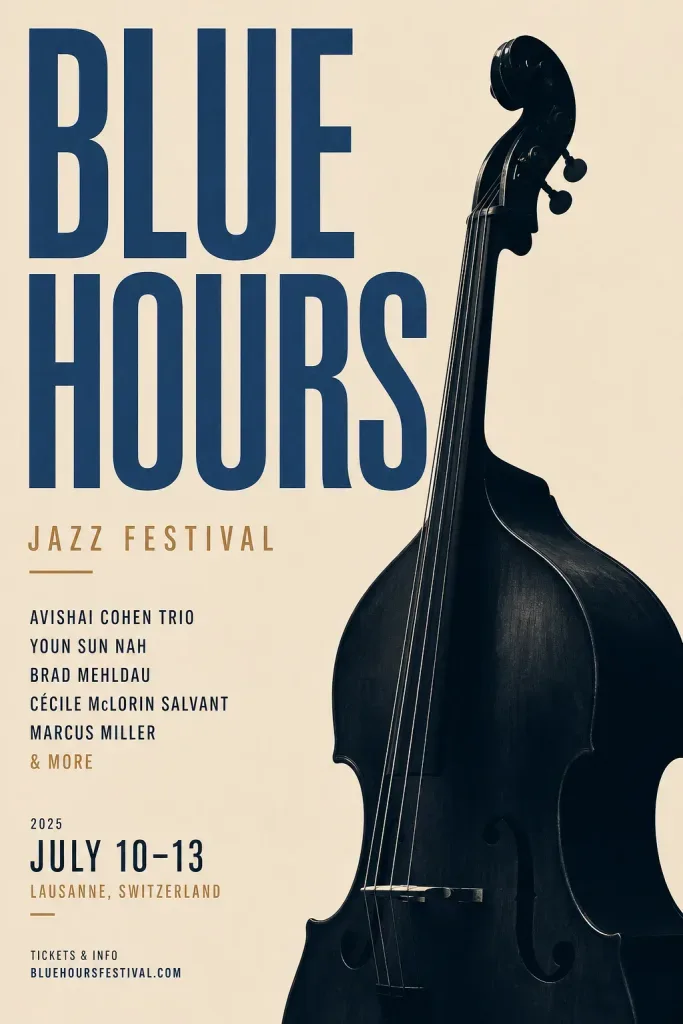
Prompt used: "Minimal Swiss-style poster for a jazz festival titled 'BLUE HOURS', bold typography and a double bass silhouette, warm-neutral palette, soft diffused lighting, cohesive minimal background, premium editorial composition" — generated with GPT Image 2 on Lovino.
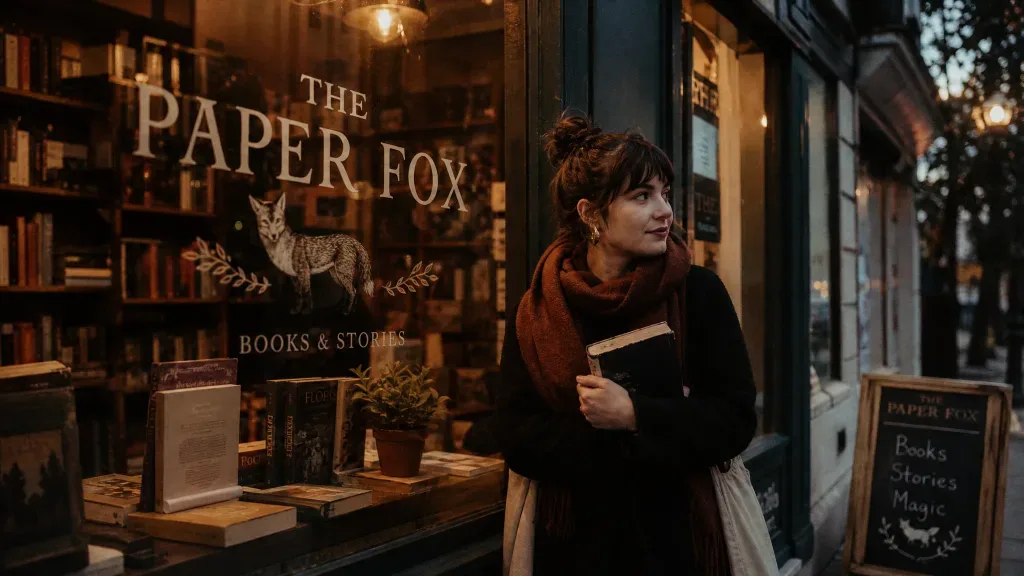
Prompt used: "Cozy bookshop storefront at dusk with the sign 'THE PAPER FOX' painted on the window, warm light inside, cinematic warm-neutral color grade, soft directional key light, 35mm lens, shallow depth of field, natural skin tones, subtle film grain" — generated with GPT Image 2 on Lovino.
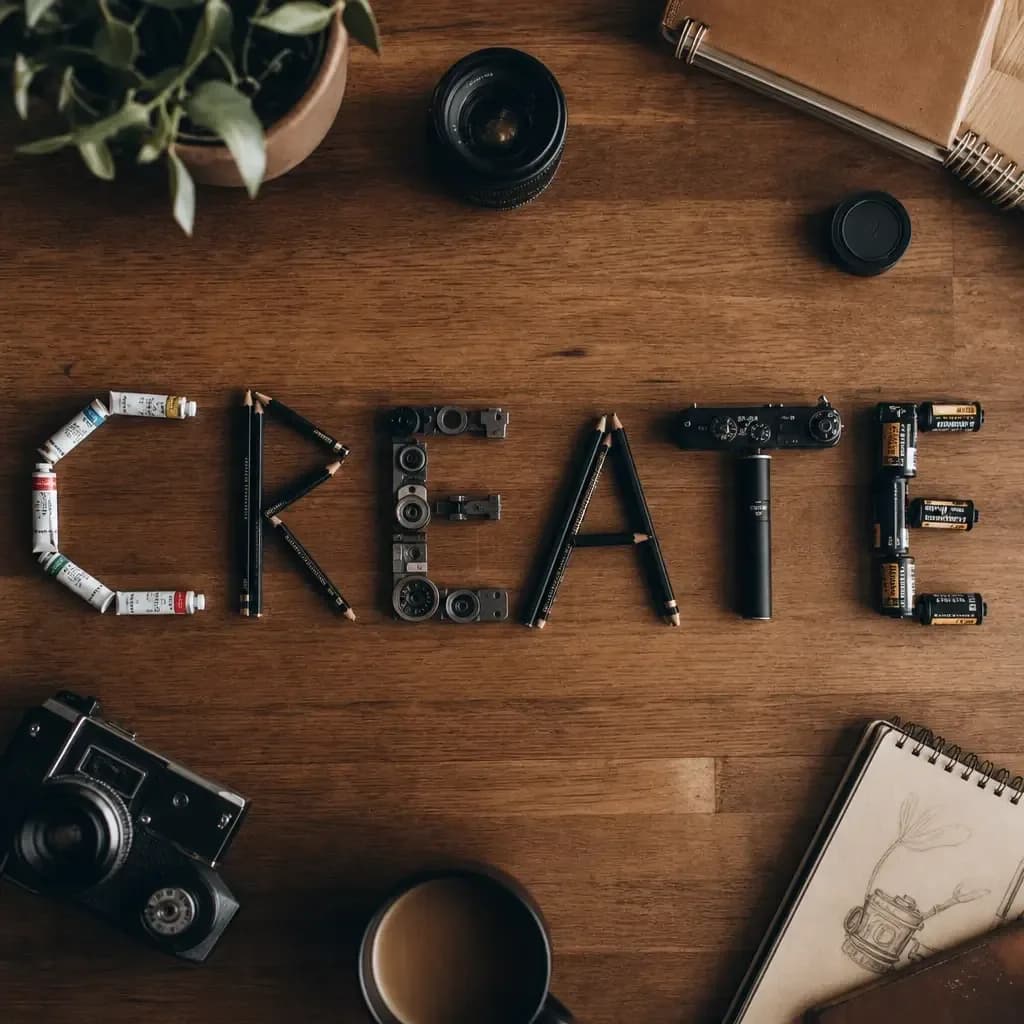
Prompt used: "A wooden desk flat-lay that spells the word CREATE using arranged pencils, paint tubes and camera parts, top-down, cinematic warm-neutral color grade, soft directional key light, 35mm lens, shallow depth of field, natural skin tones, subtle film grain" — generated with GPT Image 2 on Lovino.
2. Google Gemini — best from a big-tech app
Google's Gemini app generates and edits images, and Google's help page names Nano Banana 2 as the model (checked 15 October 2026). It is an approachable way to make quick, conversational images. Google's help also says usage limits can change without notice, some features need a paid Google AI plan, and availability varies by country, so check what is live for your account. You get fewer of the fine-grained controls that dedicated creative tools offer.
3. Adobe Firefly — best for Photoshop users and commercial safety
Firefly's edge is integration: generative fill, expand, and remove work directly inside Photoshop and other Creative Cloud apps, and Adobe trains on licensed and stock content, which it positions as "commercially safe." The free plan includes a limited number of monthly generative credits (a modest allowance — verify the current number), and the output can trend toward polished, stock-like imagery. Best if you already live in Adobe's ecosystem.
4. Leonardo.ai — best for free daily volume
Leonardo.ai has long offered one of the more generous free allowances via a daily token budget, which stretches to a good number of images per day for hobby use, plus multiple models and community-trained styles. The trade-offs are variability — quality differs between models — and a busier interface. Check the current daily token amount before relying on it.
5. Ideogram — best free for text inside images
If your images need accurate, readable words — logos, posters, social graphics with a headline — Ideogram is one of the strongest specialists, and it has a free tier. Photorealism is decent and the interface is clean; the feature set is narrower than the all-in-one platforms. (GPT Image 2 on Lovino.ai is a close free alternative for text-heavy work.)
6. Stable Diffusion — best for control (and closest to "unlimited")
Stable Diffusion is the open-source route. Self-host it on a capable GPU and you can generate as much as you want with no per-image cost — the nearest thing to a truly unlimited free tier — with total control via community models, LoRAs, and ControlNet. Check the license of the model you download: SDXL, for example, ships under the OpenRAIL++ license. For non-technical users, free web demos (for example on Hugging Face) let you try SD models without installing anything, though queues can be slow at peak times. Best for tinkerers who want maximum customization.
7. Midjourney — best artistic aesthetic (paid)
Midjourney remains the benchmark for a distinctive, painterly, editorial look that many artists prefer over strict photorealism. The catch for a "free" roundup: as of 2026 it has no ongoing free tier — a paid subscription is required — and the workflow (Discord or its web app) is less beginner-friendly than browser tools. Worth it if aesthetic matters more than budget; check current pricing before subscribing.
8. ChatGPT image generation — best for beginners
OpenAI's image generation inside ChatGPT (the lineage of DALL·E 3) is the simplest way in for total beginners: describe what you want in plain English and ChatGPT handles the prompting. There's limited free generation on the ChatGPT free tier, with more available on paid plans. It's very approachable, but free caps are tight and it isn't the strongest for pure photorealism.
How to choose your free AI image generator
- Want one free tool that does most things? Start with Lovino.ai — free daily credits, photorealistic defaults, and 20+ tools in one account.
- Need text inside the image? GPT Image 2 (free to try on Lovino.ai) or Ideogram.
- Live in Photoshop? Adobe Firefly.
- Want the most free images per day? Leonardo.ai.
- Want an artistic, painterly look and don't mind paying? Midjourney.
- Technical and want the closest thing to unlimited? Self-hosted Stable Diffusion.
- Just want the simplest possible start? ChatGPT image generation, or Google Gemini.
Ready to make something? Create a free account and open the free AI image generator — free daily credits, no credit card, no OpenAI key. Prefer building an image alongside editing, upscaling, or video? Start in the Studio. For a deeper model breakdown, see our guides on Midjourney alternatives and Flux vs DALL·E vs Stable Diffusion.
Free tiers, model availability, and pricing change frequently. Everything above reflects each provider's published information as of 2026 — verify current details on each provider's own site.
Questions, answered.
Is there a truly free, unlimited AI image generator in 2026?
No hosted tool offers a genuinely unlimited free tier — GPU costs mean every free service caps you somehow (daily or monthly credits, tokens, watermarks, or lower resolution). The closest to unlimited is self-hosted Stable Diffusion on your own GPU, where there is no per-image cost. Hosted options like Lovino.ai give you free credits that refresh daily after a free signup, which is enough for regular casual use but is not unlimited.
What is the best free AI image generator without a watermark?
Most free hosted tiers add a watermark, including Lovino.ai's free tier — removing it requires a paid plan (Lovino Pro). If you need watermark-free images at no cost, self-hosted Stable Diffusion does not add one. Watermark policies change, so confirm on each tool before you rely on it.
Do free AI image generators require signup?
Most do. Lovino.ai requires a free account (no credit card and no OpenAI key) before you can use your free daily credits, and Google Gemini (a Google account), Leonardo.ai, Adobe Firefly, and others also require an account. A few open web demos let you generate without signing up, but usually with tighter limits and slower queues.
Which free AI image generator is best for beginners?
For the simplest possible start, ChatGPT's image generation and Google Gemini let you describe an image in plain language. If you want beginner-friendly plus a full toolkit in one place, Lovino.ai's browser-based free tier is a strong pick — no prompt syntax to learn, and background removal and upscaling are one click away (AI video needs paid credits).
Are free AI image generators good enough for professional use?
For social media, websites, blog headers, and digital marketing at standard display sizes, yes — free-tier output from tools like Lovino.ai is often more than adequate. For large print, paid client work, or fully watermark-free commercial use, most creators move to a paid plan for higher quality, watermark removal, and clearer commercial-use terms. Always check each platform's license and terms, and note that images of real people or copyrighted characters can carry extra considerations regardless of platform terms.