

Flat-Lay to Model AI
Turn flat-lay garment photos into on-model shots
Credit cost is shown before generation
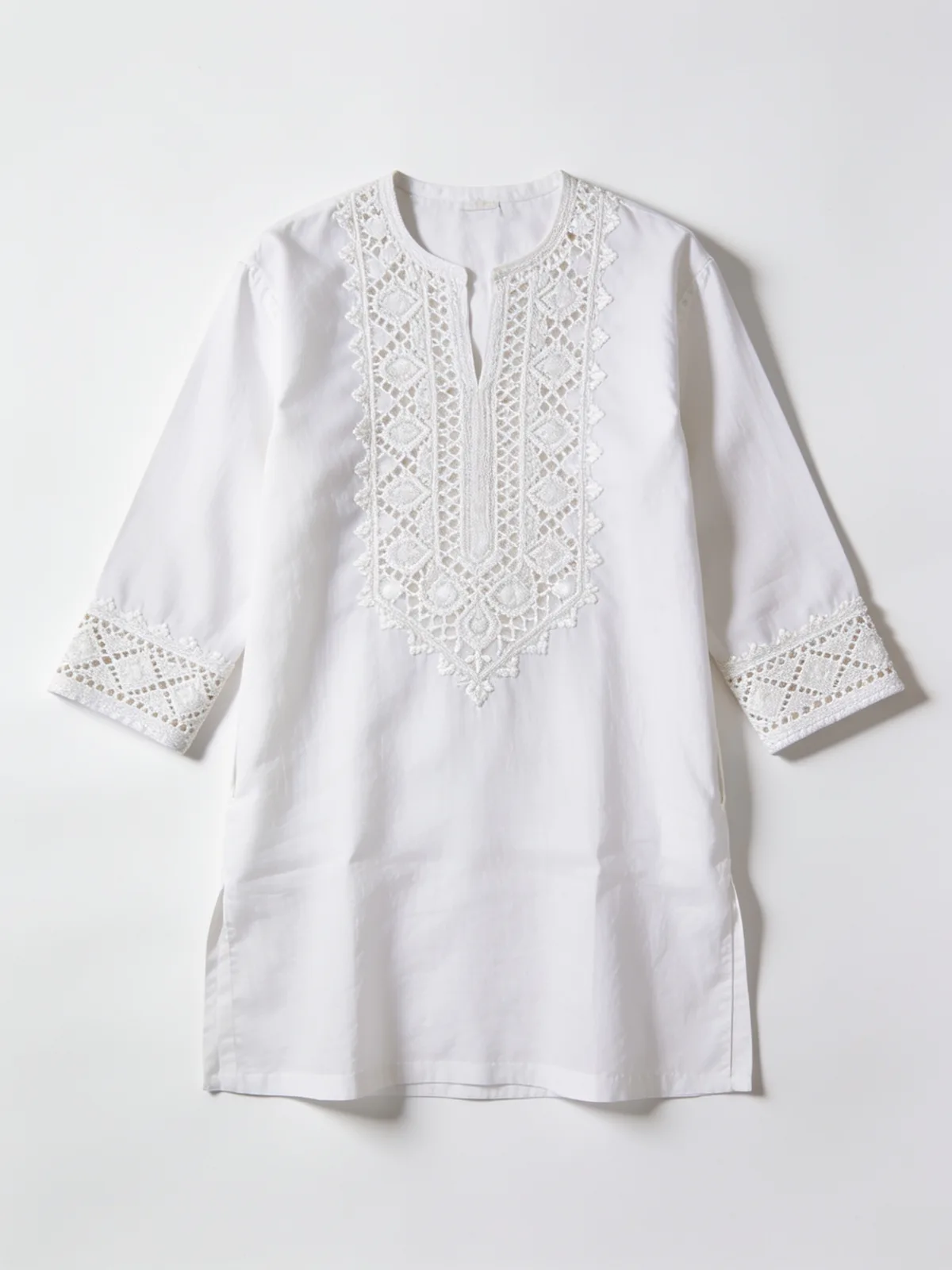
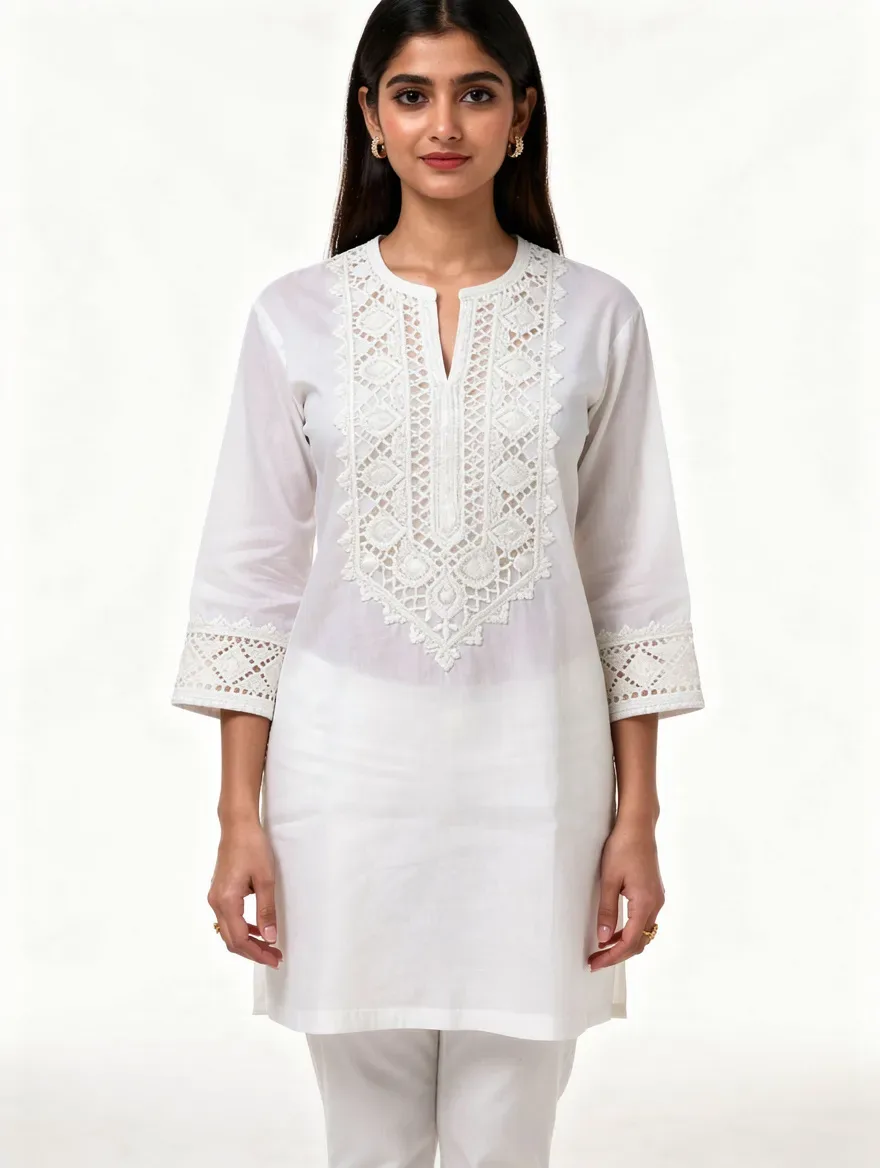
What is Flat-Lay to Model AI?
Convert a flat-lay photo of any garment into a photorealistic on-model image with AI. The garment's cut, print, and details carry over from your photo — no studio, no model booking, no reshoot when the collection changes.
How to use Flat-Lay to Model AI
01
Photograph the garment flat
Lay the piece on a plain surface in even light, or use a ghost-mannequin or hanger shot you already have.
02
Upload and choose the look
Pick the model, pose, and setting for the shot — studio-clean for product pages or lifestyle scenes for social.
03
Generate the on-model image
The AI dresses the model in your garment with natural drape and fit. Keep what works; your first re-roll on any image is free.
Pricing
Start free. Scale anytime.
One credit system across Studio, Flow and every tool. Cancel anytime.
| Plan | Per month | Credits |
|---|---|---|
| Free | $0 | 3 credits per day |
| Plus | $7.99 | 50 credits per month |
| Pro | $19.99 | 200 credits per month |
| Max | $44.99 | 500 credits per month |
Questions, answered.
How does flat-lay to model conversion work?
The AI uses your flat-lay photo as the garment reference and generates a model wearing that specific piece — matching its cut, color, print, and construction — with realistic drape and fit for the pose you choose.
What kind of garment photos work best?
A flat-lay on a plain background in even lighting works best, but ghost-mannequin and hanger shots also work. The clearer the garment details in your photo, the more faithful the on-model result.
Will the print and embroidery survive the conversion?
Preserving detail is the point of the tool. Prints, embroidery, and texture are carried from your reference photo into the on-model image, and you review each result before using it. Provider and system failures refund automatically; rejecting a subjective miss does not refund its original generation. The first re-roll is free and later re-rolls consume credits.
Can I use the same model for every garment?
Yes. Save a Brand Model once and cast the same face for every flat-lay you convert, so your product grid looks like one coherent shoot instead of a collage of strangers.
Is flat-lay to model conversion free?
Your first shoot is: new accounts get a free sample shoot — one garment, three on-model images — with signup, once per account. After that, each on-model image costs 3 credits.
Can I use the results on my store?
Yes — the images are yours to use commercially on product pages, marketplaces, social channels, and ads.
Do I need design or photography skills?
No. If you can photograph a garment lying flat, you can produce on-model imagery. The AI handles pose, lighting, drape, and scene.
More AI tools
Built for
Related guides
- AI Fashion Photography for Clothing Brands: The Complete GuideFrom flat-lay photos to a full on-model catalog: how AI fashion photography works, what fabric fidelity and model consistency mean, and where AI fits.
- Flat-Lay to On-Model: Turn Garment Photos Into Model ShotsA practical walkthrough for turning flat-lay garment photos into on-model shots with AI — photographing the piece, casting a model, reviewing results.
- Which AI Video Model for Your Photo? Face, Product, Place (2026)Which AI video model fits your photo? Pick by what is in it: a face, a product, a place, sound or an end photo. Nine Lovino models, side by side.
Try a template
Ready to try Flat-Lay to Model AI?
Credit cost is shown before generation. No purchase is made until you confirm a generation.