

AI Clothing Colorway Generator
One garment photo, every colorway
Credit cost is shown before generation
What is AI Clothing Colorway Generator?
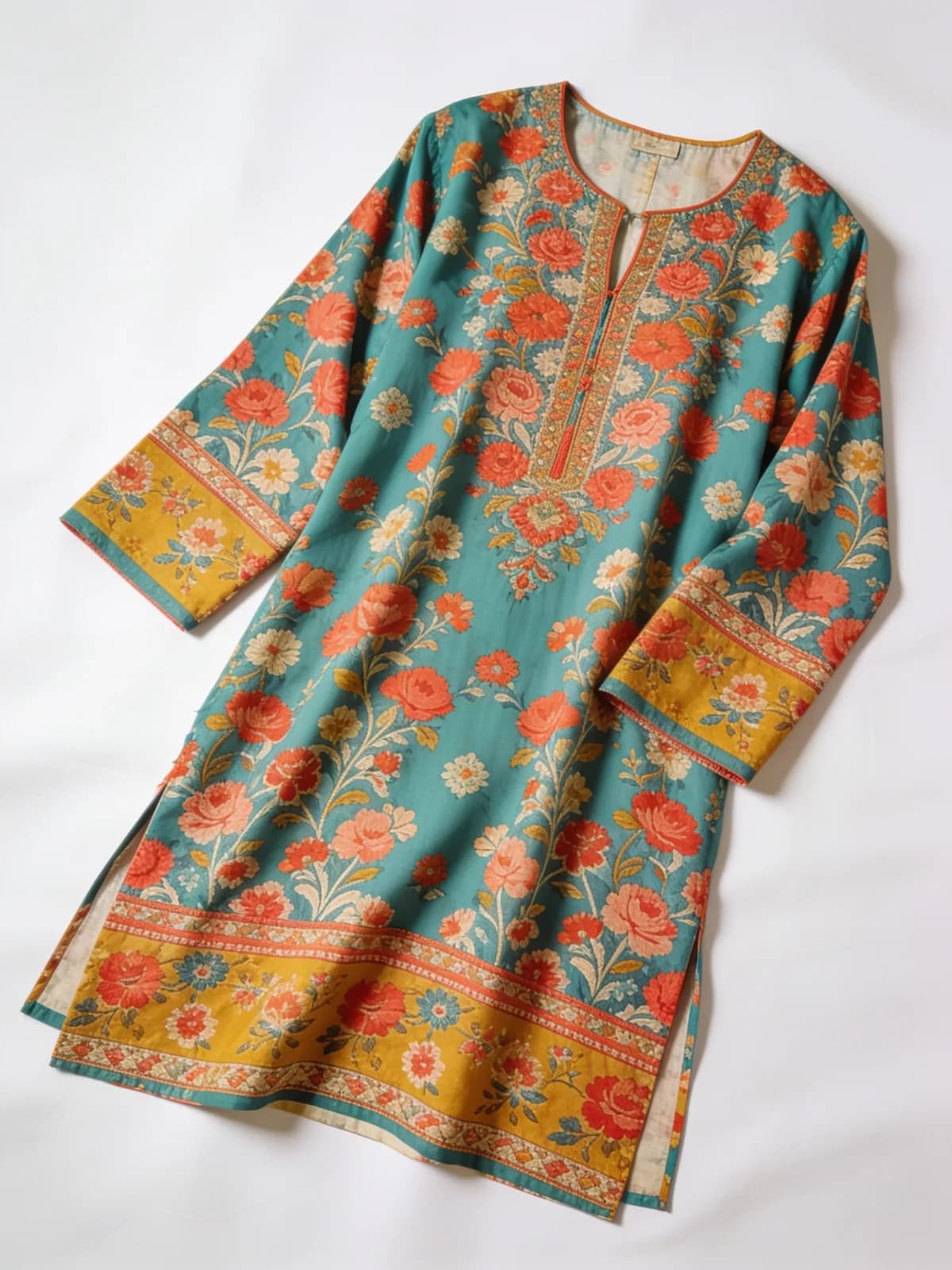
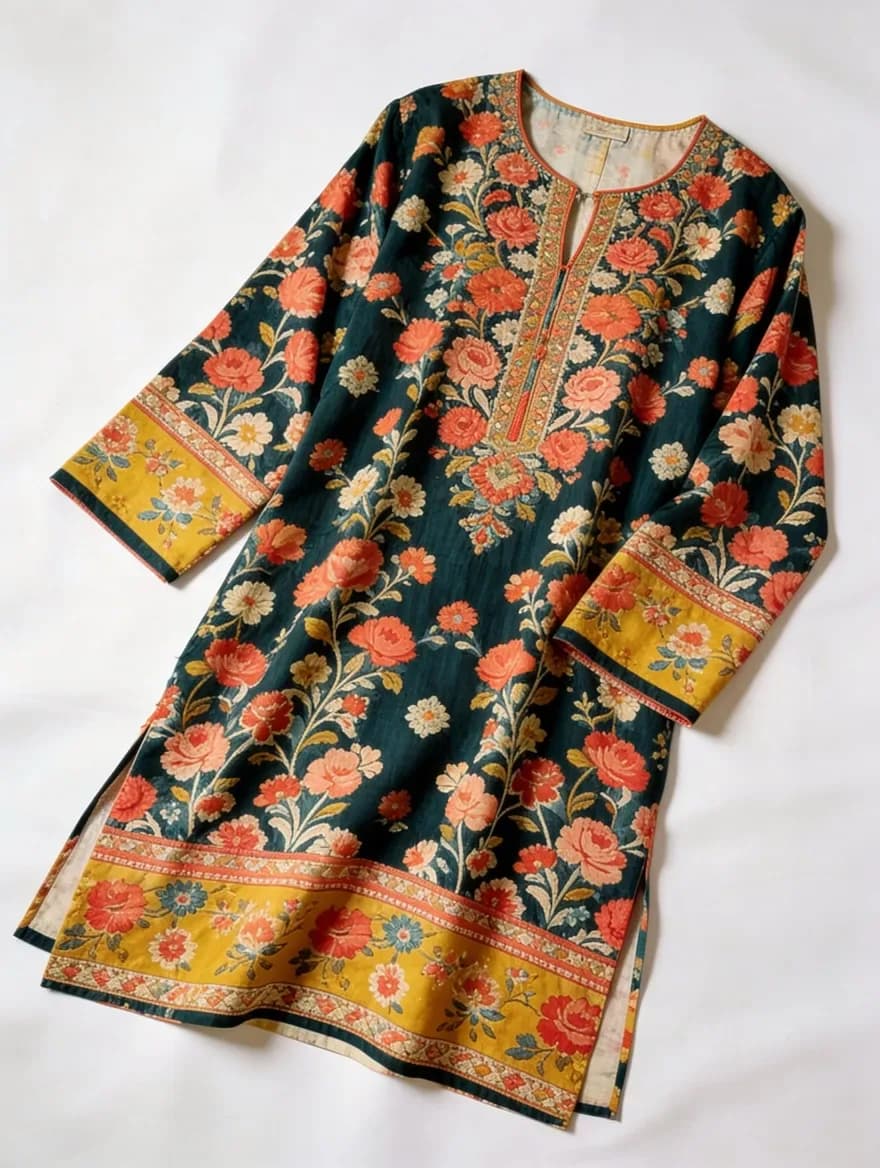
Generate every colorway of a garment from a single reference photo. Recolor to a hex code or swatch while the print, embroidery, and fabric texture stay exactly where they are — PDP-ready color variants without a second shoot.
How to use AI Clothing Colorway Generator
01
Upload one reference photo
A flat-lay or on-model shot of the garment in any one colorway — this is the master every variant is built from.
02
Set the target colors
Enter a hex code or upload a swatch for each colorway in the run. The AI recolors the garment, not the scene.
03
Export the variant set
Download matching images for every colorway — same framing, same lighting, same garment — ready for product-page color swatches.
Pricing
Start free. Scale anytime.
One credit system across Studio, Flow and every tool. Cancel anytime.
| Plan | Per month | Credits |
|---|---|---|
| Free | $0 | 3 credits per day |
| Plus | $7.99 | 50 credits per month |
| Pro | $19.99 | 200 credits per month |
| Max | $44.99 | 500 credits per month |
Questions, answered.
What is a colorway generator?
It produces images of the same garment in different colors from one reference photo. Instead of shooting every color variant separately, you photograph one and generate the rest — each image matching the original's framing and lighting.
Does recoloring damage the print or texture?
No — that's the difference from a naive hue shift. The AI recolors the base fabric while preserving the print, embroidery, and weave, so a floral lawn print stays crisp in every colorway.
Can I match an exact brand color?
Yes. Target colorways by hex code or by uploading a reference swatch, so the generated variant lines up with the dyed fabric you actually produce.
Why do matching colorway images matter for product pages?
Shoppers use color swatches to compare variants, and mismatched photos — different pose, different light per color — read as sloppy. A consistent variant set makes the color choice feel effortless and trustworthy.
Is the colorway generator free to try?
The Fashion Studio's free sample shoot — one garment, three images, signup required, once per account — is the no-cost way to judge quality first. Colorway generations cost 2 credits per image.
Can I use colorway images commercially?
Yes — generated variants are yours to use commercially across listings, lookbooks, and ads. Keep each variant true to the fabric you actually sell.
More AI tools
Related guides
- How to Create Colorways of Clothing Photos with AIOne reference photo can become an entire color run. How AI colorway generation works, why prints survive it, and how to build matching PDP variant sets.
- AI Fashion Photography for Clothing Brands: The Complete GuideFrom flat-lay photos to a full on-model catalog: how AI fashion photography works, what fabric fidelity and model consistency mean, and where AI fits.
- AI Product Photography for Pakistani Fashion BrandsLawn drops, chikankari, unstitched catalogs: how Pakistani fashion brands can use AI product photography to cut shoot costs without ruining the details.
Try a template

Ready to try AI Clothing Colorway Generator?
Credit cost is shown before generation. No purchase is made until you confirm a generation.