Seedance 2.0 vs Arcads, Creatify & HeyGen: AI UGC Ad Generator
Seedance 2.0 generates UGC video ads with native synchronized audio from your product image. Compare vs Arcads, Creatify and HeyGen for TikTok and Meta ads.

Performance marketers in 2026 face an awkward reality: TikTok and Meta want fresh, creator-style video every week, audiences ignore anything that looks polished or staged, and hiring a dozen real creators to churn out testing variants is slow and expensive. The answer most teams have landed on is AI UGC ad generation — software that produces creator-style product video on demand from a product image and a short brief.
This post compares Seedance 2.0 on Lovino against three of the most-searched AI UGC tools — Arcads, Creatify, and HeyGen — across the dimensions that actually matter for paid social: native audio support, product-image input, actor library breadth, batch variation, aspect ratios, and price. We'll also walk through the five-step Lovino workflow that turns one product photo into a TikTok-ready 9:16 ad, and finish with a candid look at where AI UGC still falls short so you can plan creative tests with realistic expectations.
This is the deep Seedance-centered evaluation. If you need a broader category shortlist spanning six platforms and buyer types, use Best AI UGC Ad Tools 2026. Building for TikTok Shop specifically? See How to Make TikTok Shop Ads With AI. Want the same presenter across many ads? Read AI Character Consistency Across Videos.
Short answer. Choose Seedance 2.0 on Lovino for low or spiky volume, product-in-hand ads and native audio. Look at Arcads, Creatify or HeyGen if you ship 50 or more videos a month, want the biggest actor library, or need avatar explainers.
Methodology: prices and library sizes in the first table were re-checked on 15 October 2026 on the vendors' own pages (Arcads' home page, Creatify's and HeyGen's pricing pages). Arcads' pricing page returns a 404, so we show no Arcads price. The feature rows in the second table come from the July 2026 review and were not re-checked. Neither table is a controlled campaign-performance test. Plans change; verify every availability and price with the linked vendor before buying. Since this was written, Lovino has also added Seedance 2.5, and Creatify's pricing page now lists Seedance 2.0 among its premium models.
Try it: Open the AI UGC video generator. UGC video needs paid credits (10 to 68 credits per video, depending on length and resolution).
| Question | Short answer |
|---|---|
| What is it? | Seedance 2.0 (a ByteDance video model) inside Lovino's UGC ad studio |
| What goes in? | A product photo and a short brief |
| What comes out? | 5, 10 or 15 second clips, 480p draft or 720p, six aspect ratios, with native audio |
| Does it cost credits? | Yes. UGC video is paid-credits only |
| Best fit | Low or spiky volume, product-in-hand ads, testing several angles |
| Look at a rival if | You ship 50+ videos a month, or need the largest actor library |
TL;DR
- Seedance 2.0 generates video with native synchronized audio in a single pass. Most AI UGC tools render a silent or lip-synced voice-over on top of a static avatar. Seedance treats the audio track as part of the generation.
- It accepts a product image as direct input. Upload your bottle, your packaging, your hero shot — Seedance composites it into the actor's hand, on the desk, or into the demo, no separate photo-to-video step.
- Credit-based pricing. Each video costs credits, so spend tracks how much you make, rather than a fixed monthly subscription. Credits come with a Lovino plan (from $7.99/month) or a one-time pack, and anyone can buy a pack, with or without a plan.
Why UGC matters in 2026
User-generated content has dominated paid social for several years for one reason: viewers scroll past anything that looks like an ad. In our view, creator-style video (handheld, vertical, conversational, with on-screen captions) fits these feeds better than studio-shot brand creative, and you should test that against your own creative. The visual grammar of UGC (eye-line shots, daylight color temperature, slight handheld jitter, direct address) reads as "real person, real opinion" rather than "agency-produced advertising message."
The catch is volume. Algorithm-driven feeds reward freshness, so creative needs to be replaced weekly — sometimes daily for the largest spenders. Hiring a creator to film several variants of a product video takes time and money, with a real risk that none of the variants test well and the whole spend has to be repeated. For a DTC brand running A/B tests on six SKUs across three audiences, that's an unsustainable line item, and it's the reason agencies and in-house performance teams have been the earliest adopters of AI UGC tools.
AI UGC tools collapse the same workflow from a week to an afternoon — write a brief, pick an actor, pick an aspect ratio, and ship. The category is now crowded enough that "best AI UGC video generator" is one of the higher-volume search queries in the AI ads space. The four tools we'll compare here are the ones that consistently come up in head-to-head evaluations: Seedance 2.0 (the model behind Lovino's UGC studio), Arcads, Creatify, and HeyGen.
What Seedance 2.0 actually is
Seedance 2.0 is a video generation model from ByteDance, released in 2026 as the successor to the original Seedance and Seedance Lite. It supports text-to-video and image-to-video, generates clips from 5 to 15 seconds at 480p or 720p, and outputs in any of six aspect ratios — 9:16, 1:1, 16:9, 4:3, 3:4, and 21:9. The 9:16 vertical mode is the one that matters for paid social; the others are useful for repurposing the same brief into landing-page hero video, YouTube thumbnails, or display-network ad creative.
The feature that sets Seedance 2.0 apart from earlier generations of AI video — including most of the competing UGC tools below — is native synchronized audio. Instead of rendering a silent video and stitching a voice-over track in post (which is how most AI UGC tools work today), Seedance 2.0 generates the audio as part of the same forward pass. That means lip movement, ambient sound, and on-camera dialogue land in sync without manual alignment, and the audio inherits the same visual mood as the shot — softer in a lifestyle scene, punchier in a hook + demo. It's a small architectural difference with a large practical payoff: less editing, fewer "AI-looking" tells, and creative that fits TikTok's and Meta's native-feel bar more easily.
Lovino wraps Seedance 2.0 in a UGC-ad pipeline (more on that next). The model is also available standalone in Lovino's general video studio if you want raw text-to-video or image-to-video without the UGC scaffolding, and it sits next to other ByteDance models like Seedance 2.0 Fast for cheaper drafts.
How Lovino turns Seedance 2.0 into a UGC ad pipeline
The raw Seedance 2.0 model is powerful but generic — give it a vague prompt and you'll get a vague clip. The Lovino UGC studio at /ai-ugc-video-generator adds five layers on top of the model that turn it into a UGC ad pipeline:
- Seven UGC ad formats — four presenter-led (Unboxing, Lifestyle, Testimonial, Hook + Demo) and three product-only (Hero Shot, Lifestyle Scene, Detail Reveal). Each is a structured prompt template that conditions Seedance on the visual grammar of that format (handheld camera, eye-line angles, vertical framing, daylight color temperature, hands-in-shot product reveal). You don't write a 200-word prompt; you pick a format and the studio does the conditioning.
- Product-image input. Upload a transparent-background product PNG or a regular product photo, and the pipeline composites it into the actor's hand, on the table, or in the demo shot. This is the workflow most performance teams care about: real product, AI everything else.
The two stills below illustrate the idea: a clean product shot, then a creator-style frame holding the same kind of product. They are still images made with FLUX 1.1 Pro for Lovino's tool pages, not Seedance video output, and the prompts are shown word for word.
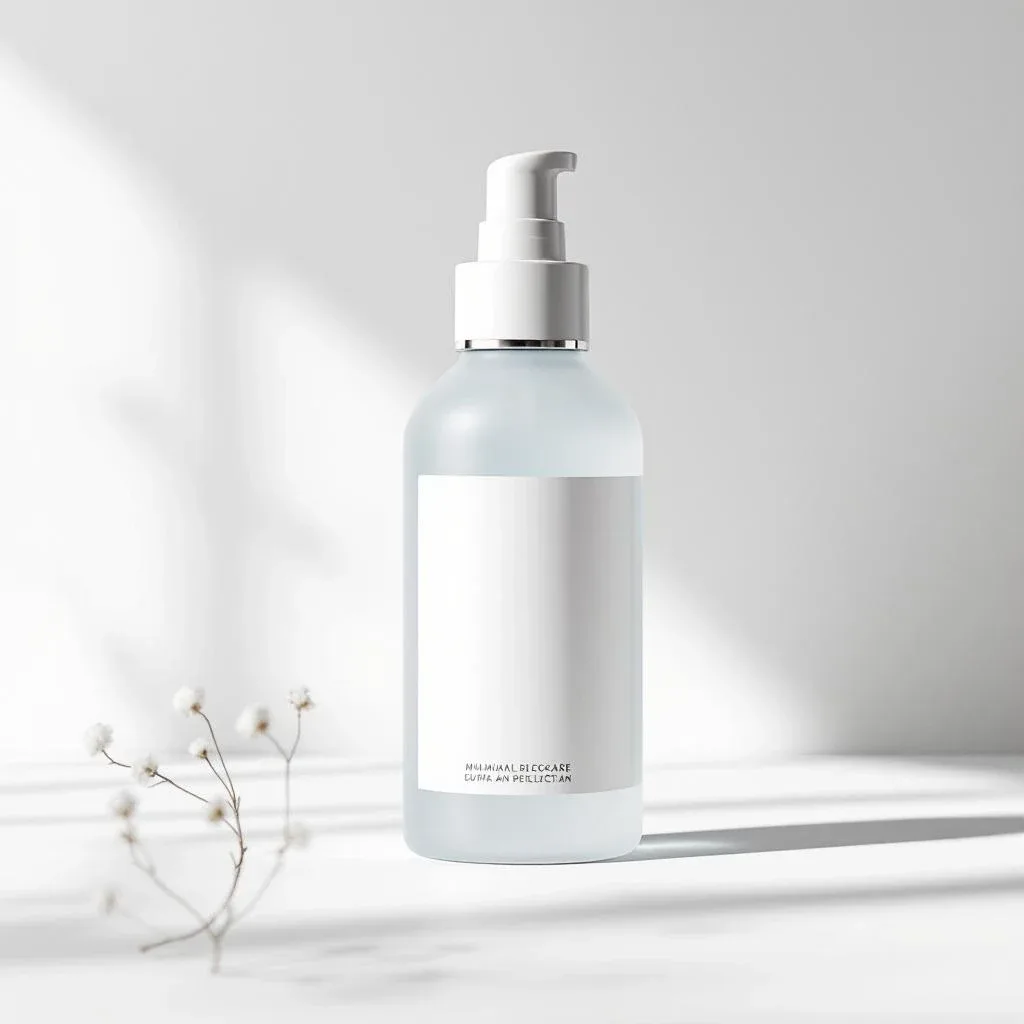
Prompt used: "Clean isolated product photograph of a sleek minimalist skincare bottle on pure white background, e-commerce catalog style, sharp detail" — generated with FLUX 1.1 Pro on Lovino.

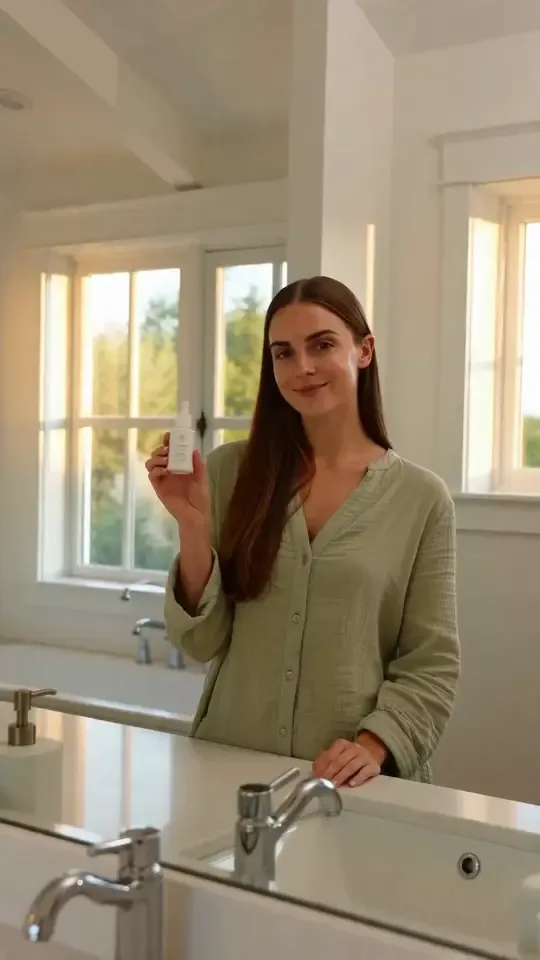
Prompt used: "Young female influencer in a bright bedroom holding the same minimalist skincare bottle towards the camera, candid natural lighting, lifestyle UGC frame, smiling expression, social media aesthetic" — generated with FLUX 1.1 Pro on Lovino.
- AI actor library. Fifty-plus pre-built actor profiles — different demographics, voice styles, accents, and energy levels — selectable as the on-camera presenter. Free users see the full library and can preview faces; full generation runs on Pro.
- Batch variations. Submit one brief and the pipeline runs three variations in parallel, so you have three creative angles to A/B test instead of one. This is the single biggest workflow improvement over filming-with-real-creators: variation comes for free.
- Watermark-free MP4 download. Pro outputs are watermark-free, sized for TikTok / Meta / YouTube Shorts upload, and ready to drop straight into Ads Manager. No watermark removal step, no resolution crunch, no aspect-ratio re-export.
The full flow from "upload product image" to "TikTok-ready MP4 in hand" is five clicks and one short brief. The video itself is rendered by Seedance 2.0; everything else is the studio scaffolding around it.
Seedance 2.0 vs Arcads vs Creatify vs HeyGen: feature comparison
Table 1, checked 15 October 2026 on the vendors' own pages (see Sources).
| Capability | Seedance 2.0 on Lovino | Arcads | Creatify | HeyGen |
|---|---|---|---|---|
| AI actor or avatar library | 50+ actors (free preview) | 1,000+ AI actors (home page) | 300 actors on Standard, up to 1,500 on higher plans (pricing page) | 500+ stock video avatars (pricing page) |
| Entry price | From about $2 a video in credits (480p draft tier) | No public pricing page found | Plans from $12 a month (Standard, 55 credits a month) | Free plan; Creator from $29 a month |
| Seedance 2.0 available | Yes | Not stated | Listed among its premium models | Not stated |
| Pay per video with credits | Yes | Not checked | Plans include monthly credits | Plans include credits |
Table 2, from the July 2026 review and not re-checked. Treat the competitor columns as a starting point and confirm on each vendor's page.
| Capability | Seedance 2.0 on Lovino | Arcads | Creatify | HeyGen |
|---|---|---|---|---|
| Native synchronized audio | ✅ | Voice-over only | Voice-over only | Voice-over only |
| Product image → ad (direct upload) | ✅ | Limited | ✅ | Limited |
| Custom avatar | ✅ 5 credits | Paid plans | Paid plans | Paid plans |
| Batch variations | ✅ ×3 per request | ✅ | ✅ | Limited |
| Aspect ratios | 9:16 / 1:1 / 16:9 / 4:3 / 3:4 / 21:9 | 9:16 / 1:1 / 16:9 | 9:16 / 1:1 / 16:9 | 9:16 / 1:1 / 16:9 |
| Watermark-free on paid | ✅ | ✅ | ✅ | ✅ |
A few honest caveats on this table:
- Actor library size isn't quality. Arcads lists 1,000+ actors and Creatify 300 to 1,500 depending on plan; that's more raw faces, but Seedance 2.0's smaller curated set is paired with native-audio generation and product-image compositing, which is a different kind of advantage.
- Credits vs subscription tiers is a real trade-off. The three competitors sell monthly plans with included credits; Lovino's UGC tool runs on credits that come with a plan (or a one-time pack), and you spend them as you generate. If you ship 5 videos a month, credits are cheaper. If you ship 50, the per-unit cost on a competitor's mid-tier subscription can be lower — the right answer depends on volume and seasonality.
- Watermark-free export on paid plans is common. It isn't a differentiator, so don't choose on it. Check each vendor's plan page for the details.
When to use which tool
Each of these tools optimizes for a slightly different buyer. Here's a fair read of when each makes sense.
Use Seedance 2.0 (Lovino) when
You need native-audio video (not a voice-over dub on a static avatar), you're testing creative on a low-or-spiky volume schedule and want to pay per video in credits instead of a fixed per-tool subscription tier, you have product images you want composited directly into the shot, or you also need image generation, portraits, product photography, or other creative tools in the same workspace. The UGC studio sits next to Lovino's image, video, and editing tools — useful if you're running a one-person creative team or a small in-house performance shop.
Use Arcads when
You're a performance-marketing agency or DTC brand running high weekly UGC volume (50+ videos per month) and the per-video economics on Arcads' subscription plans beat paying per video in credits at your spend level. Arcads has a deeper actor library and is one of the more established names in the category, which can matter for procurement and long-running enterprise relationships.
Use Creatify when
You want a big actor library with several price tiers (its pricing page lists 300 actors on Standard and up to 1,500 on higher plans, with plans from $12 a month), or you want a product-image-to-video flow and a choice of premium models, including Seedance 2.0, in one subscription. Check its current language and accent coverage if you produce for international markets.
Use HeyGen when
Your use case leans more toward AI avatars for explainer video, training content, or corporate presentations than scroll-stop UGC ads. HeyGen's pricing page centres on avatars, voice cloning and 175+ languages and dialects, with a free plan to try. It's adjacent to UGC rather than dead-center on it; many marketing teams use HeyGen for course content and Seedance/Arcads/Creatify for ads.
For a page per tool, see the Arcads alternative, Creatify alternative and HeyGen alternative comparisons.
How to make a UGC ad with Seedance 2.0 in 5 steps
The end-to-end workflow on Lovino:
- Open the UGC studio at /ai-ugc-video-generator and pick one of the seven formats: four presenter-led (Unboxing, Lifestyle, Testimonial, Hook + Demo) or three product-only (Hero Shot, Lifestyle Scene, Detail Reveal). Pick by funnel stage: Hook + Demo for cold prospecting, Testimonial for retargeting, Unboxing for top-of-funnel curiosity.
- Upload your product image. A clean PNG with transparent background composites best, but a regular product photo works too. If you don't have one yet, type a one-line product description and the pipeline will generate a visual stand-in you can iterate on.
- Pick an aspect ratio and duration. 9:16 at 5 seconds is the standard TikTok ad starting point. 10s and 15s let you fit a hook + demo + payoff in one shot. 1:1 is useful for Instagram feed; 16:9 and 21:9 for YouTube and pre-roll.
- Choose an actor and voice from the library (or skip — the pipeline picks a sensible default for the format you chose). Optional: pick the camera and lighting style if you want more control. The defaults are tuned for TikTok-native look and feel.
- Generate. Seedance 2.0 renders the video with synchronized audio. Pro users get a watermark-free MP4 ready to drop into Meta Ads Manager or TikTok Ads Manager, in the right resolution and aspect ratio.
For systematic testing, enable batch ×3 at step 5 — you'll get three variations of the same brief in one request, which is how most teams structure A/B tests on creative.
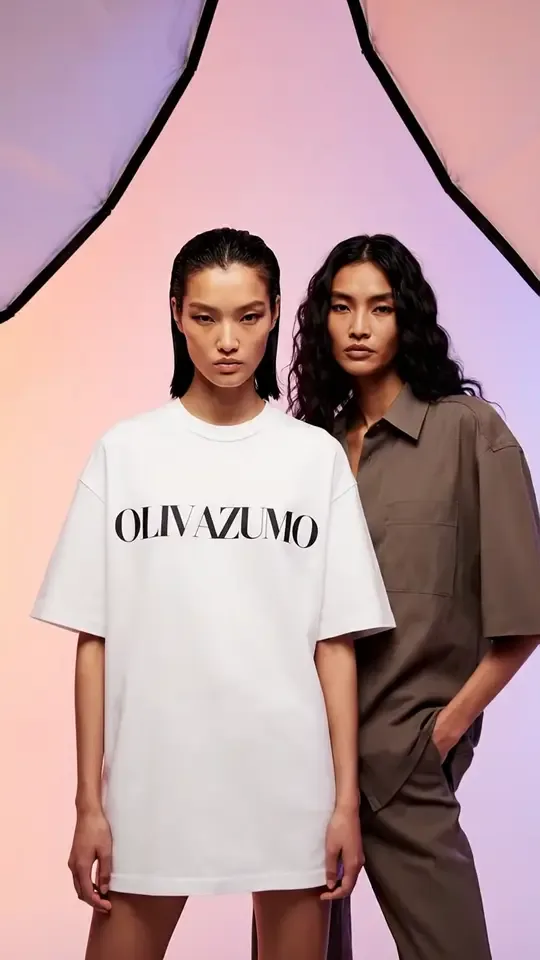
Poster frames from two more Lovino UGC studio clips:
Pricing: cost per UGC video
Lovino's UGC tool charges credits per generation, priced by both duration and resolution:
480p draft tier — built for fast iteration before committing to a final render:
- 5-second video: 10 credits
- 10-second video: 30 credits
- 15-second video: 40 credits
720p final tier — full quality for paid ad campaigns:
- 5-second video: 23 credits
- 10-second video: 45 credits
- 15-second video: 68 credits
Add-ons:
- AI captions overlay: +2 credits
- Custom avatar generation: 5 credits (max 3 per user)
- AI ad copy generation: free
Credits come from a Lovino plan (from $7.99/month) or one-time credit packs. Anyone can buy a pack, with or without a plan; see the pricing page for current prices. UGC starts from about $2 per video at the cheapest tier (5s @ 480p, entry-plan credit price), which is competitive with the per-unit cost on the subscription plans in the comparison above. Plan credits reset each billing month. Pack credits never expire, which helps seasonal businesses, agencies between client engagements, and anyone running discrete creative-test sprints.
The competitor tools sell on a different model: monthly plans, with entry prices on 15 October 2026 of $12 a month for Creatify (Standard) and $29 a month for HeyGen (Creator, after a free plan). Arcads shows no public pricing page. At low and irregular volumes, paying per video in credits is usually the better deal on absolute cost. At very high volumes (50+ videos/month, every month), a subscription plan typically wins on per-unit cost — in which case all four tools become roughly comparable on cost and the decision shifts to feature fit (audio, actor library, brand kit, integrations).
Best practices for AI UGC ads that actually convert
A working AI UGC pipeline doesn't guarantee converting creative. The same rules that apply to human-made UGC apply here:
- Hook in the first second. Vertical feeds give you about half a second of attention before a thumb-flick. Open with a pattern interrupt — a question, a contradiction, an unexpected visual, a direct address — not a logo intro or a slow product reveal.
- Stay vertical. 9:16 only on TikTok, Reels, and Shorts. Horizontal video on a vertical-first feed is a discount signal viewers learn to scroll past on autopilot.
- Add on-screen captions. Many people scroll with the sound off, so captions keep the message readable. Lovino's UGC studio offers AI captions for +2 credits; turn them on by default.
- Use the native audio. Don't generate a silent video and dub a voice-over later. Native synchronized audio is one of Seedance 2.0's main advantages — leaving it off throws away the differentiator and tends to read as "AI" because the lip-sync drifts.
- Batch test. One creative concept dies fast. Run batch ×3 every time you generate so you have variations to ship into ad sets without re-running the brief.
- Match the format to the funnel. Hook + Demo for cold prospecting, Testimonial for retargeting, Unboxing for top-of-funnel curiosity, Lifestyle for brand-affinity audiences, a product-only format such as Detail Reveal for retargeting and cart abandoners. The format is a creative-strategy lever, not a cosmetic choice.
- Watermark-free for paid. A visible watermark looks low quality in an ad, and ad platforms have their own rules on branding in creative, so check yours. Export from a paid plan (or a pack) so the output is clean.
- Refresh weekly. Ad fatigue is real and faster on AI creative because viewers are getting better at spotting it. Plan to retire any single video after 5–7 days at scale and ship the next batch.
Limitations and honest caveats of AI UGC video
AI UGC ads are good enough to test in market today. They're not yet good enough to replace every human-made variant, and pretending otherwise will lose you ad spend. A few honest limits to plan around:
- Hands and small props can warp. Seedance 2.0 is strong on faces, body language, and overall scene cohesion, but very small props (rings, earphones, single capsules) sometimes deform mid-shot. Use a product-only format (Hero Shot or Detail Reveal) and a clean product PNG to mitigate; review every output before shipping.
- Branded text and logos can drift. Lettering on packaging is hit-or-miss across all current AI video models, including Seedance 2.0. If your product has critical text on the label, plan to slot a still shot of the real product into the cut or use the Hook + Demo format which keeps the product in the actor's hand for shorter visible windows.
- Audio sometimes drifts on long clips. Native synchronized audio is reliable on 5- and 10-second clips; on 15-second clips you may see occasional micro-drift between lip movement and dialogue. For longer-form testimonial style, generate two 10-second clips and stitch.
- Variations can run too similar. Batch ×3 occasionally returns three near-identical takes; vary the brief slightly between batches (different actor, different opening line) to force divergence.
- Free-tier preview is preview only. Free users can browse the actor library and see static previews; full UGC generation is a Pro feature. Plan accordingly when introducing new team members.
None of these are dealbreakers; they're guard rails. Treat the first week of running any new AI UGC tool as a calibration period — generate a dozen variants, look closely at where the model breaks, and write your briefs to avoid those failure modes.
Table 1 and the competitor prices in this post were checked on 15 October 2026. Everything else about the competitors reflects the July 2026 review and may have changed. Verify current rates on each provider's site before final purchasing decisions.
Try Seedance 2.0 yourself on Lovino — open the AI UGC video studio or browse all video tools at /tools/ai-video-generator.
Questions, answered.
What is Seedance 2.0 and how does it work?
Seedance 2.0 is ByteDance's 2026 video generation model. It supports text-to-video and image-to-video, generates 5–15 second clips at 480p or 720p in six aspect ratios (9:16, 1:1, 16:9, 4:3, 3:4, 21:9), and produces native synchronized audio in the same forward pass — so lip movement, ambient sound, and dialogue land in sync without a separate voice-over step.
How is Seedance 2.0 different from Sora, Veo 3, Runway, or Kling?
Sora, Veo 3, Runway and Kling are general-purpose video models with different strengths in motion realism, prompt adherence, and stylistic range. Seedance 2.0 is differentiated by native synchronized audio and by the UGC-ad pipeline Lovino wraps around it (seven ad formats, product-image input, AI actor library, batch ×3, watermark-free export). For raw text-to-video the comparison is closer; for UGC ad workflows, Seedance plus Lovino's pipeline is purpose-built.
How much does it cost to generate one UGC video on Lovino?
Lovino's UGC tool prices videos by duration and resolution. The 480p draft tier — built for iteration — charges 10 credits for 5 seconds, 30 credits for 10 seconds, and 40 credits for 15 seconds. The 720p final tier charges 23 credits for 5 seconds, 45 credits for 10 seconds, and 68 credits for 15 seconds. At the entry-plan credit price this works out to roughly $2 per video at the cheapest tier. AI captions add +2 credits, custom avatar generation costs 5 credits (max 3 per user), and AI ad copy generation is free. Credits come from a Lovino plan or a one-time pack.
Can I use Seedance 2.0 UGC videos for paid TikTok and Meta ads?
Yes. Pro-tier outputs from the Lovino UGC studio are watermark-free MP4s sized for TikTok, Meta, and YouTube Shorts upload, ready to drop into Ads Manager. Free-tier outputs are watermarked and intended for preview only. As with any UGC creative, review your platform's current ad policies for AI-generated content disclosures before scaling spend.
Do I need to upload my own product image, or can I describe it?
Both are supported. Uploading a clean product PNG (transparent background works best) gives the most accurate composite into the actor's hand or scene. If you don't have a product image yet, you can type a one-line description and the pipeline will generate a visual stand-in you can iterate on before swapping in real product photography.
Can free users try the UGC tool?
Not to generate one. UGC video needs paid credits, and the free daily credits cover images only. You can look at the seven formats and the example videos on the UGC page first, so you can judge fit before you spend any credits.