AI Character Consistency: Same Character in Every Video (2026)
Keep a recurring AI character's face, voice and identity the same in every video. The 2026 workflow for reference sets, drift audits and voice locking.

Character consistency is the hardest job in AI video in 2026 — and it's the one that separates "AI experiments" from "AI productions." A YouTube channel with a recurring host, a brand series with a consistent presenter, a narrative short with a returning character: all of them break the moment the face drifts between videos.
This guide is the 2026 update on character consistency across videos (the 2025 version covered image-only consistency). We'll cover the locking workflow that actually works, the seed-management discipline, voice consistency, drift detection, and the honest limits where the technology still breaks.
TL;DR
| Step | What you lock | Time | Cost |
|---|---|---|---|
| 1 | The character (one reference image) | 5 min | About 5 credits |
| 2 | A multi-pose reference set (4 to 6 angles) | 10 min | About 10 to 15 credits |
| 3 | The voice | 5 min | Free |
| 4 | The character bible (a short doc) | 15 min | Free |
| 5 | A drift audit, every 10th video | 5 min | Free |
- Generate the character once. Reuse the reference image forever. Never re-generate the character from scratch between videos.
- Voice consistency is as important as visual. Pick a voice on video 1, lock it for the channel.
- A multi-pose reference set beats a single image. Use the matching angle as the seed for each shot.
- Setup costs roughly 15 to 20 credits, once. After that, consistency costs nothing extra.
What "character consistency" actually means in 2026
Consistency has three layers. Most makers focus on one and ignore the other two, which is why their characters break:
- Face consistency — the eyes, nose, mouth, jawline, hairline read as the same person across every video. This is what most "character consistency" guides cover.
- Style consistency — clothing, lighting, color palette, energy level. A character in a hoodie and bedroom lighting on Monday and a blazer and studio lighting on Tuesday reads as two different people even if the face is locked.
- Voice consistency — pitch, timbre, accent, pacing. A character with a different voice between videos breaks the illusion harder than a slight face shift.
All three matter. Solving face consistency without the other two gets you 60% of the way there.
The locking workflow
The workflow that actually works in 2026:
Step 1: Generate the character once (5 minutes, ~5 credits)
Open AI Character Generator. Generate the character with a detailed prompt covering:
- Demographics (age range, gender, ethnicity)
- Face (specific feature notes — "soft jawline," "round eyes," "subtle freckles")
- Hair (color, length, style — be specific)
- Clothing (default outfit for the character — "navy crewneck sweater")
- Background style (neutral or specific to character context)
- Lighting (soft, dramatic, neutral)
Generate 3–5 variations and pick the one that reads strongest. This is the character. Save the reference image to a clearly-named folder ("character-001-host" or similar).
A character prompt in this style, with the exact wording:
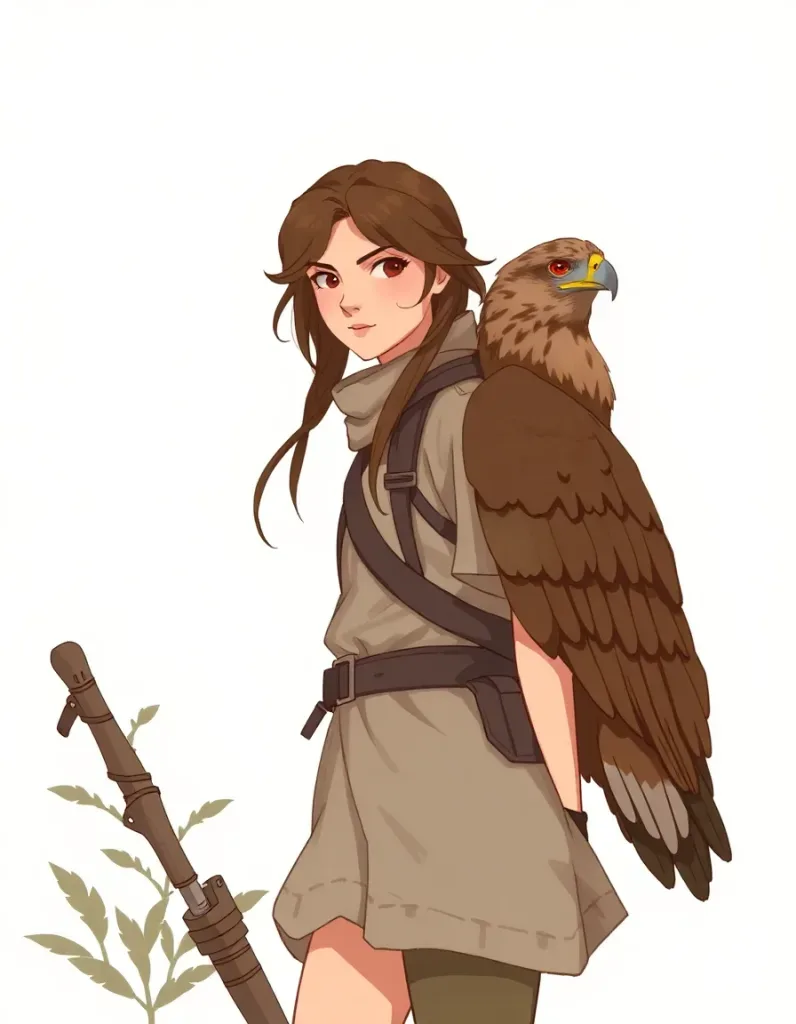
Prompt used: "Character sheet style: young forest ranger heroine with a hawk companion, three-quarter view, concept art, warm-neutral palette, soft diffused lighting, cohesive minimal background, premium editorial composition" — generated with FLUX Schnell on Lovino (a model Lovino has since retired).
Step 2: Generate a multi-pose reference set (10 minutes, ~10–15 credits)
This is the step most makers skip. Generate the same character in 4–6 different poses:
- Front-facing portrait (default)
- 3/4 angle (left and right)
- Profile (left and right)
- Full body
- Talking (mid-speech expression)
Use the original character reference as the seed for each pose. Save each pose as a separate file.
The multi-pose reference set is what lets you maintain consistency across different shot types. When you need a side-angle shot in video 7, you have the matching reference rather than asking the model to invent a side-angle from a front-facing seed.
Step 3: Pick and lock the voice (5 minutes, free)
Open the AI Ad Studio and audition the voices that come with its actors. Pick one that matches the visual character:
- Pitch range matching the visual age
- Energy level matching the visual style
- Accent matching the character backstory
Lock the voice for the channel. Document it (voice ID, parameters) in the same folder as the character references.
Step 4: Lock the prompt patterns
Write a "character bible" — a short doc with:
- The exact character description prompt used in step 1
- The seed image filenames
- The voice ID and parameters
- The default outfit, lighting, and background style
- 3–5 "don't" rules ("never with a beard," "never wearing red," "never older than mid-30s")
This document goes in front of every video brief from now on. It's the single source of truth for the character.
A shortcut: save the character as a Lens ID
You can build the reference set by hand, as above, or let the product do it. Lovino's AI Influencer Studio saves a character as a Lens ID, and every photo references it, so the same face comes back in each scene without seed tricks. Custom characters and video need a paid plan. For how this differs from training a model, see References, Not Training, and for a full walkthrough, How to Create an AI Influencer.
Two photos of one preset character, Maya, each made from the character's saved reference images with FLUX 2 Pro. The prompts are the ones used in production:
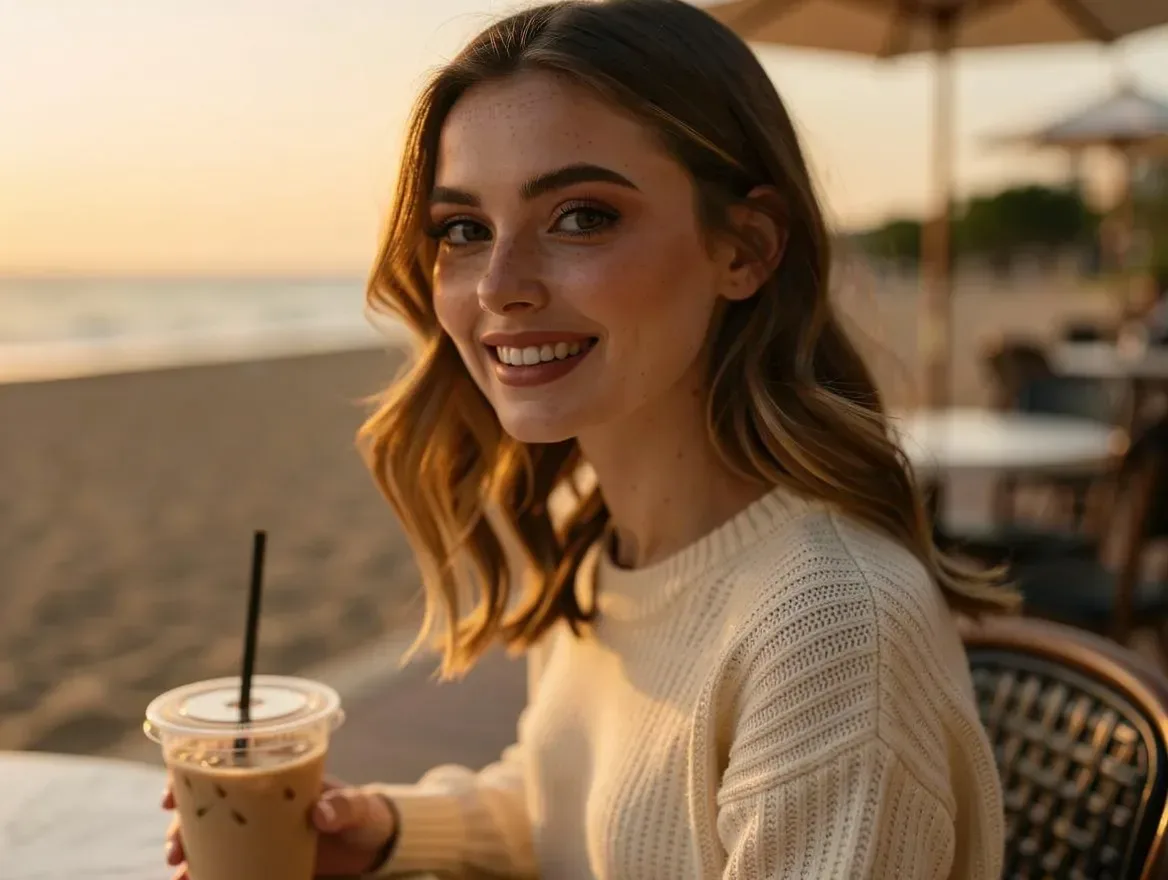
Prompt used: "the same woman sitting at an outdoor beach cafe at golden hour, holding an iced coffee, candid lifestyle photo" — generated with FLUX 2 Pro on Lovino.
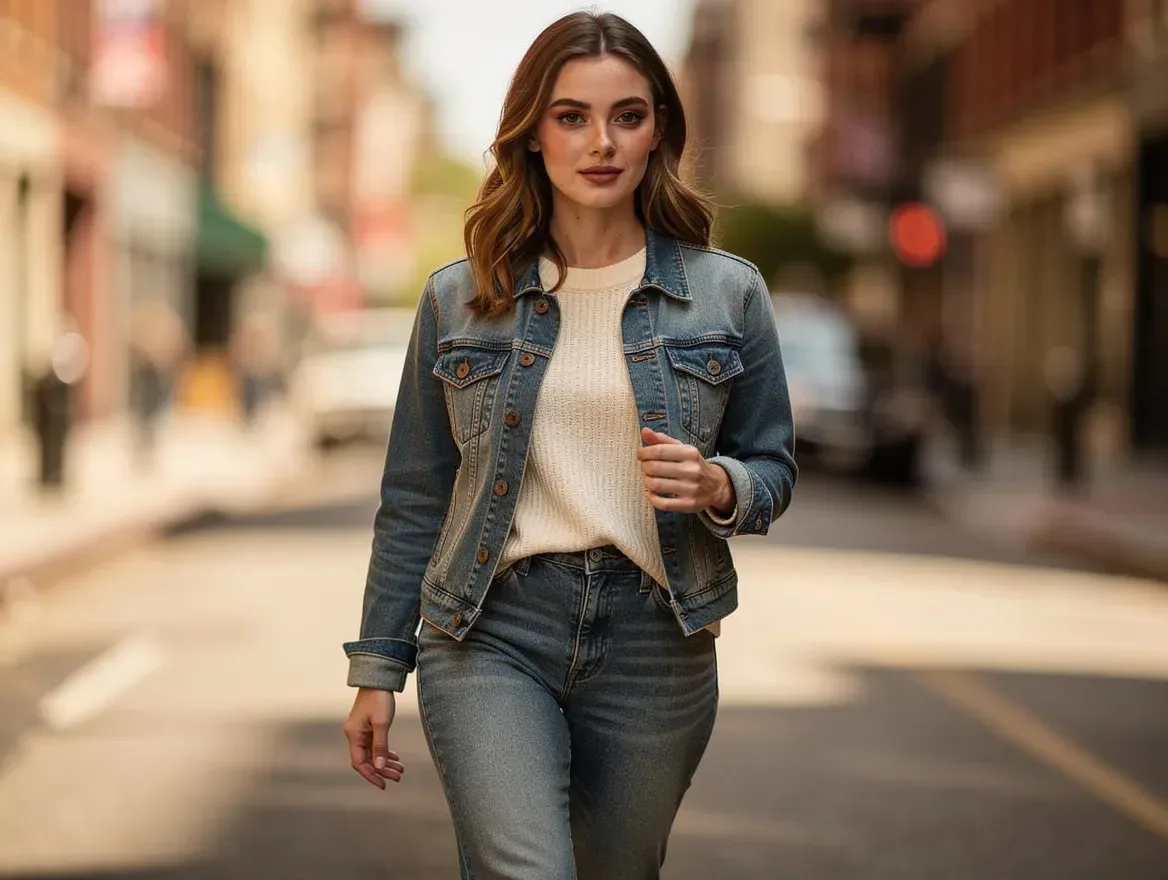
Prompt used: "the same woman walking a sunlit city street in a denim jacket, candid lifestyle photo" — generated with FLUX 2 Pro on Lovino.
Generation discipline: rules per video
For every video the character appears in:
- Use the matching pose reference as the seed input. Front-facing for talking-head, 3/4 angle for active scenes, profile for transitional shots.
- Include the locked outfit, lighting, and background style in every prompt.
- Use the locked voice for every audio generation.
- Never re-generate the character from scratch. This is the most common failure mode — a maker decides to "improve" the character mid-series, generates a new version, and audience recognition breaks.
- Save every output for drift detection.
These rules are mechanical. Most consistency failures are discipline failures, not model failures.
Drift detection: audit every 10th video
Even with locked references and disciplined prompts, the character will subtly drift over time. The face shifts a few pixels per generation, and after 30–50 videos the cumulative drift is visible.
The audit:
- Open the original character reference and the most recent 3 videos side-by-side.
- Look at: eye spacing, nose shape, jawline, hairline, mouth resting position.
- If you see drift, regenerate from the original reference image. Don't try to "correct" forward from drifted output — start clean.
Schedule the audit every 10 videos. It takes 5 minutes and prevents the slow drift that kills channel-level consistency.
Cross-video continuity (advanced)
For narrative content where the character ages, learns, or changes wardrobe, you need controlled continuity rather than rigid consistency. The workflow:
- Era references — generate sub-references for each "era" of the character (younger, older, before/after the haircut). Treat each era as a locked reference for its videos.
- Wardrobe rotation — generate 3–5 outfit references for the character. Match outfit to the video's context but keep the face and voice locked.
- Aging continuity — never age a character mid-series unless the story requires it. If you must, generate a 2–3-step aging reference set and ship the transition in a single video.
This is more work but matches what traditional production does for character continuity in long-running shows.
Multi-character consistency
For shorts or channels with multiple recurring characters, treat each as a separate locked reference. The key additional rule:
- Always audition characters together before locking each. Two characters that look great individually can clash in a shared frame (similar facial structures, identical hair colors, conflicting lighting signatures).
Lock both characters as a paired reference if they'll share frames frequently. Generate a 2-shot reference image with both characters in frame at the locking phase, and use that 2-shot as the seed for shared-frame shots.
Honest limits
Where character consistency in 2026 still breaks:
- Profile-to-profile cuts — going from left profile to right profile in adjacent shots often shows different facial structures. Cut through a front-facing shot when possible.
- Strong emotional expressions — anger, surprise, tears can shift facial proportions noticeably. Lock the resting expression first; emotional shots will read slightly off.
- Age progression beyond 5 years — characters can age 2–3 years within a single locked reference, but jumping 10 years requires a new reference set.
- Extreme angles (top-down, low-angle from below the chin) — coverage is sparse and the model defaults to invented features.
- Children consistency — children's faces change faster across reference rolls than adult faces. Plan for more frequent reference refreshes.
Most of these are solvable with shot-list discipline: design shots that work within the consistency envelope rather than fighting the technology.
Where to start
If you're building a channel or a series with a recurring character, the order of operations:
- Generate the character reference (5 min, about 5 credits).
- Generate the multi-pose set (10 min, about 10–15 credits).
- Pick the voice (5 min, free).
- Write the character bible doc (15 min).
- Ship video 1 with the locked stack.
- Schedule a drift audit at video 10.
Total setup: roughly 15 to 20 credits and 30 minutes. After that, character consistency is a discipline problem, not a budget problem.
For the broader cinematic short workflow, see AI Cinematic Shorts: Movie-Style AI Videos. For faceless YouTube channels using the same workflow, see AI Talking Avatar: Faceless YouTube in 2026. Making UGC ads with a returning presenter? See AI UGC Ads With a Consistent Creator.
Open the AI Character Generator to lock your first character today.
Questions, answered.
How do I keep an AI character's face the same across multiple videos?
Generate the character once on AI Character Generator, save the reference image, and use it as the seed input for every subsequent video generation. Never re-generate the character from scratch between videos — this is the most common cause of identity drift. Audit every 10th video against the original reference and regenerate if you see cumulative drift.
Why does my AI character look slightly different in every video?
Two reasons. First, you may not be using a locked reference image as the seed — describing the character in text alone produces drift. Second, even with a locked reference, the model introduces small variations on each generation that compound over time. The fix is a multi-pose reference set (4–6 angles generated once) plus an audit every 10 videos to catch drift early.
Should I use the same voice for my AI character across videos?
Yes — voice consistency matters as much as visual consistency. Pick a voice on video 1, document the voice ID and parameters, and use the same voice for every video. Switching voices mid-channel breaks audience recognition harder than slight face drift. If your channel has multiple characters, lock a distinct voice per character.
Can I have multiple AI characters in the same video?
Yes, but lock each character separately and audition them together before committing. Two characters that look great individually can clash in a shared frame if their facial structures or lighting signatures conflict. For frequent shared frames, generate a 2-shot reference of both characters together and use that as the seed for shared-frame shots.
How much does character consistency cost to set up?
Roughly 15 to 20 credits and 30 minutes, one time. Generate the character reference (about 5 credits) and the multi-pose set (about 10–15 credits), pick a voice (free), and write a short character bible doc. After setup, consistency is a discipline problem, not a budget problem — every video reuses the locked references at no extra cost.
Can the character age or change wardrobe over time?
Yes, with controlled continuity. For wardrobe rotation, generate 3–5 outfit references for the character and match outfit to the video's context while keeping face and voice locked. For aging, generate an aging reference set (2–3 steps) and ship the transition in a single video rather than drifting gradually. Never age a character mid-series unless the story requires it.