AI YouTube Thumbnail Generator: Click-Worthy Thumbnails Fast
Create professional YouTube thumbnails with AI that boost click-through rates. Templates, styles, and techniques for thumbnails that stand out in feeds.

YouTube thumbnails are one of the highest-leverage creative tasks in content creation. A stronger thumbnail can improve click-through rate, while a weak one can bury good content. AI makes it practical to generate several deliberately different concepts and test them instead of guessing.
Why Thumbnails Matter So Much
YouTube Analytics measures impressions click-through rate (CTR): the share of thumbnail impressions that become views. CTR varies by audience and traffic source, so compare variants on the same video instead of treating a universal benchmark as a target.
At a glance, it needs to communicate: what this video is about, why it's worth clicking, and that it's high quality. All in a 1280x720px image seen at thumbnail size in a crowded feed.
What Makes a High-CTR YouTube Thumbnail
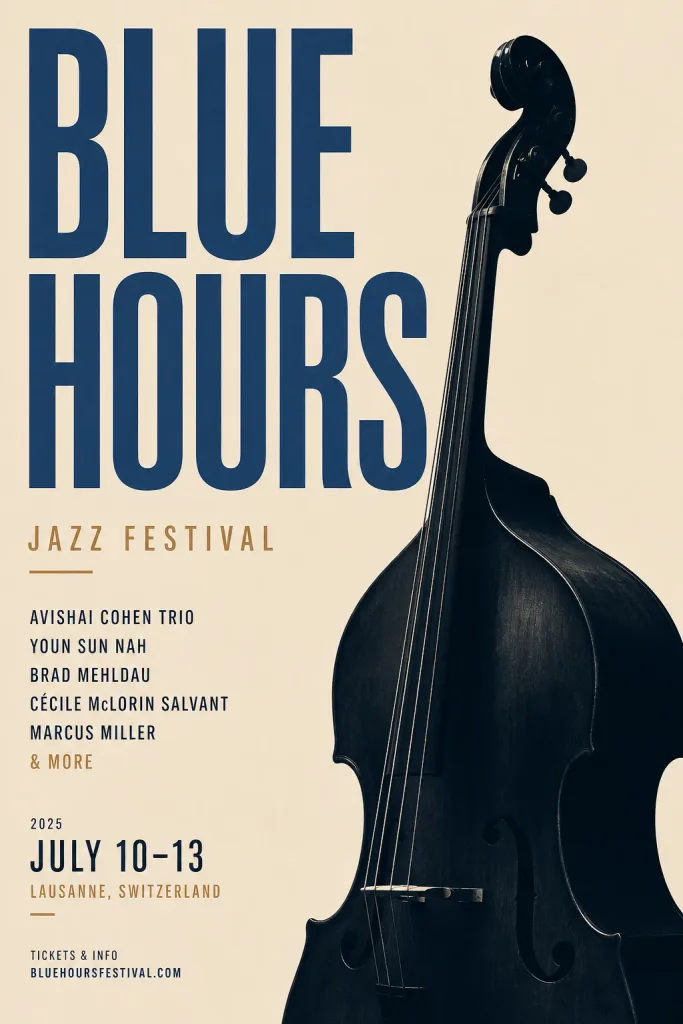
Strong contrast: Thumbnails that stop the scroll use high-contrast elements — bright colors against dark backgrounds, or vice versa.
Expressive face (when relevant): Human faces with strong expressions consistently outperform thumbnails without faces. The face needs to be large enough to read at thumbnail size.
Clear focal point: One thing to look at. Multiple competing elements reduce CTR.
Text used sparingly: 2-4 words maximum, large enough to read at thumbnail size.
Branded consistency: Successful channels have recognizable thumbnail styles — consistent color schemes, fonts, and compositional patterns.
AI Thumbnail Creation Workflow
Option 1: Full AI Generation
Generate the entire thumbnail scene with AI, then add text in a design tool.
- Write a prompt for the thumbnail scene — dramatic subject, strong composition, high contrast
- Generate at 16:9 aspect ratio (1280x720 or 1920x1080)
- Add your title text and branding in Canva, Photoshop, or Figma
- Export at the correct dimensions
Best for: travel, lifestyle, educational, and aspirational content where the scene itself is the draw.
Option 2: AI Face Enhancement
Take a selfie with the expression appropriate for your video. Use AI enhancement to improve quality and lighting. Add to a background (AI-generated or solid color) and add text.
Best for: talking-head style channels where your face is the brand.
Option 3: AI Background + Real Subject
Place a real photo of yourself onto an AI-generated background. This maintains authenticity of the subject while allowing any background you want.
Best for: tutorial channels, product reviews, educational content.
Want ready-made prompts for these layouts? YouTube Thumbnail Prompts for AI covers layout, size and copy-paste examples.
Thumbnail Styles That Work
Reaction/discovery: Strong facial expression + text describing the discovery. "I FOUND IT" over a surprised face.
Comparison: Side-by-side showing contrast. "BEFORE / AFTER" or competing options.
Tutorial outcome: Show the end result, not the process. Show the baked sourdough, not the kneading.
Controversy/question: A bold claim + visual evidence. Thumbnails that create tension drive clicks.
Testing Thumbnails
YouTube Studio allows A/B testing — two thumbnail versions on the same video to see which generates higher CTR. Generate 2-3 variants with AI and test to discover which styles your audience responds to.
Building a channel brand? Pair thumbnails with a mark from the AI Logo Maker guide. Making Reels too? See AI Instagram Reels Cover Images, and pick the right shape with How to Choose AI Image Aspect Ratios.
Generate YouTube thumbnails — high contrast, high CTR, free daily credits.
Questions, answered.
Can AI generate good YouTube thumbnails?
Yes. AI generates high-quality thumbnail images that can be customized with text overlays and branding in design tools like Canva. The combination of AI-generated scenes and text overlays produces professional thumbnails efficiently.
What makes a YouTube thumbnail high-CTR?
High contrast, a clear focal point, expressive faces (when relevant), minimal but readable text, and branded consistency. Strong composition and contrast are the fundamentals — the thumbnail needs to stand out in a crowded feed and immediately communicate why to click.
How do I A/B test YouTube thumbnails?
YouTube Studio offers a thumbnail A/B testing feature that shows two versions to different audience segments and reports which generates higher click-through rates. Generate multiple variants with AI and test to find your most effective style.
What aspect ratio do I use for YouTube thumbnails?
16:9 is the standard YouTube thumbnail ratio. Generate at 1280x720px (minimum) or 1920x1080px for best quality.