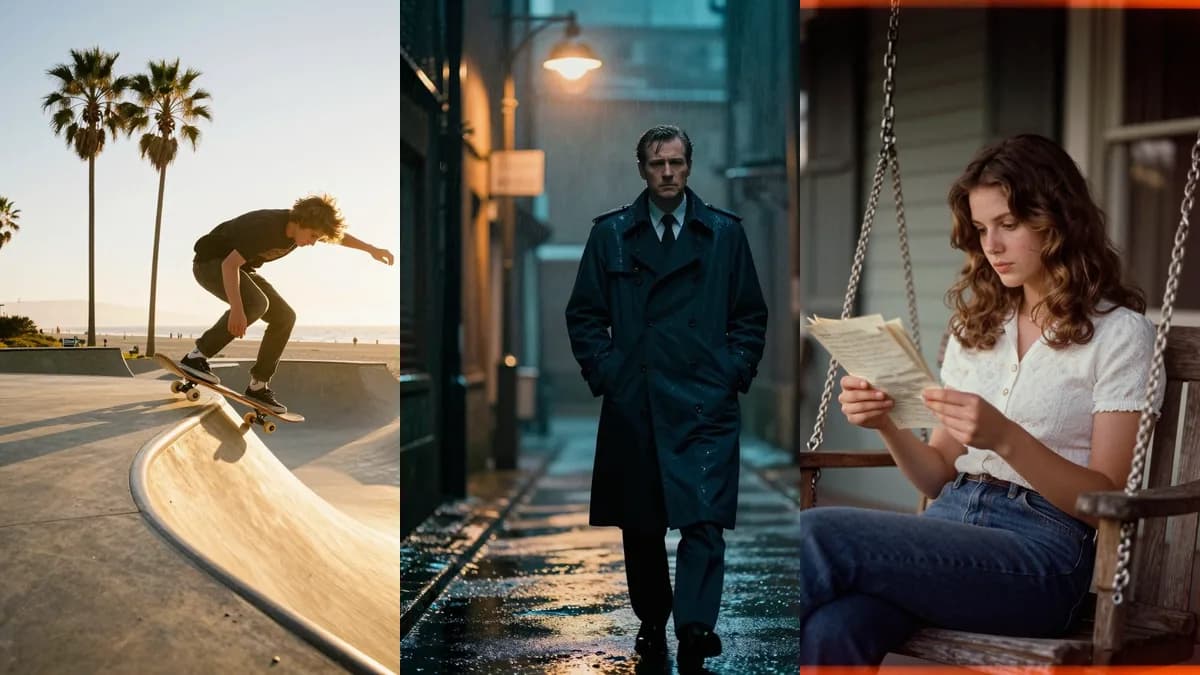
A feed looks like a feed when every picture shares one look. That look is usually a few words of style attached to a scene. This page gives you five looks as copy-paste clauses, shows the looks two ways (written from scratch, and applied to a photo you already have), and is honest about where each look goes wrong.
The five looks at a glance
| Look | What it does | Good for | Watch out for |
|---|---|---|---|
| Golden hour | Warm backlight, sun flares, long amber shadows | People outdoors, seaside, sport | Backlight and flares can wash out detail |
| Cinematic | Teal and orange grade, oval bokeh, film-frame feel | Streets, moody portraits | Adds a heavy vignette in some runs |
| Nostalgic film | Faded warm tones, light leaks, grain, soft vignette | Friends, food, small-town scenes | Orange cast on skin |
| Black and white | Crushed blacks, blown highlights, silver grain | Portraits, sport, architecture | Harsh on faces |
| Neon | Glowing outlines on pure black | Pets, graphic posts | Turns people into wireframes |
How a look prompt is built
Every look prompt is two parts: a sentence about the subject, then a style clause. The clause is the part you reuse.
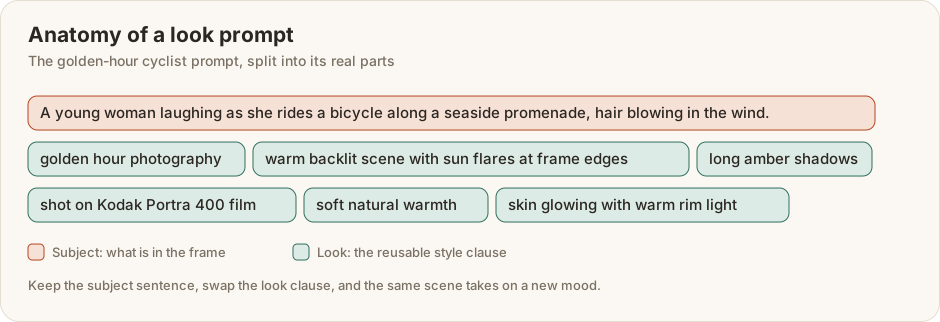
Keep the clause and change the sentence, and a whole set of pictures stays consistent. Keep the sentence and change the clause, and one scene takes on a new mood.
Which route should you use?
| You have | Use | Model on Lovino |
|---|---|---|
| An idea and no photo | Way one: a scene sentence plus the look clause | Z-Image Turbo, 1 credit |
| One photo you like and want a mood for | Way two: the look clause alone, sent with your photo | FLUX.2 Klein, 1 credit |
| A set of photos from one shoot | Way two, with the same clause on every photo | FLUX.2 Klein, 1 credit each |
Way one: describe a scene, then add a look
These four images came from text alone. Each is a tall portrait shape, roughly 4:5, made with Z-Image Turbo.
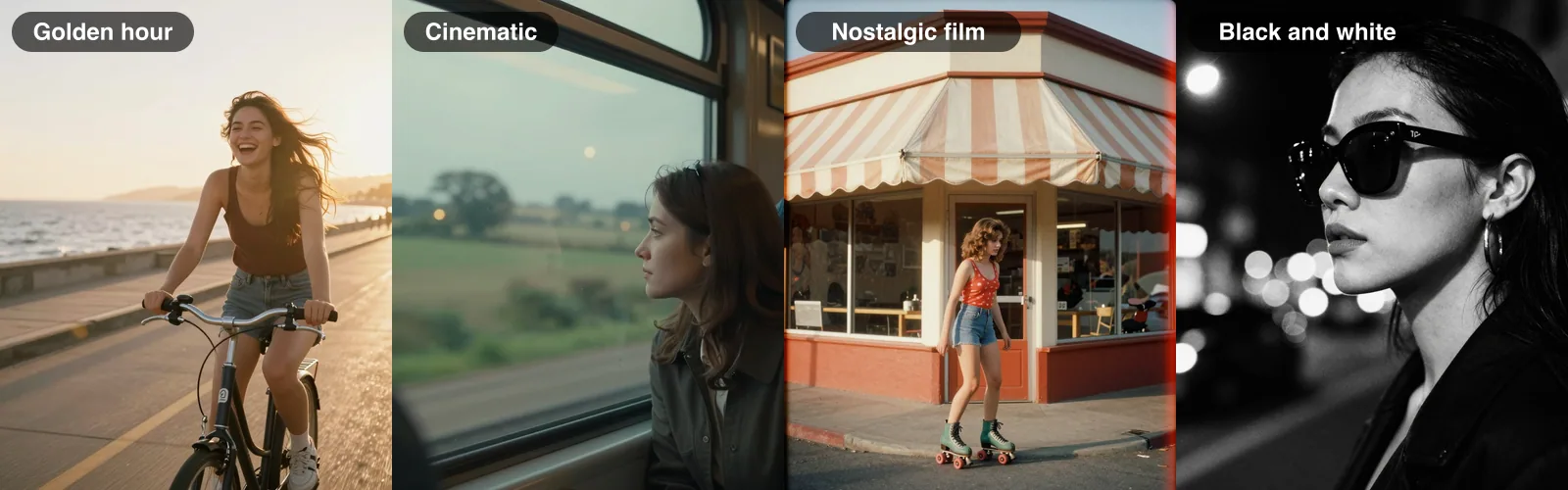
The prompts, verbatim:
Golden hour: A young woman laughing as she rides a bicycle along a seaside promenade, hair blowing in the wind. golden hour photography, warm backlit scene with sun flares at frame edges, long amber shadows, shot on Kodak Portra 400 film, soft natural warmth, skin glowing with warm rim light
Cinematic: A woman gazing out of a train window at passing countryside, her reflection on the glass. cinematic still frame, anamorphic lens with oval bokeh, teal and orange color grading, shallow depth of field, shot on Arri Alexa 35mm, 2.39:1 widescreen letterbox, film-quality lighting
Nostalgic film: A young woman on roller skates outside a small corner shop with a striped awning. vintage analog film photography, Kodachrome faded warm tones, orange light leaks bleeding in from edges, soft corner vignette, visible chemical film grain, 1970s color processing aesthetic
Black and white: Side profile of a woman in oversized sunglasses and hoop earrings, city lights behind her. high contrast black and white photography, deep crushed blacks and bright blown-out highlights, fine silver halide grain, zone system tonal range, Ilford HP5 / Tri-X 400 film look, dramatic monochrome
Way two: put a look on a photo you already have
Here one photo of a terrier goes through all five looks. The prompt for each look is only the style clause, because the photo supplies the subject. These were made with FLUX.2 Klein, which takes a photo plus an instruction and costs 1 credit on Lovino.
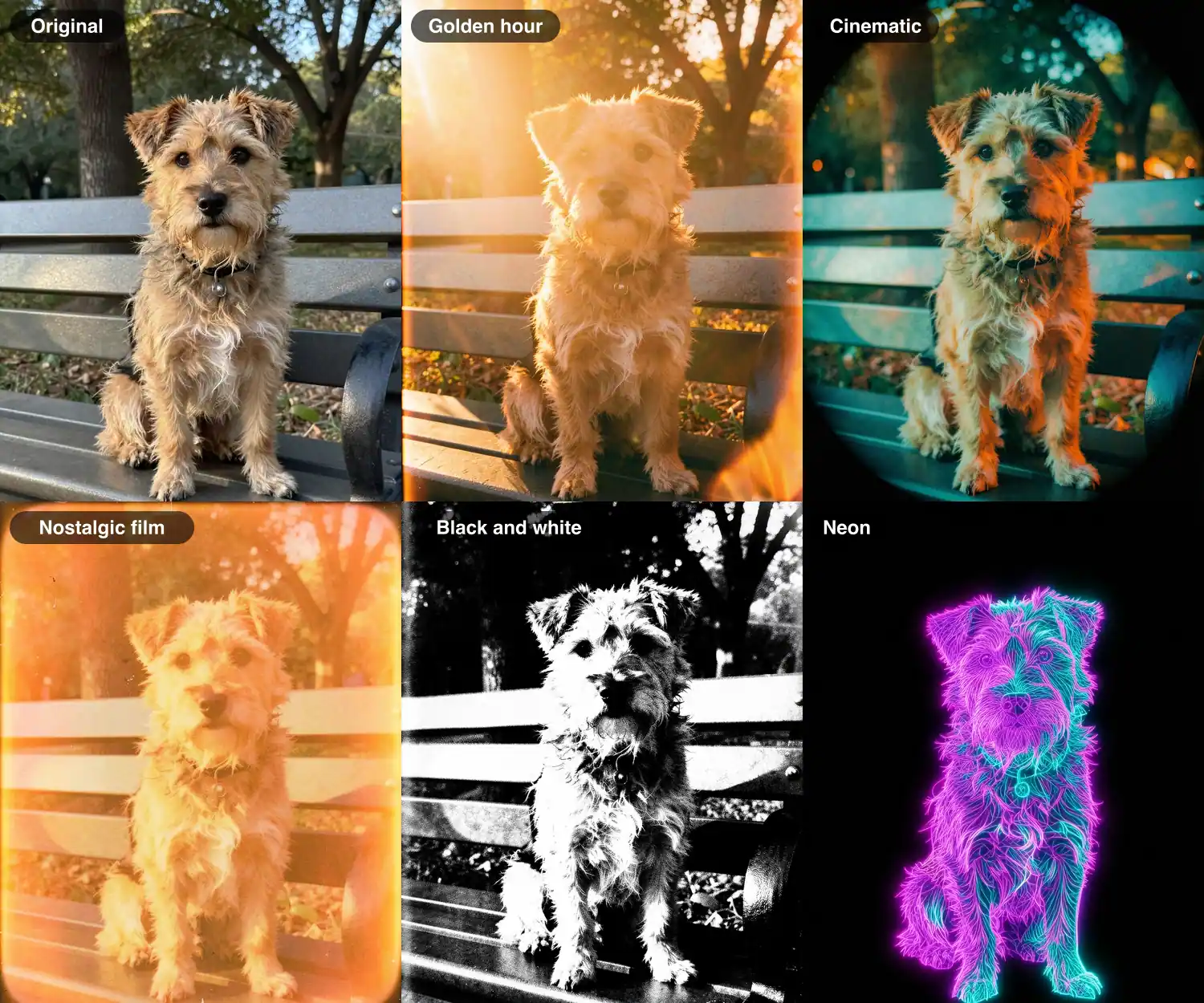
Golden hour: golden hour photography, warm backlit scene with sun flares at frame edges, long amber shadows, shot on Kodak Portra 400 film, soft natural warmth, skin glowing with warm rim light
Cinematic: cinematic still frame, anamorphic lens with oval bokeh, teal and orange color grading, shallow depth of field, shot on Arri Alexa 35mm, 2.39:1 widescreen letterbox, film-quality lighting
Nostalgic film: vintage analog film photography, Kodachrome faded warm tones, orange light leaks bleeding in from edges, soft corner vignette, visible chemical film grain, 1970s color processing aesthetic
Black and white: high contrast black and white photography, deep crushed blacks and bright blown-out highlights, fine silver halide grain, zone system tonal range, Ilford HP5 / Tri-X 400 film look, dramatic monochrome
Neon: neon glow effect, vibrant light-emitting outlines on pure black background, electric magenta and cyan and purple, bloom and light bleed halos, synthwave luminescence, glowing wireframe aesthetic
The same five on a candid cafe portrait show how the looks treat a person.
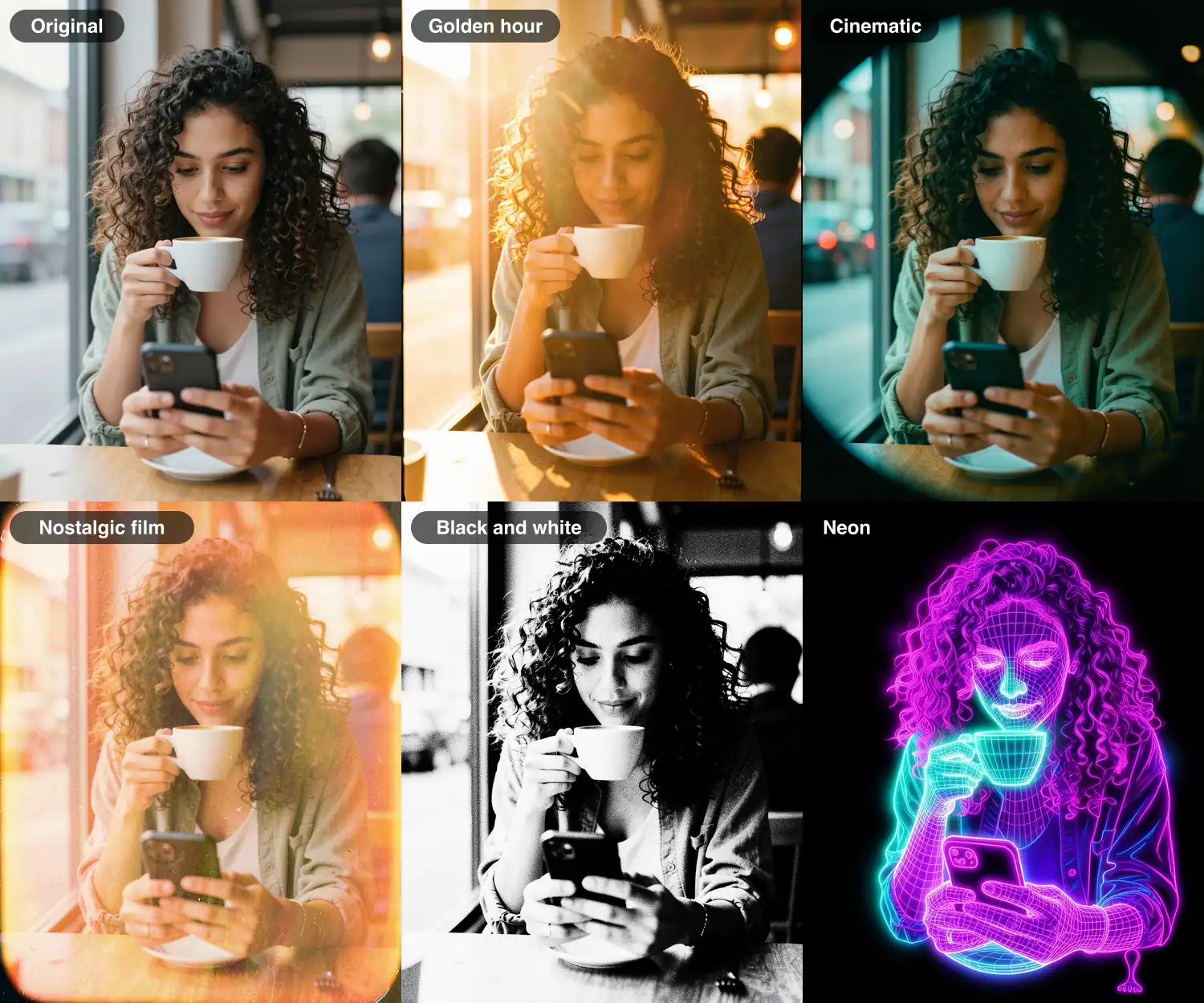
Read the results critically. The neon look turns the woman into a glowing wireframe, which is graphic rather than photographic. The black and white look pushes highlights hard, so skin loses detail. The cinematic look added a round vignette in both of these examples, which you may not want in a feed. Golden hour and nostalgic film stayed closest to the original face.
Build a nine-post set with one look
Pick one clause and hold it fixed. Write nine subject sentences for the scenes you want: a person outdoors, a street, a pet, a food shot, a detail. Run each one with the same clause. Nine images cost 9 credits, which is 3 days of the free plan's 3 daily credits. Then look at every image at full size, drop the weakest, and save the clause in a note so next month's set matches this month's.
Keeping a feed consistent
- Pick one or two looks and stay with them. Switching looks every post is what makes a feed feel scattered.
- Reuse the exact clause. Copy it rather than retyping it.
- Use a portrait shape. The examples are roughly 4:5, a common feed portrait ratio. Check Instagram's current specs before you commit to a size.
- Check faces at full size. Zoom in before you post, especially on people.
- Say when a picture is AI-made. Some platforms ask for AI labels, so check the current rules, and see our disclosure guide for wording.
What it costs
Z-Image Turbo and FLUX.2 Klein each cost 1 credit on Lovino, and the free plan includes 3 credits a day, so you can make 3 images a day for free. You need to sign up, and free-plan downloads are watermarked, which matters for a feed. A paid plan removes the watermark. Traveler is $9.99 a month for 50 credits.
Keep going
Start with the AI image generator for the from-scratch route, or restyle a photo you already have with the Style Transfer tool. For ideas beyond looks, see AI photo ideas for Instagram and AI Reels cover images. If you want a look that reads as illustration rather than photography, Ghibli-style prompts and six more art styles has the wording.