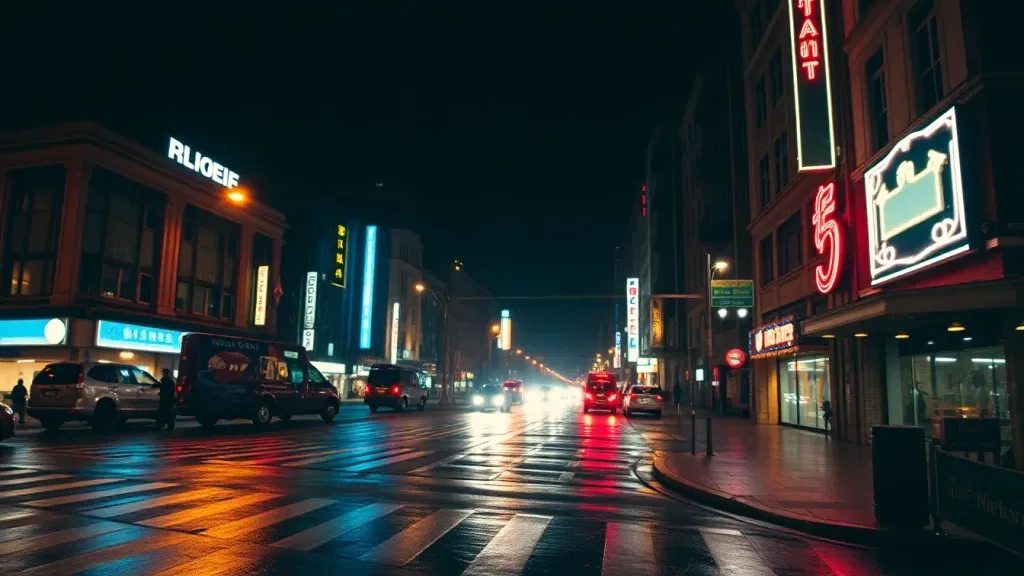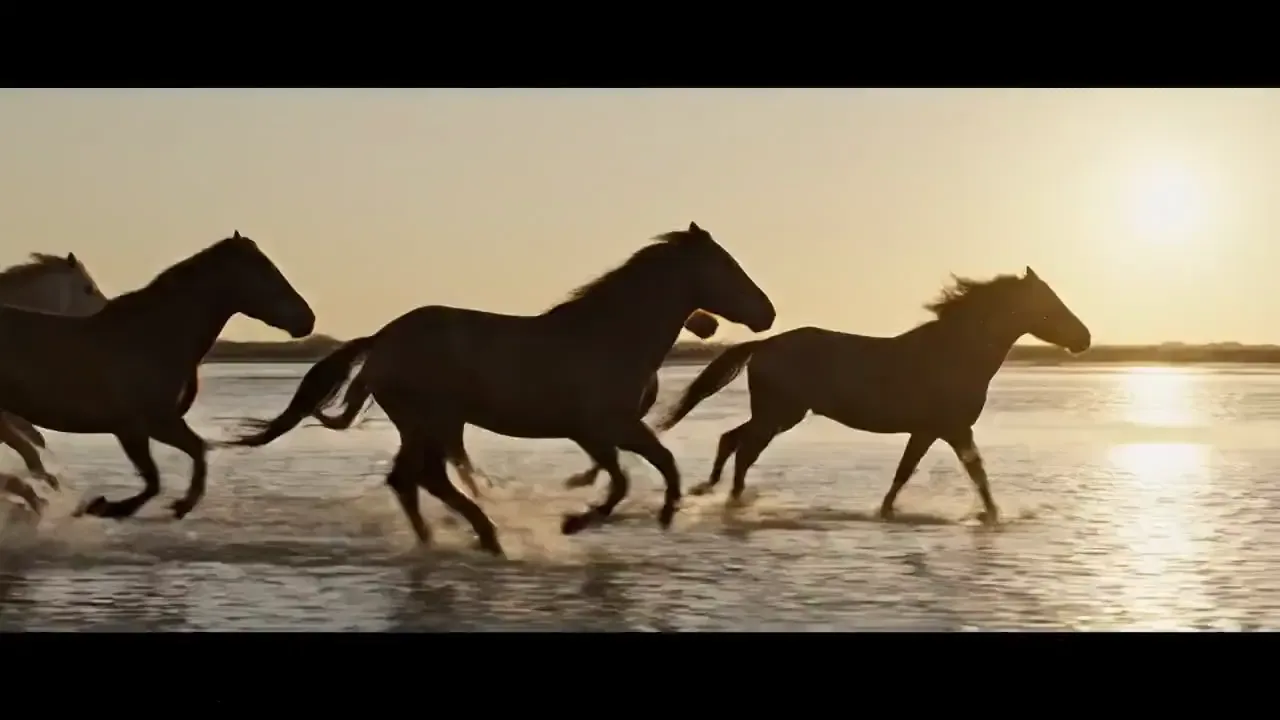
Image to video turns one still photo into a short clip. If you searched for a free, unlimited way to do it, the honest answer on Lovino is no: video always uses paid credits, the free plan is for images, and no plan is unlimited. The cheapest clip is 2 credits. This page shows what a good source photo looks like, with the exact motion prompts, what every model costs, and how to choose without overspending.
Image to video at a glance
| Question | Short answer |
|---|---|
| Is there a free unlimited plan? | No. Video always spends paid credits, the free plan's daily credits cannot be used on it, and every plan is metered in credits |
| Cheapest clip | 2 credits for a 5-second clip, about $0.32 at the $8 starter-pack rate (plan credits cost more or less per credit) |
| Models that can animate a photo | 19 |
| Clip length | 4 to 15 seconds, depending on the model |
| A starter pack | $8 for 50 credits, or 25 of the cheapest 5-second clips. Credit packs are for subscribers only in the US, Canada, the UK, the EU and EEA, Switzerland, Australia, New Zealand and Japan; elsewhere a pack can be bought on its own. |
| Some models need a subscription | Hailuo 02, Veo 3.1 Lite, Kling 2.5 Turbo Pro, MiniMax H3, Seedance 2.0, Veo 3 Fast and Veo 3.1 Fast |
What makes a good source photo
The stills below were each animated with Wan 2.2 Fast, the 5-second image-to-video model. Look at what they share: one clear subject, a scene with something that can plausibly move, and no clutter to confuse the motion.
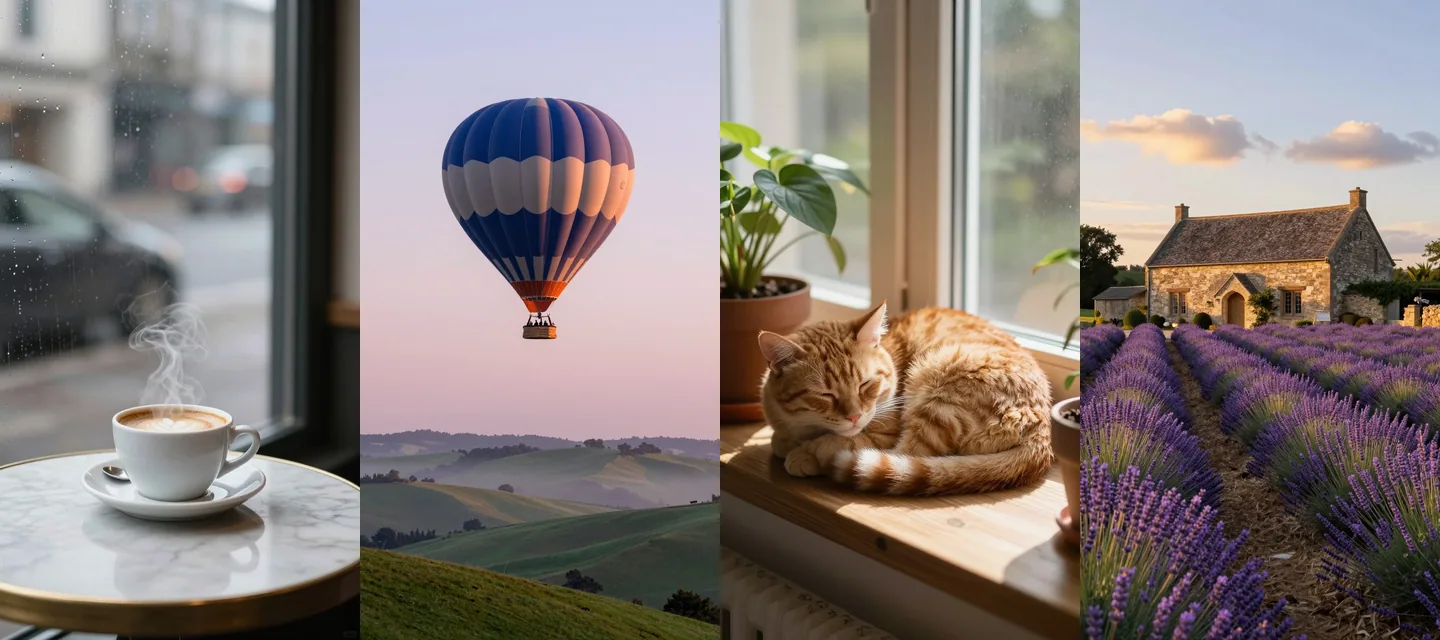
Coffee by a rainy window: steam rises from the cup, raindrops run down the window glass
Hot air balloon: the balloon rises slowly as mist drifts across the hills
Sleeping cat: the cat's ear twitches, it slowly opens its eyes and stretches
Lavender farm: a breeze sways the lavender, clouds drift, slow sideways dolly
Notice what the motion prompts do not do: they never re-describe the picture. They say what moves (steam, raindrops, the balloon, an ear) and how the camera moves (a slow sideways dolly). Three more, with a person and a tilt:
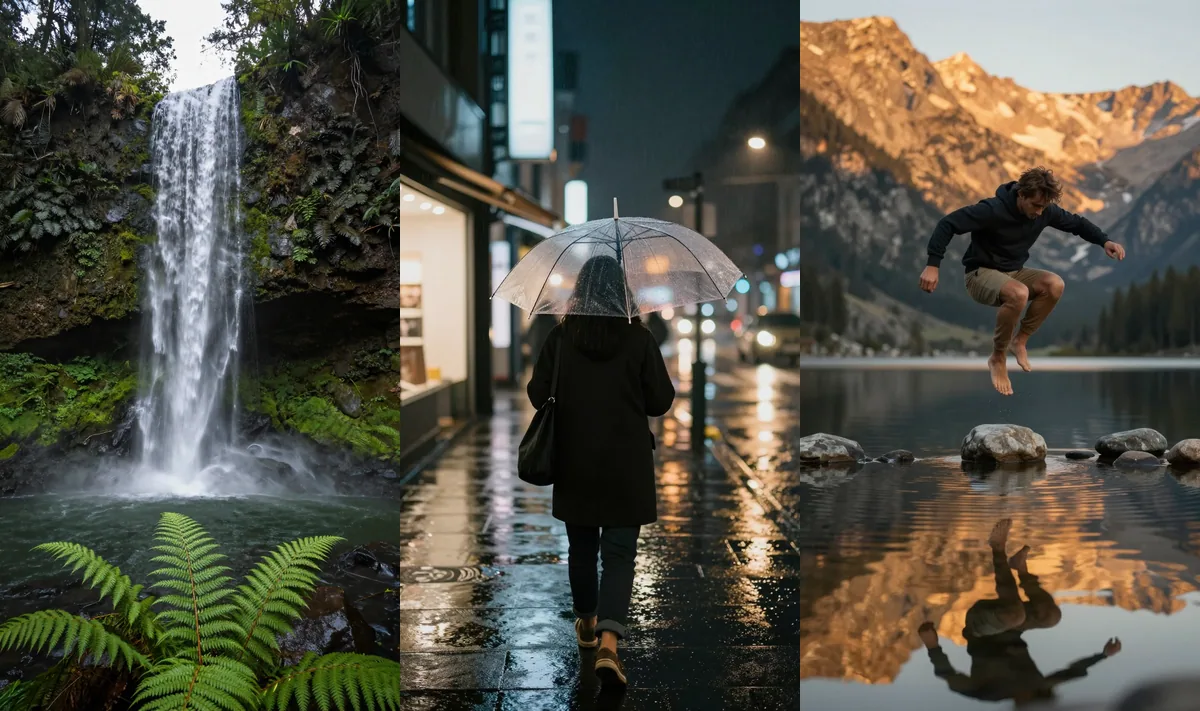
Forest waterfall: water pours down, spray drifts, slow tilt up
Neon rain walk: the person walks toward the camera, rain falls, reflections ripple
Skipping stones: he flicks a stone and it skips across the water, ripples spreading
A wide still works too:
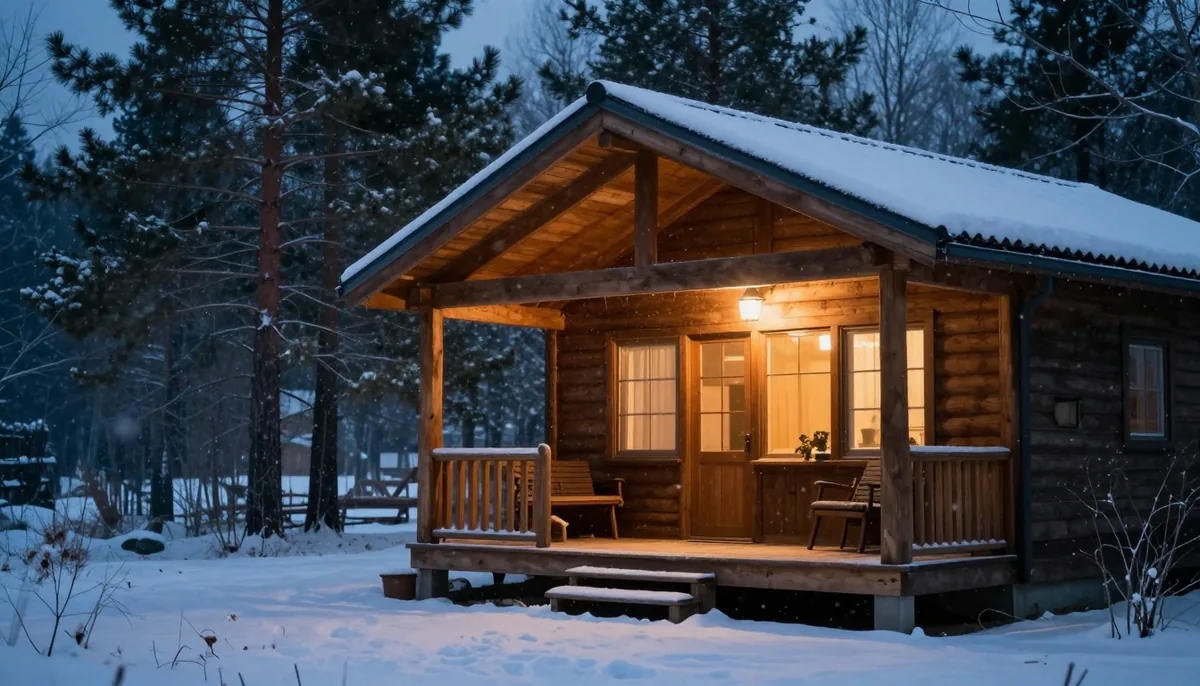
Snowy cabin: snow falls gently, slow push in toward the door
This page shows the stills and the exact motion prompts. The clips are short videos, so judge the motion in the app rather than here. The stills came from Z-Image Turbo, and every person in them is generated.
What each model costs
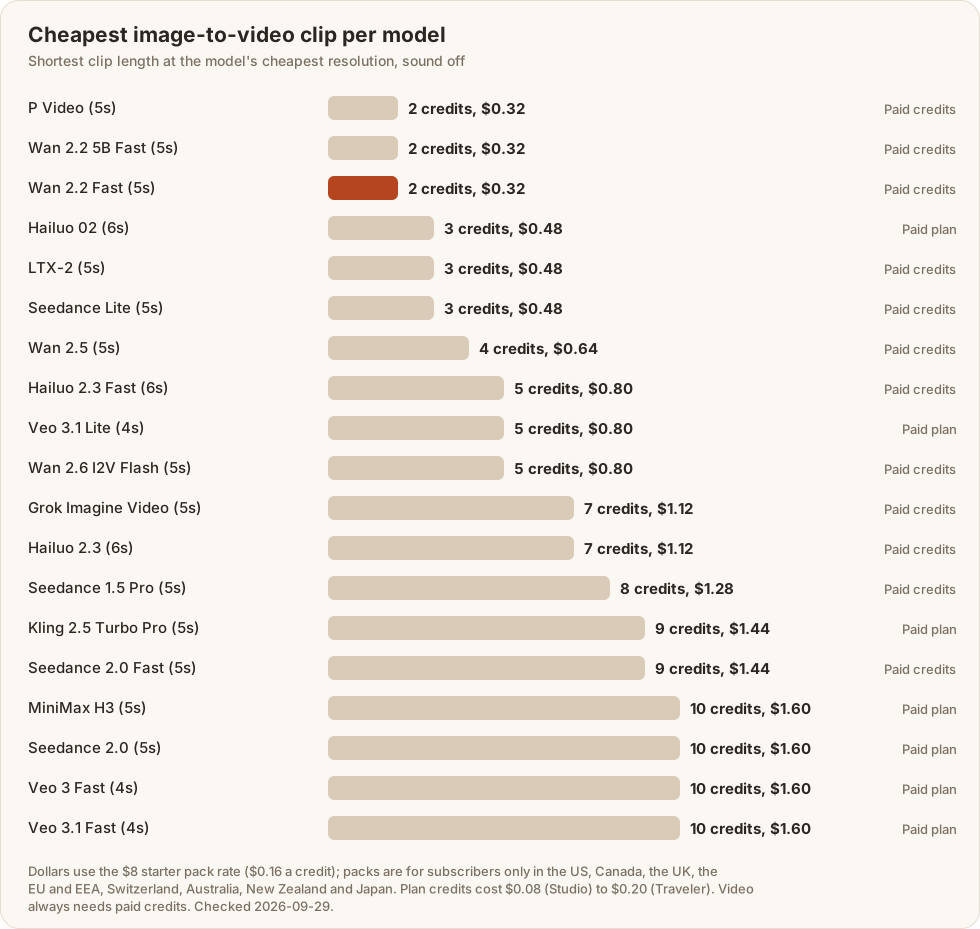
Read the chart as a price list for the smallest useful clip. Splitting the 19 models into thirds by entry price gives this:
| Tier | Credits for the entry clip | Models |
|---|---|---|
| Lowest | 2 to 4 | P Video, Wan 2.2 5B Fast, Wan 2.2 Fast, Hailuo 02, LTX-2, Seedance Lite and Wan 2.5 |
| Middle | 5 to 9 | Hailuo 2.3 Fast, Veo 3.1 Lite, Wan 2.6 I2V Flash, Grok Imagine Video, Hailuo 2.3, Seedance 1.5 Pro and Kling 2.5 Turbo Pro |
| Highest | 9 to 10 | Seedance 2.0 Fast, MiniMax H3, Seedance 2.0, Veo 3 Fast and Veo 3.1 Fast |
Free plans and price caps: what is true
- Video needs paid credits. They come from a plan: Traveler is the cheapest at $9.99 a month. Credit packs are for subscribers only in the US, Canada, the UK, the EU and EEA, Switzerland, Australia, New Zealand and Japan; elsewhere a pack can be bought on its own. The free plan's 3 daily credits (signup required) are for images.
- Nothing is unlimited. Every plan is a monthly credit balance, and a credit pack is a fixed number of credits.
- A pack is a top-up. $8 buys 50 credits, which is $0.16 a credit, but in the US, Canada, the UK, the EU and EEA, Switzerland, Australia, New Zealand and Japan you need a plan before you can buy one.
- Some models also need an active plan. Hailuo 02, Veo 3.1 Lite, Kling 2.5 Turbo Pro, MiniMax H3, Seedance 2.0, Veo 3 Fast and Veo 3.1 Fast need a paid plan even when you hold pack credits.
If you only want to see whether image-to-video suits you before paying anything, a competitor's free trial, where one is offered, is the better first step. Trial limits change often, so check them directly. Lovino makes more sense once you want video, images and several models under one credit balance.
How to choose without overspending
Quality differences between models depend on your photo, so test rather than guess. Run the same photo and the same motion prompt through the cheapest model and one model from the next tier. Compare how natural the motion looks, whether faces hold, and whether edges shimmer. Step up only if the cheap result falls short. A two-model test at entry prices costs 7 credits in total.
A worked example: six shots
Say you want six short shots for a reel. On Wan 2.2 Fast at 480p, six 5-second clips cost 12 credits, about $1.92 at the pack rate. At 720p the same six cost 18 credits. Plan for retries, since not every clip will be a keeper. Budget for the attempts, not just the finished shots, and the balance will not surprise you.
Match the still to where the clip will play
The vertical stills above are 768 by 1344 pixels, the 9:16 shape for phone video. The wide cabin still is 16:9. Pick the shape before you generate the photo, because cropping a clip afterwards throws away the motion you paid for. Use a sharp photo at a reasonable size, and avoid stills with readable text, which can wobble or change as the clip plays.
Common problems
- Faces can distort when a person moves. Check every clip with a face at full size.
- Small objects can morph. A hand holding a phone or a bottle is harder than a waterfall.
- Readable text can wobble. Avoid stills with signs or labels you need to keep legible.
- Fast or busy motion can smear. One gentle movement usually behaves better than three.
Check the clip before you use it
Watch each clip once at full size and look at four things: whether faces stay the same person from the first frame to the last, whether hands and small objects keep their shape, whether any text in the picture stays legible, and whether the motion looks natural or rubbery. If one fails, change the motion prompt or try a different model rather than re-running the same settings.
Write a motion prompt
- Name one or two things that move.
- Add one camera move: slow push in, slow tilt up, slow sideways dolly.
- Keep it to a sentence. The photo already supplies the scene.
- Ask for motion that is physically likely: steam rises, water pours, a hand tilts a bottle.
Keep going
Start in the AI video generator. If you are choosing between Kling, Veo and Seedance, see which subscription covers them and the Seedance, Veo and Hailuo pages. For prompts and workflow, read how to turn an image into a video and the ultimate guide to AI video prompts.